
Chat Bubbles
Vanilla-style chat bubbles above players' heads. Smooth, customizable and client-side, so it works on any server. Fabric 26.3.
截图



介绍
Chat Bubbles: Vanilla-Style Chat Above Players’ Heads (Fabric 26.3)
See who’s talking. Chat Bubbles shows chat messages as clean floating text above players’ heads, the way Minecraft should have done it. Perfect for SMPs, roleplay and hanging out with friends.
✅ Updated for Minecraft 26.3 on Fabric
💬 Features
- Vanilla-looking bubbles: clean name-tag-style text that fits right into Minecraft
- Smooth animations: bubbles fade in, float up and fade out
- Works on any server: 100% client-side, so it’s fine on vanilla servers, Realms and SMPs
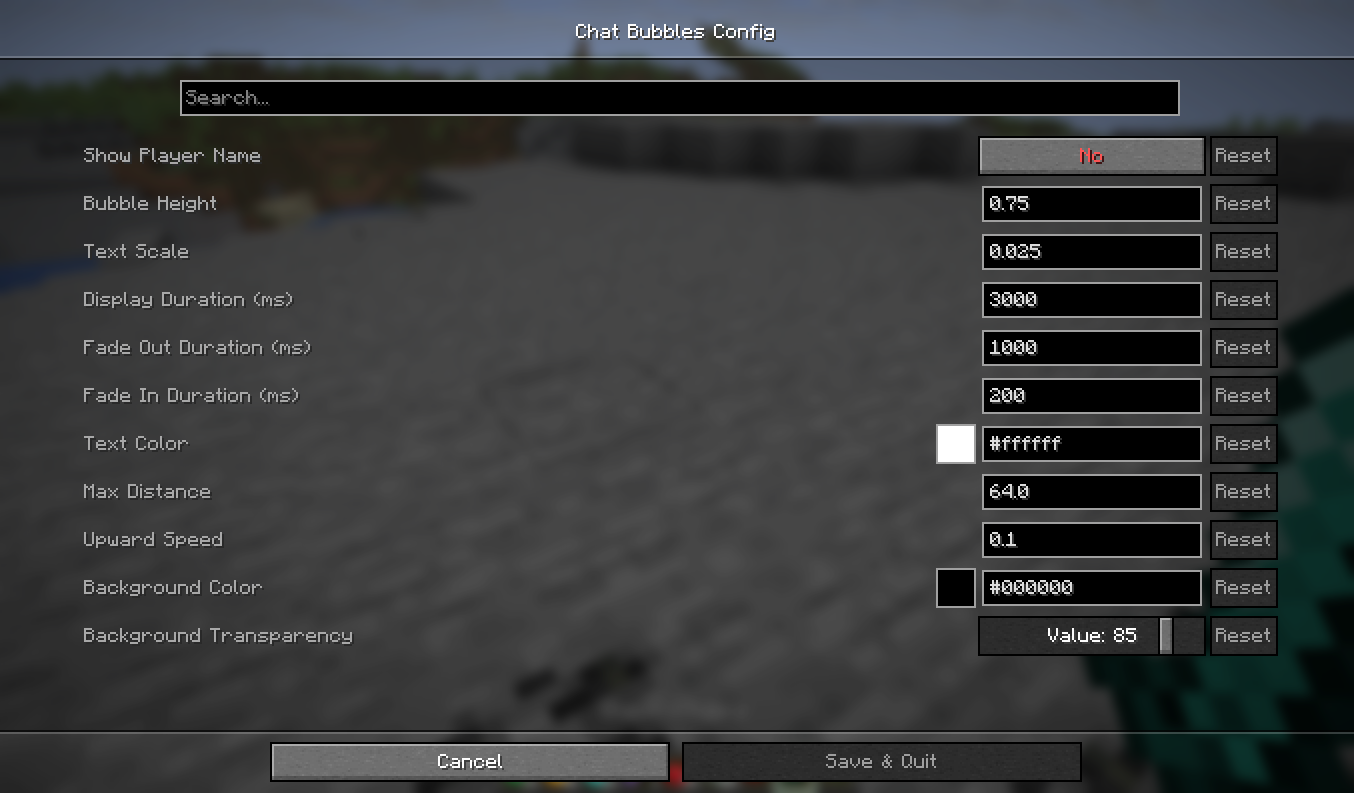
- Customizable: text color, background, transparency, size, duration and view distance
- Lightweight: built on Minecraft 26.3’s new rendering pipeline for great performance
🎮 Perfect for
SMP and roleplay servers, recording videos and screenshots, and playing with friends without staring at the chat box.
📦 Requirements
Fabric Loader, Fabric API and Cloth Config. Mod Menu is optional (config screen). Client only.
More from UltimateGamerMC
- Better Ping – see exact ping in milliseconds
- Bulk Villager Trading – auto-restock villager trades
- Interactic Updated – item physics and right-click pickup
- Advancement Info – a bigger advancements screen
- Borderless Mining Revived – borderless fullscreen
- Extra Mobs – mob texture variants
常见问题
Chat Bubbles 支持哪些 Minecraft 版本?
Chat Bubbles 支持 Minecraft Java 版 1.7.10–26.3,共 20 个版本,可用的加载器:Fabric。下载时注意选择和你游戏版本一致的文件。
Chat Bubbles 怎么安装?
先用 PCL2 或 HMCL 启动器安装对应版本的 Fabric,再把下载的 .jar 文件放进游戏目录的 mods 文件夹,重新启动游戏即可。开启了版本隔离的,mods 文件夹在 versions/版本名 下面。运行环境:仅客户端。
UltimateGamerMC 的其他作品
查看全部 →
Girlfriend Mod
A cute, loyal girlfriend companion for Minecraft. She follows you, protects you, picks you flowers, chats with you and grows closer every day. Fabric 26.3.

Advancement Info
Bigger advancements screen plus a checklist of exactly which requirements you still need (biomes, foods, mobs...). Perfect for completionists. Fabric 26.3.

Better Ping
See every player's real ping in milliseconds in the tab list, color-coded from green to red. Client-side, works on any server. Fabric 26.3.
Better Ping
See every player's real ping in milliseconds in the tab list, color-coded from green to red. Client-side, works on any server. Fabric 26.3.
评论
登录后评论和评分