截图
介绍
What does CharTillA do?
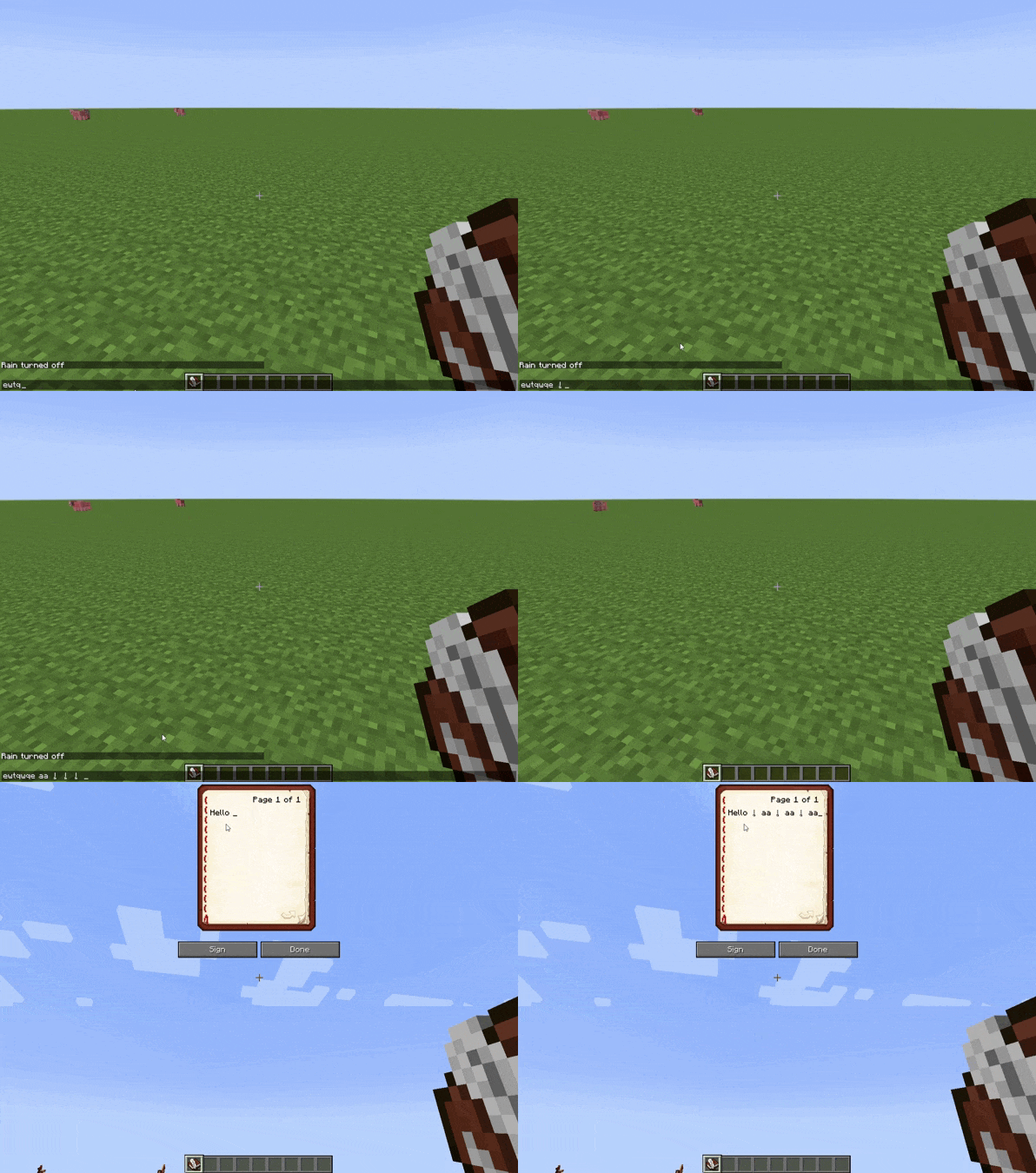
The mod allows you to add your own character combinations, which will be replaced anywhere available with characters from the Unicode table or config.
By default, the following matches are defined in the config:
niao=9ce5
ren=4eba
xiang=8c61
mao=8c93
gou=72d7
Here the ‘=’ sign is a separator, so it must always be present.
Before ‘=’ you must specify any character set you want. This is the text that will be replaced by the desired character from the Unicode table.
After ‘=’ you must insert the hex representation of the desired character from the Unicode table. It must be exactly 4 characters long.
This way the word “niao” will be replaced by the character ‘鳥’ in chat, books, langs, and anywhere else available.
But what about characters that are not in the Unicode table?
It’s simple: you can add your own thanks to free spaces in “unicode_page” (minecraft.jar\assets\minecraft\textures\font).
What it takes:
1. The symbol to be added must be an image in .png format.
2. Place it in the glyphs folder (.minecraft\config\CharTillA).
3. In the minecraft.jar\assets\minecraft\textures\font directory, select the “unicode_page” file that has enough free indexes for your characters.
4. Rename image file according to the rules already known from the niao=9ce5 example, with one exception…
In this case, the 4 characters after the ‘=’ are divided into 2 groups of 2 characters each:
— the first group is the last two characters in the name of each “unicode_page” file after ‘_’;
— the second group is the index of a free character in the “unicode_page” file in hex representation. The index is counted from 0 and ends with 255 (’00’ to ‘ff’ in hex).
Example (based on “CharTillA toki pona cfg” in additional files):
1. Let’s take the first .png file — “a=1a20”, representing the letter ‘a!’ in sitelen pona.
2. We place it in the glyphs folder.
3. In the minecraft.jar\assets\minecraft\textures\font directory, we choose the “unicode_page_1a” file because it is the first file with enough free indexes.
4. As we can see, the character we are adding (“a=1a20”) is renamed according to the rules:
— ‘a’ is the letter before ‘=’, which will be automatically replaced by the character we add;
— ‘=’ is our separator, leave it alone;
— ‘1a’ is our first group of characters after ‘=’, which corresponds to the last 2 characters of the file name “unicode_page_1a”;
— ’20’ is our second group of characters after ‘=’, which corresponds to the hex representation of the first free index in file “unicode_page_1a”. This is the 32nd index. There are already 32 characters in the file, but we remember that the index count starts at 0, so technically the 32nd character is the 31st.
Here’s what it will look like in the game:

If you are not happy that some text in the game is “broken” due to automatic text replacement, you can enable the ‘replaceOnlyInBrackets‘ parameter in “CharTillA.cfg”.
In this case, only the text inside bracket symbols will be replaced (can be changed to any characters using the ‘bracketStart‘ and ‘bracketEnd‘ parameters in “CharTillA.cfg”).
常见问题
CharTillA 支持哪些 Minecraft 版本?
CharTillA 支持 Minecraft Java 版 1.7.10,可用的加载器:Forge。下载时注意选择和你游戏版本一致的文件。
CharTillA 怎么安装?
先用 PCL2 或 HMCL 启动器安装对应版本的 Forge,再把下载的 .jar 文件放进游戏目录的 mods 文件夹,重新启动游戏即可。开启了版本隔离的,mods 文件夹在 versions/版本名 下面。
KAIIIAK 的其他作品
查看全部 →
APortingCore
一个帮助从新版本启动模组的模组

LIDAR
一个帮助你以全新方式导航世界的模组。
Prioritiser
一个在某些事件(如游戏加载)期间改变进程优先级的模组……
AM2PGA
Allows to launch AM2PG and Alfheim at the same time.
评论
登录后评论和评分