
截图



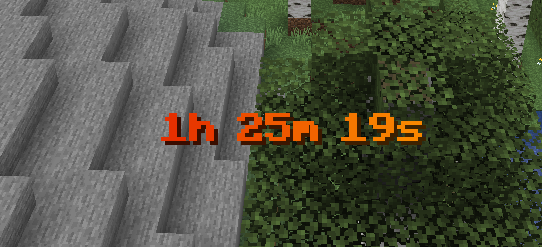
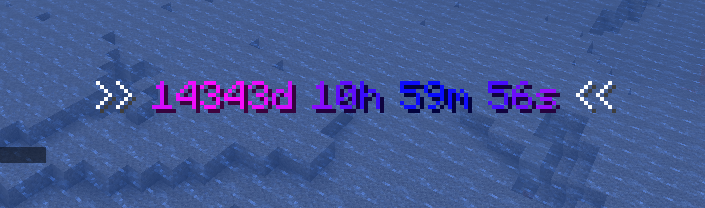

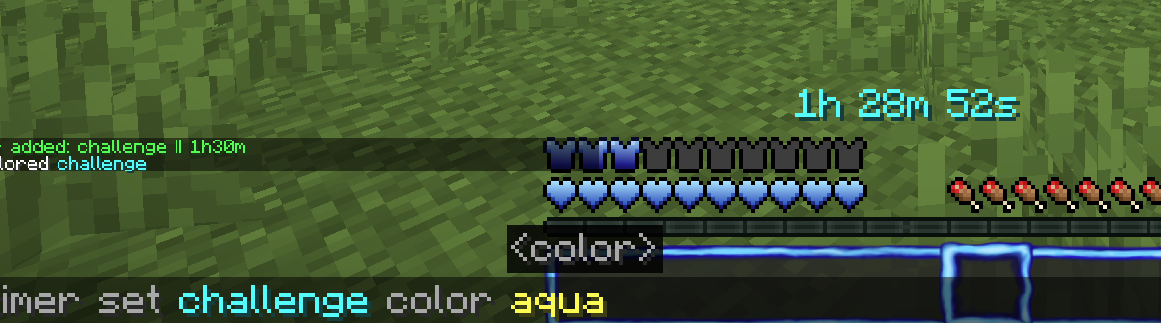
介绍
Challenge Timer
An advanced Minecraft Timer Mod for Challenges etc.
Tutorial: https://youtu.be/aHcGYtDmxuk
Features
- Countdown
- Countup (Stopwatch)
- multiple Timers supported
- Colors (names + hex-codes)
- Color Gradients (static & animated)
- customize animationtime + direction
- advanced Time Indication
- set Pre- & Suffix
- retime
- retype (count up/down)
- customize finished text (shown when the timer is over)
- format text (bold,underlined,..)
- pause timers
- customize pause text
Upcoming:
- more advanced formatting options
- assign timers to players
- more colors in gradients possible
Usage
How to add Countdown
  /timer add Countdown <Timername> <time>

  <time> given like "2d6h20m13s"

  Keywords:
  'd' : days
  'h' : hours
  'm' : minutes
  's' : seconds
How to add Stoppwatch
/timer add Countup <name> <time> CountupHow to start the Timer
/timer start <name>How to reset the Timer
/timer reset <name>How to remove Timer
/timer remove <name>How to change the shown Timer
/timer set <name>How to set Timer Color
/timer set <name> color <color(name or hex)>How to use an animated Gradient
/timer set <name> color gradient <hex> <hex> animatedHow to set Timer Time
/timer set <name> time <time>How to set Pre/Suffix
  /timer settings prefix/suffix <prefix/suffix>

  ! the pre/suffix color is the default_color
How to set default Timer Color
/timer settings default_color <color(name or hex)>How to let Pre/Suffix inherit from Timer Formattings
  /timer settings defaultColor useTimerFormattings

  ! fe gradients and formattings like bold/underlined
How to set finished-text (text shown after timer over)
  /timer settings finishedText <text>

  Keywords:
  {name} = name of current timer
How to pause/unpause
/timer pause How to set paused-text (text shown after timer over)
  /timer settings pausedText <text>

  Keywords:
  {name} = name of current timer
  {time} = time of current timer
How to en/disable timers
/timer en/disableSystem Infos
Minecraft Verion: Minecraft Java Fabric 1.21.5
Fabric Loader: 0.16.14 (usually preset)
🔗 Links


Authors
License
常见问题
ChallengeTimer 支持哪些 Minecraft 版本?
ChallengeTimer 支持 Minecraft Java 版 1.21.5–1.21.11,共 7 个版本,可用的加载器:Fabric。下载时注意选择和你游戏版本一致的文件。
ChallengeTimer 怎么安装?
先用 PCL2 或 HMCL 启动器安装对应版本的 Fabric,再把下载的 .jar 文件放进游戏目录的 mods 文件夹,重新启动游戏即可。开启了版本隔离的,mods 文件夹在 versions/版本名 下面。运行环境:仅服务端。
AAirCrafter 的其他作品
查看全部 →
see invis players
(See Invis Players) allows you to see invisible players as slightly transparent bodys
see invis players
(See Invis Players) allows you to see invisible players as slightly transparent bodys

AAirCrafter’s blue UI
a blue minecraft ui texturepack

PlayerView/InvView
allows you to inspect player's inventories, enderchest, health, etc in an intuitive GUI
评论
登录后评论和评分