
Cell Terminal
An AE2 addon providing a centralized terminal to manage storage cells and storage buses directly
截图
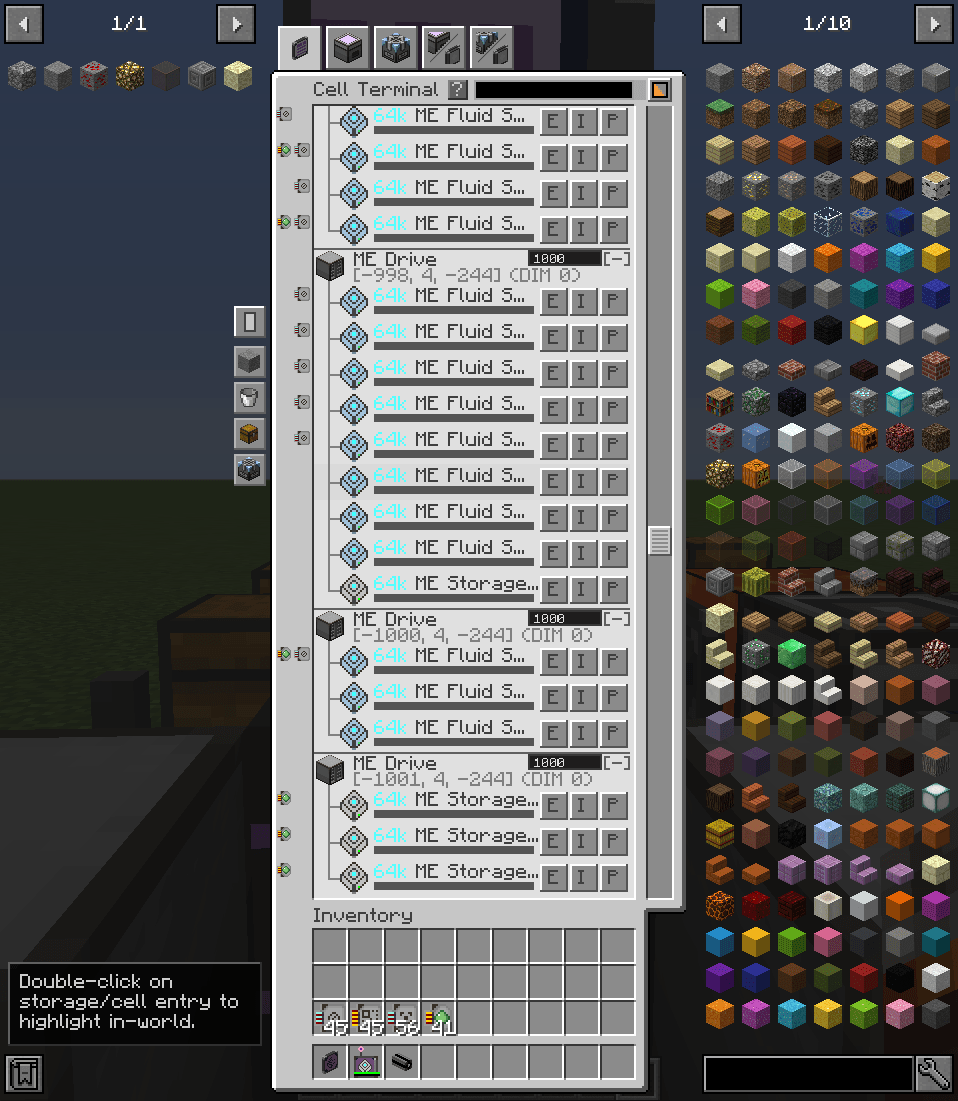
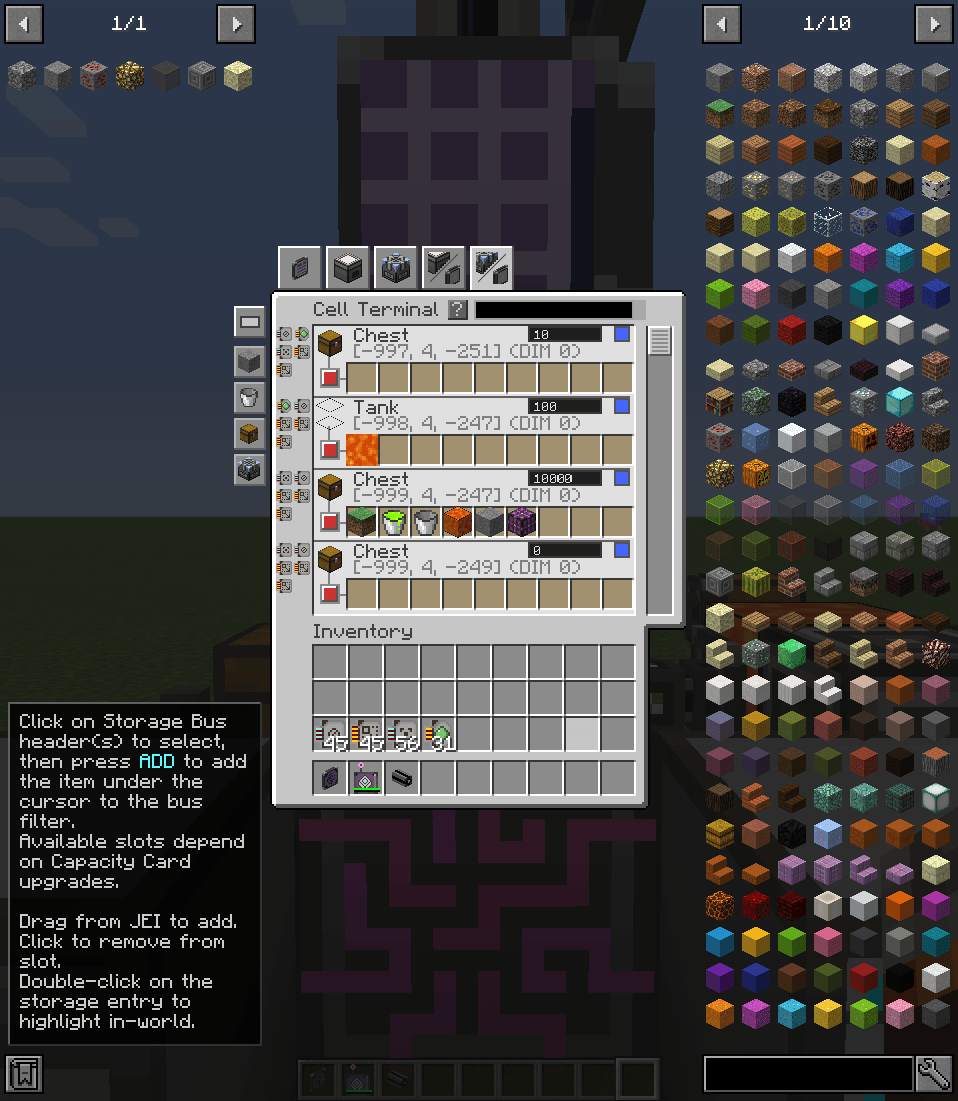
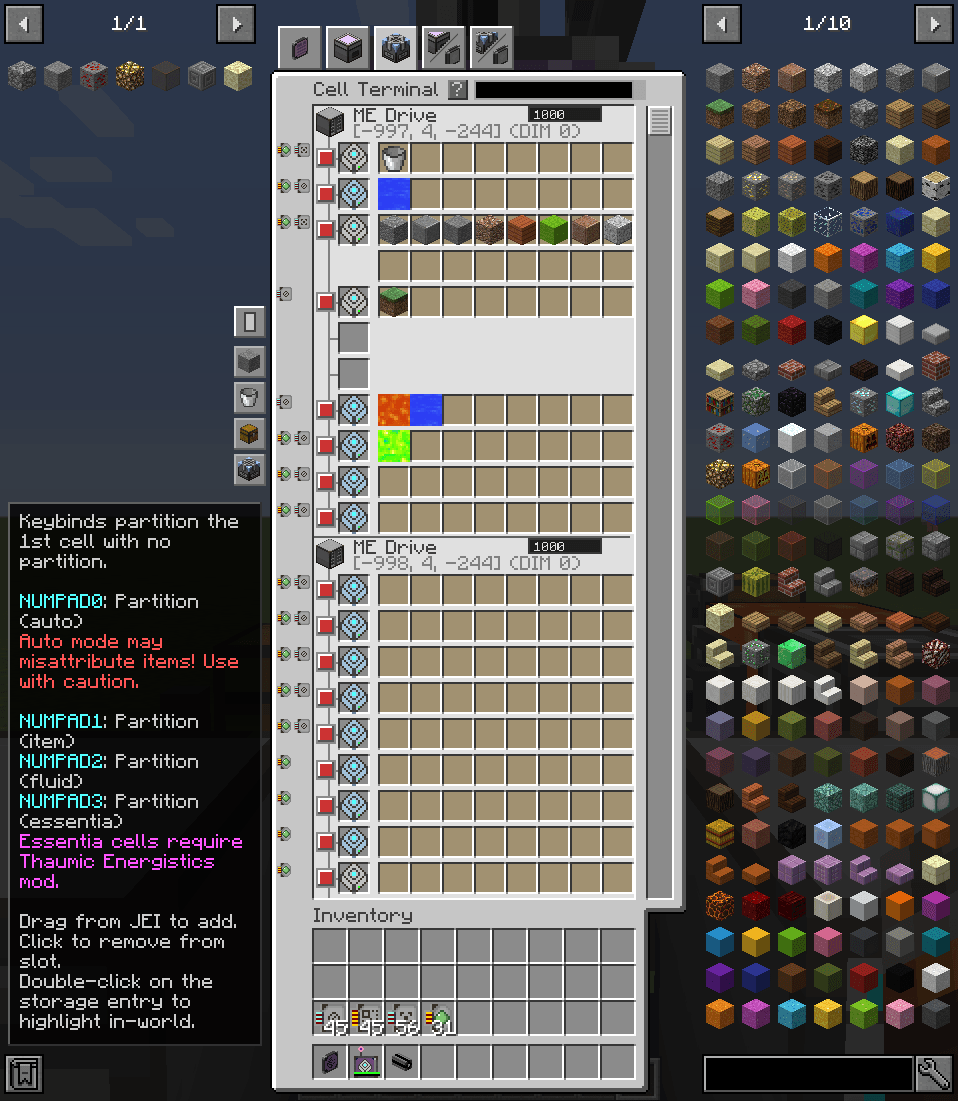
介绍
Cell Terminal
A terminal and wireless terminal for managing storage cells and storage buses across the ME network.
- Terminal & Wireless Access: Place the Cell Terminal part on ME cables, or use the Wireless Cell Terminal for remote access. As usual, you will need to use the Security Station to link the wireless terminal to your network.
- Multi-Cell Support: Works with all AE2 storage cell types (items, fluids, essentia).
- Network Overview: Displays all ME Drives, ME Chests, and Storage Buses in your network, organized by location.
- Cell Management (Cell Terminal View):
- View cell capacity (used/total bytes and types)
- Eject cells directly to inventory
- Preview stored items with quantities
- Edit partitions with JEI drag-and-drop support
- Multiple Views:
- Cell Terminal: Compact list view of cells with expandable entries
- Cell Inventory: Grid view of cells showing stored items
- Cell Partition: Grid view for quick partition editing
- Storage Bus Inventory: View contents accessible through Storage Buses
- Storage Bus Partition: Edit Storage Bus filter configurations
- Search & Filter: Find items across all cells/Storage Buses with inventory/partition search modes
- In-World Highlighting: Double-click any storage entry to highlight its block in-world and show coordinates in chat
- Priority Management: Set ME Chest/Drive/Storage Bus priority directly from the GUI
- Quick Partition Keybinds: Configurable keybinds for quick partitioning with the hovered item
常见问题
Cell Terminal 支持哪些 Minecraft 版本?
Cell Terminal 支持 Minecraft Java 版 1.12.2,可用的加载器:Forge。下载时注意选择和你游戏版本一致的文件。
Cell Terminal 怎么安装?
先用 PCL2 或 HMCL 启动器安装对应版本的 Forge,再把下载的 .jar 文件放进游戏目录的 mods 文件夹,重新启动游戏即可。开启了版本隔离的,mods 文件夹在 versions/版本名 下面。
Aedial 的其他作品
查看全部 →
Spellcaster’s Archives
Electrobob's Wizardry add-on that adds a bottomless archive for all your spells. No more sending them to the trash!

C.E.L.L.S
An AE2-UEL addon providing additional storage cells with extended capacity and special features. This mod is primarily focused on performance.

AE2 PowerTools
A collection of handy utility tools for Applied Energistics 2 network management and debugging

Super Mob Tracker
A client-side Minecraft 1.12.2 mod that lets you select mobs to view spawn conditions and track live, no item required.
评论
登录后评论和评分