
CC: Redstone Link Bridge
This mod connects Create Redstone Link networks with CC:Tweaked computers.
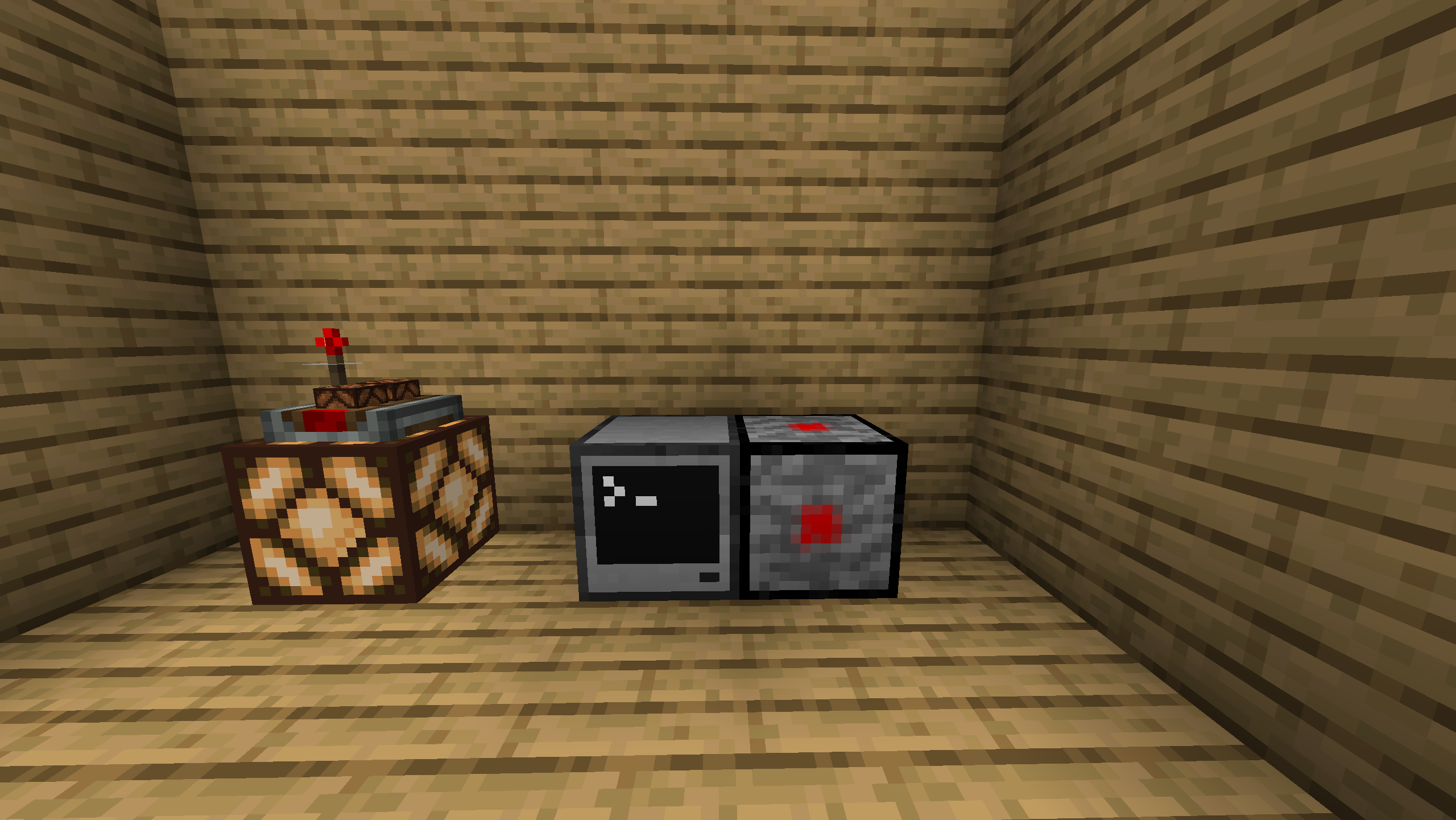
截图

介绍
CC Redstone Link Bridge
This mod connects Create Redstone Link networks with CC:Tweaked computers.
It adds a single block, the CC Redstone Link Bridge, which can be placed in the world and then used as a ComputerCraft peripheral.
This mod requires Create and CC:Tweaked.
What the Mod Does
The bridge acts as a small adapter between two systems:
- Create provides the Redstone Link network.
- CC:Tweaked provides Lua control from computers.
With the bridge block in the world, a connected computer can:
- read the current signal strength of any Redstone Link frequency pair
- send a signal strength to any Redstone Link frequency pair
The mod is intentionally minimal. The Lua interface only exposes the two operations that are required for direct network interaction.
How It Works
When the peripheral is used from Lua:
getLinkSignal(freq1, freq2)looks up the current strength for that frequency pair.sendLinkSignal(freq1, freq2, strength)sets the target frequency pair and transmits the chosen strength.
The frequency values are item IDs written as strings.
For example, minecraft:iron_ingot and minecraft:oak_sapling form one valid pair.
Crafting Recipe

The recipe is a 3×3 shaped craft with Redstone Links in all four corners, a Wireless Modem in the center, and Cobblestone in the bottom-middle slot. The three remaining middle-edge slots (top-middle, middle-left, and middle-right) are filled with Create transmitters.
Lua API
Peripheral type:
redstone_link_bridge
Methods:
getLinkSignal(freq1, freq2) -> numbersendLinkSignal(freq1, freq2, strength)
Frequency Values
freq1 and freq2 must be item IDs as strings.
Examples:
"minecraft:iron_ingot""minecraft:oak_sapling""minecraft:redstone"
Use an empty string ("") if you want to represent an empty frequency value.
Example
local bridge = peripheral.find("redstone_link_bridge")
assert(bridge, "No redstone_link_bridge found")

-- Read an existing frequency pair
local current = bridge.getLinkSignal("minecraft:diamond", "minecraft:redstone")
print("Current signal:", current)

-- Send a signal to a frequency pair
bridge.sendLinkSignal("minecraft:diamond", "minecraft:redstone", 7)
常见问题
CC: Redstone Link Bridge 支持哪些 Minecraft 版本?
CC: Redstone Link Bridge 支持 Minecraft Java 版 1.20.1–1.21.1,共 2 个版本,可用的加载器:Forge / NeoForge。下载时注意选择和你游戏版本一致的文件。
CC: Redstone Link Bridge 怎么安装?
先用 PCL2 或 HMCL 启动器安装对应版本的 Forge / NeoForge,再把下载的 .jar 文件放进游戏目录的 mods 文件夹,重新启动游戏即可。开启了版本隔离的,mods 文件夹在 versions/版本名 下面。运行环境:客户端和服务端都要装。
评论
登录后评论和评分