
截图
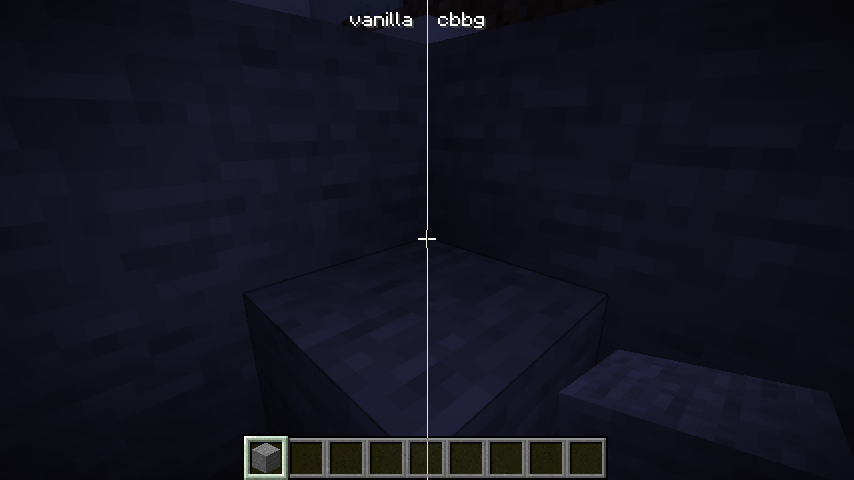
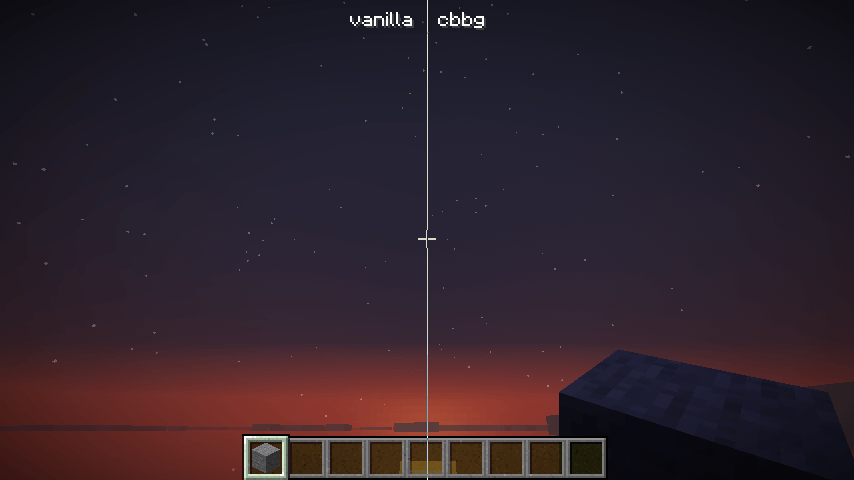
介绍
cbbg 🥬


color banding be gone – Remove pesky color banding from Minecraft
cbbg/’kabij/ is a client-side Fabric mod that reduces visible color banding by:
- Using a higher-precision render target (RGBA16F)
- Applying STBN blue-noise dithering to final image
Helps reduce color banding on following:
- Smooth lighting
- Skybox
- Vignette
- GUI background blurring
What it does
- Higher render precision: upgrades the main render target color attachment to RGBA16F.
- Blue-noise dithering: applies a lightweight full-screen pass using STBN noise to break up 8-bit quantization banding.
Installation
- Minecraft 26.2 requires Java 25. If your launcher manages Java automatically, use its runtime for 26.2; otherwise select Java 25 for this instance.
- Install Fabric Loader and Fabric API for your Minecraft version.
- Put the
cbbg-x.x.x.jarinto your.minecraft/modsfolder.
This mod is client-only. It does not need to be installed on servers.
Configuration
In-game (recommended)
If you have Mod Menu installed, open cbbg’s config screen and select:
- Enabled
- Disabled
- Demo (split): left = disabled (no dither), right = enabled (dither)
Commands
You can also control the mod using chat commands (useful if Mod Menu is not installed):
/cbbg mode: View the current mode./cbbg mode set <mode>: Set the mode. Valid modes areENABLED,DISABLED,DEMO.
Config file
Config file: .minecraft/config/cbbg.json
Example:
{
  "mode": "ENABLED"
}
Valid values: ENABLED, DISABLED, DEMO.
Compatibility notes
- Iris shaderpacks: when an Iris shaderpack is active, cbbg is forced OFF to avoid pipeline conflicts.
- GPU support: if RGBA16F allocation fails on your device/driver, cbbg will automatically fall back to RGBA8 for the remainder of the session.
Credits
- AsmFabricLoader by FlorianMichael (Apache License 2.0)
- Minecraft 26.2 port by @Evoloxi
常见问题
cbbg 🥬 支持哪些 Minecraft 版本?
cbbg 🥬 支持 Minecraft Java 版 1.21.1–26.3,共 7 个版本,可用的加载器:Fabric。下载时注意选择和你游戏版本一致的文件。
cbbg 🥬 怎么安装?
先用 PCL2 或 HMCL 启动器安装对应版本的 Fabric,再把下载的 .jar 文件放进游戏目录的 mods 文件夹,重新启动游戏即可。开启了版本隔离的,mods 文件夹在 versions/版本名 下面。
qb20nh 的其他作品
查看全部 →
cbbg 🥬
告别色带——去除 Minecraft 中恼人的色带现象

Immersive Freezing 🥶
Feel the freeze™ - Adds visual and audio effects when freezing in powder snow.

Immersive Freezing 🥶
Feel the freeze™ - Adds visual and audio effects when freezing in powder snow.
评论
登录后评论和评分