CB Toolkit
Toolkit for command blocks : Notes, Tags, Coordinates converter, overlay and more.
截图


介绍

A client-side toolbox built for command block users. Annotate, tag, and navigate your command block builds without endless right-clicking through the vanilla edit screen.
Features
Radial Menu
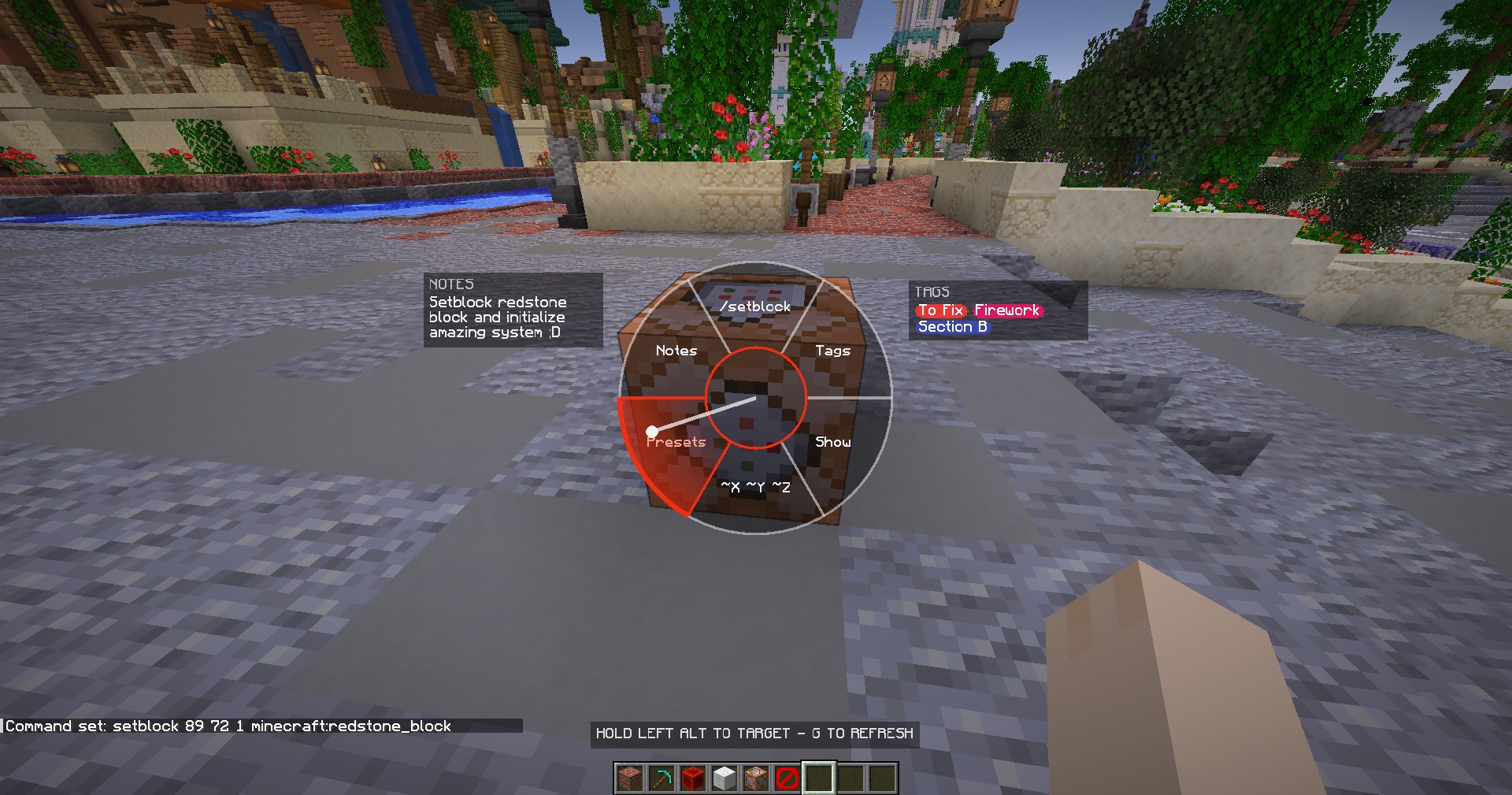
Hold a key on a command block to open a compact pie menu. No clicks, no complex screens, no interruption to your build flow.
Notes
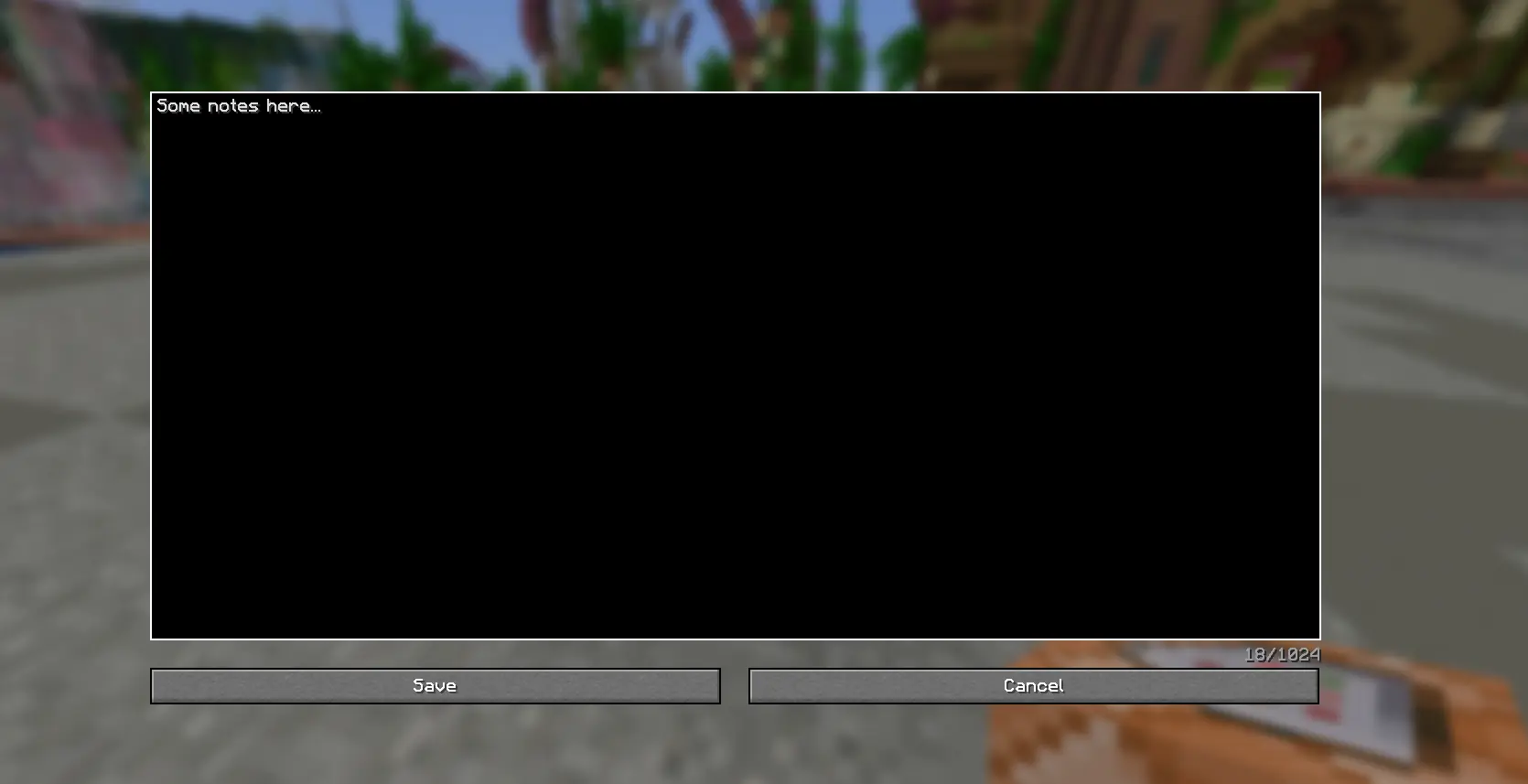
Attach a persistent note to any command block, straight from the radial menu. A quick preview shows on the wheel itself; open it for the full text. Notes are saved per world/server and survive restarts.
Tags
Assign tags to command blocks to organize large builds:
- Add and remove your tags list from a dedicated screen.
/cbtag show <name>highlights every command block carrying that tag — find every block with a given role at a glance./cbtag hideclears it./cbtag apply <name> <x1> <y1> <z1> <x2> <y2> <z2>//cbtag removebulk-tag or untag an entire region in one command, instead of tagging each block by hand.

Highlight Destination
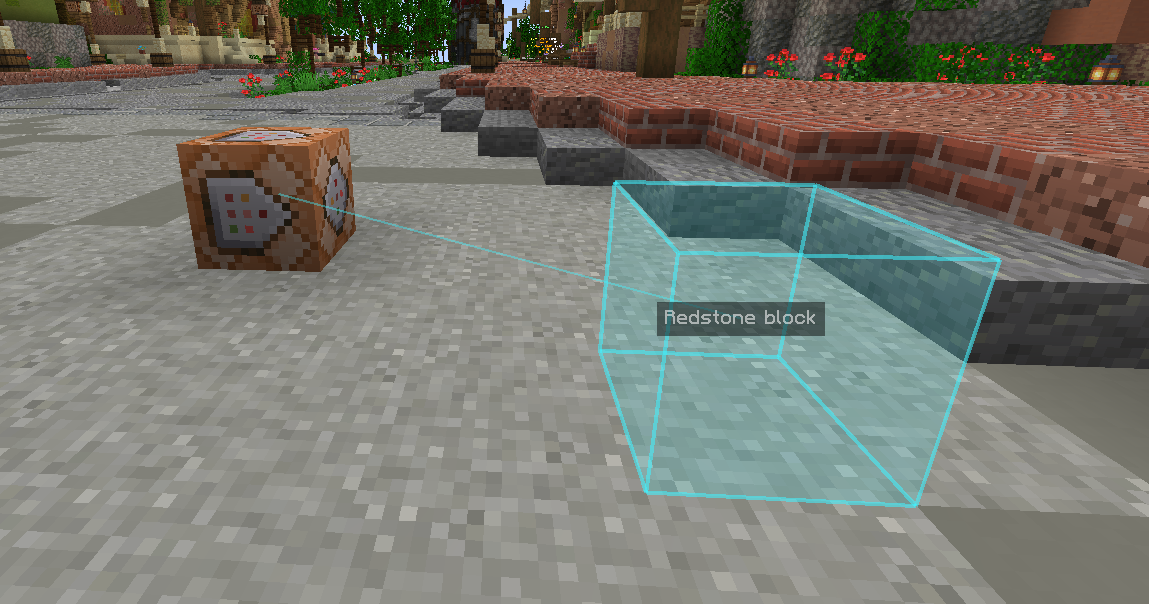
Toggle a hologram box on whatever block a command block’s command actually targets (resolves both absolute and ~ relative coordinates). Trace where a chain of command blocks points without teleporting around or guessing.
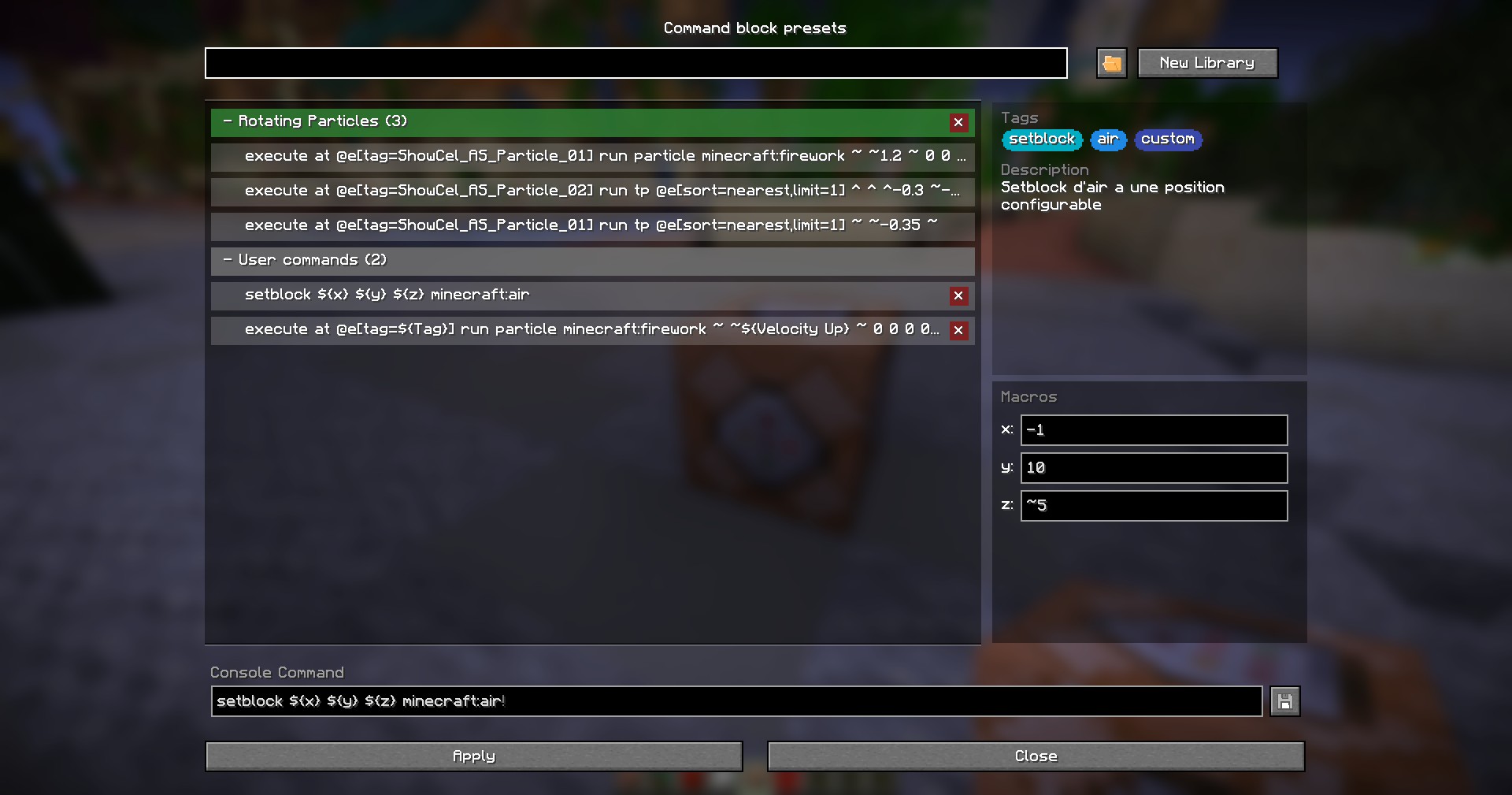
Presets and Macro commands
Save, store, organize, share and edit libraries of commands and make them dynamic with macros
And More …
- Coordinate Convert
Flip a command block’s target coordinates between absolute (X Y Z) and block-relative (~X ~Y ~Z) notation in one click from the radial menu — handy when copy-pasting builds or making a contraption position-independent.
- Fast Copy
See the initial command instantly on the pie menu and copy instantly the command without entering the editor
- Commmand blocks duplication compatibility
Ctrl+middle-click (“pick block with data”) a tagged or annotated command block, and its Tags/Note travel with the item
常见问题
CB Toolkit 支持哪些 Minecraft 版本?
CB Toolkit 支持 Minecraft Java 版 1.21.4–1.21.11,共 8 个版本,可用的加载器:Fabric。下载时注意选择和你游戏版本一致的文件。
CB Toolkit 怎么安装?
先用 PCL2 或 HMCL 启动器安装对应版本的 Fabric,再把下载的 .jar 文件放进游戏目录的 mods 文件夹,重新启动游戏即可。开启了版本隔离的,mods 文件夹在 versions/版本名 下面。运行环境:仅客户端。
评论
登录后评论和评分