
CB: Compressed Blocks
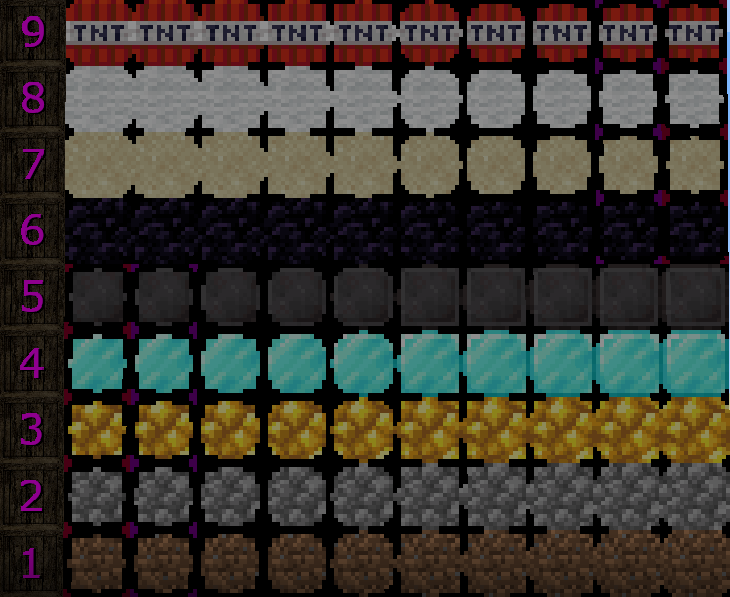
A Block and Item Compression mod for Minecraft. Compress your Blocks and Items to make more free space (up to 3.486.784.101 Blocks / Items in just one single Block!)
截图

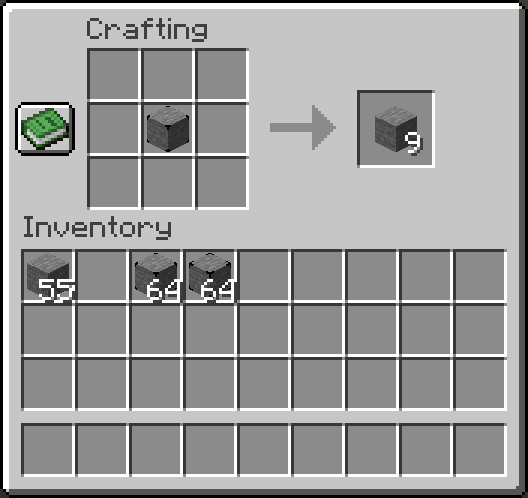
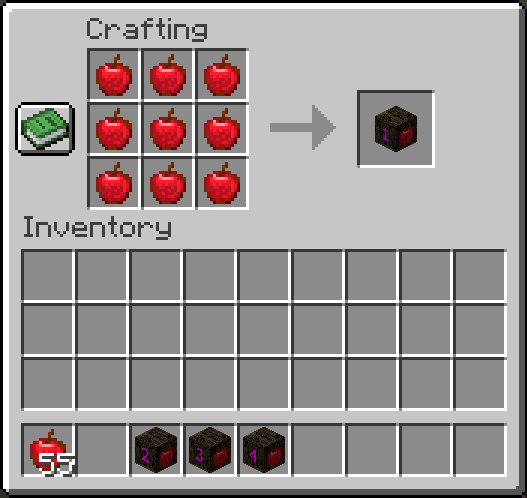
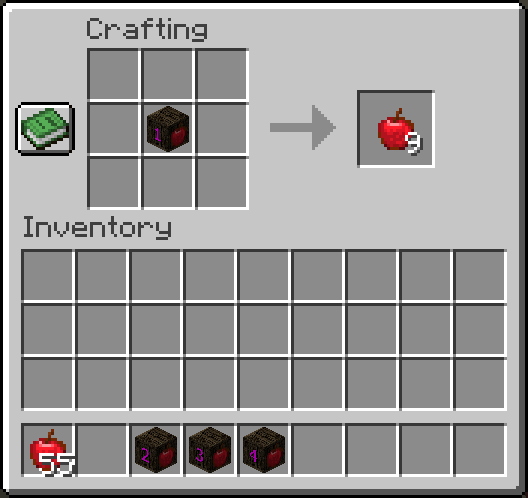
介绍
CB: Compressed Blocks


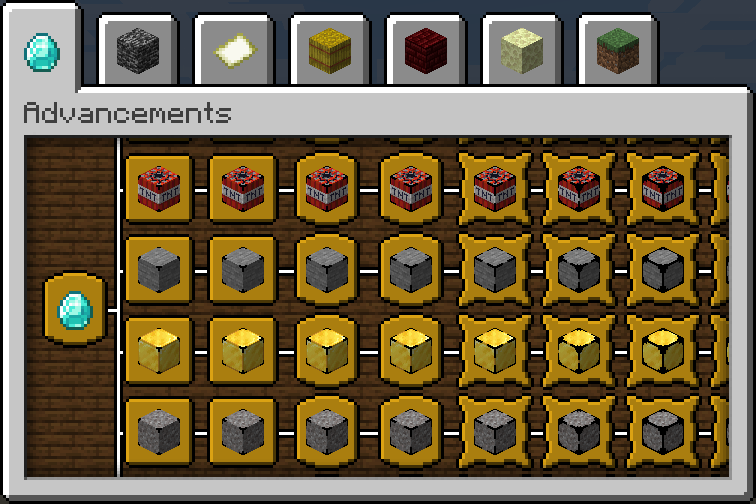
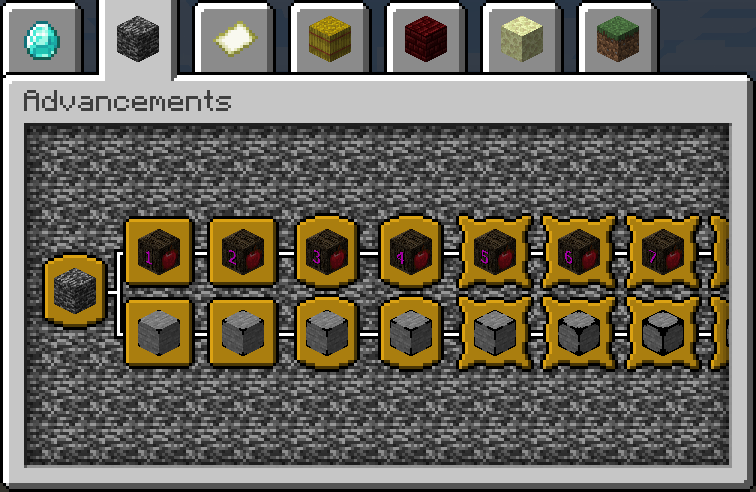
CB: Compressed Blocks adds multi-level compression for blocks and items, letting you store large quantities in a fraction of the space. Compressed blocks remain placeable, while compressed items can be stored in crates for compact inventory storage.
Features
- Block Compression — Compress blocks into compact, placeable variants.
- Item Compression — Store compressed items in crates to reduce inventory usage.
- Multiple Compression Levels — Compress existing compressed variants to reach higher levels.
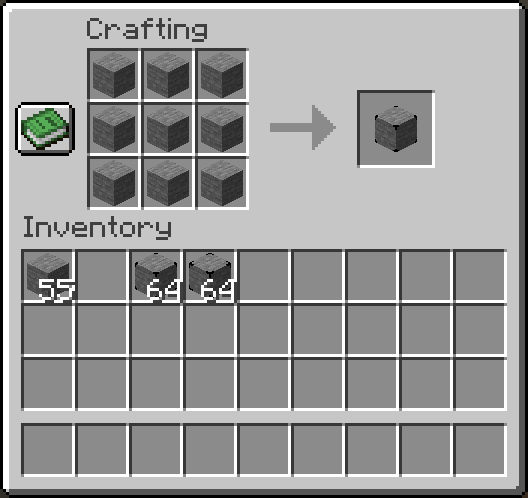
- Two Compression Recipes — Standard 3×3 compression and 2×2 compression for blocks and items that already have a 3×3 crafting recipe.
- Decompression — Recover the original blocks and items by reversing the compression process.
- Extensible Compression System — Add support for additional blocks and items through custom entry definitions and resource-pack assets.
A single maximum-level compressed variant can represent up to 3,486,784,401 original blocks or items.
Supported Minecraft Versions
For the latest supported versions and compatibility details, see the GitHub README.
Support is version-specific. Backports and updates are request-based and are not automatically provided for every release. To request support for a particular Minecraft version, open an issue on GitHub and specify the required Minecraft version and mod loader.
Configuration and Custom Entries
CB’s compression system can be extended beyond its built-in catalogs. Users and modpack developers can add custom blocks and items or override existing entries by using the same ID.
- New ID: Adds a new compression entry.
- Existing ID: Replaces the corresponding built-in definition.
Custom entries require the appropriate entry definitions and resource-pack assets. This allows blocks and items from other mods to be supported without requiring dedicated integration into CB.
Loader-Specific Configuration
Configuration behavior depends on the mod loader.
Forge (3.1.0 or later)
Forge uses the JSONC catalogs directly to define compression entries and their settings. It does not use a separate loader configuration file for these settings.
The catalogs are located in config/compressedblocks/:
blocks.jsonc— Default block compression entries.crates.jsonc— Default item crate entries.custom_blocks.jsonc— Optional custom block entries.custom_crates.jsonc— Optional custom crate entries.
The default catalogs are copied from the mod’s bundled resources when the corresponding configuration files do not exist. Changes to these files control the entry definitions and settings used by the mod.
NeoForge and Fabric (3.1.0 or later)
NeoForge and Fabric use loader configuration files for configurable compression settings.
The JSONC catalogs provide the initial default values. Once saved loader configuration values exist, those values take precedence over the JSONC defaults.
Changing a JSONC default does not automatically overwrite an existing value in the loader configuration.
Custom entries are defined separately through the JSONC custom-entry files.
For configuration options, custom-entry definitions, required resources, and examples, see the CB Wiki.
Installation
- Download the release matching your Minecraft version and mod loader.
- Install the appropriate Fabric, Forge, or NeoForge loader.
- Install the required dependencies:
- Fabric:
- Fabric API (Modrinth)
- Forge Config API Port (Modrinth)
- Mod Menu (Modrinth) — Optional
- NeoForge:
- Forge Config API Port (Modrinth)
- Forge:
- Check the dependency information for your specific release.
- Place the downloaded JAR and required dependencies in your Minecraft
modsfolder and launch the game.
Check the dependency information for your specific release, as requirements may vary by Minecraft version and mod loader.
Links
常见问题
CB: Compressed Blocks 支持哪些 Minecraft 版本?
CB: Compressed Blocks 支持 Minecraft Java 版 1.14.1–26.3,共 44 个版本,可用的加载器:Fabric / Forge / NeoForge。下载时注意选择和你游戏版本一致的文件。
CB: Compressed Blocks 怎么安装?
先用 PCL2 或 HMCL 启动器安装对应版本的 Fabric / Forge / NeoForge,再把下载的 .jar 文件放进游戏目录的 mods 文件夹,重新启动游戏即可。开启了版本隔离的,mods 文件夹在 versions/版本名 下面。运行环境:客户端和服务端都要装。
Sashiro 的其他作品
查看全部 →
Improved Pillager Outpost
The "Improved Pillager Outpost" Datapack revamps the standard Minecraft Pillager Outpost into a challenging, multi-level tower. This overhaul adds detailed architecture, tougher enemies, and exclusive loot, creating a more immersive and rewarding experie

Improved Pillager Outpost
“改良掠夺者前哨站”数据包将 Minecraft 原版掠夺者前哨站改造成一座充满挑战的多层高塔。此次改造加入了精细的建筑设计、更强的敌人和专属战利品,带来更加沉浸且更有奖励的体验。

Just Better Recipes
A Datapack/Mod which adds TONS (over 3.000) of new and useful Vanilla recipes!

Zombie Horsemen
Zombie Horsemen is a Minecraft datapack that introduces a new surprise event similar to the Skeleton Trap. When triggered, a zombie riding a zombie horse, equipped with an iron helmet, iron axe, and shield, will spawn to challenge players.
评论
登录后评论和评分