
Caravans & Convoys x Village Expansion Compatibility
一个兼容性模组,在 Caravans & Convoys 和 Villager Recruits: Village Expansion 之间添加集成,围绕村庄进行自动交易,并提供高度可配置的交易选项。
截图
介绍
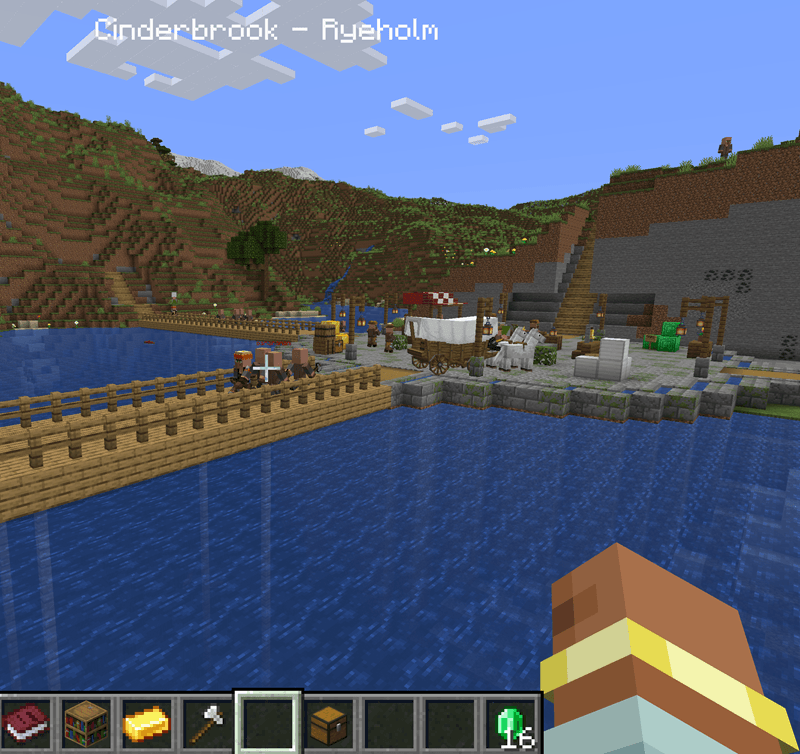
This is a compatibility mod that updates Caravans and Convoys to center around enhanced Player-to_Player, Player-to-Self, and Player-to-Village trading. Specifically, villages from Villager Recruits: Village Expansion. You can set up automated trade routes with various villages specializing in various materials, to make and spend emeralds or direct item-barter trades. Caravans are real entities that travel to the village and back, so it’s important to keep the trade route safe!
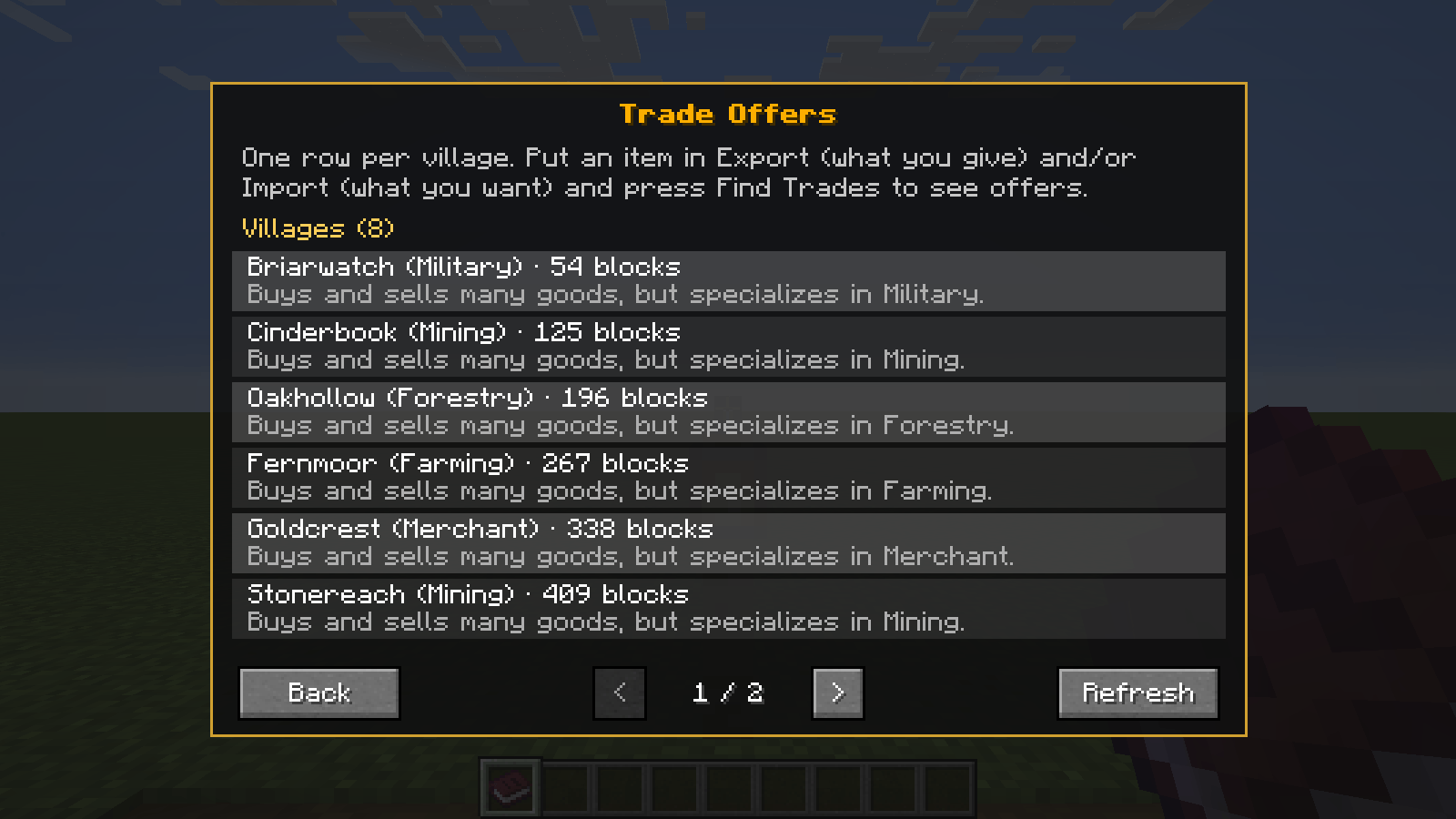
This mod is highly configurable, but has some default configurations built in for 5 village specialties:
- Farming: Sells all things crops and animal related, including farming tools. Default configurations also include selling crops and seeds from Pam’s Harvestcraft 2 Crops
- Forestry: Sells all things tree and wood related, including axes. Default configurations also include selling woods from Biomes O Plenty and trees/tree foods from Pam’s Harvestcraft 2
- Mining: Sells all things mining and ore related, including mining tools. Default configurations also include selling mined blocks from Biomes O Plenty.
- Military: Sells all things weapons and armor related, including swords and bows. Default configurations also include selling weapons from Archbows and Spartan Weaponry.
- Merchant: Sells all things various and advanced, including ender pearls, potions, and advanced blocks. Default configurations also include selling intricate blocks from Domum Ornamentum.
In addition to the specialties, all villages will offer generic items (also configurable, but default is provided), such as beef, wood, stone, or coal.
Trading Features
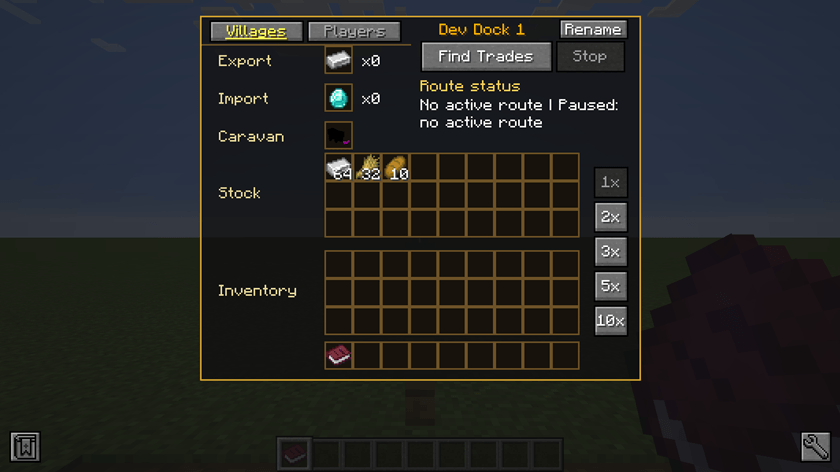
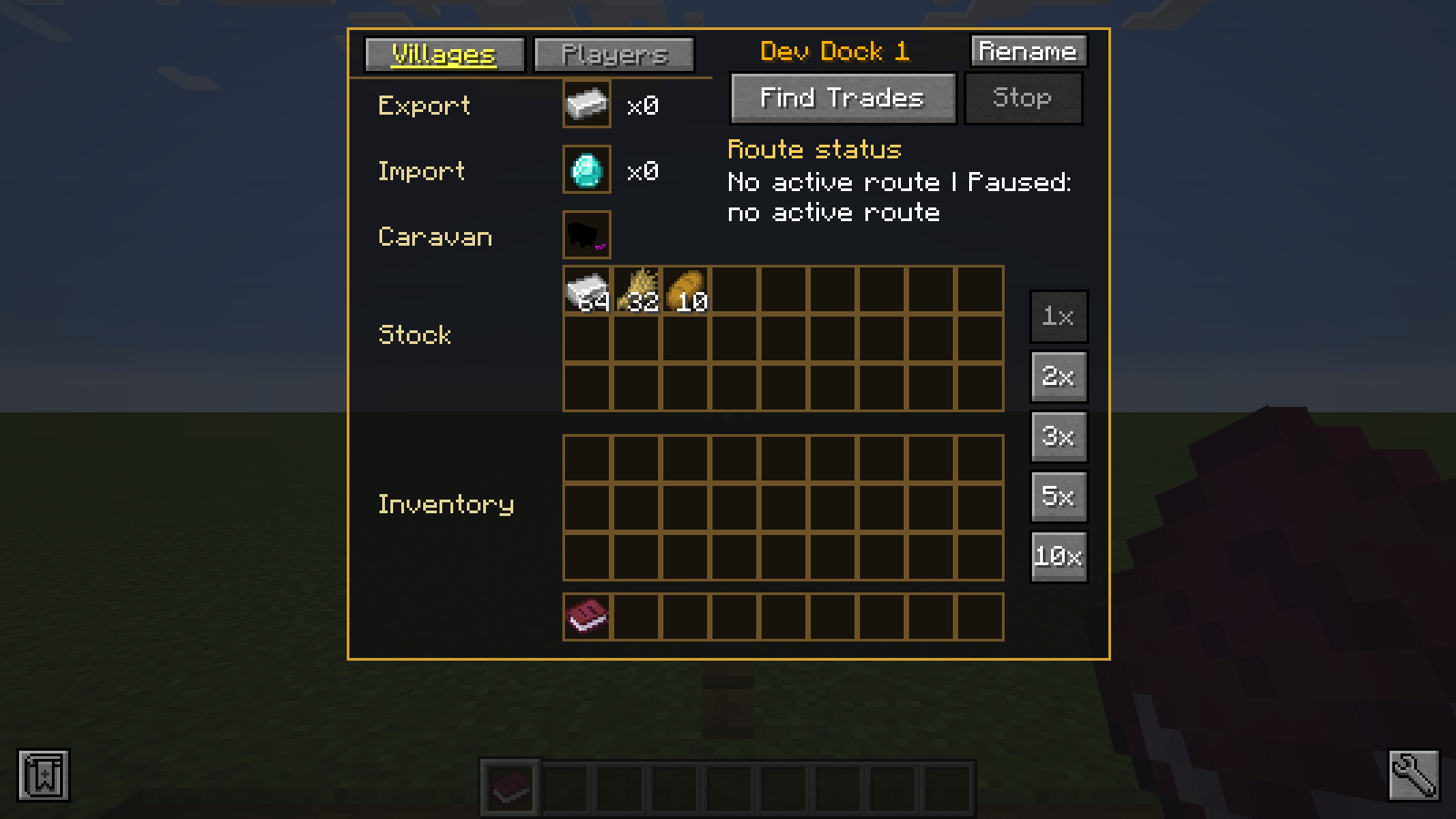
From a caravan block, you can choose what to export and what to import. By default, trading configurations plan for emeralds. To support item bartering, it calculates the least common multiple of the selling and buying value of the items to compute a village trade offer. Or you can trade by selling for emeralds and buying with emeralds 🙂
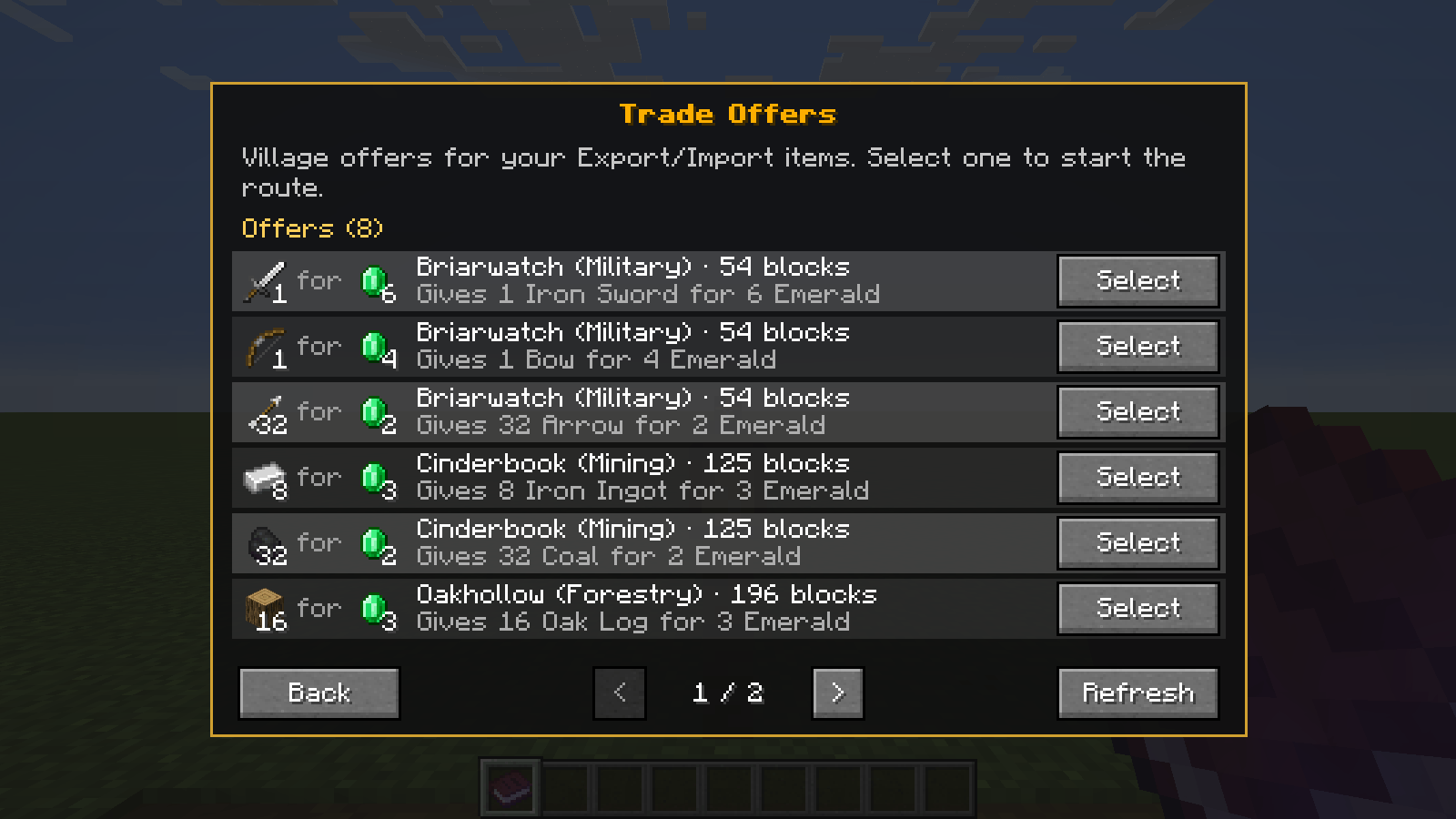
You arm it with a caravan (from Trotting Wagons), select a multiplier (default 1x) to handle bigger bulk, and then click to Find Trades: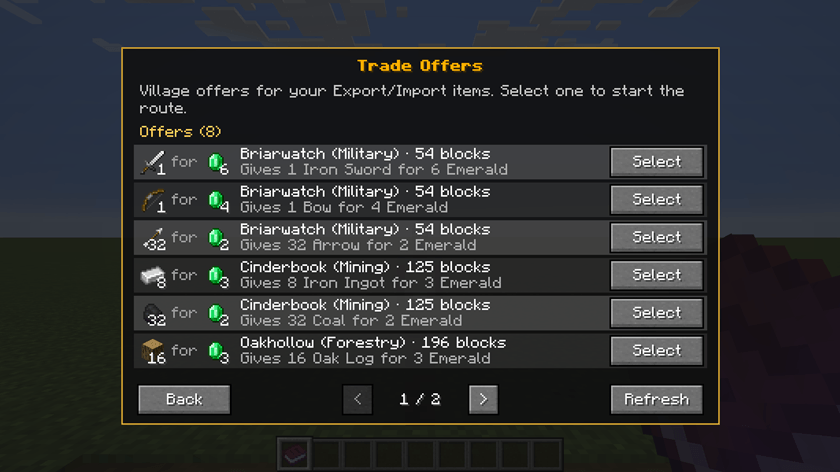
If other villages were discovered and could offer this trade (or another trade that is generic), then there would be multiple options in the list. When you don’t select an export or import, you can get suggestions from nearby villages based on their speciality.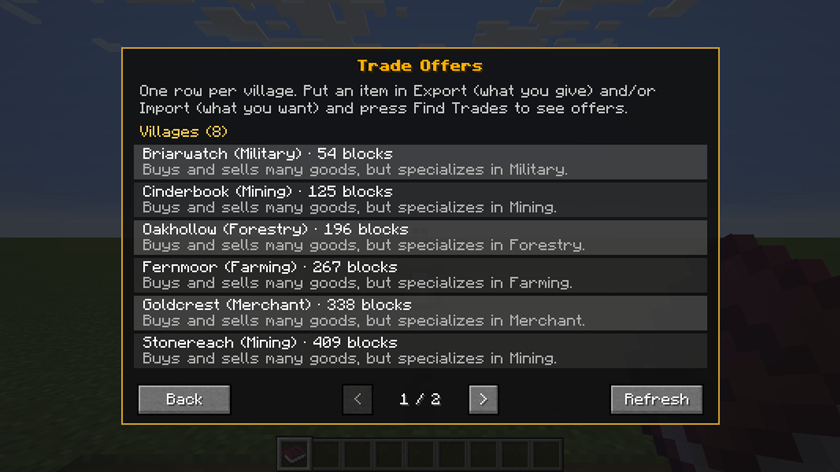
After confirming a trade route, the caravan will spawn in, take your items to sell from the attached chest (keep it stocked!), and then begin its journey to the targeted village in real time!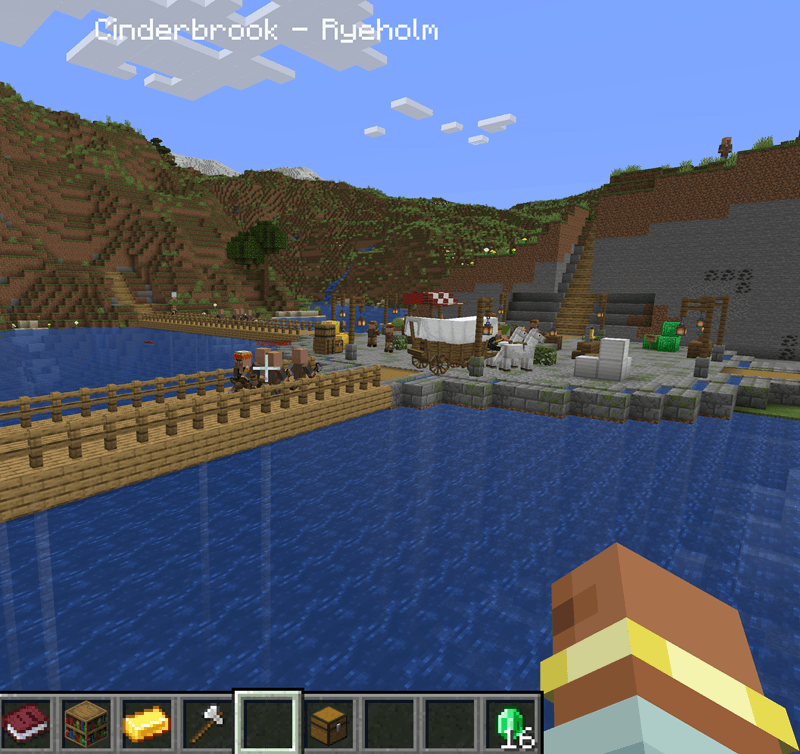
The caravan will trade your items to receive the return items, and then will begin its journey back home to drop off the items in the same attached chest. It will continue to run this trade route as long as you have enough materials to hold up your end of the bargain!
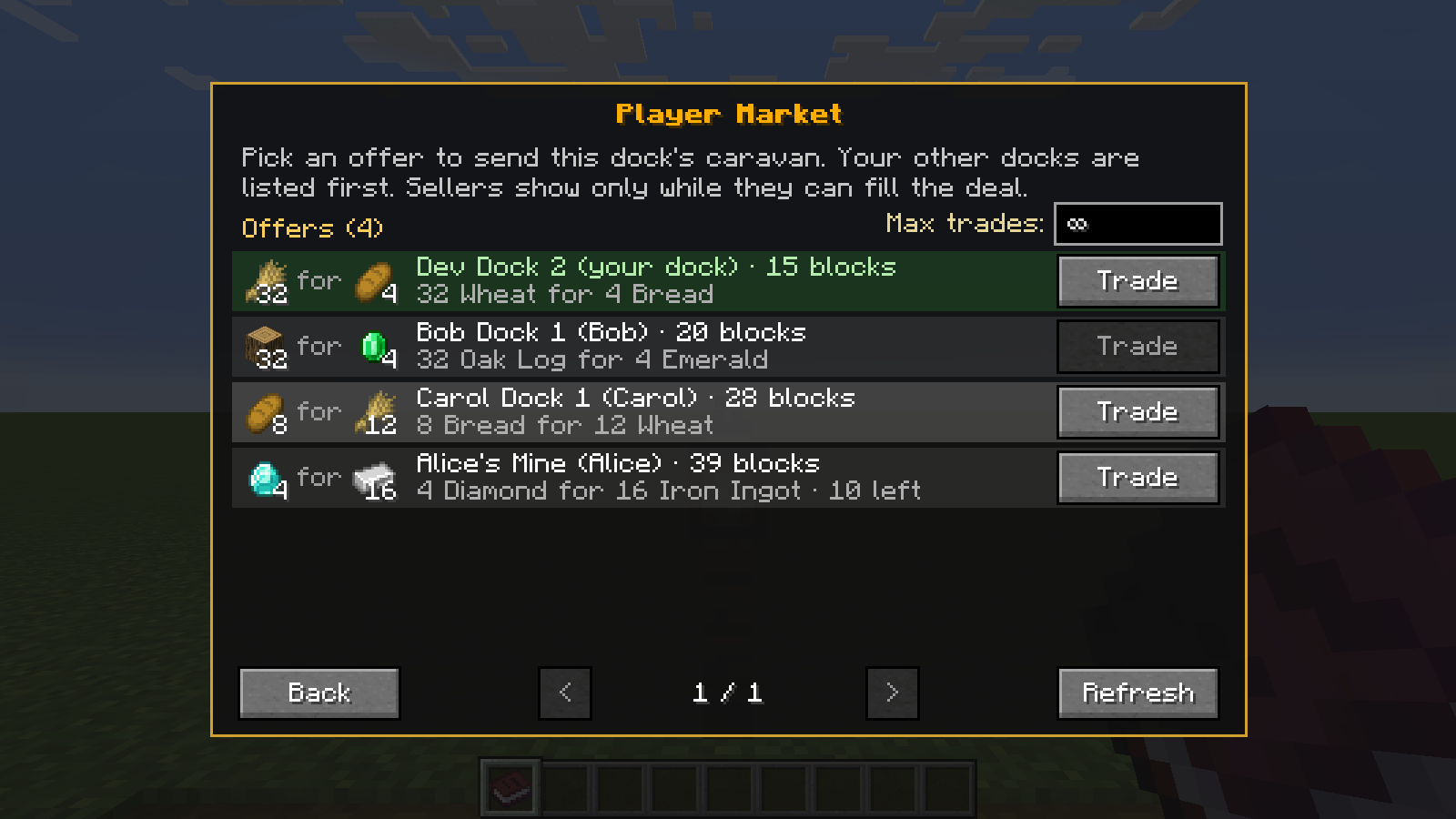
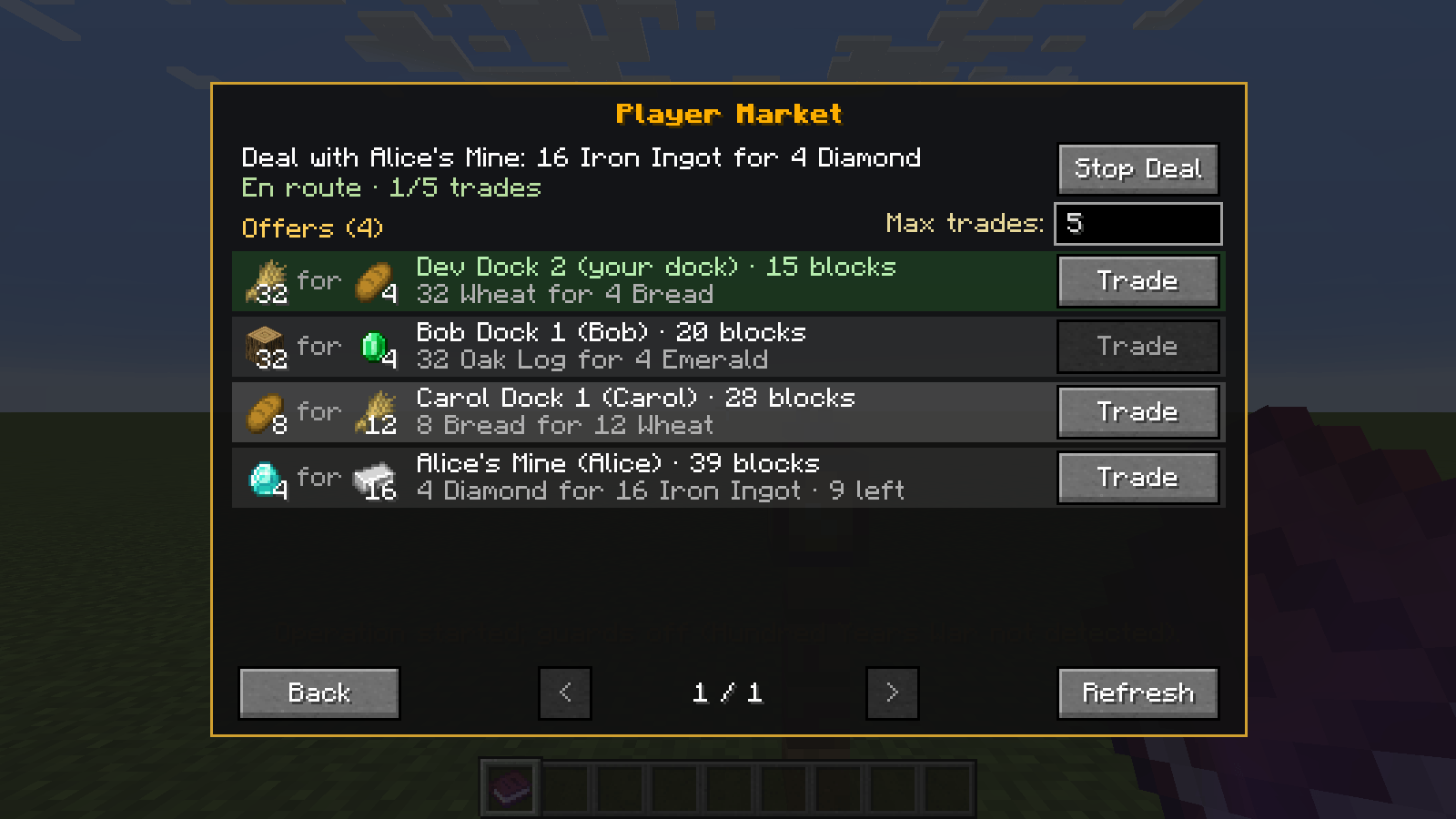
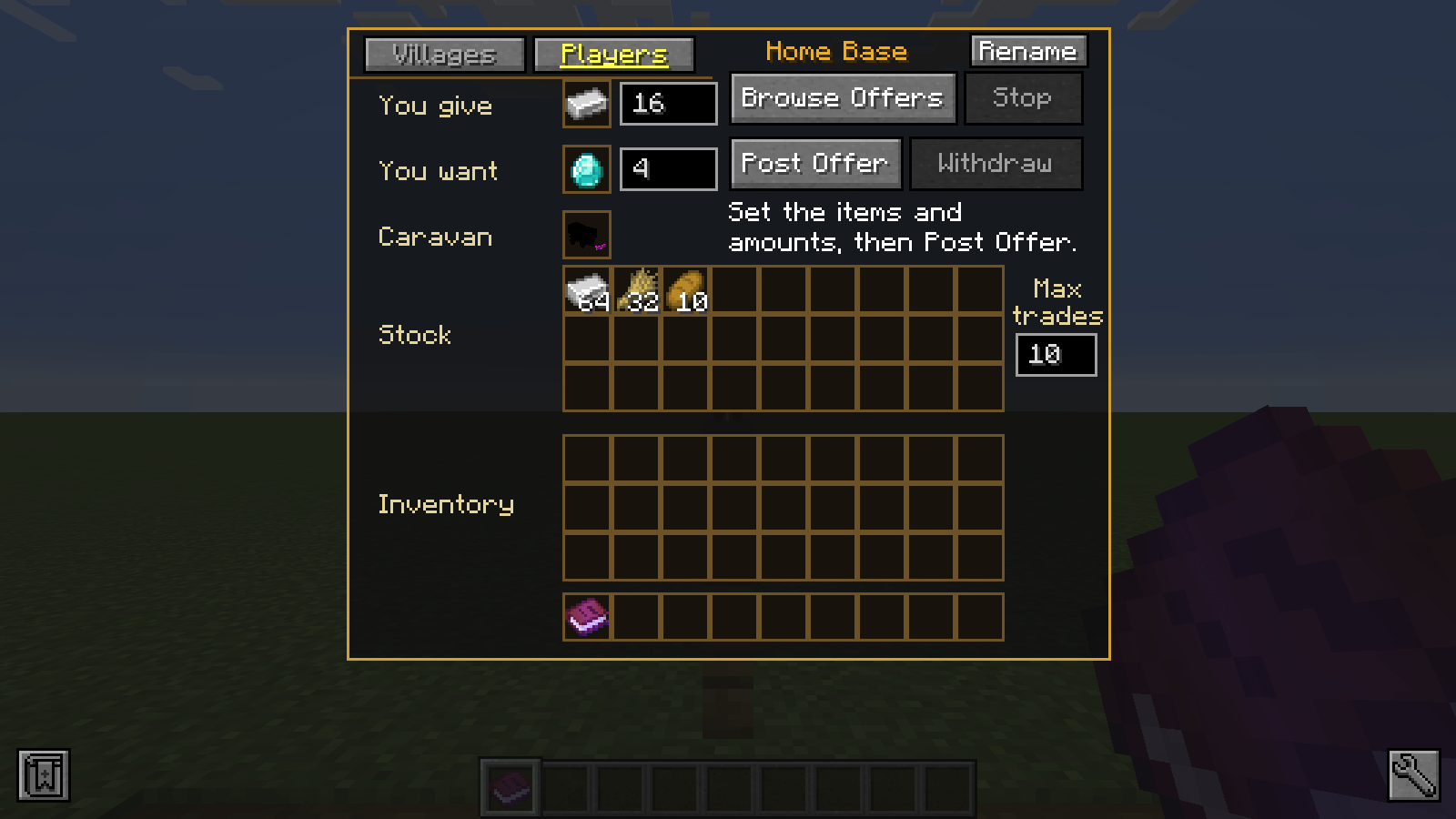
You can also set up trade routes with other players and even yourself in a similar way, using the Player tab instead of the Village tab.
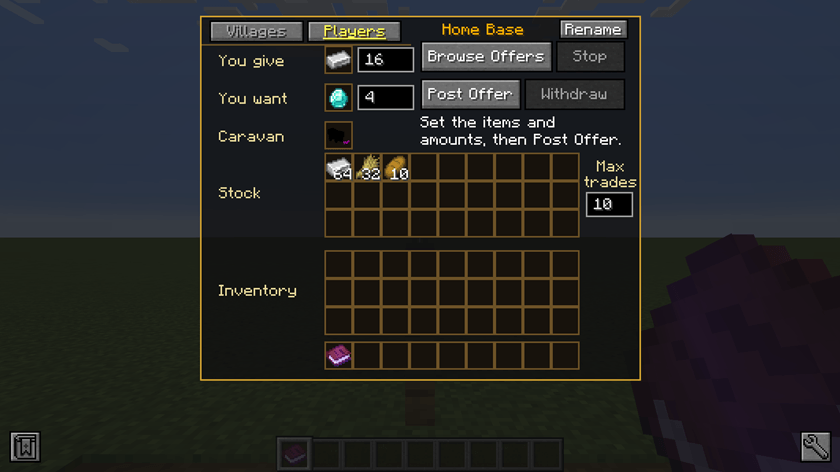
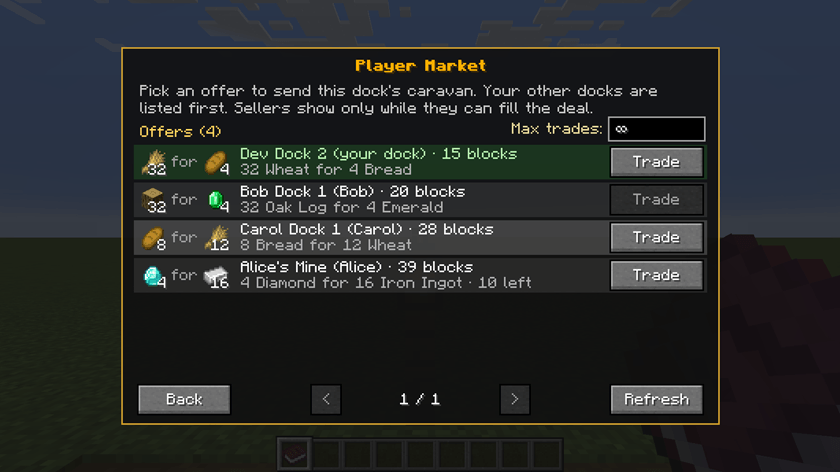
From the Player Tab you can select to browse existing offers or post your own offer. You can also set a maximum number of trades (as either a buyer or seller).
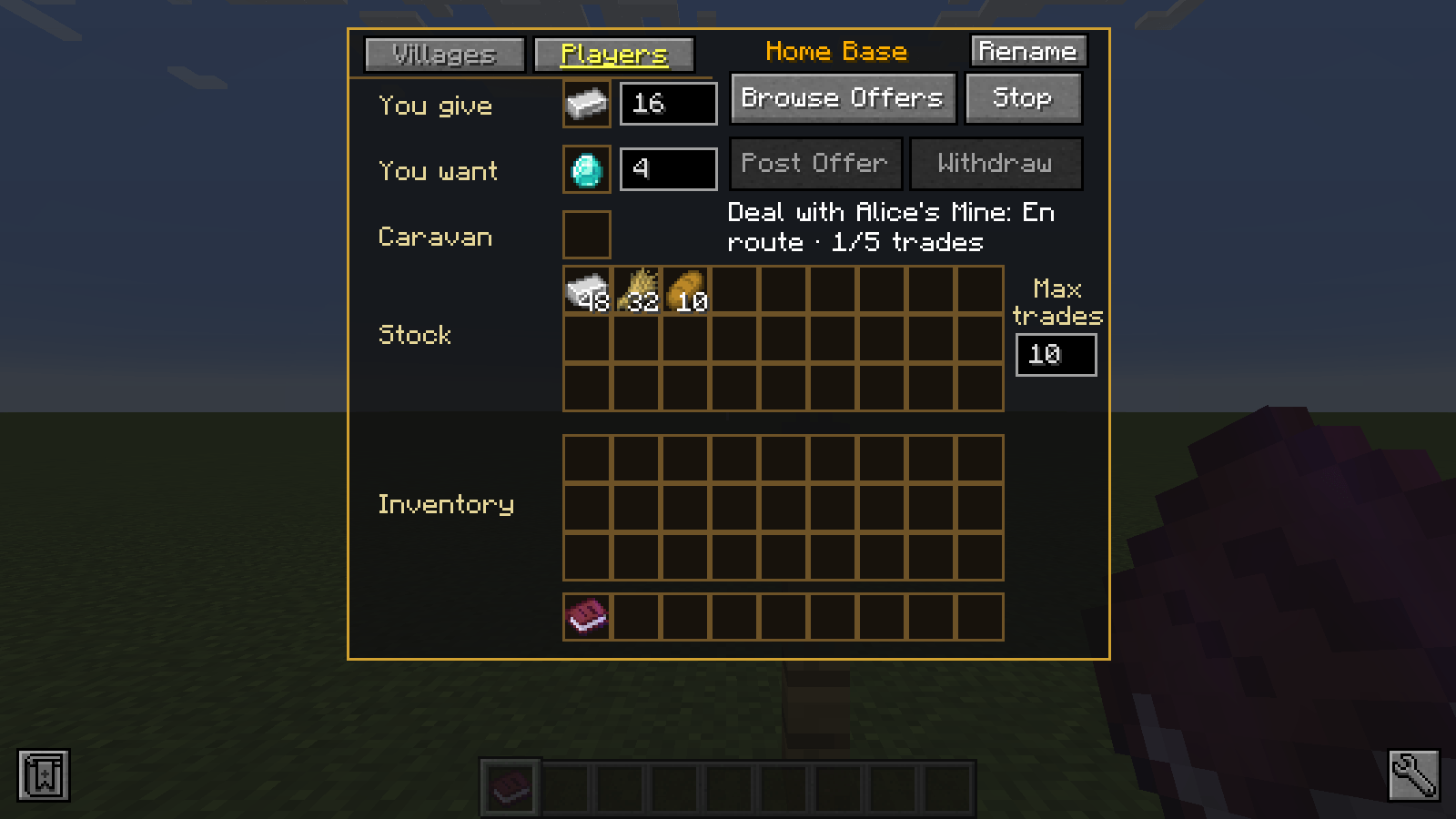
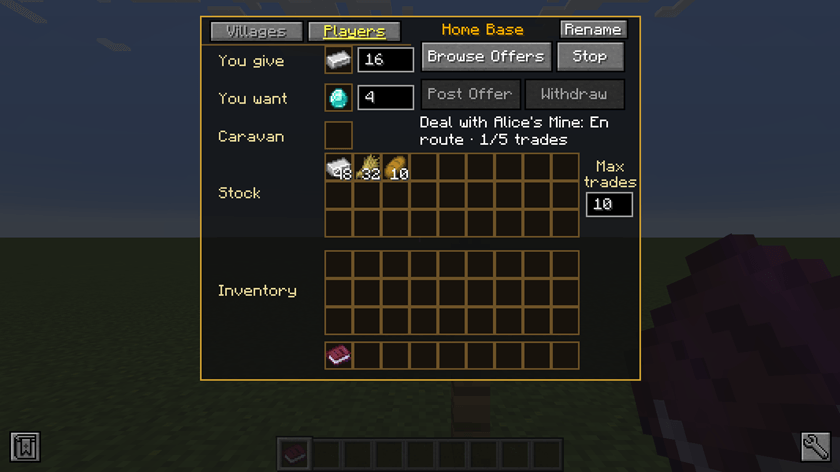
The progress of Player trades is also tracked in the Players tab, similar to villages, and includes the number of trades as progress (for limited trades).
Configuring This Mod
You can configure this mod’s village trade values from the config folder for `cacxvecompat/trades`. The required configuration is `generic.json` which offers trades available from every village. Note that reverse trades do not need to be defined; they are automated a 50% resale value (so village wins on buyback). Here the keys define what the village can export, and what they import in return. Recommended to leave as `emeralds` to import because then this mod can do emerald value comparisons to support item bartering between two items and their emerald values. Example:
{
  "id": "generic_2_minecraft_oak_log",
  "villageExportItem": "minecraft:oak_log",
  "villageExportQuantity": 16,
  "villageImportItem": "minecraft:emerald",
  "villageImportQuantity": 4
}
You can also define any number of village specialties (or keep the above defaults if you wish) in the config folder for `cacxvecompat`: `village-types.json`:
[
  {"id":"farming","displayName":"Farming"},
  {"id":"forestry","displayName":"Forestry"},
  {"id":"mining","displayName":"Mining"},
  {"id":"merchant","displayName":"Merchant"},
  {"id":"military","displayName":"Military"}
]
These specialty village’s trades can then be defined by their {id}.json file in the same `trades` folder. Note that any duplicates between specialty and generic will prefer specialty option for the given specialty village.
Also note that all villages will buy all items defined in any trade (even specialty villages) at their emerald value, but will only sell items that they are configured to sell/export (as defined by the generic trades and their specialty village trades).
常见问题
Caravans & Convoys x Village Expansion Compatibility 支持哪些 Minecraft 版本?
Caravans & Convoys x Village Expansion Compatibility 支持 Minecraft Java 版 1.20.1,可用的加载器:Forge。下载时注意选择和你游戏版本一致的文件。
Caravans & Convoys x Village Expansion Compatibility 怎么安装?
先用 PCL2 或 HMCL 启动器安装对应版本的 Forge,再把下载的 .jar 文件放进游戏目录的 mods 文件夹,重新启动游戏即可。开启了版本隔离的,mods 文件夹在 versions/版本名 下面。
评论
登录后评论和评分