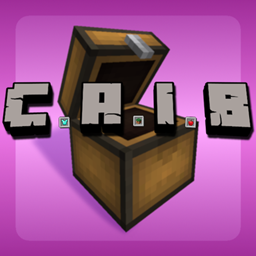
CAIB | Conveniently Accessible Important Blocks
A secondary inventory you can resize and load with your most used and important blocks. Set armor to be equipped automatically and pull items freely without having to search for them constantly.
介绍
This mod adds what is essentially a second inventory, or a new independent creative tab if that’s how you want to think of it.
How It Works
You first open the size screen to define how big or small you’d like it, then customize it with whatever Important Blocks, items, and/or armor you want to be Conveniently Accessible; in the armor slots’ case, whatever is there is always equipped in YOUR armor slots as well.
Then when you finally need said items, open up your CAIB to grab them out on a whim, saving you a trip to the creative search bar or JEI to look for them everytime they’re lost or cleared.
The Idea Behind It All
*This video showcases a pre-release build
Keybinds
                    Grab 1 | Left/Right Mouse
                Grab Stack | Middle Mouse
              Quick Move 1 | Shift + Left Mouse
          Quick Move Stack | Shift + Right Mouse
      Quick Move to Hotbar | Number Keys 1-9
Quick Move Stack to Hotbar | Shift + Number Keys 1-9
           Clear Inventory | Shift + Left/Right Click Destroy Slot
                             (Same as regular creative inventory)
Planned Features
- CAIB Profiles
- Persistence for profiles between worlds
- Sharing profiles (maybe?)
常见问题
CAIB | Conveniently Accessible Important Blocks 支持哪些 Minecraft 版本?
CAIB | Conveniently Accessible Important Blocks 支持 Minecraft Java 版 1.21.1,可用的加载器:NeoForge。下载时注意选择和你游戏版本一致的文件。
CAIB | Conveniently Accessible Important Blocks 怎么安装?
先用 PCL2 或 HMCL 启动器安装对应版本的 NeoForge,再把下载的 .jar 文件放进游戏目录的 mods 文件夹,重新启动游戏即可。开启了版本隔离的,mods 文件夹在 versions/版本名 下面。
RealFlamango 的其他作品
查看全部 →
CFM Refurbished: Watt About Power?
新增断路器方块,可使用其他模组的能量为「MrCrayfish's Furniture Mod: Refurbished」中的电力网络供电。

Stink Potion
Adds a potion of stink that will aggravate neutral & hostile mobs towards the effect!
评论
登录后评论和评分