
Bundle Organizer
Clearer vanilla Bundles: free-space number, clickable item panel, search, sorting by category, unload and pack. Works on any server, full features with the mod on both sides.
截图
介绍
Bundle Organizer
See at a glance how much room is left in every Bundle, find things inside, take them out with a click, and keep it all sorted.
Vanilla Bundles are great until you cannot tell what is inside or how full they are. Bundle Organizer fixes that without adding new items or changing any recipes. It is safe to add to an existing world and safe to remove later.
Features
Free space on the icon
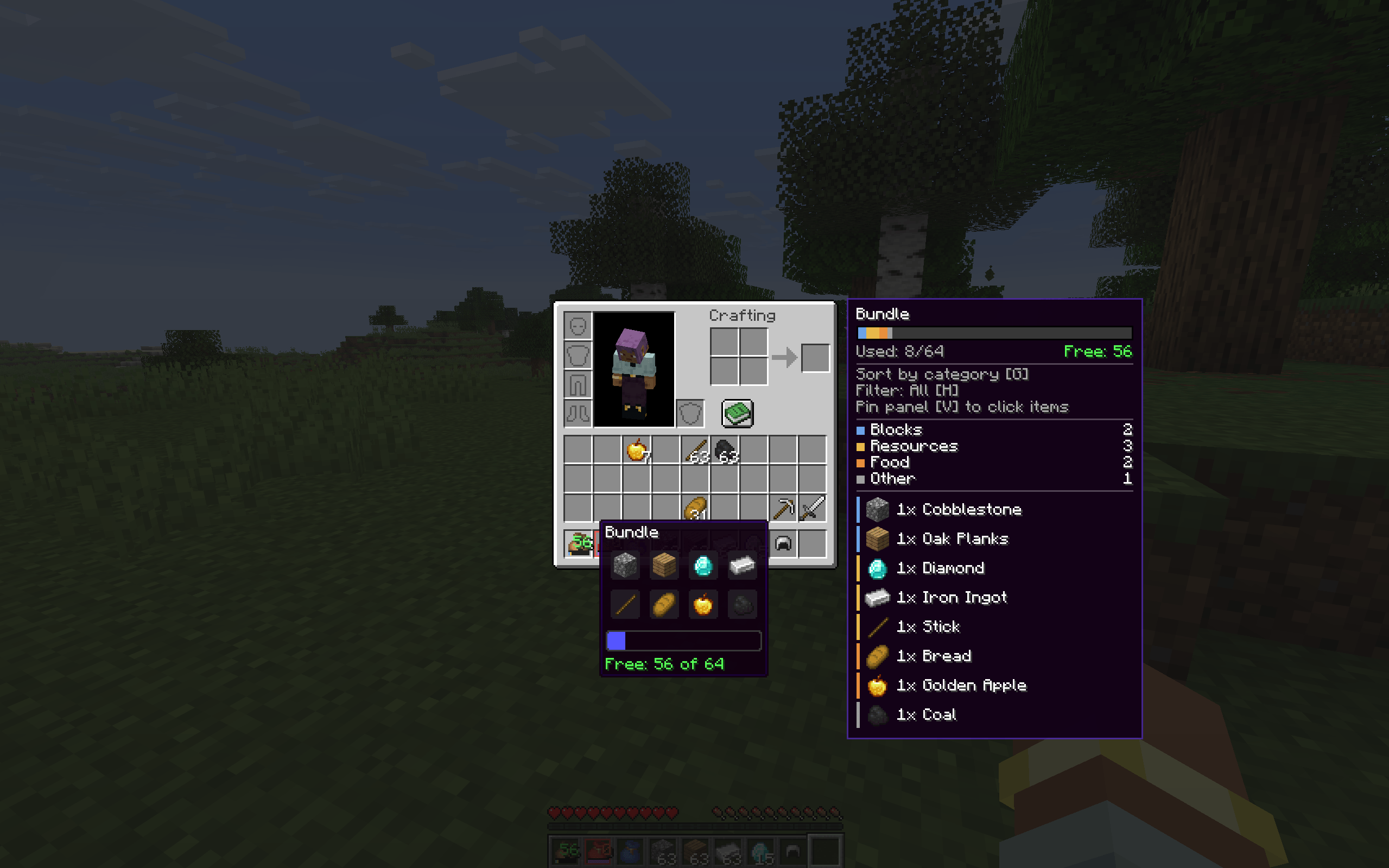
A small number on every bundle icon shows how many units of space are still free (64 = empty, 0 = full). The colour goes from green to yellow to orange to red as the bundle fills up. A thin bar under it is split by item category, and an almost full bundle gets a soft pulsing frame. It works in the inventory, in containers and on the hotbar, and it covers dyed bundles and bundles from other mods.
Side panel with details
Hover a bundle in any inventory or container screen and a panel appears next to it:
- a colour-coded fill bar that animates smoothly, split by item category
- used and free space
- a breakdown by category with item counts
- the list of items with their icons
Pinned panel: click, search, scroll
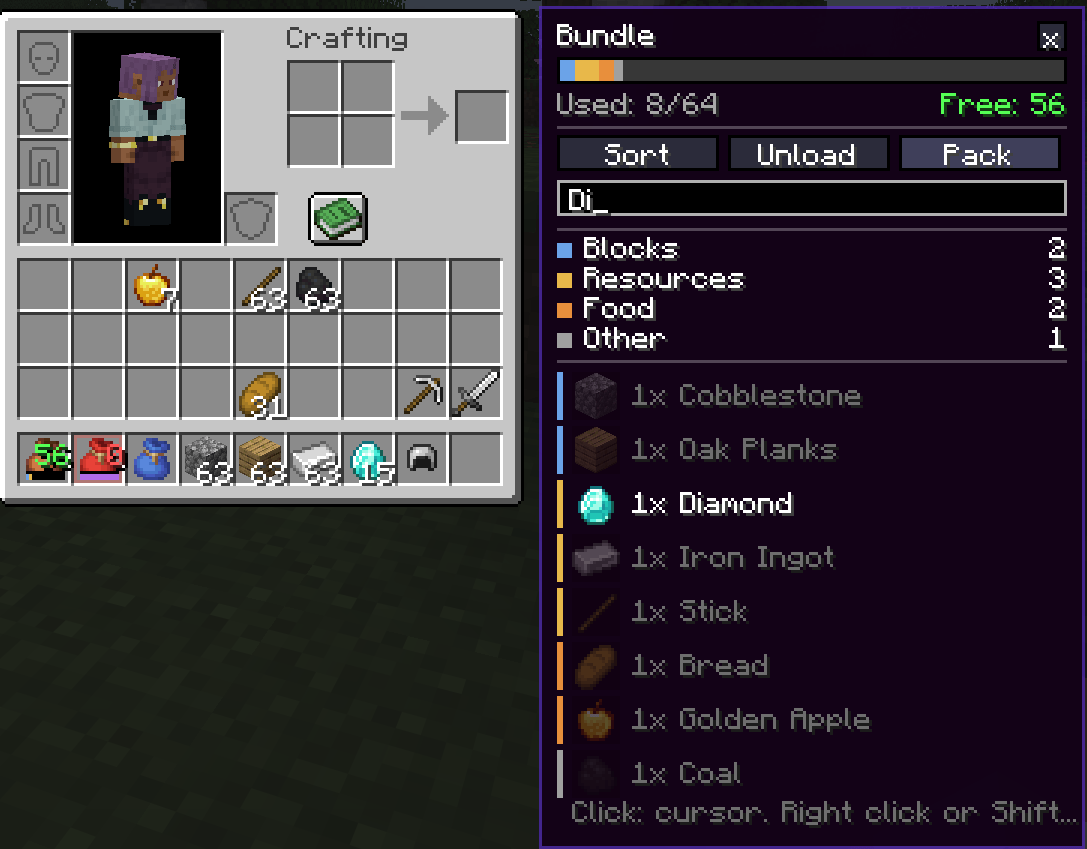
Press V over a bundle and the panel stays on screen and becomes clickable:
- Click a row to take that stack onto your cursor
- Right click or Shift+click to send it straight to your inventory
- Search by name or item id. Add
@modidto filter by mod. Non-matching rows are dimmed. - Mouse wheel scrolls long bundles
- Buttons: Sort, Unload, Pack. Click a category in the legend to set the filter.
Category filter
Press H over a bundle to cycle through categories: Blocks, Resources, Tools, Weapons, Armor, Food, Potions, Other. Everything outside the chosen category is dimmed, so you can find that one stack of bread in a bundle full of cobblestone. Categories are detected from vanilla and c: common tags, so items from other mods are sorted too. Category colours can be changed in the config.
One-key sorting
Press G over a bundle to reorder its contents:
- By category: groups similar items together (the filtered category goes first)
- By name: alphabetical
- By amount: biggest stacks first
Hold Shift with the sort key to switch the sorting mode. An optional setting sorts every bundle in your inventory automatically when you close a screen.
Unload and pack
- Unload (J): moves everything, or only the filtered category, from the bundle into your inventory. Whatever does not fit stays in the bundle.
- Pack (L): moves matching items, or only the filtered category, from your inventory into the bundle, up to its capacity. Nested bundles are never packed.
Tooltip and settings
- A “Free: X of 64” line in the bundle tooltip
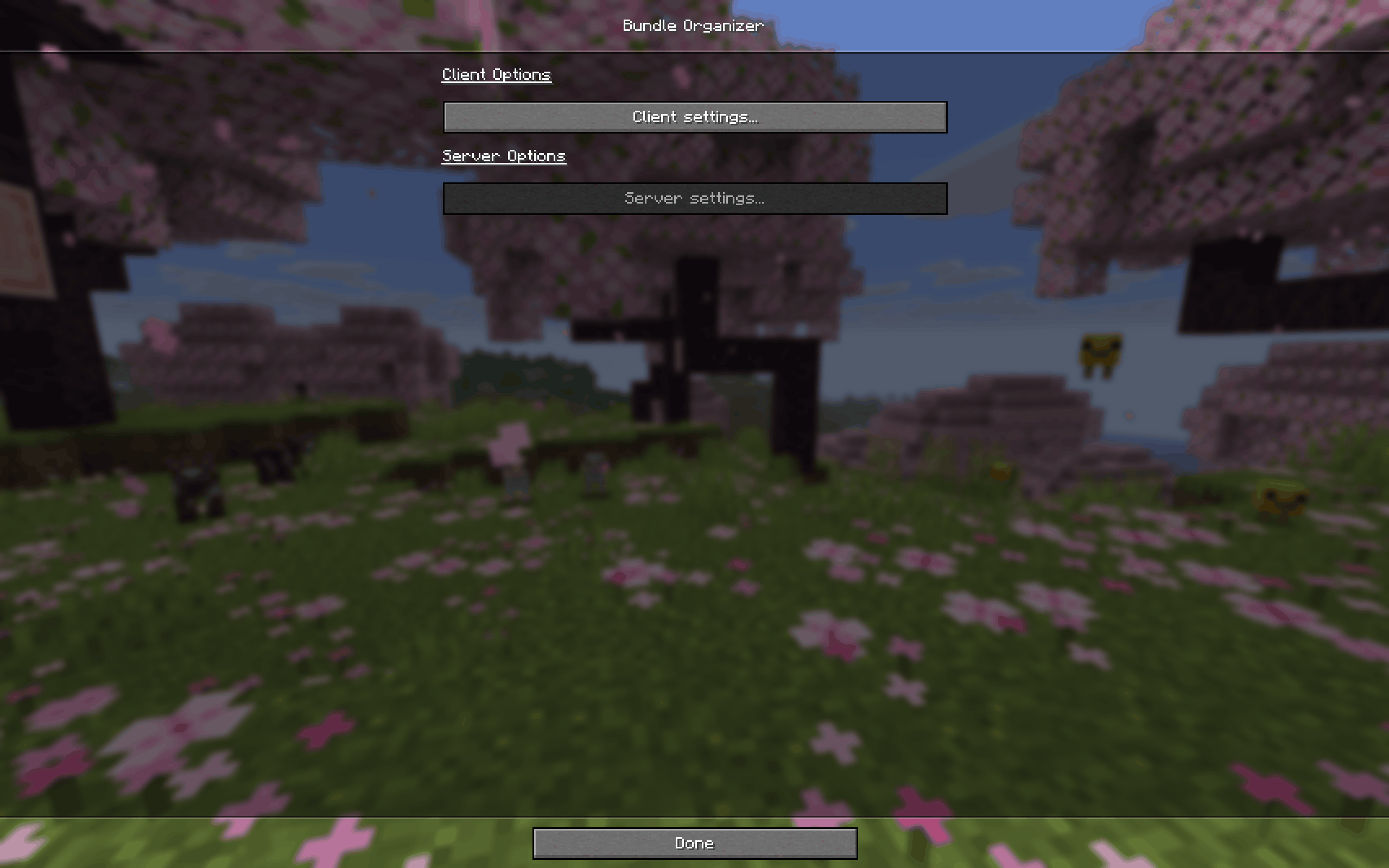
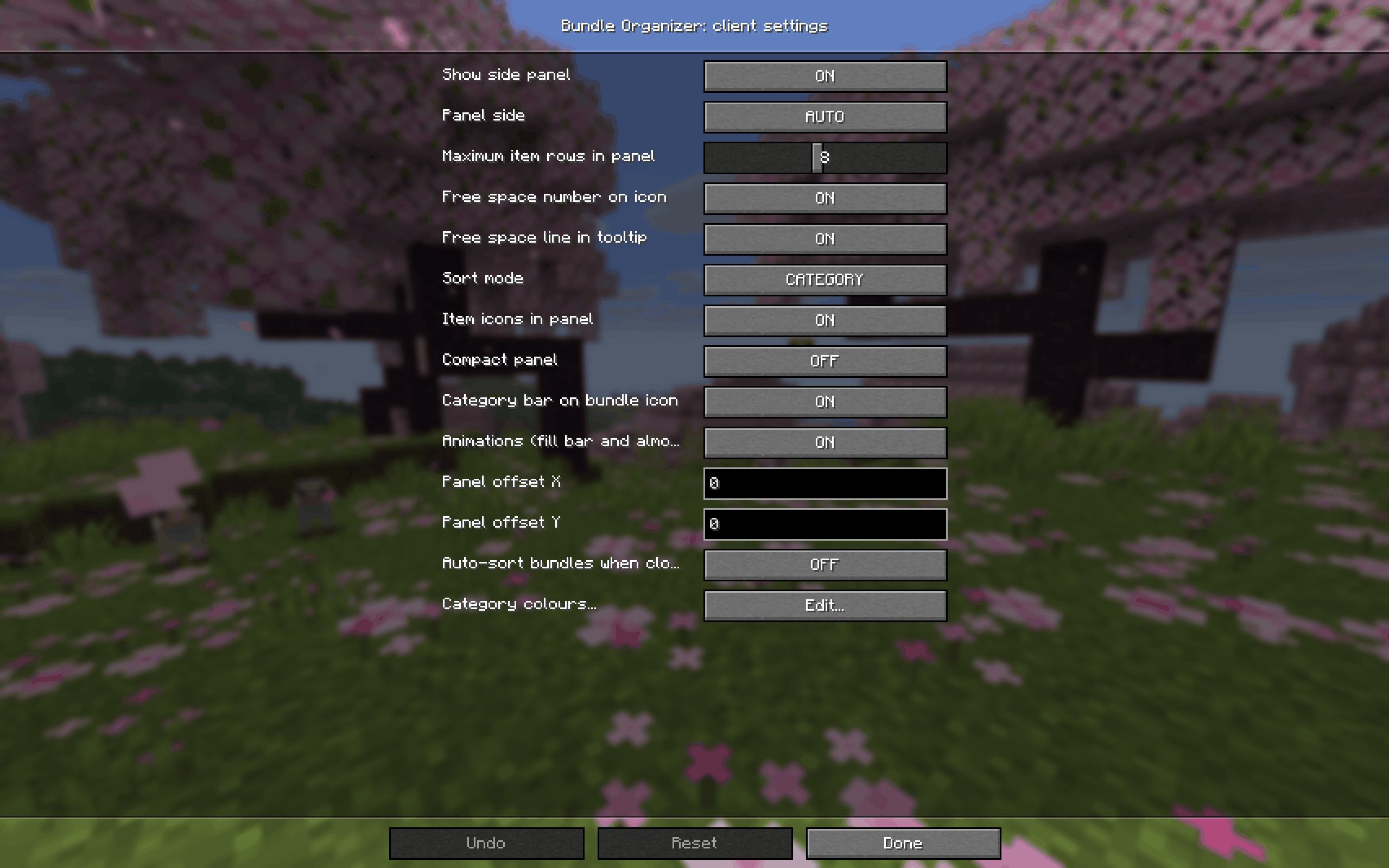
- In-game config screen (Mods menu): panel, icons, compact mode, animations, offsets for JEI, EMI or REI, category colours, auto-sort, default sort mode
- English and Russian translations
Default keys
| Action | Key |
|---|---|
| Sort the bundle | G (with Shift: change sort mode) |
| Cycle category filter | H (with Shift: clear filter) |
| Unload into inventory | J |
| Pack from inventory | L |
| Pin or unpin the panel | V |
All keys can be changed in Controls. They act on the bundle under the cursor (or the pinned one) in an open inventory, and never while you are typing in a text field.
Client and server
- Client only: the free-space indicator, icons, side panel, filter, search and tooltip work everywhere, including servers without the mod.
- Client and server: sorting, taking items out, unload and pack need Bundle Organizer on the server too, because the server does the actual moving and checks every request. Without it, those actions only show a short message.
- None of the actions work in the creative inventory (those items only exist on the client).
Server options
In serverconfig/bundleorganizer-server.toml:
| Option | Default | Effect |
|---|---|---|
allowSorting |
true |
Allow sorting bundles |
allowExtraction |
true |
Allow taking items out and unloading |
allowPacking |
true |
Allow packing from the inventory |
Compatibility
- Minecraft 26.1.2, NeoForge 26.1.2 or newer in the 26.1 line
- No dependencies
- Works with bundles from other mods that extend the vanilla Bundle item
- The panel can overlap recipe viewers such as JEI, EMI or REI. Use the panel offset options in the config to move it.
FAQ
Does it change how bundles work? No. Capacity, recipes and item behaviour stay vanilla. The mod only gives you more convenient ways to look inside, sort, and move items in and out.
Is it safe to add to an existing world? Yes. It adds no blocks, items or world data, so it can be removed at any time.
Do I need it on the server? Not to see the free-space number, the panel, the filter and the search. For sorting, taking items out, unload and pack, yes: install it on the server too.
Can I use it in a modpack? Yes, please do.
The panel covers my recipe viewer. Change panelOffsetX and panelOffsetY in the client config, or switch the panel side.
A key does nothing. The keys work only with the cursor over a bundle (or with a pinned panel) in an open inventory screen, and not while a text field has focus.
Feedback
Found a bug or have an idea? Please open an issue and include your Minecraft and NeoForge versions and latest.log.
常见问题
Bundle Organizer 支持哪些 Minecraft 版本?
Bundle Organizer 支持 Minecraft Java 版 26.1.2,可用的加载器:NeoForge。下载时注意选择和你游戏版本一致的文件。
Bundle Organizer 怎么安装?
先用 PCL2 或 HMCL 启动器安装对应版本的 NeoForge,再把下载的 .jar 文件放进游戏目录的 mods 文件夹,重新启动游戏即可。开启了版本隔离的,mods 文件夹在 versions/版本名 下面。
Rainy228 的其他作品
查看全部 →
Sun Panels
The mod adds three-tiered solar panels and a pipe system for energy transport.

Minimal Gear HUD
Always know what is about to break, before it breaks.

Container Search Lite
Client-side container search with animated highlights, plus a finder that points you to the chests where you stored an item. Nothing to install on the server.

Void Recycler
Tick-less tech block: destroy items into Resonance Points, fabricate any item back by hand or by pipes.
评论
登录后评论和评分