
Bubbled
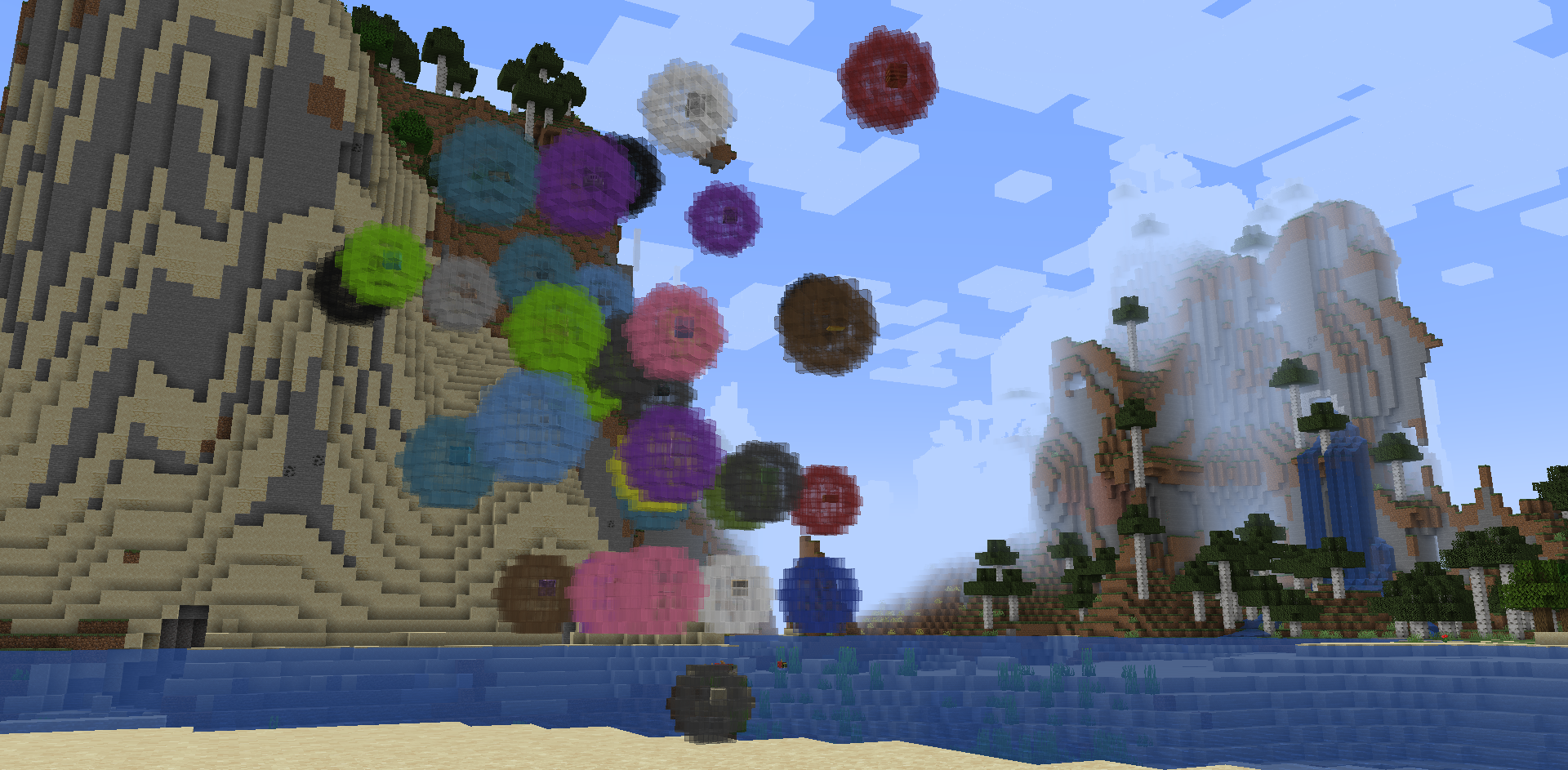
Adds bubbles that can hold your items and be sent back home with a flick of your wrist. Inspired by Steven Universe.
截图
介绍

Bubbled
Bubble your items and send them home instantly!
A lightweight utility mod that lets you magically bubble up dropped items and teleport them back to a designated “home point” using a bubble wand.
Want to play with friends? Try Godlike.Host

✨ | Features
- Bubble Wand — A magical tool that lets you collect loose items with style
- Bubble Items — Right-click dropped items to encase them in bubbles
- Designated Return Point — Crouch + right-click any block to set a permanent “bubble home” attached to your bubble wand
- Instant Delivery — Bubble items and send them straight to your chosen return point
Perfect for mining sessions, mob farms, item sorting, or just making item collection less of a hassle!
📖 | Usage
- Craft the Bubble Wand
- Recipe: Two sticks + an emerald diagonally with the emerald in the top right corner of the crafting table.
- Set Your Bubble Point
- Crouch + Right-click any block with the wand
- This becomes your item return destination
- Bubble Items
- Right-click on dropped items to bubble them up
- Multiple items can be in the same bubble (as long as they’re the same item)
- Send Them Home
- Right-click the bubbles (with or without the wand) to send them flying back to their destination. (works across dimensions)
Bubbled items are safely stored in the bubble until you decide to send (or pop) them.
🎨 | Gallery
Click the “Gallery” button at the top of the project page to view photos.
Compatibility
- Minecraft: 1.20.1 (1.21.1 coming soon)
- Forge + NeoForge
Installation
- Install Forge 1.20.1
- Download Bubbled from Modrinth
- Drop the
.jarinto yourmodsfolder
Enjoy cleaner inventory management and magical item transport!
Made with ✨ bubbles and love
Inspired by Cartoon Network’s Steven Universe
常见问题
Bubbled 支持哪些 Minecraft 版本?
Bubbled 支持 Minecraft Java 版 1.20.1,可用的加载器:Forge / NeoForge。下载时注意选择和你游戏版本一致的文件。
Bubbled 怎么安装?
先用 PCL2 或 HMCL 启动器安装对应版本的 Forge / NeoForge,再把下载的 .jar 文件放进游戏目录的 mods 文件夹,重新启动游戏即可。开启了版本隔离的,mods 文件夹在 versions/版本名 下面。运行环境:客户端和服务端都要装。
Mitlit 的其他作品
查看全部 →
Maleficium: Vampires, Magic & More!
Adds magic and vampires into Minecraft.

Maleficium: Vampires, Magic & More!
Adds magic and vampires into Minecraft.

Craftable Command Block
Adds a crafting recipe for the command block.

Craftable Nautilus Shells
Adds a basic recipe for the nautilus shell.
评论
登录后评论和评分