介绍
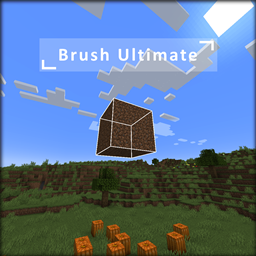
Brush Ultimate
New simple brush tool for creative map making
Showcase / Trailer Video
Usage
Using Brush Ultimate is quite simple
It has 3 configurable keybinds to
– Enable / Disable the tool
– Change the brush type (only replace atm)
– Change the brush mode
To clear your block selection you just need to Leftclick (Attack Keybind).
If you want to pick a block you need to use the middle mouse button (Pick block Keybind).
And to trigger a brush action you need to Rightclick (Use Keybind).
To use the mod on a server the server needs to have it installed otherwise the client won’t be able to make changes to the server.
However if the mod is installed on the server the client doesn’t need it to join. If the client doesn’t have the mod while the server has it the client will just not be able to use Brush Ultimate because all actions are triggered using some custom logic on the client side and just approved and executed by the server.
I am considering making a Bukkit Api based counterpart so that you can use this mod on vanilla servers as well but right now I don’t plan to do so.
Contact
If you find bugs or something feel free to contact me in a ticket on my discord as I don’t plan to release the Source Code of this mod yet
Discord: Lauriichan (Support/Requests)
常见问题
Brush Ultimate 支持哪些 Minecraft 版本?
Brush Ultimate 支持 Minecraft Java 版 1.19.2,可用的加载器:Forge。下载时注意选择和你游戏版本一致的文件。
Brush Ultimate 怎么安装?
先用 PCL2 或 HMCL 启动器安装对应版本的 Forge,再把下载的 .jar 文件放进游戏目录的 mods 文件夹,重新启动游戏即可。开启了版本隔离的,mods 文件夹在 versions/版本名 下面。
Lauriichan 的其他作品
查看全部 →
CloverCraft (Season 1)
Small pack with lots of building blocks build with and lots of biomes to explore while still being runnable on lower systems
CloverCraft (Season 1)
Small pack with lots of building blocks build with and lots of biomes to explore while still being runnable on lower systems

Wildcard
Token based Whitelist to give away "Keys" to join your server

A Builders’ Life
A Builders' Life provides basically everything a survival player needs to build amazing structures. With thousands of new building and decorative blocks.
评论
登录后评论和评分