
Brilliant Text
A Library for Minecraft 1.12.2 that allows you to give your text more flare.
截图


介绍
Brilliant Text
A Library for Minecraft 1.12.2 that allows you to give your text more flare. Inspired by similar looking tooltips that exist in Terraria. This mod pairs well with the Legendary Tooltips mod.
Requirements
How to use
Out-of-the-box the library provides multiple formatting codes you can use like vanilla formatting codes. You can also define custom shaders / effects, for more information visit the GitHub page.
When applying the custom formatting, the text dropShadow will be ignored and not drawn.
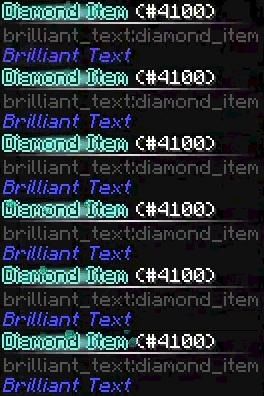
§h: Makes the text look blue, resembling diamonds
Example: §hDiamond Item
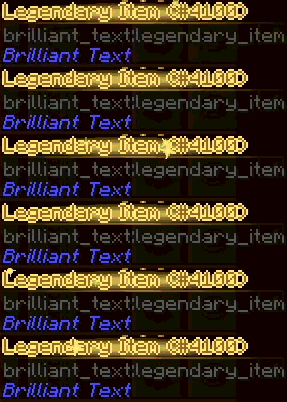
§g: Makes the text look shiny and goldenExample:
§gLegendary Item
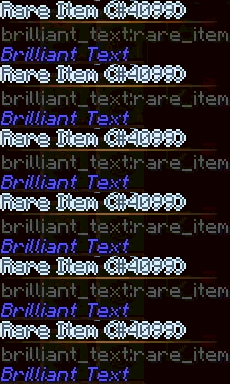
§s: Makes the text look silverExample:
§sRare Item
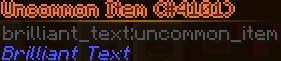
§qUncommon Item: Makes the text look bronzeExample:
§qUncommon Item
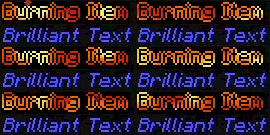
§v: Make the text look like it’s on fireExample:
§vBurning Item
Maven Installation
You can install the most recent version of this library directly through maven. Add the following line to your build.gradle dependencies block
implementation "curse.maven:brilliant-text-1628066:8738350-sources-8738351“
For more information on how to implement custom colors visit the GitHub page
常见问题
Brilliant Text 支持哪些 Minecraft 版本?
Brilliant Text 支持 Minecraft Java 版 1.12.2,可用的加载器:Forge。下载时注意选择和你游戏版本一致的文件。
Brilliant Text 怎么安装?
先用 PCL2 或 HMCL 启动器安装对应版本的 Forge,再把下载的 .jar 文件放进游戏目录的 mods 文件夹,重新启动游戏即可。开启了版本隔离的,mods 文件夹在 versions/版本名 下面。


评论
登录后评论和评分