
截图

介绍
This project is no longer being maintained.
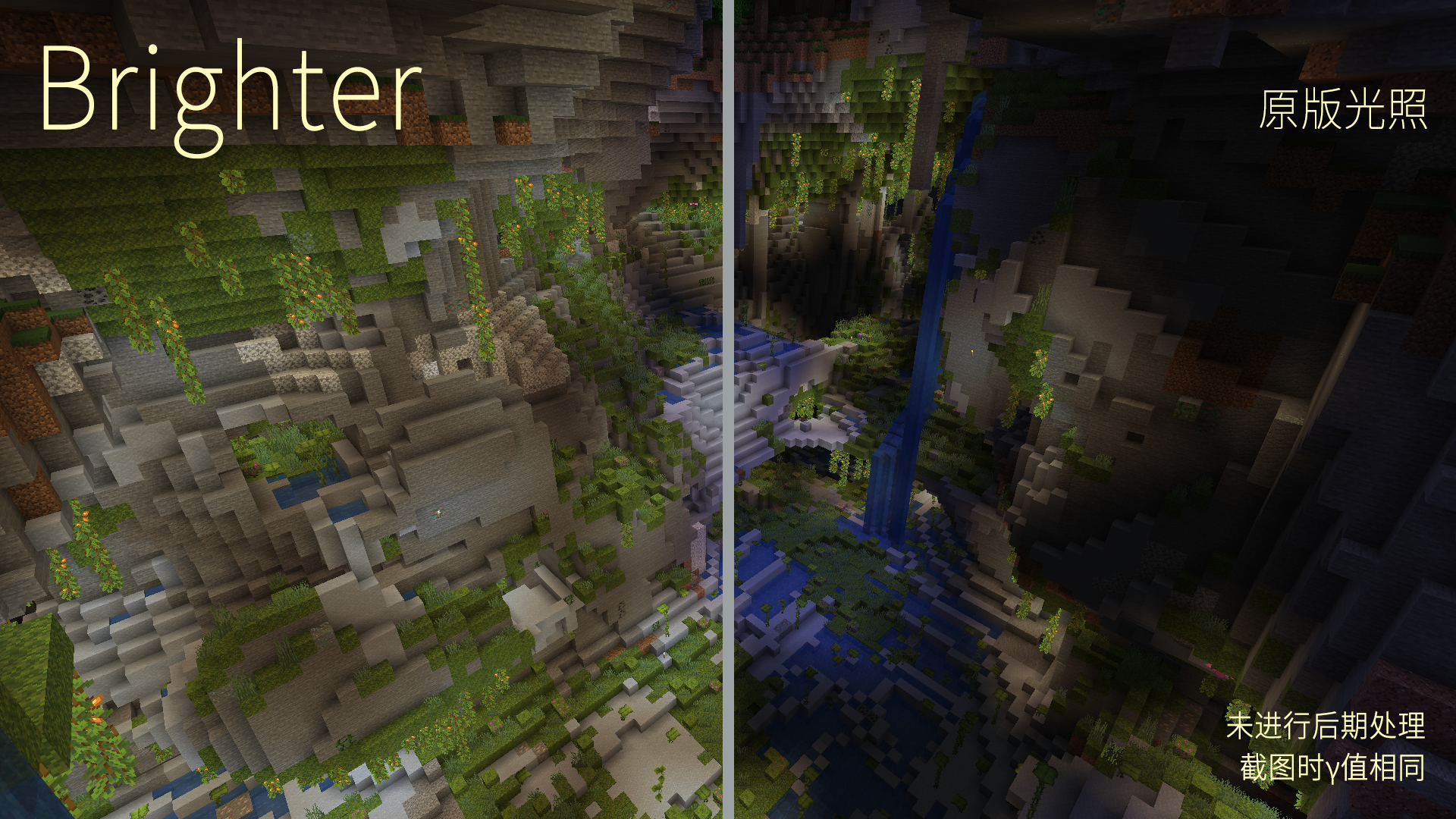
Caves are too dark? Torches are so faint?
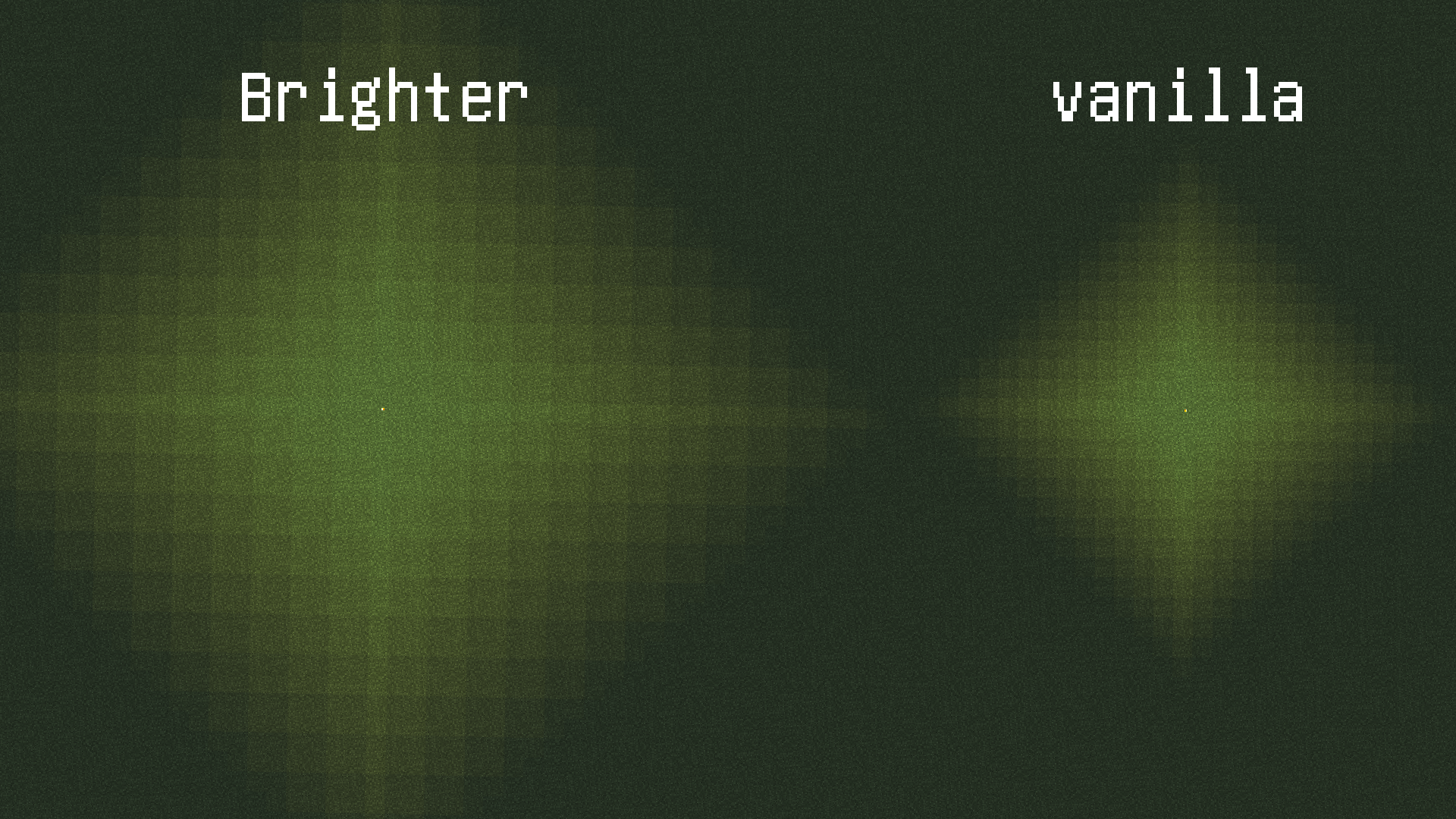
Use Brighter to double your block-light!
Brighter is for Forge, BrighterF is for Fabric !
Compatible with Phosphor, which is recommended to reduce lag.
Minecraft version compatibility attention: Since 1.20.1, you DO NOT need a specific jar to load, if a former jar can be loaded correctly. For example, BrighterF-0.2.3-1201.jar can be loaded on MC 1.20.1, 1.20.2 and further until crash, and then you need to download a newer version.
This mod is not compatible with Starlight.
Some logic have to get anti-optimized to achieve this effect, which may cause slight lag when removing light sources.
Since the light decay has been reduced by half, the number of blocks to be counted for the light update will be 8 times greater than vanilla. Thus, light update, such as placing and destroying light sources, may make the game laggy.
Light spreading in disorder may happen accidentally, but it’s usually not obvious. You can try to move your light source. See image light disorder. We are now working on it.
This mod is open-source under GPLv3.
BrighterF is a fabric copy of forge version.
Tips: Light sources placed before mod’s installation may not automatically refresh due to Minecraft’s light system.
WARNING: Back up your saves. This mod is still under testing. It is possible to cause lighting-error areas, which may be hard to repair.
常见问题
Brighter (block light) 支持哪些 Minecraft 版本?
Brighter (block light) 支持 Minecraft Java 版 1.16.5–1.20.1,共 7 个版本,可用的加载器:Fabric / Forge。下载时注意选择和你游戏版本一致的文件。
Brighter (block light) 怎么安装?
先用 PCL2 或 HMCL 启动器安装对应版本的 Fabric / Forge,再把下载的 .jar 文件放进游戏目录的 mods 文件夹,重新启动游戏即可。开启了版本隔离的,mods 文件夹在 versions/版本名 下面。
uss_shenzhou 的其他作品
查看全部 →
HotBaaaar
Make your hotbar long enough.

T88
A lib-mod by USS_Shenzhou

Mad Particle
Full of particles.

Not Enough Bandwidth
NEB uses various methods to save network traffic during Minecraft gameplay.
评论
登录后评论和评分