
Braydo’s Screenshot Menu
This mod lets you see your screenshots through a menu in game!
截图

介绍
Braydo’s Screenshot Menu is a simple client-side mod that lets you view your Minecraft screenshots through an in-game menu. Open your gallery without leaving the game, browse your screenshots, preview them, and quickly refresh the list whenever you take new ones.
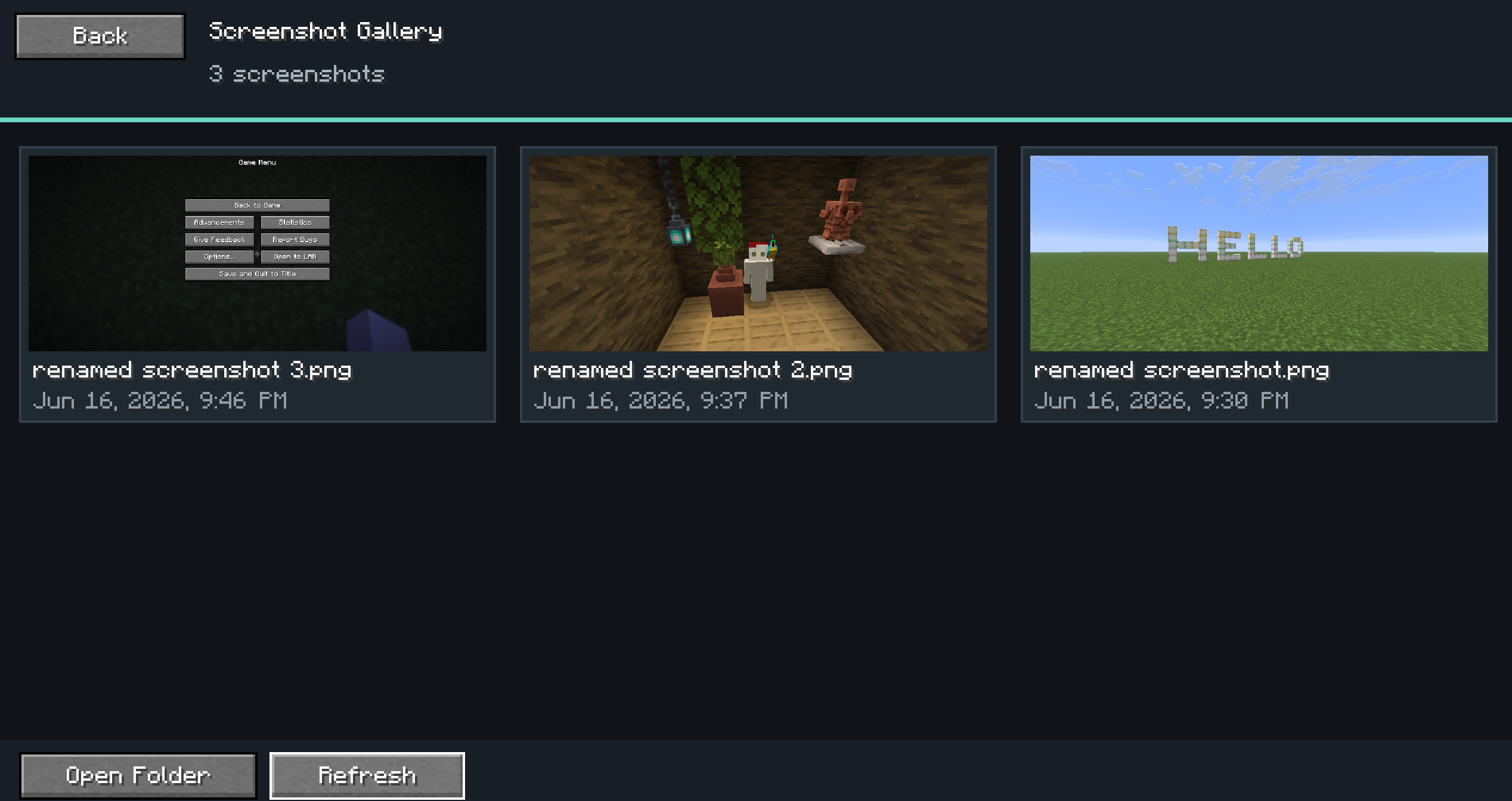
Screenshots to show what the in game menu looks like.
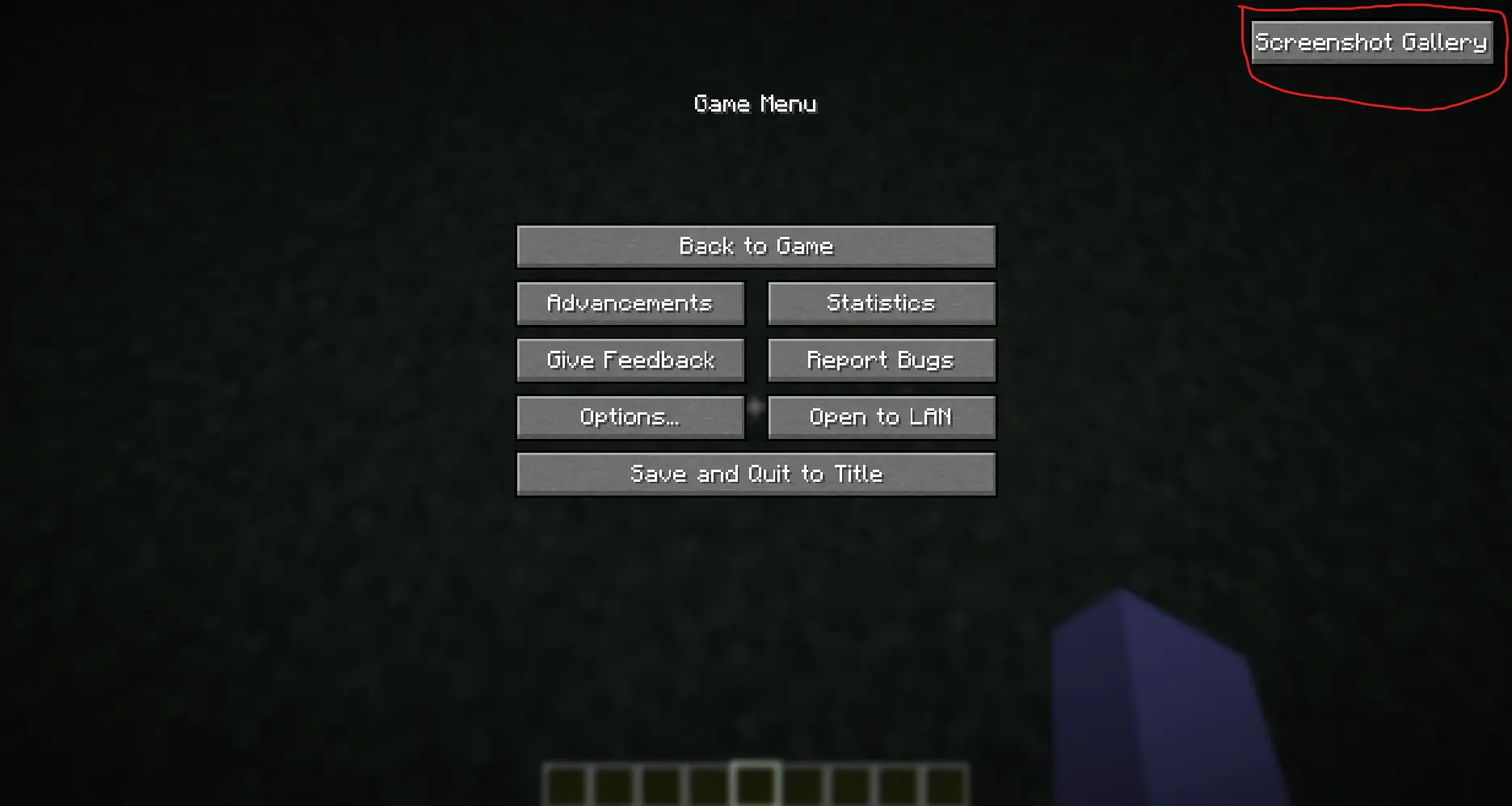
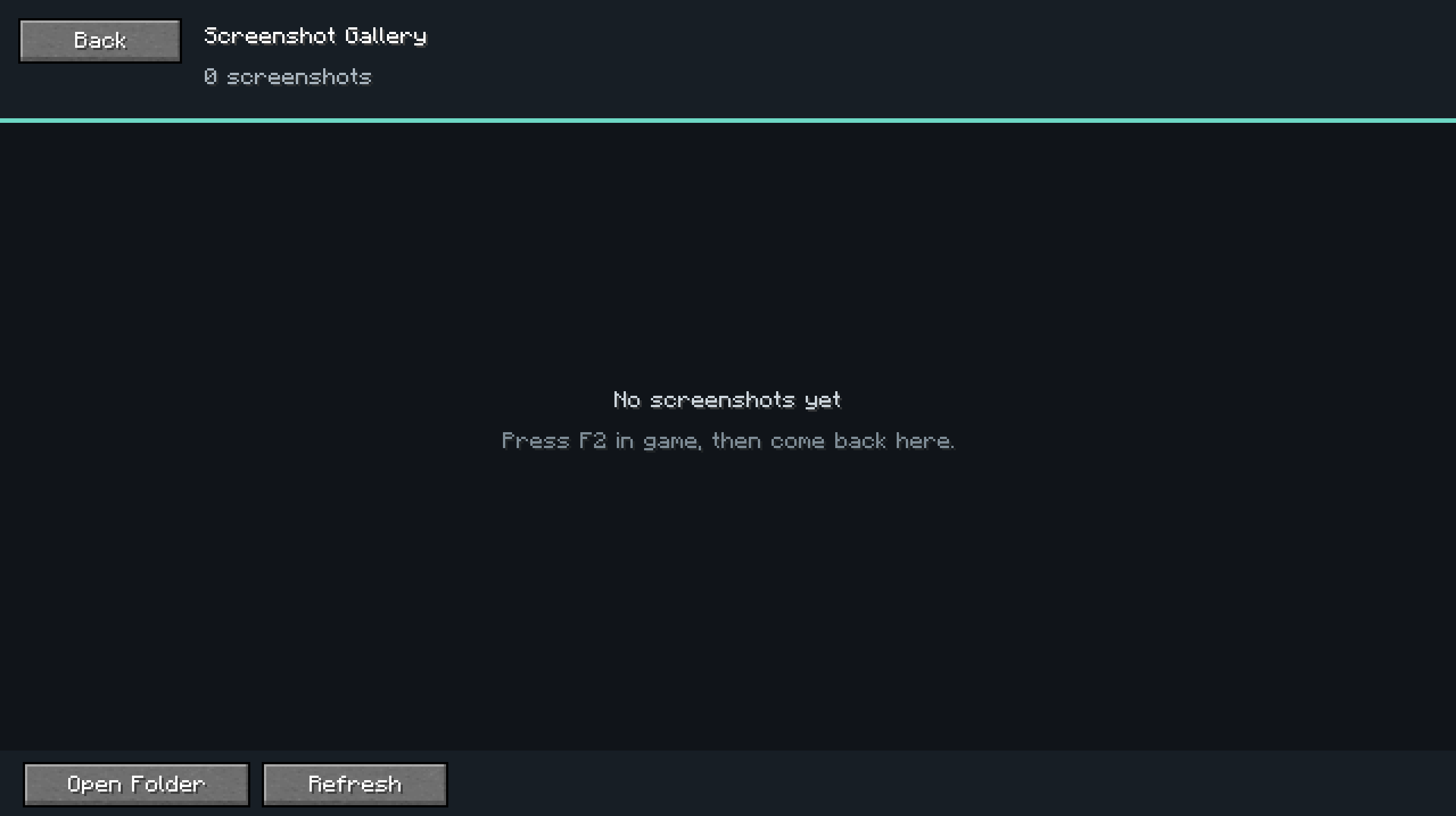
In the menu you are able to see the name of the screenshot image file and when it was taken!
Also you can change the keybind to open the menu without going to the escape menu.
Fixes/Changes
Nothing so far.
常见问题
Braydo’s Screenshot Menu 支持哪些 Minecraft 版本?
Braydo’s Screenshot Menu 支持 Minecraft Java 版 26.1–26.1.2,共 3 个版本,可用的加载器:Fabric。下载时注意选择和你游戏版本一致的文件。
Braydo’s Screenshot Menu 怎么安装?
先用 PCL2 或 HMCL 启动器安装对应版本的 Fabric,再把下载的 .jar 文件放进游戏目录的 mods 文件夹,重新启动游戏即可。开启了版本隔离的,mods 文件夹在 versions/版本名 下面。运行环境:仅客户端。
BigBraydo 的其他作品
查看全部 →
PetTalk
Pet Talk is a client-side mod that makes animals display fun text above their heads when you interact with them using their favorite food.

Food Remastered
A full rework of all Minecraft food textures with more realistic, detailed 16×16 pixel art — perfect for survival, roleplay, or immersion.

Braydo’s Biomes
Adds custom biome that I have come up with.
评论
登录后评论和评分