
Brapi
A Fast UI Rendering Library for Fabric mods. Border radius, gradients, textures and text.
截图
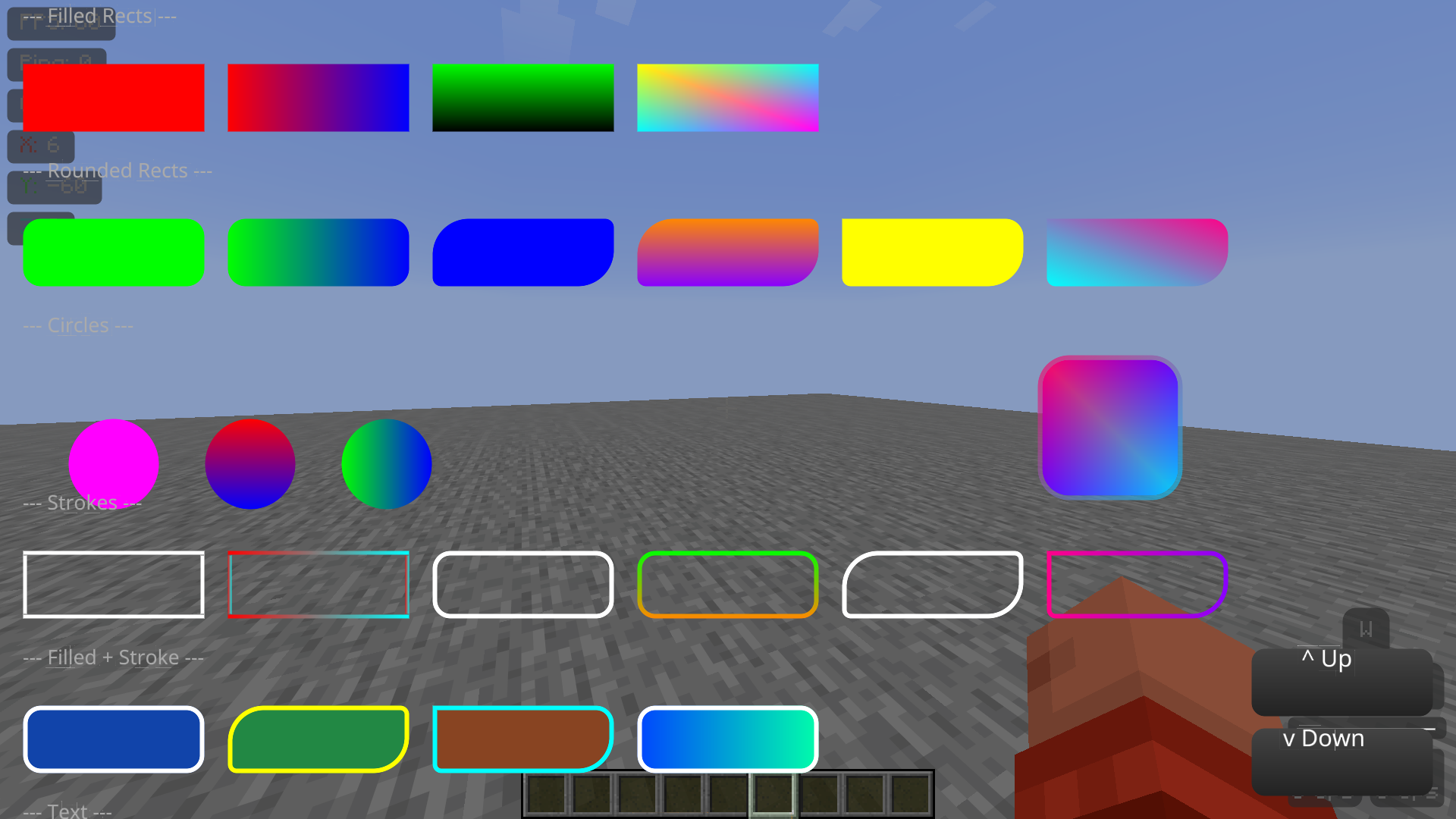
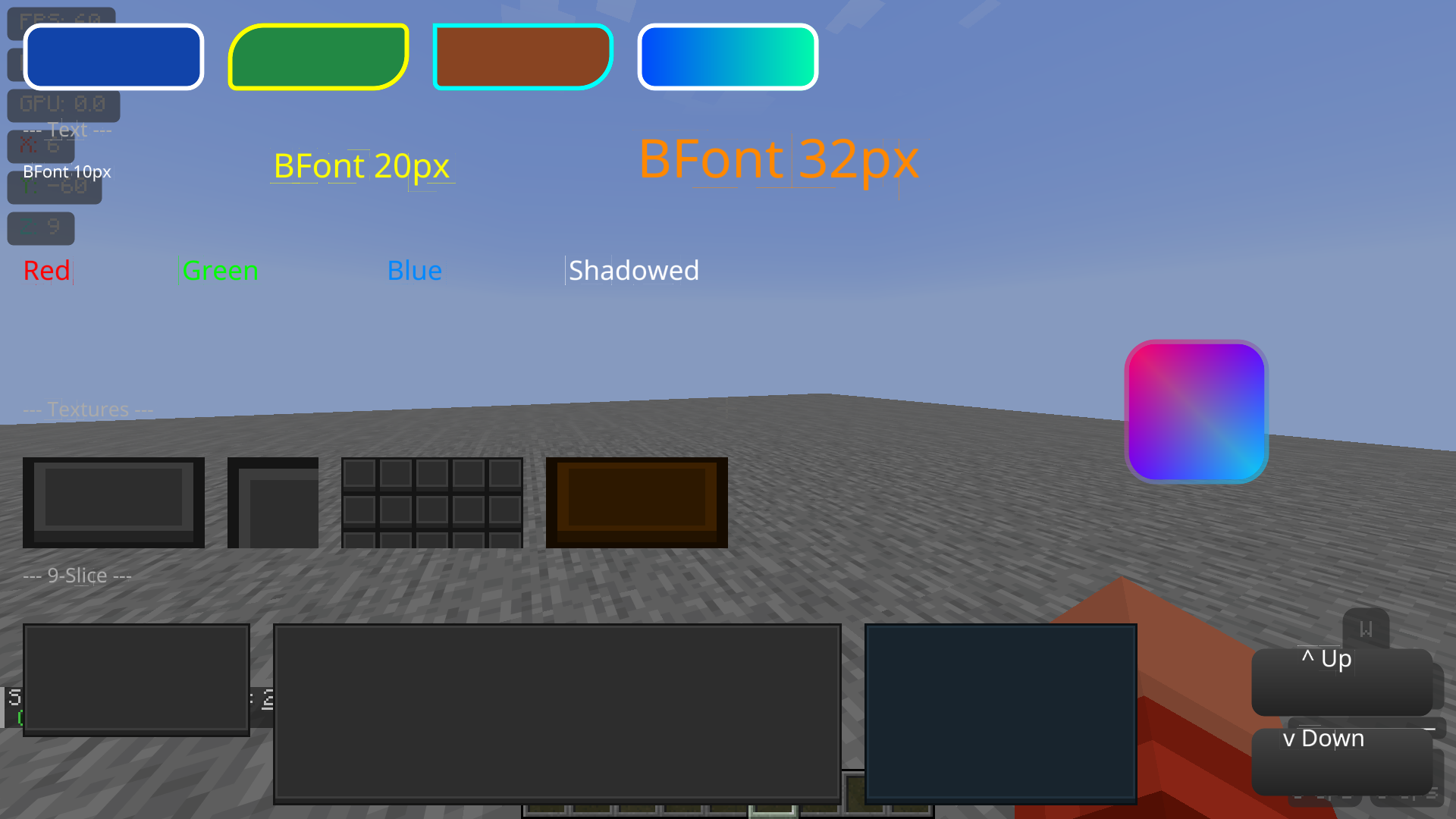
介绍
Brapi
A UI rendering library for Fabric mods. Supports rounded rectangles, text, gradients, textures, and 9-slice sprites with a simple API. With future support for SVG rasterizer, shadows, more text options, toggleable immediate mode rendering and lines.
Why
Making good-looking UIs in Minecraft is harder than it should be. Vanilla’s tools work fine for basic boxes, but as soon as you want smooth rounded corners, circles, or nice-looking text, you hit a wall.
Normally you’re stuck with two options:
- Bring in a heavy graphics library like Skia, which is hard to set-up for first time and makes the mod size very big
- Write your own shaders from scratch, which means dealing with extra setup and boilerplate most modders would rather skip
Brapi gives a third option. It’s a lightweight layer that sits on top of Minecraft’s existing rendering system, so you get the nice visuals without the pain.
Key Benefits:
- Zero Boilerplate: No setup hassle. Just create a BRender, add your draw calls, and flush.
- Complex Shapes Made Simple: Draw circles, outlines, and rounded rectangles (even with different corner sizes) in a single line of code.
- Automatic Batching & Layering: Brapi figures out the right draw order on its own, so your UI looks right without you micromanaging it.
📦 Setup
Adding as dependency
Add the repository and dependency to build.gradle:
repositories {
    exclusiveContent {
        forRepository {
            maven {
                name = "Modrinth"
                url = "https://api.modrinth.com/maven"
            }
        }
        filter {
            includeGroup "maven.modrinth"
        }
    }
}
dependencies {
    modImplementation "maven.modrinth:brapi:0.26+${minecraft_version}+fabric" // only supported minecraft version is 1.21.11 right now
}fabric.mod.json:
"depends": {
    "brapi": "*"
}
Using in code
Create a BRender instance, add draw calls, then call flush(graphics) to submit. Everything renders at end of frame sorted by layer.
🎨 All colors are ARGB: 0xFFFF0000 = opaque red, 0x80FF0000 = 50% transparent red.
📐 Coordinates are in GuiScale units: (100, 100) at scale 3 = (300, 300) pixels.
Filled shapes
bRender.rect(100, 100, 100, 100, 0xFFFF0000, layer);– red 100×100 rectanglebRender.roundRect(100, 100, 100, 100, 0xFFFF0000, 10, layer);– rounded rectangle, 10px radiusbRender.roundRect(100, 100, 100, 100, 0xFFFF0000, 10, 5, layer);– 10px TL/BR, 5px TR/BL radiusbRender.roundRect(100, 100, 100, 100, 0xFFFF0000, 10, 5, 20, 30, layer);– individual corner radiibRender.circle(100, 100, 50, 0xFFFF0000, layer);– circle, 50px radius
Gradients
All filled shapes support gradients via Gradient and GradientDirection:
bRender.roundRect(100, 100, 100, 100, gradient, GradientDirection.LEFT_RIGHT, 10, layer);
Directions: LEFT_RIGHT, TOP_BOTTOM, TOP_LEFT_BOTTOM_RIGHT, TOP_RIGHT_BOTTOM_LEFT
Strokes (outline only)
bRender.stroke(100, 100, 100, 100, 0xFFFF0000, 2, layer);– 2px outline rectanglebRender.strokeRounded(100, 100, 100, 100, 0xFFFF0000, 10, 2, layer);– 2px rounded outline, 10px radiusbRender.strokeRounded(100, 100, 100, 100, 0xFFFF0000, 10, 5, 2, layer);– 10px TL/BR, 5px TR/BLbRender.strokeRounded(100, 100, 100, 100, 0xFFFF0000, 10, 5, 20, 30, 2, layer);– individual radii
Filled + stroke
bRender.roundRectStroked(100, 100, 100, 100, 0xFF0000FF, 0xFFFF0000, 10, 2, layer);– blue fill, 2px red stroke
Text
bRender.drawText(font, "Hello!", 100, 100, 24, 0xFFFFFFFF, layer);– BFont textbRender.drawText(font, formattedCharSequence, 100, 100, 24, 0xFFFFFFFF, layer);– formatted text with per-character colors
Textures
bRender.drawTexture(tex, 100, 100, 200, 150, 0xFFFFFFFF, linear, layer);– stretch to fillbRender.drawTextureCropped(tex, 100, 100, 64, 64, 0, 0, 32, 32, 0xFFFFFFFF, linear, layer);– cropbRender.drawTextureTiled(tex, 100, 100, 200, 200, 0xFFFFFFFF, linear, layer);– tilebRender.drawTexture9Slice(slice, 100, 100, 300, 200, 0xFFFFFFFF, linear, layer);– 9-slice
🔄 Flushing
BRender r = new BRender();
r.roundRect(...);
r.flush(graphics); // submit to draw list
//OR
r.flush(graphics, BRender.WithOffset(100, 100)); // with 100 pixel offset
常见问题
Brapi 支持哪些 Minecraft 版本?
Brapi 支持 Minecraft Java 版 1.21.11,可用的加载器:Fabric。下载时注意选择和你游戏版本一致的文件。
Brapi 怎么安装?
先用 PCL2 或 HMCL 启动器安装对应版本的 Fabric,再把下载的 .jar 文件放进游戏目录的 mods 文件夹,重新启动游戏即可。开启了版本隔离的,mods 文件夹在 versions/版本名 下面。运行环境:仅客户端。

评论
登录后评论和评分