截图
介绍
BrandBlock
Simple Fabric server-side mod to block certain client brands from joining your server
Configuration
config/brandblock.json
{
  "blockedBrands": [                             // All brands that will be blocked
    "forge",
    "vanilla"
  ],
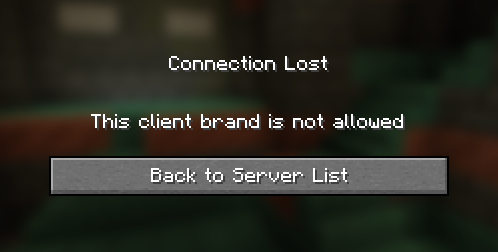
  "kickMsg": "This client brand is not allowed"  // The disconnection reason shown to the player, can be in Raw JSON text format
}
How it works?
When joining a server, during the configuration phase, both the server and client send a minecraft:brand custom payload packet (aka plugin message) containing the brand name. For unmodified clients and servers, this brand is always “vanilla.” However, custom clients (such as Forge, Fabric, etc.) typically change this brand identifier.
This server-side mod listens when a brand payload is received and checks if it matches any blocked brands specified in the configuration file. If a blocked brand is detected, the player is disconnected from the server. However, this can be easily bypassed and modified clients may not to send this packet at all.
常见问题
BrandBlock 支持哪些 Minecraft 版本?
BrandBlock 支持 Minecraft Java 版 1.17–1.21.1,共 19 个版本,可用的加载器:Fabric / Quilt。下载时注意选择和你游戏版本一致的文件。
BrandBlock 怎么安装?
先用 PCL2 或 HMCL 启动器安装对应版本的 Fabric / Quilt,再把下载的 .jar 文件放进游戏目录的 mods 文件夹,重新启动游戏即可。开启了版本隔离的,mods 文件夹在 versions/版本名 下面。运行环境:仅服务端。
评论
登录后评论和评分