
介绍
Trailer
Wiki
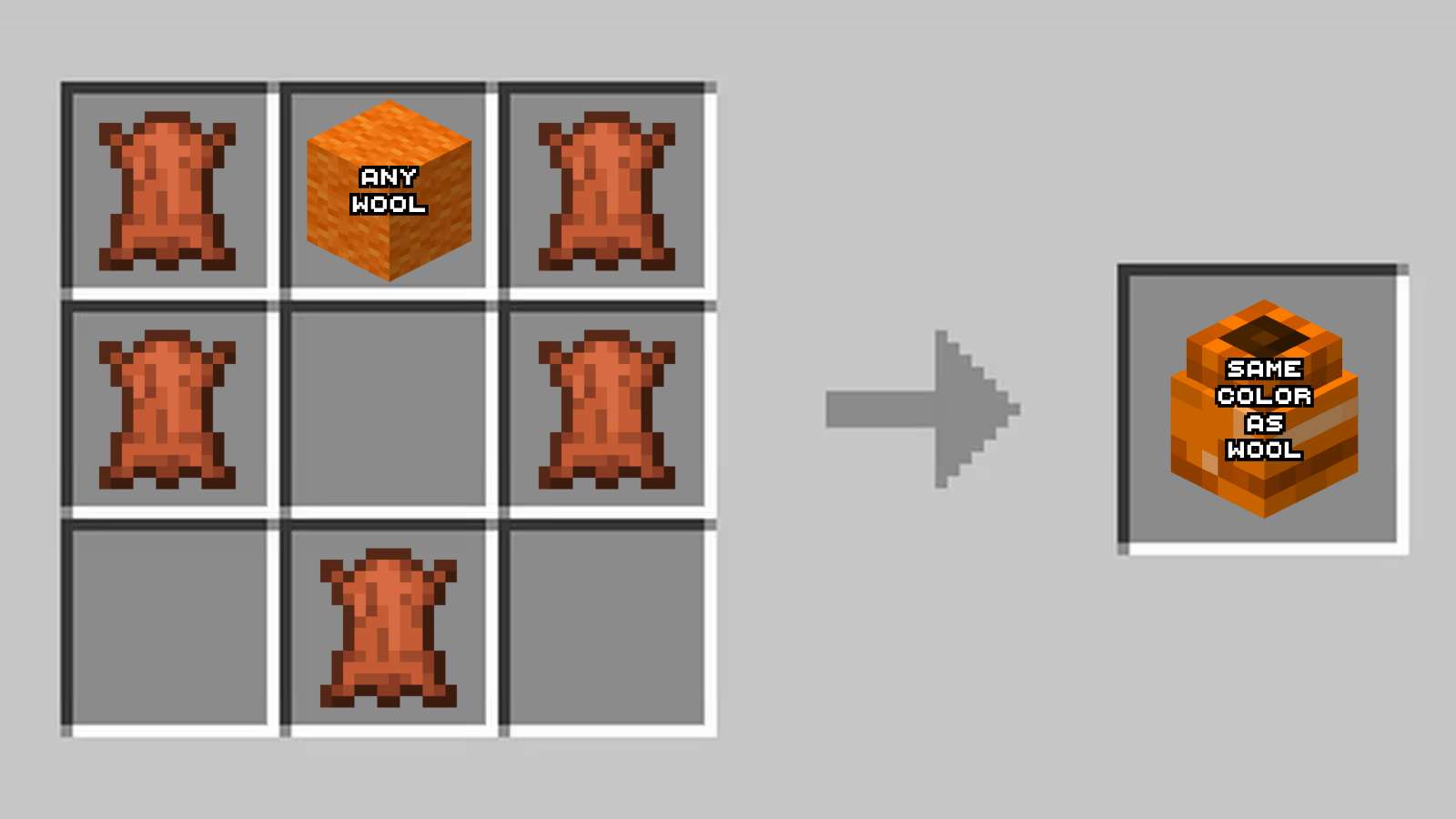
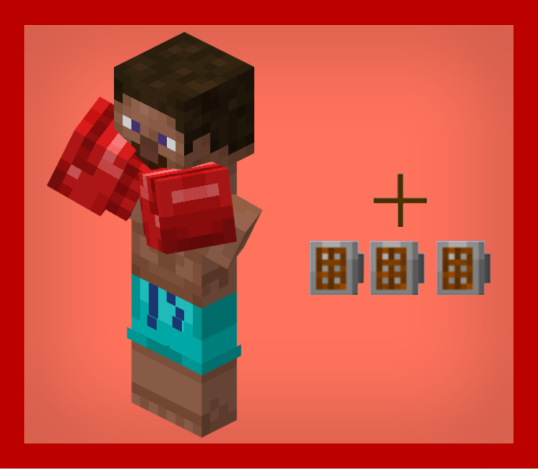
First of all you will need to get two boxing gloves, using this recipe:
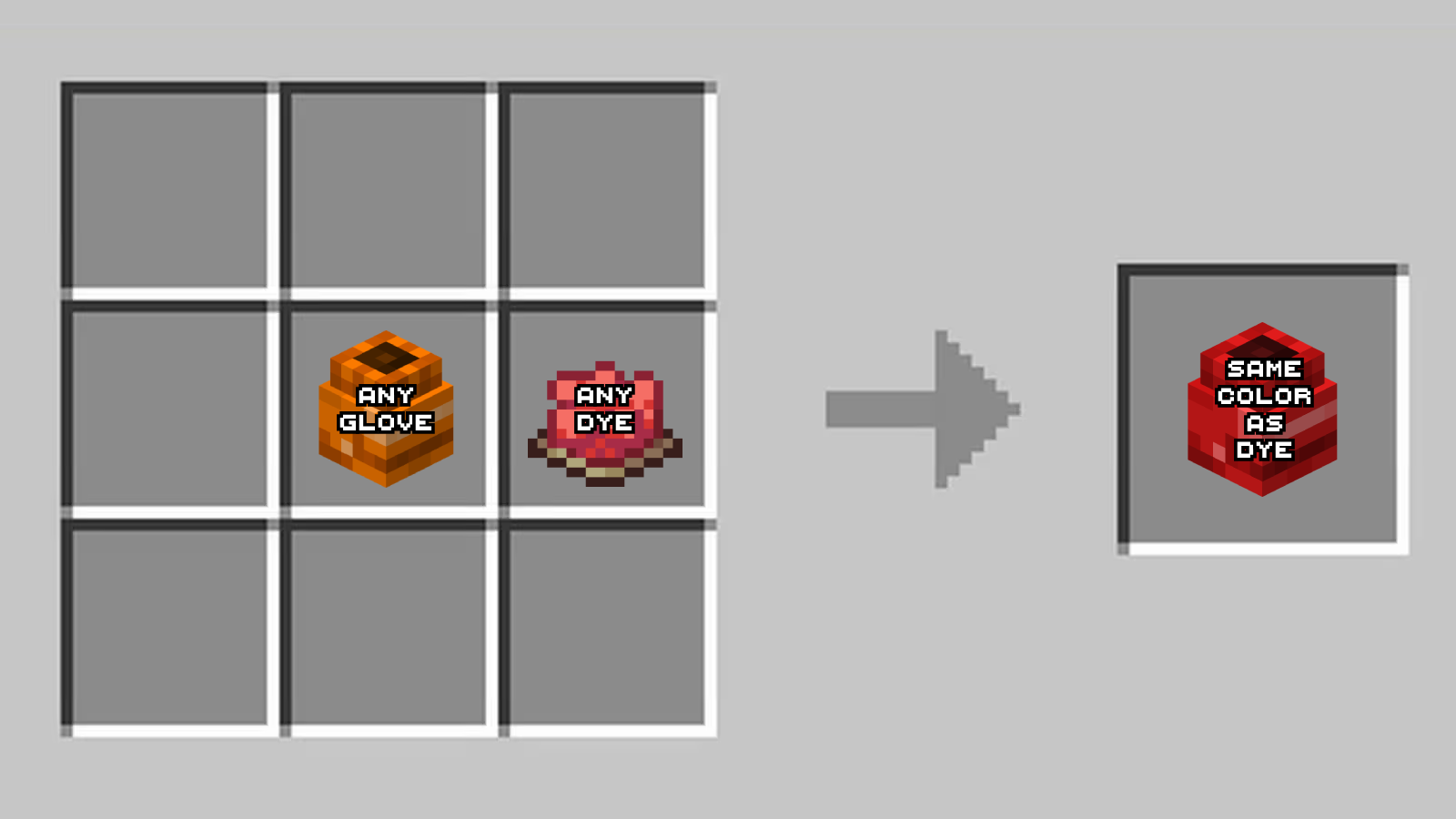
If you want to change the glove’s color, you can use this recipe:
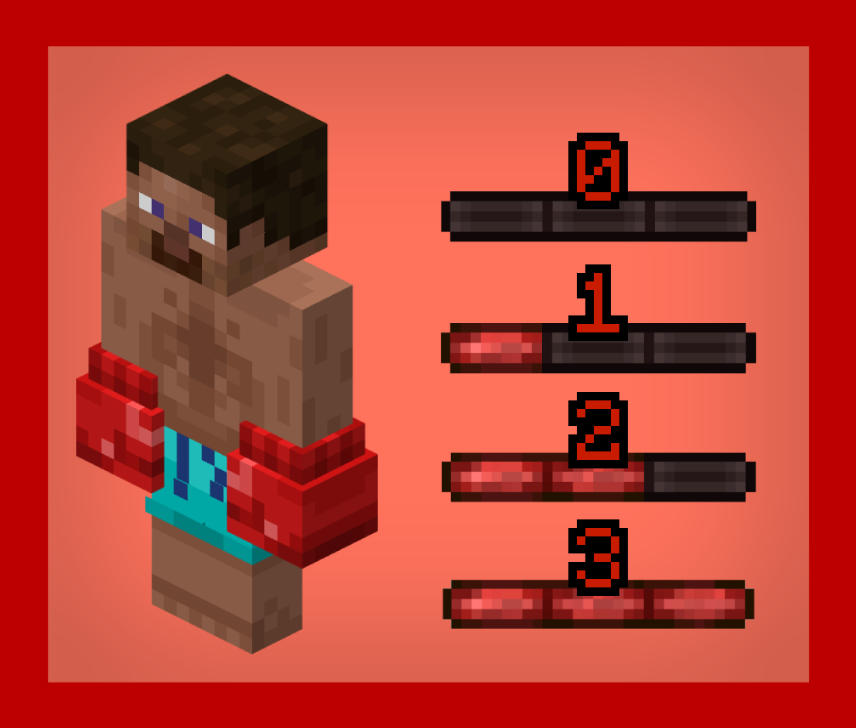
Once you have two gloves, you’ll need to put them in both your main-hand and your off-hand. You will look like this and on the left of your hotbar, you’ll see a bar. This bar goes up when you hit an enemy, but if you get hit, the bar goes down to zero. This works like a combo system.
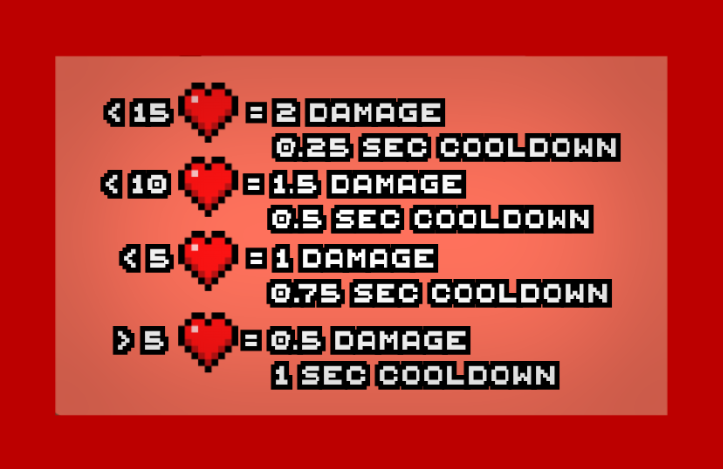
To hit with your gloves, you’ll need to right click, and right click, NOT left click like a vanilla hit. When you right click, either your right or left hand will swing at the enemy. You will get a cooldown and damage the enemy depending on your health. Here’s the chart :
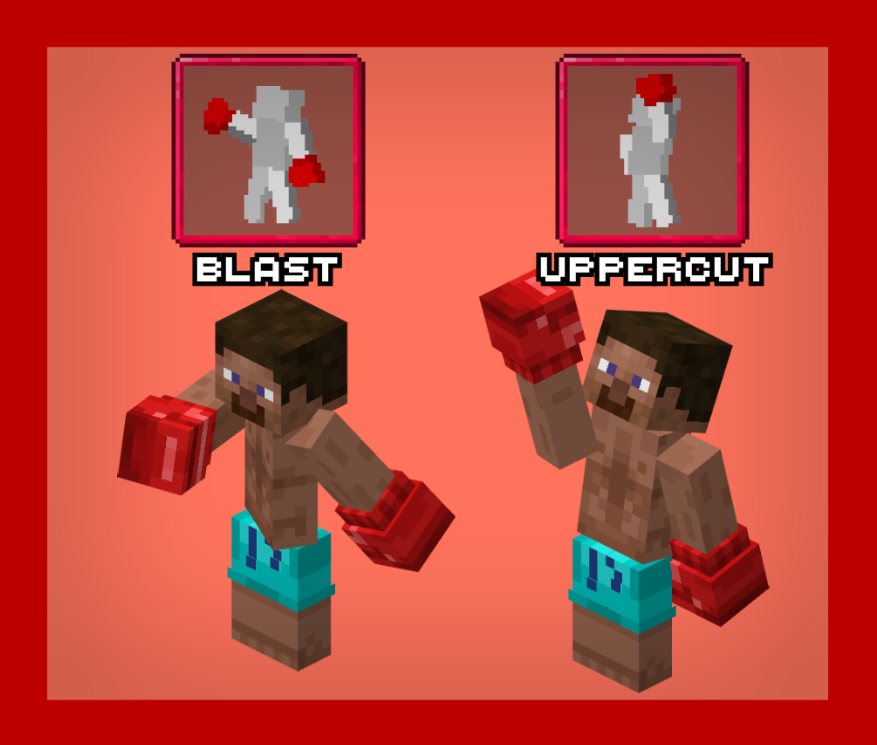
Once you have a full bar, you can either press the keybind U or I. If you press U, you’ll activate the uppercut, and the next time you hit an enemy, he’ll get knocked up farther than usual. If you press I, you’ll activate the blast. When you hit a enemy, he will be knocked back far. Each of these special attacks have custom animations, and once you use them, your bar will go back down to zero
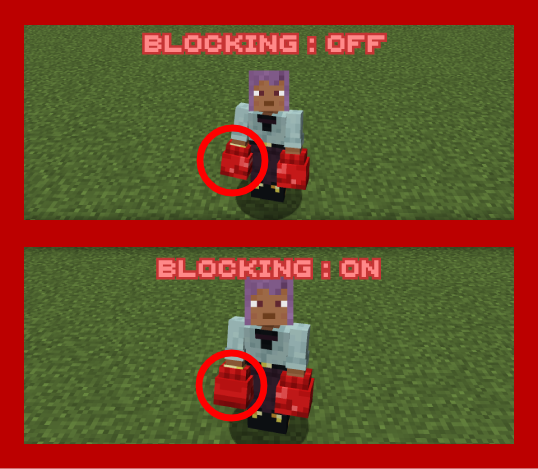
Lasty, when you press the keybind R, you will be able to block. When you block, you will see 3 shield icons appear under your crosshair. These act as “strikes”. When you get hit while blocking, you’ll be knocked back less than usual, and you will take no damage, but you will lose one of the shields. When you have 0 shields, you’ll automaticaly stop blocking.
Forge isn’t compatible with my method for animations, the blocking will work the same but look like this for other players:
常见问题
Boxing Madness 支持哪些 Minecraft 版本?
Boxing Madness 支持 Minecraft Java 版 1.20.1–1.21.1,共 2 个版本,可用的加载器:Forge / NeoForge。下载时注意选择和你游戏版本一致的文件。
Boxing Madness 怎么安装?
先用 PCL2 或 HMCL 启动器安装对应版本的 Forge / NeoForge,再把下载的 .jar 文件放进游戏目录的 mods 文件夹,重新启动游戏即可。开启了版本隔离的,mods 文件夹在 versions/版本名 下面。运行环境:客户端和服务端都要装。
WassMan 的其他作品
查看全部 →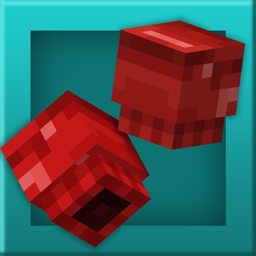
Boxing Madness
🥊A new way to fight in Minecraft!

Wandering Hats
🎩 Adds Fun Hats to Minecraft!

Frying Delight
🍗 A Farmer's Delight add-on allowing you to fry various foods!

Golden Title
🪙 The classic Minecraft title turns into gold!
评论
登录后评论和评分