
介绍
This mod changes Minecraft’s fullscreen mode and makes it more customizable.
By default, it makes the game not minimize on lost focus, and allows other windows on top of the game.
On Windows 10 and 11, Fullscreen Optimizations are enabled by default. Fullscreen Optimizations make the game run better, but they prevent anything from being on top of the game while the game is focused. If you want to, for example, have a picture-in-picture video on top of the game, or use the discord overlay, you have to disable Fullscreen Optimizations.
If you are on Linux, and the taskbar is above the game, disable the Borderless Fullscreen option.
On some Linux distributions you cannot have anything in front of the game, because some window systems don’t support regular always-on-top windows. In that case, you have to create a custom window rule to put something in front of the game. Here is an example for firefox picture-in-picture videos
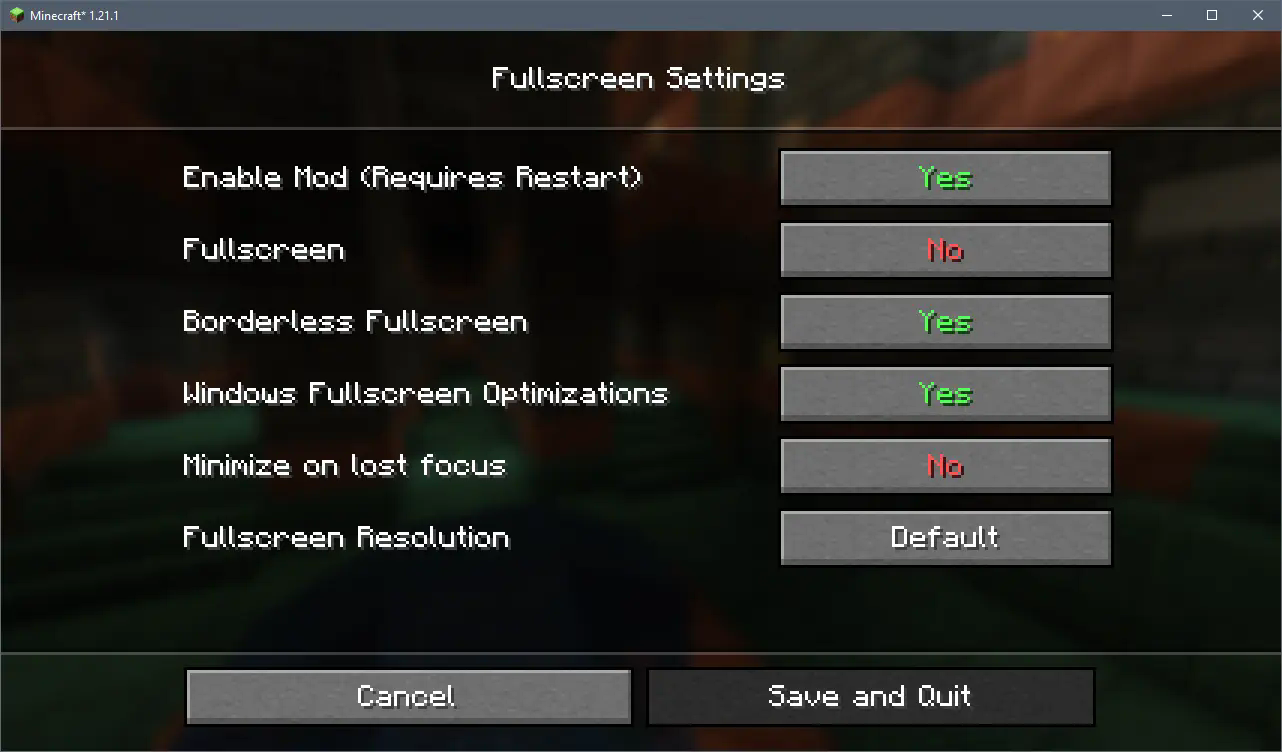
The config menu as of version 2.0.0
To open the config menu you need Mod Menu
常见问题
Borderless Fullscreen 支持哪些 Minecraft 版本?
Borderless Fullscreen 支持 Minecraft Java 版 1.20.1–26.1,共 3 个版本,可用的加载器:Fabric。下载时注意选择和你游戏版本一致的文件。
Borderless Fullscreen 怎么安装?
先用 PCL2 或 HMCL 启动器安装对应版本的 Fabric,再把下载的 .jar 文件放进游戏目录的 mods 文件夹,重新启动游戏即可。开启了版本隔离的,mods 文件夹在 versions/版本名 下面。
Bestsoft100 的其他作品
查看全部 →
Borderless Fullscreen
让 Minecraft 的全屏模式拥有更多可配置选项

Fast Minecart
Makes minecarts twice as fast

No Firework Boosting
This mod makes it impossible to use fireworks rockets to fly with an elytra

Smooth Inventory Player
Smooth animations for the inventory player character and Figura paperdoll
评论
登录后评论和评分