
BluePrints+
Smart, reusable blueprints for builders. Capture builds instantly, preview a ghost with rotation/mirror, and place the result as a unit — single‑player and servers.
截图
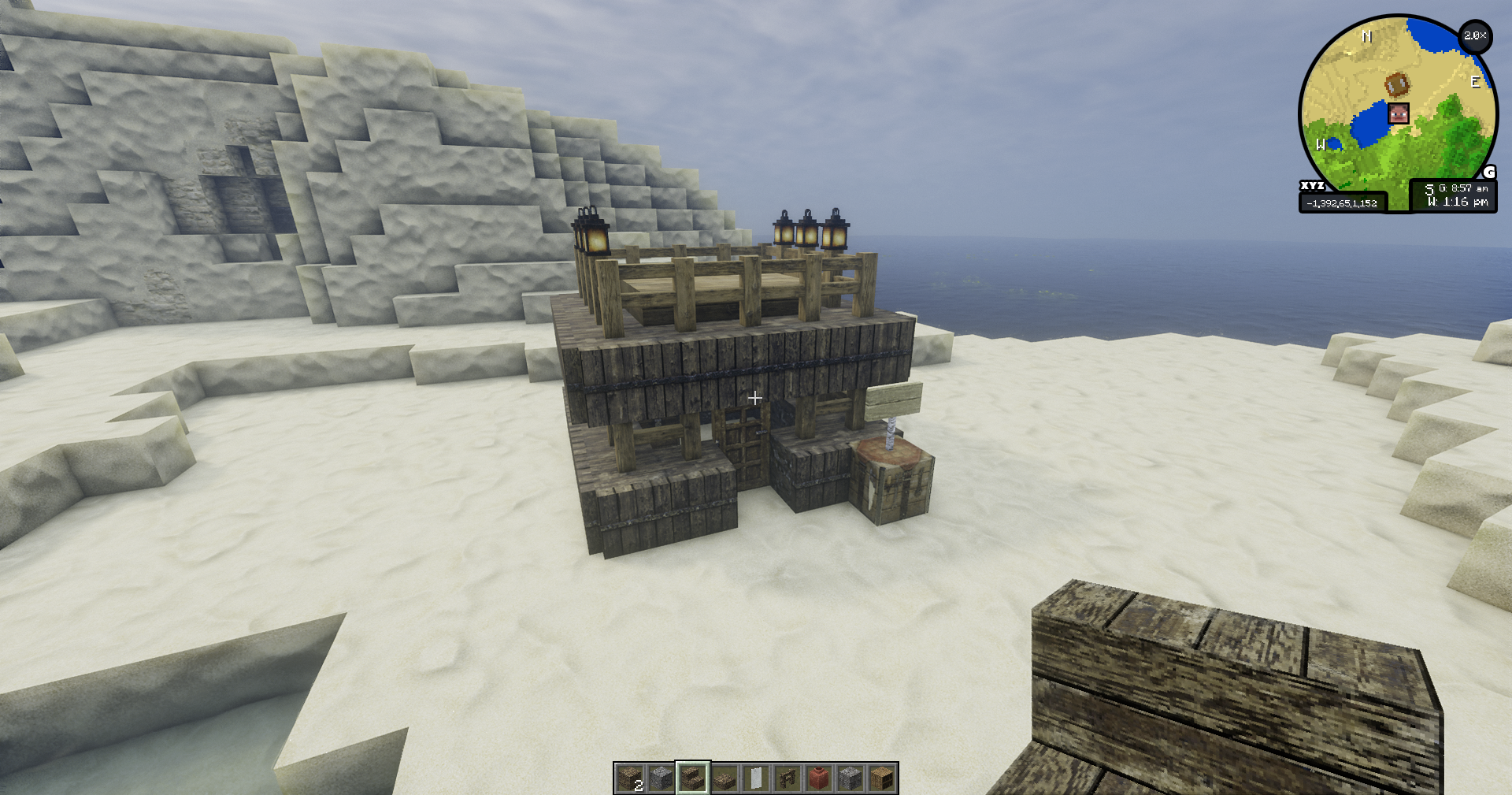
介绍
Blueprints+
Smart, reusable blueprints for builders. Capture builds instantly, preview a ghost with rotation/mirror, and place the result as a unit — single‑player and servers.
Features
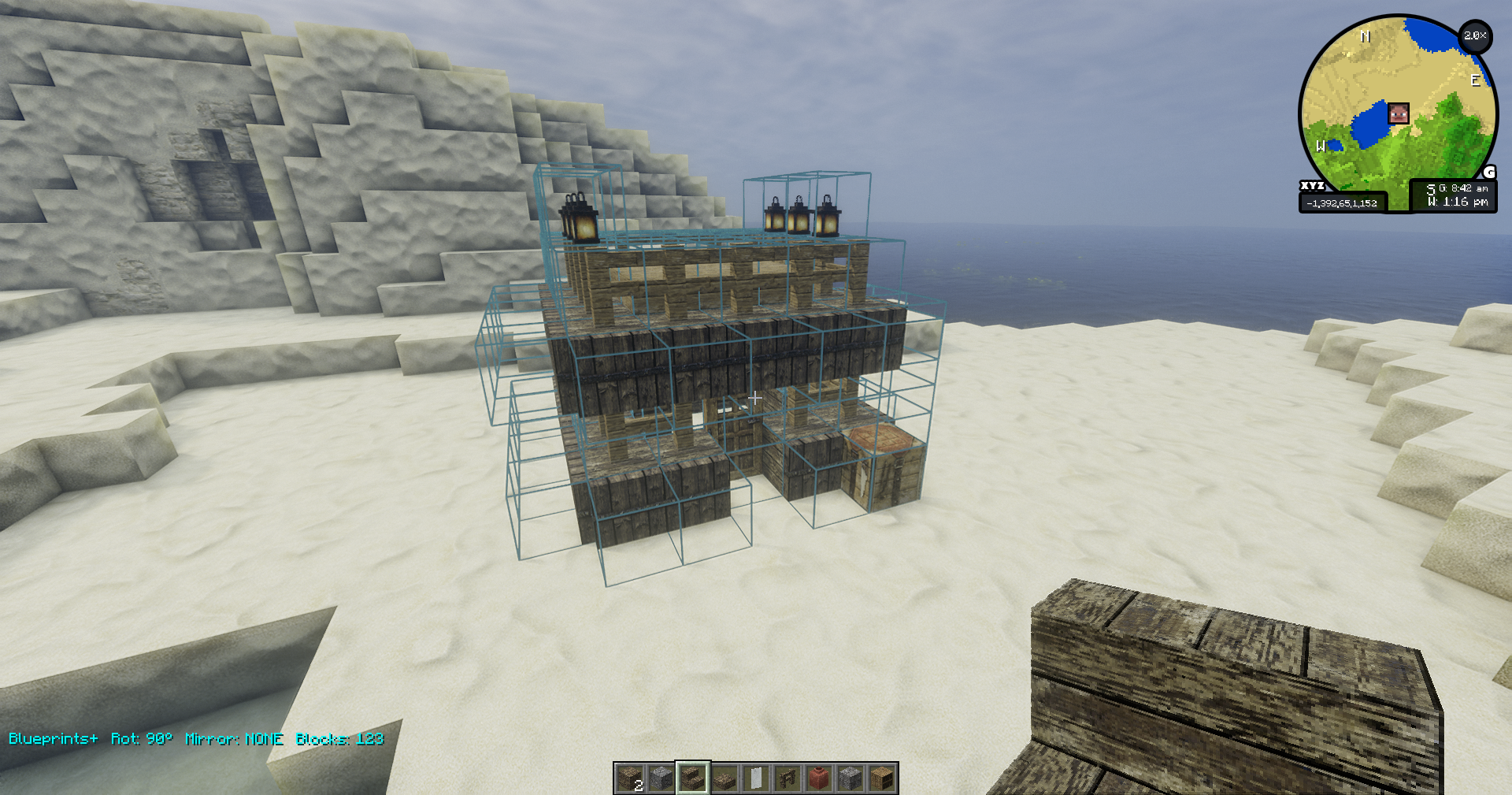
- Ghost Preview (client)
- Toggle a live ghost of your blueprint at the block face under the crosshair.
- Two preview modes: textured blocks + outlines, or outlines‑only (toggle)
- Rotate (90° steps around Y), mirror (X/Z), and nudge in XYZ.
- State‑aware placement (client→server)
- Oriented blocks rotate/mirror with the structure (e.g., FACING, HORIZONTAL_FACING, AXIS, 16‑step rotations, and common directional side properties).
- Doors flip hinge in mirror for a natural result.
- Grab selection (server command)
- /bp grab : capture all blocks attached to the looked‑at block (6‑dir), never ground, never below your start Y, no liquids.
- Hard cap 8000 blocks for safety.
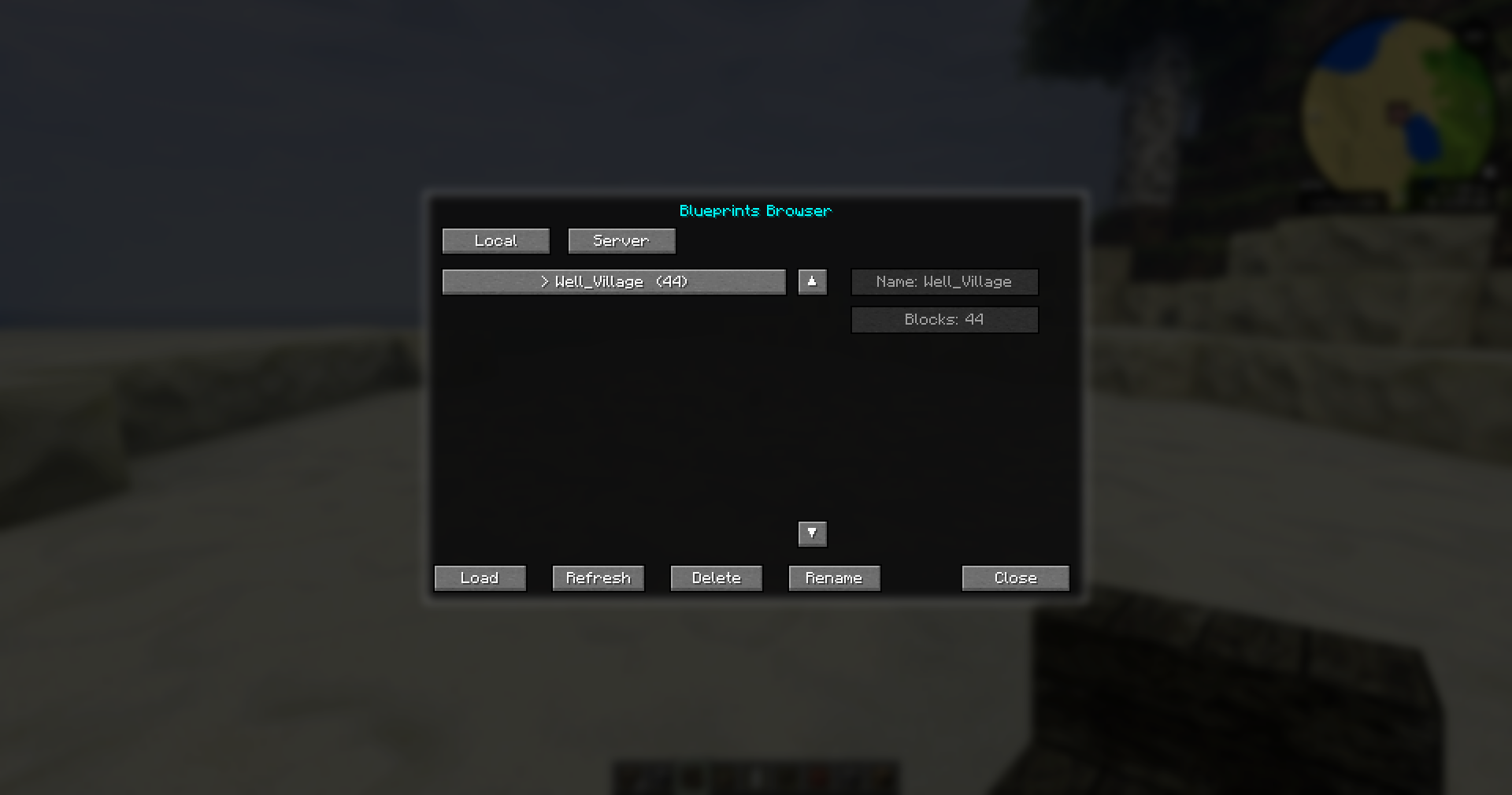
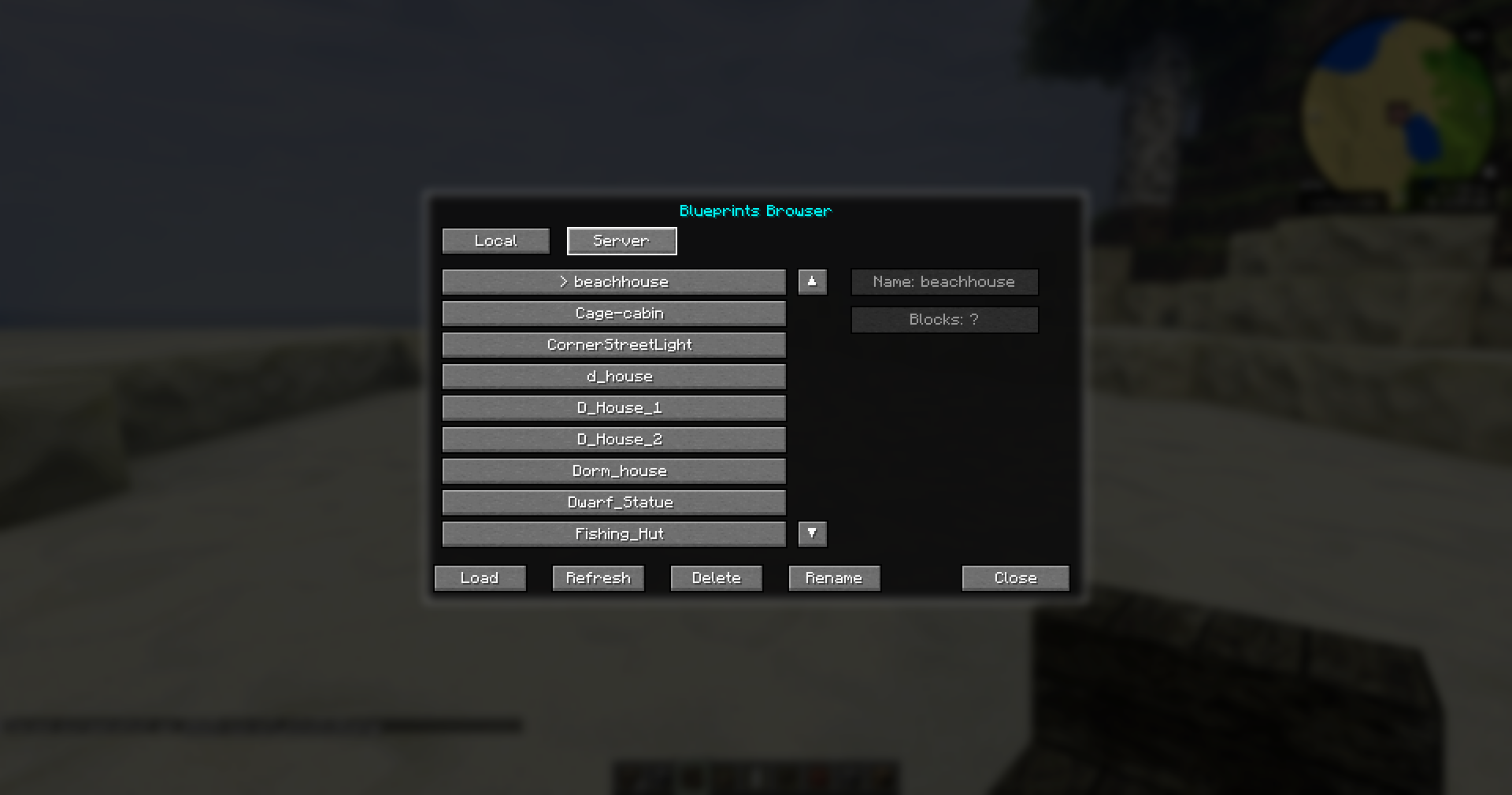
- Local/Server Browser (client)
- Press I to open the Browser window (dialog).
- Tabs: Local (default) and Server.
- Local lists .minecraft/blueprints (dev: run/blueprints). Server lists the server’s blueprints/ via networking.
- Load instantly (no confirmation). Server blueprints stream to the client for preview (no copying required).
- Delete from either tab (Local removes file; Server deletes on server and refreshes list).
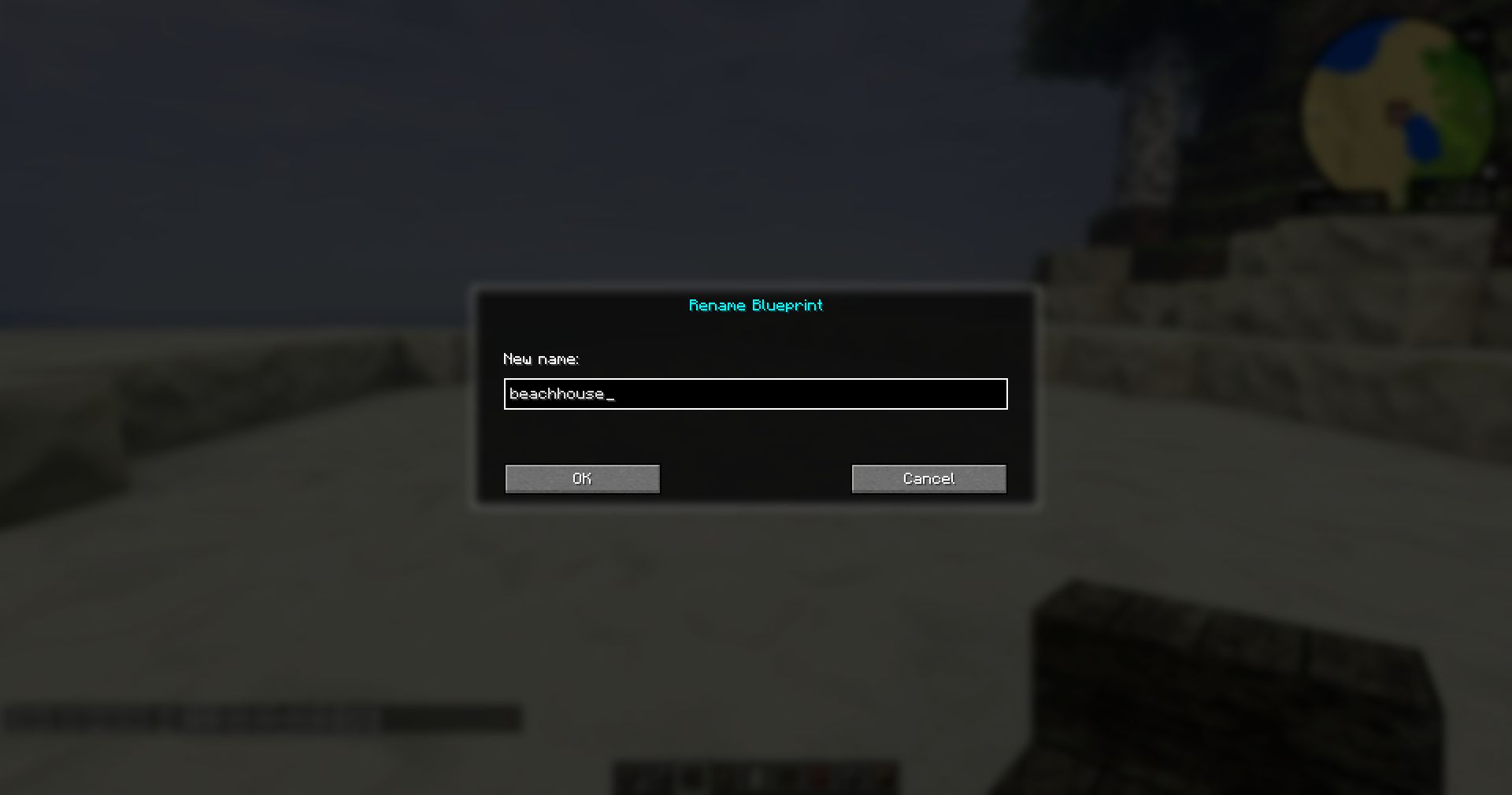
- Rename saved blueprints from either tab (Local renames the file; Server renames on server and refreshes list).
- Keyboard navigation: Up/Down, PageUp/PageDown, Enter (Load), Delete (Remove), R (Refresh), Esc (Close).
- Multiplayer ready
- Client preview + controls, server placement + commands. Install the mod on both client and server for full functionality.
Controls (default)
- Y — Toggle ghost on/off
- U — Rotate CW (hold Shift for CCW)
- T — Mirror cycle (None → X → Z → None)
- Arrow keys — Nudge X/Z
- PageUp / PageDown — Nudge Y
- O — Toggle preview mode (Blocks+Outlines ↔ Outlines‑only)
- I — Open Browser (Local/Server tabs; Load/Refresh/Delete/Close)
- Enter — Place the ghost (server places blocks; ghost auto‑closes)
- Backspace — Cancel/hide ghost
Commands (server)
All /bp commands are server‑side. Creative‑mode required for safety.
- /bp grab — capture attached blocks from the looked‑at block (strict: attached‑only, no ground, no liquids, never below start Y).
- /bp list — list files on the server.
- /bp remove — look at a structure and open a confirm dialog (Enter=Yes, Esc=No) to delete the attached build. Safety: attached‑only, no ground/liquids, never below start Y, cap 8000.
Captured files are saved under server_root/blueprints/.nbt.
File locations
- Client Local tab: .minecraft/blueprints/ (dev: run/blueprints/).
- Server tab: server_root/blueprints/ (auto‑listed/streamed).
Rotation & mirroring details
On placement we transform every block’s BlockState to match the preview transform:
- Rotate (Y axis): HORIZONTAL_FACING/FACING, AXIS/HORIZONTAL_AXIS, ROTATION (16‑step), and directional side properties named north/east/south/west (e.g., wall heights) are rotated.
- Mirror (X or Z): HORIZONTAL_FACING/FACING mirrored; door hinge flips LEFT↔RIGHT; directional sides mirrored appropriately.
- Neighbor‑dependent shapes (stairs SHAPE, wall/pane/fence connections) often update naturally after placement. If you find cases that don’t, open an issue and we’ll add targeted rules or a refresh step.
Installation
Client (required):
- Fabric Loader: 0.16.x
- Fabric API: 0.116.4+1.21.1
- Java: 21
- Place blueprintsplus-.jar in .minecraft/mods/.
Server:
- Same Fabric Loader + Fabric API + Java 21.
- Place the same blueprintsplus-.jar in server_root/mods/ and restart.
Note: Client preview works without the server installed, but placement/commands and the Server tab require the server to have the mod.
Troubleshooting
- “Structures don’t rotate on server”: ensure the server mod jar is the same version (+buildN) as the client jar.
- “Browser Server tab shows nothing”: Install the mod on the server and try /bp list in‑game to confirm server files exist.
- “Preview opaque/heavy”: press O to switch to outlines‑only. Distance culling (~128 blocks) is enabled by default.
- “Walls/stairs corners odd after place”: neighbor‑dependent shapes may need a world tick. Report specific blocks if you want exact shaping rules added.
常见问题
BluePrints+ 支持哪些 Minecraft 版本?
BluePrints+ 支持 Minecraft Java 版 1.21.1,可用的加载器:Fabric。下载时注意选择和你游戏版本一致的文件。
BluePrints+ 怎么安装?
先用 PCL2 或 HMCL 启动器安装对应版本的 Fabric,再把下载的 .jar 文件放进游戏目录的 mods 文件夹,重新启动游戏即可。开启了版本隔离的,mods 文件夹在 versions/版本名 下面。运行环境:客户端 / 服务端。
romanjcweaver 的其他作品
查看全部 →
Roman Minimap
A high-performance minimap with smooth rotation, true block colors, and advanced terrain mapping. Includes full waypoint and player teleport management, customizable zoom, shading, and keybindings.

Companion-Friend
Your new companion is built to be reliable, customizable, and fun—enhancing exploration, combat, and survival with a genuinely useful in-game partner.
评论
登录后评论和评分