
BlueMap Skins 3D
Full-body player skins on BlueMap — online models, greyscale offline markers, and 3D/Offline map toggles (NeoForge).
介绍
BlueMap Skins 3D
Full-body player skins on BlueMap for NeoForge — online models, greyscale offline markers, and in-map 3D / Offline toggles.
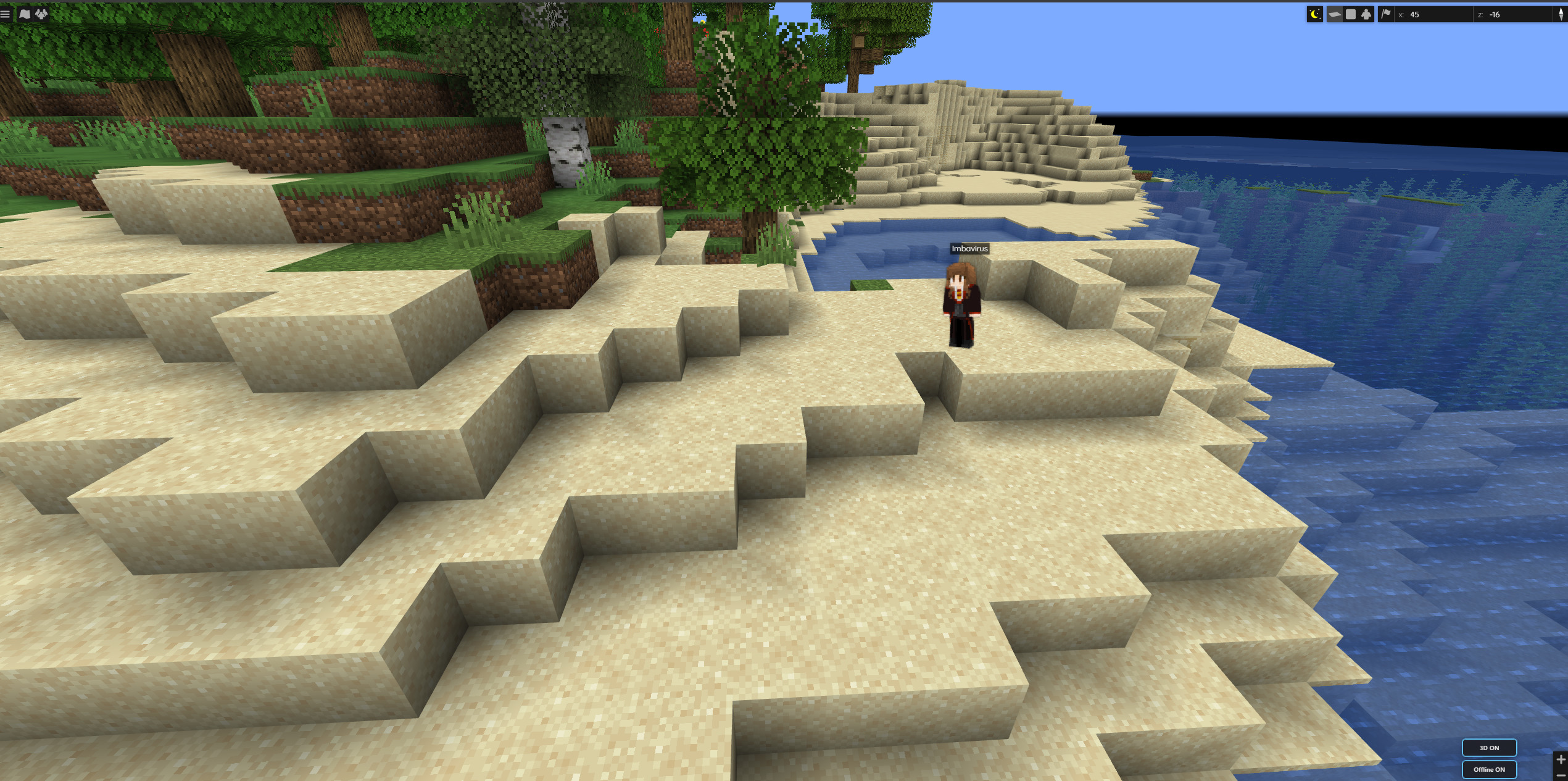
Online players show as full-body models with their real skin — about a real player height on the map.
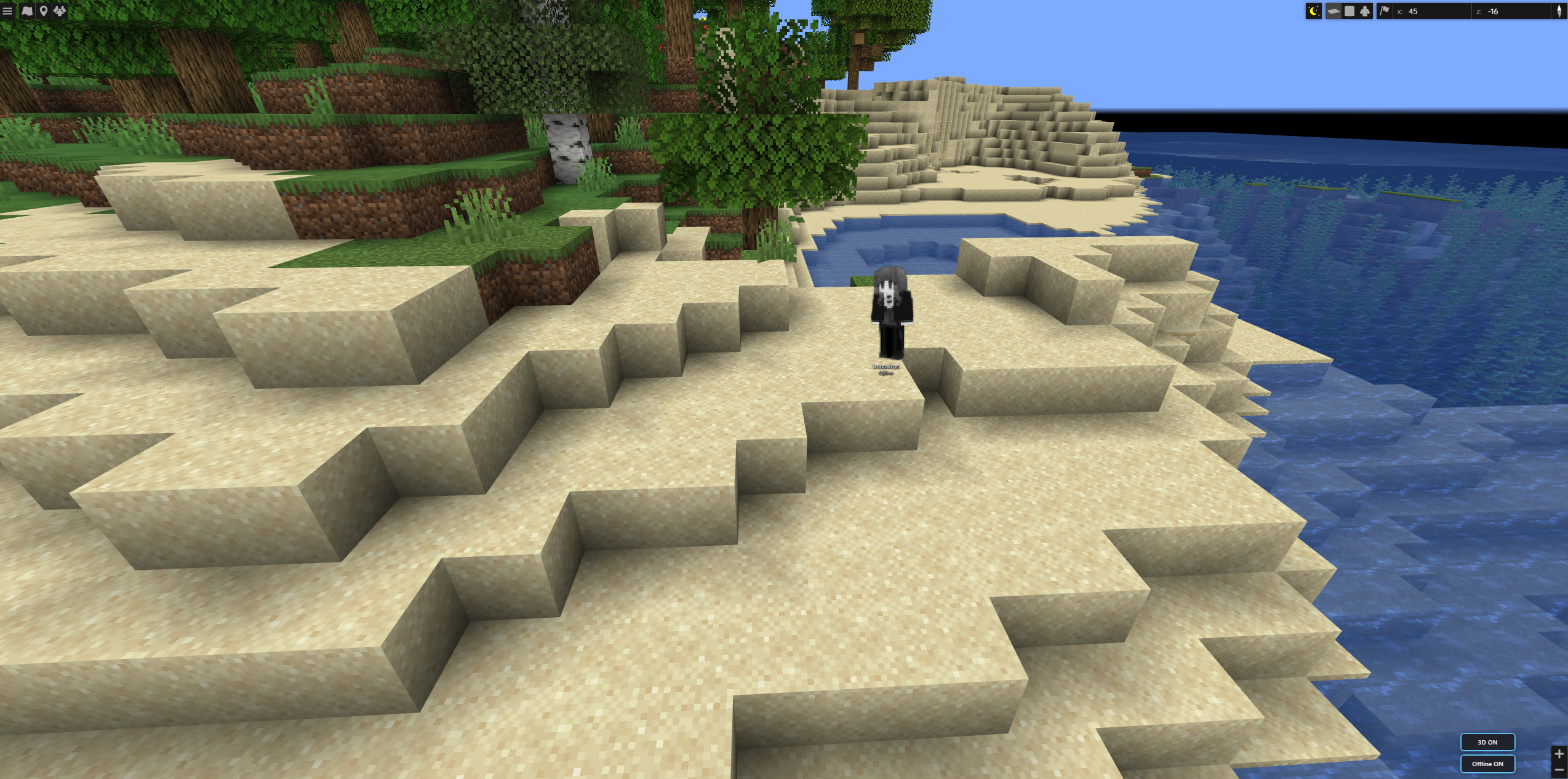
When they log off, the same marker goes greyscale and shows an Offline label so you can still find where they left off.
Features
- Full-body skins on the web map (optional; toggleable)
- Offline markers at each player’s last logout position (and dimension)
- World-scale bodies — ~1.8 blocks tall relative to the map as you zoom
- Facing follows in-game yaw when available
- Offline styling — greyscale + clear Offline label
- Map controls — 3D and Offline buttons on the BlueMap UI
- Config for expiry, banned players, hidden game modes, model defaults
Requirements
| Environment | Server only (dedicated or integrated). Clients do not need this mod. |
| Minecraft | 1.21.1 |
| Loader | NeoForge 21.1.217+ |
| Required mod | BlueMap (NeoForge) 5.0+ |
Server-side for map features (players don’t need this mod to appear on BlueMap).
Setup
- Install NeoForge + BlueMap on the server
- Add
3DBlueMapSkins-*.jartomods/ - Boot once and adjust config if needed
- Open BlueMap — use the 3D / Offline controls
Reload with /bluemap reload after config changes when available.
Config (highlights)
- ExpireTimeInHours — drop old logouts (
0= keep all) - HideBannedPlayers
- HiddenGameModes (e.g. spectator)
- ShowPlayerModels / AnimatePlayerModels
Credits
Based on BlueMap Offline Player Markers by TechnicJelle and contributors (MIT). NeoForge full-body skin UI for modern BlueMap.
Source: GitHub — neoforge branch
常见问题
BlueMap Skins 3D 支持哪些 Minecraft 版本?
BlueMap Skins 3D 支持 Minecraft Java 版 1.21.1,可用的加载器:NeoForge。下载时注意选择和你游戏版本一致的文件。
BlueMap Skins 3D 怎么安装?
先用 PCL2 或 HMCL 启动器安装对应版本的 NeoForge,再把下载的 .jar 文件放进游戏目录的 mods 文件夹,重新启动游戏即可。开启了版本隔离的,mods 文件夹在 versions/版本名 下面。
Infernos_ZA 的其他作品
查看全部 →
Fairy Lights (Neoforge)
这款备受喜爱的装饰性悬挂灯模组的现代移植版,为 Minecraft 1.21.1 带来了可自定义的串灯、彩旗和花环。
Goetied
内容丰富的魔法模组,包含施法、召唤仆从、神秘建筑,以及变身为强大巫妖的能力。已移植至 NeoForge 1.21.1。
Mekanism Elements (Neoforge)
为通用机械添加 25 种以上的化学元素与化合物、专用加工机器,以及用于复杂化学生产链的高级工业工具。

Time Vortex (TARDIS) – Neoforge
踏上穿越时空的旅程,体验这款以生存为核心的TARDIS模组。专为NeoForge 1.21.1设计,提供平衡且沉浸的方式来驾驶你自己的时空机器。
评论
登录后评论和评分