Bloom Skyborn – Main Menu
Replaces Minecraft’s title screen with a layered, animated Skyborn scene featuring atmospheric motion, dynamic lightning, custom menu controls, a cinematic launch transition, and dedicated menu music.
截图
介绍
Overview
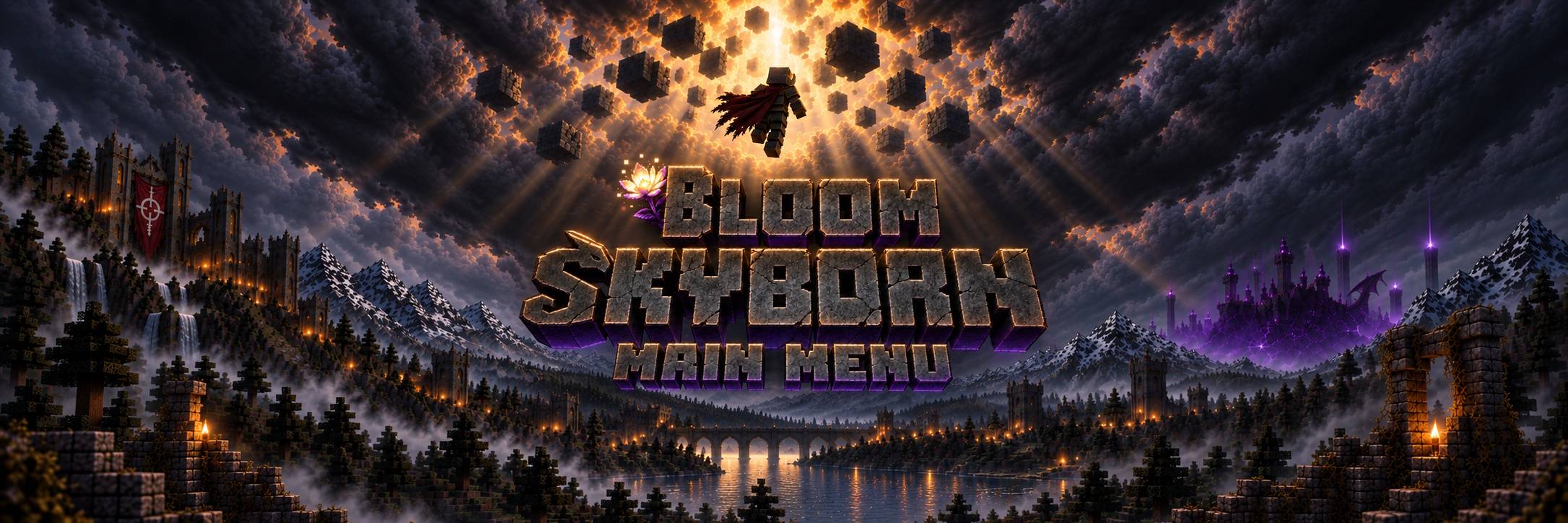
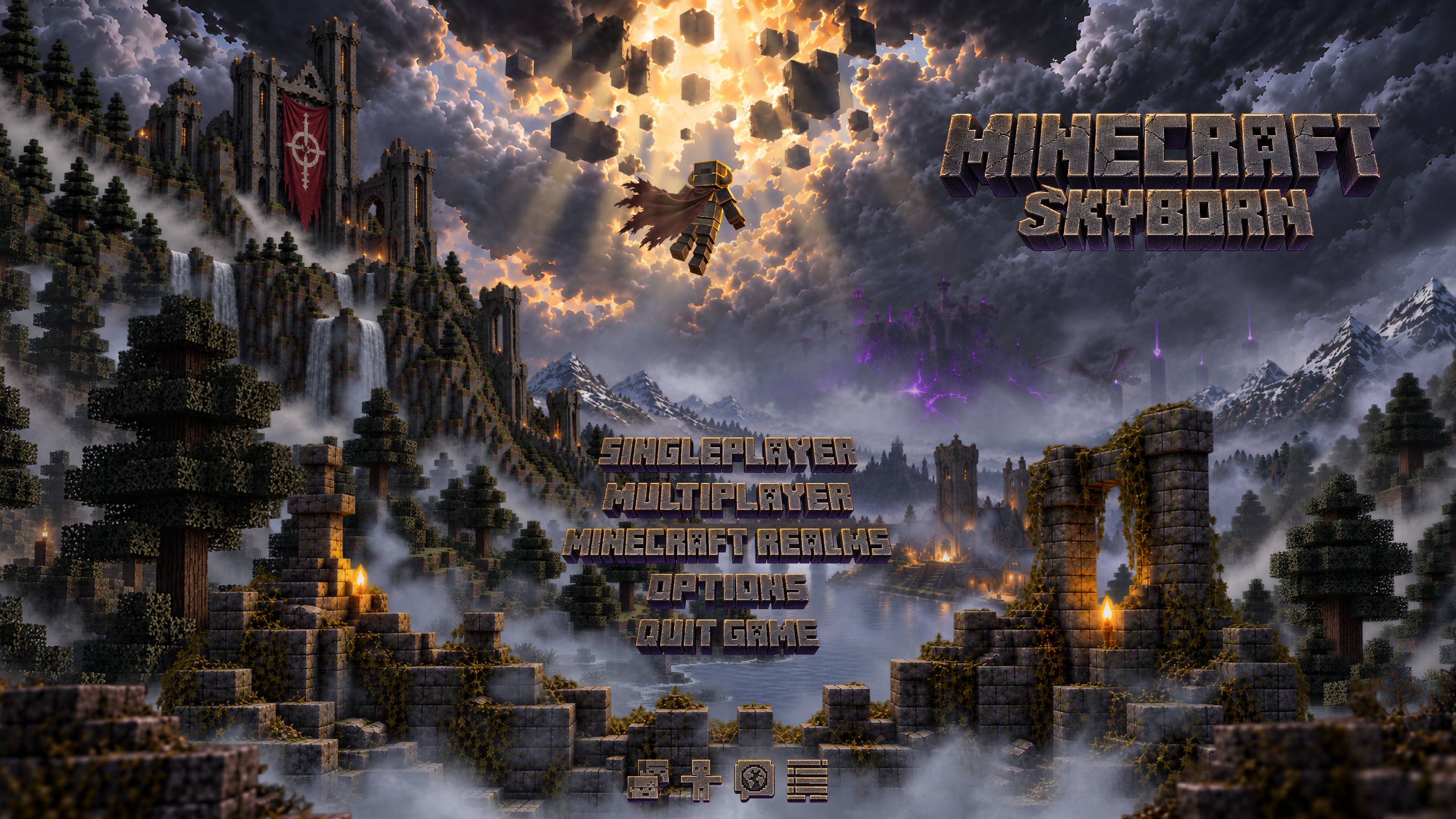
Bloom Skyborn – Main Menu replaces Minecraft’s vanilla title screen with a fully layered and animated Skyborn scene. It preserves the standard menu functions while rebuilding their presentation around custom artwork, atmospheric motion, dedicated controls and a music-driven launch transition.
Features
Layered Skyborn Scene
- Builds the title screen from independently rendered sky, landscape, architecture, character, foreground, lighting and fog layers.
- Adds moving clouds, looping fog, drifting light rays, floating scenery and subtle character animation.
- Animates the distant dragon, player limbs and cape independently to give the composition additional depth.
- Scales the complete scene across different window sizes while preserving its intended alignment.
Dynamic Storm
- Uses seven authored lightning variations positioned within the Skyborn scene.
- Randomizes the time between lightning events and the selected strike.
- Gives each event an initial flash, brief blackout, restrike and fading afterglow.
Menu and Launch Transition
- Replaces the vanilla menu presentation with custom Skyborn-styled buttons and utility controls.
- Preserves access to Singleplayer, Multiplayer, Realms, Options, Language, Accessibility and Quit.
- Transitions from the Mojang loading screen into darkness before revealing the animated scene.
- Synchronizes the scene reveal with the start of the Skyborn menu music.
- Keeps every menu control non-interactive until the complete visual transition has finished.
Music Integration
- Includes dedicated music for the Skyborn title screen.
- Integrates automatically with Bloom Audio – Music Systems Overhaul when it is installed.
- Adds the Skyborn track as a mod-provided album and assigns it to the Main Menu context without creating a hard dependency on the music overhaul.
Usage
Install the mod and launch Minecraft. The Skyborn title screen automatically replaces the vanilla main menu after loading finishes.
All standard menu controls continue to perform their original functions through the new interface.
Compatibility
The mod is entirely client-side. Multiplayer servers do not need to install it.
It does not modify worlds, gameplay or server behavior. Bloom Audio – Music Systems Overhaul support is optional; the title screen and its dedicated music continue to function without it.
常见问题
Bloom Skyborn – Main Menu 支持哪些 Minecraft 版本?
Bloom Skyborn – Main Menu 支持 Minecraft Java 版 26.2–26.3,共 2 个版本,可用的加载器:Fabric。下载时注意选择和你游戏版本一致的文件。
Bloom Skyborn – Main Menu 怎么安装?
先用 PCL2 或 HMCL 启动器安装对应版本的 Fabric,再把下载的 .jar 文件放进游戏目录的 mods 文件夹,重新启动游戏即可。开启了版本隔离的,mods 文件夹在 versions/版本名 下面。
BloomstoneStudio 的其他作品
查看全部 →
Initial Chunk Generator – By Bloomstone Studio
Uses Chunky to pre-generate a configurable area around spawn before entering a new single-player world, with protected progress and Distant Horizons coordination.
Bloom UI – Resource Pack Manager
Transforms Minecraft’s resource pack screen into a fast, categorized manager with drag-and-drop ordering, bulk actions, load-order presets, and customizable pack controls.
Bloom API
The shared foundation for BLOOM mods, providing module coordination, services, events, and persistent settings.
Bloom Audio – Jukebox+
Transforms vanilla jukeboxes into persistent multi-disc music players with playlists, playback controls, repeat modes, per-jukebox volume and automation support.
评论
登录后评论和评分