
Blocky Blocks – modpack assister
A brutally simple mod for making GUIs, making multiblock contraptions, tying commands to right-clicking blocks, and more!
介绍
With a built-in help command, this mod’s features combined can help modpacks have custom crafting tables and block interactions all the way to multiblock crafters and machines.
The following is specified in the help command as well as here.
Use /write_in_catalog to add commands to a set. Format as follows: /write_in_cataloge (single word that identifies this set of commands, if a set with this name exists the command will be added to it) (the command itself)
Use /Read_catalog to do every command in the given set in the name of the entity given in the command. Format as follows: /Read_cataloge (the same word you used to identify these commands when writing) (entity to do the commands with)
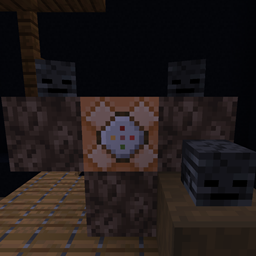
The Single Block Scanner allows you to tie a command to run on right clicking on any chosen block. the command will run as the one who right-clicked, but at the block they clicked
The Item To Command Converter makes items execute a command then self delete when in a player’s inventory. Prevent this by having a command blocker.
Use /set_max_mb_size to set the max size that a new multiblock can be. Format as follows: /set_max_mb_size (max x distance) (max y distance) (max z distance)
Use /ready_mb to prepare a multiblock for creation. Format as follows: /ready_mb (who is making the multiblock, just use @s) (cords for first corner) (cords for next corner) (name of multiblock)
Use /detect_mb to run a command off of a multiblock. Format as follows: /detect_mb (the cords to start the scan) (detail level that detected multiblocks must match with the original saved one to work, 0 = the blocks can have any custom data attached, as long as they are placed in the same order, 1 = they must share all non-directional data, and 2 = they must match all data) (the name you gave the multiblock) (who to run the next command off of) (run command if fails or passes) (command to run)
Make a multiblock by right clicking a MultiBlock catalyst within a prepared MultiBlock. There can only be 1, and its position in the cords will be the position that is checked by /detect_mb
Use /edit_gui to make or edit custom GUIs. Format as follows: /edit_gui (player who is editing/creating it) (name of gui to edit/create)
Use /open_gui to see or use custom GUIs. Format as follows: /open_gui (player who is opening it) (name of gui to open)
All items that are saved in the GUI editor will be in that GUI at their saved positions when opened
Conditions are controlled by slot covers, saving them will dictate where items can and cannot be taken from and put in the GUI
When saving drops, the editor records every slot that is occupied in the editor, these slots will not drop their items when the opened GUI is closed
Use /edit_gui_internals_condition to run a command if conditions in the opened GUI are met. Format as follows: /edit_gui_internals_condition (player to check) (slot to check) (item to look for) (just do registry names) (command to run)
Use /edit_gui_internals_items to add items to a gui. Format as follows: /edit_gui_internals_items (player with GUI open) (slot to edit) (item to set to) (count of item)
Use /edit_gui_internals_items_with_math to edit item counts in a GUI with math. Format as follows: (player) (slot) (math: 1 is +, 2 is -, 3 is *, and 4 is / (watch for decimals)) (number to use)
The slot format is top-left is 0, +1 going right moving to next line at end
常见问题
Blocky Blocks – modpack assister 支持哪些 Minecraft 版本?
Blocky Blocks – modpack assister 支持 Minecraft Java 版 1.21–1.21.1,共 2 个版本,可用的加载器:NeoForge。下载时注意选择和你游戏版本一致的文件。
Blocky Blocks – modpack assister 怎么安装?
先用 PCL2 或 HMCL 启动器安装对应版本的 NeoForge,再把下载的 .jar 文件放进游戏目录的 mods 文件夹,重新启动游戏即可。开启了版本隔离的,mods 文件夹在 versions/版本名 下面。
HotheadB 的其他作品
查看全部 →
Planitary, A fight across worlds
Fast paced, terraria like combat based progression, with dimension stacking on 3 different planets.
Beat-Em-Up
Set a time then beef up and beat up your friends.
Oogha-Boogha-craft TFC
A TFC based pack that goes from stone to space age.

command library for datapck guns
adds 2 commands (and one gamerule) to help datapackers make guns
评论
登录后评论和评分