
BlockReplacer
作者:Demiboss
Mass replace blocks with simple creative commands whole world or a selected area, with a wand, live progress, counting and undo/redo.
截图


介绍
中文介绍正在准备中,下面暂时显示原文。
BlockReplacer
Replace blocks in bulk with simple creative commands. Everything works in creative mode and is fully undoable.
Commands
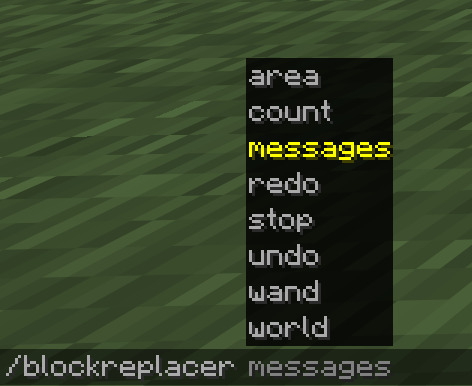
- Use /blockreplacer, /br or /blockrep:
- /br world — replace a block type in all loaded chunks
- /br world all — replace every (non-air) block
- /br area — replace inside your wand selection
- /br area — replace inside a coordinate box
- /br area all [c1 c2] — replace every block in the selection/box
- /br count | /br count all — count blocks (no changes)
- /br undo | /br redo — up to 5 steps each
- /br stop — stop a running operation (partial result stays, can be undone)
- /br wand — get the selection axe (left-click = corner 1, right-click = corner 2)
- /br messages on|off — toggle info messages
Features
- Keeps position and orientation 1:1 — only the block type changes
- Attached blocks like torches are not knocked off
- Live progress in chat for large operations
Requirements
- Fabric Loader
- Fabric API
常见问题
BlockReplacer 支持哪些 Minecraft 版本?
BlockReplacer 支持 Minecraft Java 版 26.1.2,可用的加载器:Fabric。下载时注意选择和你游戏版本一致的文件。
BlockReplacer 怎么安装?
先用 PCL2 或 HMCL 启动器安装对应版本的 Fabric,再把下载的 .jar 文件放进游戏目录的 mods 文件夹,重新启动游戏即可。开启了版本隔离的,mods 文件夹在 versions/版本名 下面。运行环境:客户端 / 服务端。
评论
登录后评论和评分