
Block Particle Spawning
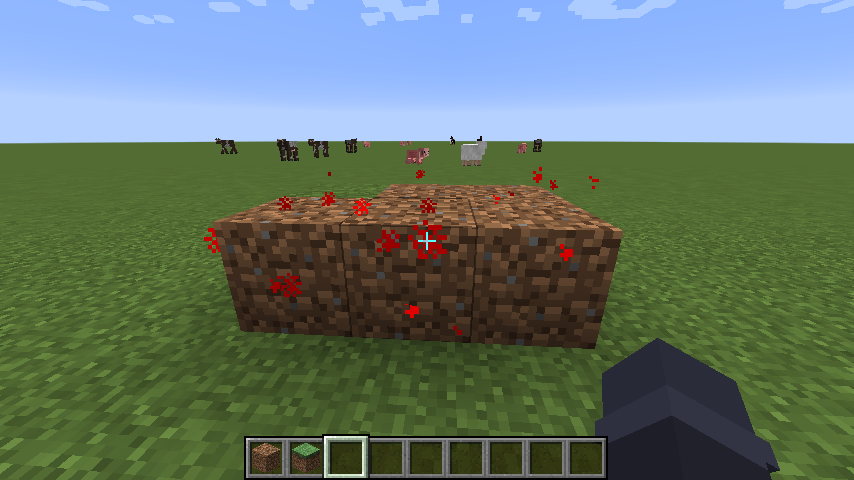
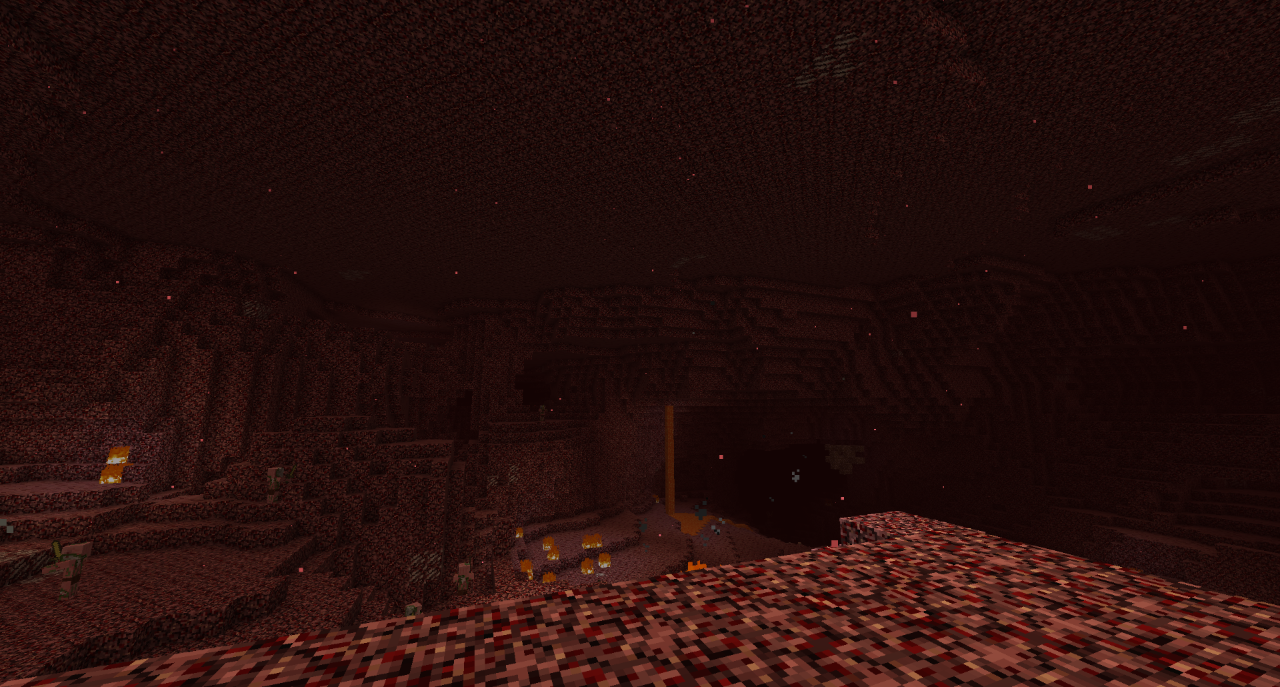
Allows you to attach particle effects to any block in Minecraft, allowing modpack authors to enhance the visual aspects of blocks with many use cases.
截图
介绍
Block Particle Spawning
Spawn custom block particle effects with ease!
Block Particle Spawning allows you to attach particle effects to any block in Minecraft, allowing modpack authors to enhance the visual aspects of blocks with many use cases.
Requires MixinBooter
Configuration Settings
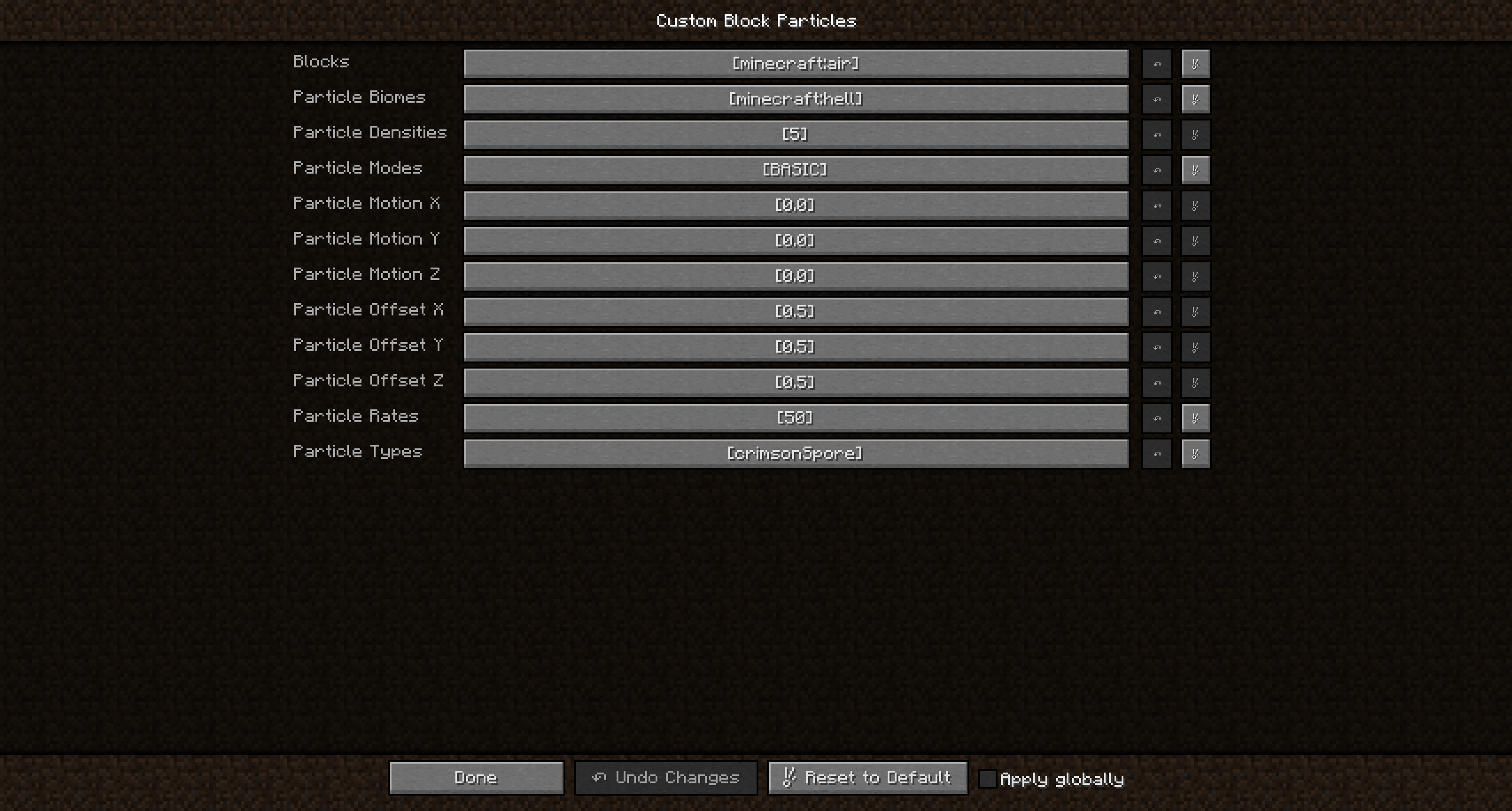
The following five config settings enable fine-tuning of particle spawning.
The settings go by ordinal numbers, so the first block takes the first value of each category, the second block takes every second value and so on…
Blocks
Specifies which blocks will have particle effects.
Example: minecraft:grass
Particle Densities
Determines the number of particles that will be spawned.
Example: 5
Particle Modes
Specifies the method by which particles are spawned. Valid values include BASIC, DRIP, FIRE_SMOKE, MYCELIUM, REDSTONE_ORE, TORCH.
Example: MYCELIUM
Particle Rates
Sets the cooldown time in ticks between each particle spawning.
Example: 10
Particle Types
Defines the types of particles that will be spawned around the specified blocks.
Any particle that can be spawned with the /particle command is supported.
Example: note
Configuration Example
# Example: minecraft:grass
S:Blocks <
    minecraft:grass
    minecraft:obsidian
 >

# The amount of particles that are spawned
# Example: 5
I:"Particle Densities" <
    10
    20
 >

# The way particles are spawned
# Valid values: FIRE_SMOKE, MYCELIUM, REDSTONE_ORE
# TORCH
S:"Particle Modes" <
    MYCELIUM
    FIRE_SMOKE
 >

# The cooldown between each particle spawning
# Example: 10
I:"Particle Rates" <
    5
    10
 >

# Example: minecraft:note
S:"Particle Types" <
    note
    spell
 >
This mod was commissioned for Minecraft 1.12.2 to be used in the modpack Rebirth of the Night (RotN).
常见问题
Block Particle Spawning 支持哪些 Minecraft 版本?
Block Particle Spawning 支持 Minecraft Java 版 1.12.2,可用的加载器:Forge。下载时注意选择和你游戏版本一致的文件。
Block Particle Spawning 怎么安装?
先用 PCL2 或 HMCL 启动器安装对应版本的 Forge,再把下载的 .jar 文件放进游戏目录的 mods 文件夹,重新启动游戏即可。开启了版本隔离的,mods 文件夹在 versions/版本名 下面。运行环境:仅客户端。
ACGaming 的其他作品
查看全部 →
Universal Tweaks
一个社区项目,旨在将 Minecraft 1.12.2 的各类漏洞修复和优化整合到一个解决方案中。

File Director
用于安装和更新整合包配置的工具,支持远程操作。

Roughly Enough IDs
采用 1.13+ 格式,解除生物群系、物品和方块 ID 限制。

Battle Towers Fixes
Battle Towers 的最小侵入式修复
评论
登录后评论和评分