BlockPalette Studio
The ultimate in-game architect studio for Minecraft builders featuring Ponder-style 3D wall dioramas, WorldEdit command studio with custom ratios, multi-mod filtering, color harmony algorithms, block gradients, 3D CAD Studio, and builder preset libraries.
截图
介绍
🎨 BlockPalette Studio
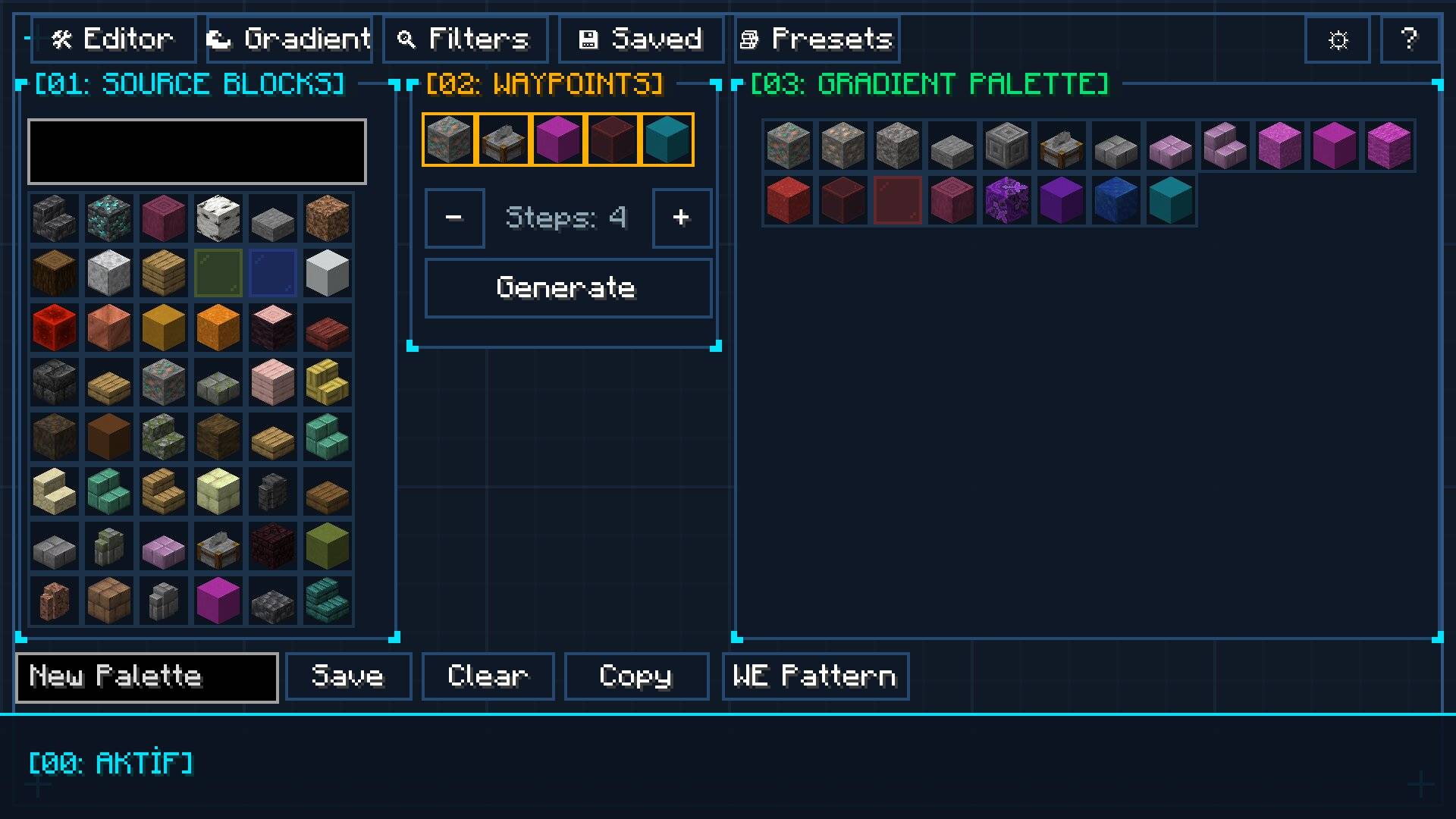
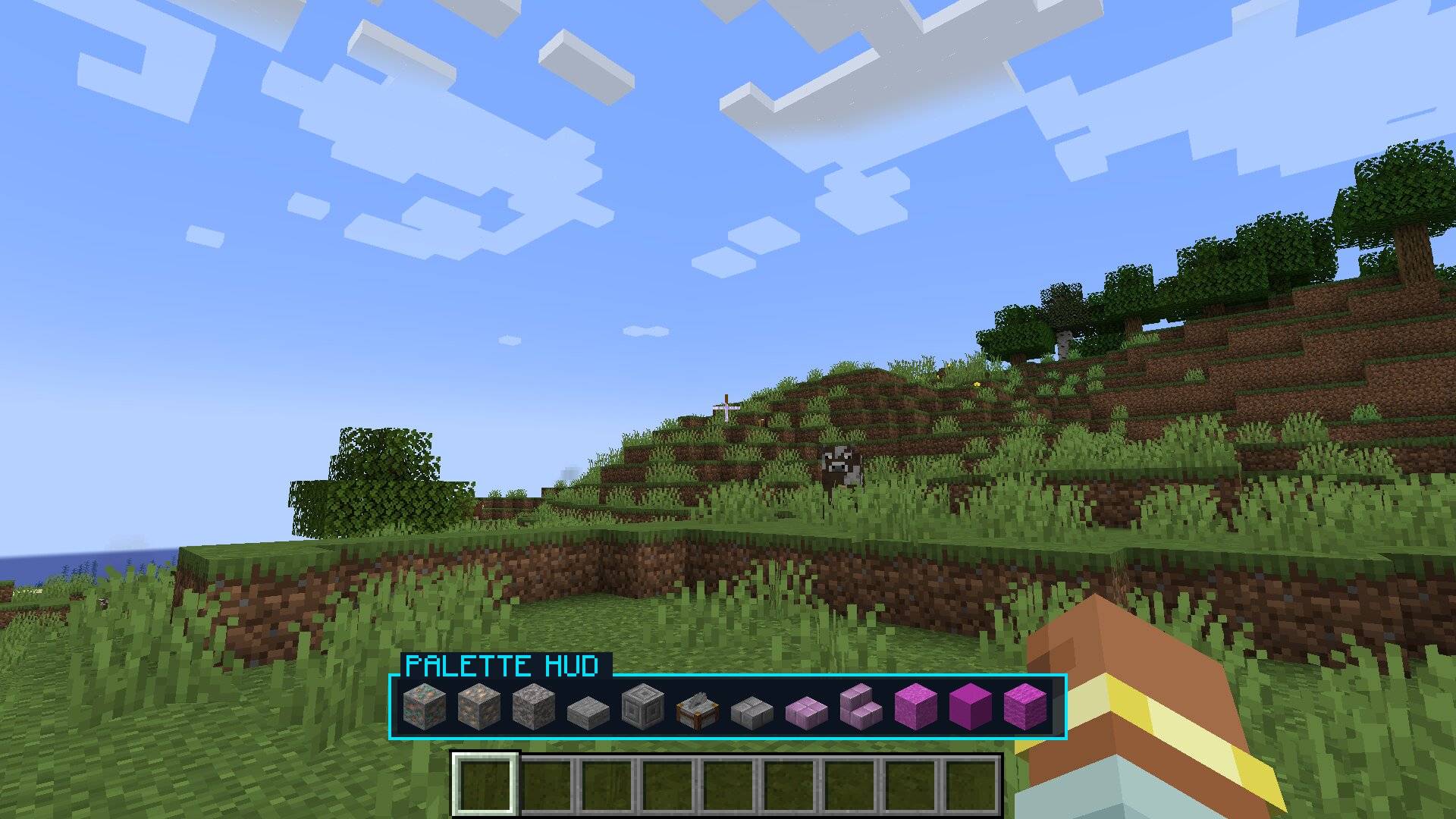
BlockPalette Studio is a professional in-game architectural design suite, 3D CAD modeling workspace, holographic ghost builder, WorldEdit export engine, and color theory studio designed for Minecraft builders, architects, and designers. It empowers you to generate smooth color harmonies, build complex 3D structures with directional blocks directly inside a virtual CAD canvas, scan existing builds from your world, and project translucent holographic guides in-world to construct intricate builds block-by-block on any multiplayer server.
🌟 Key Features
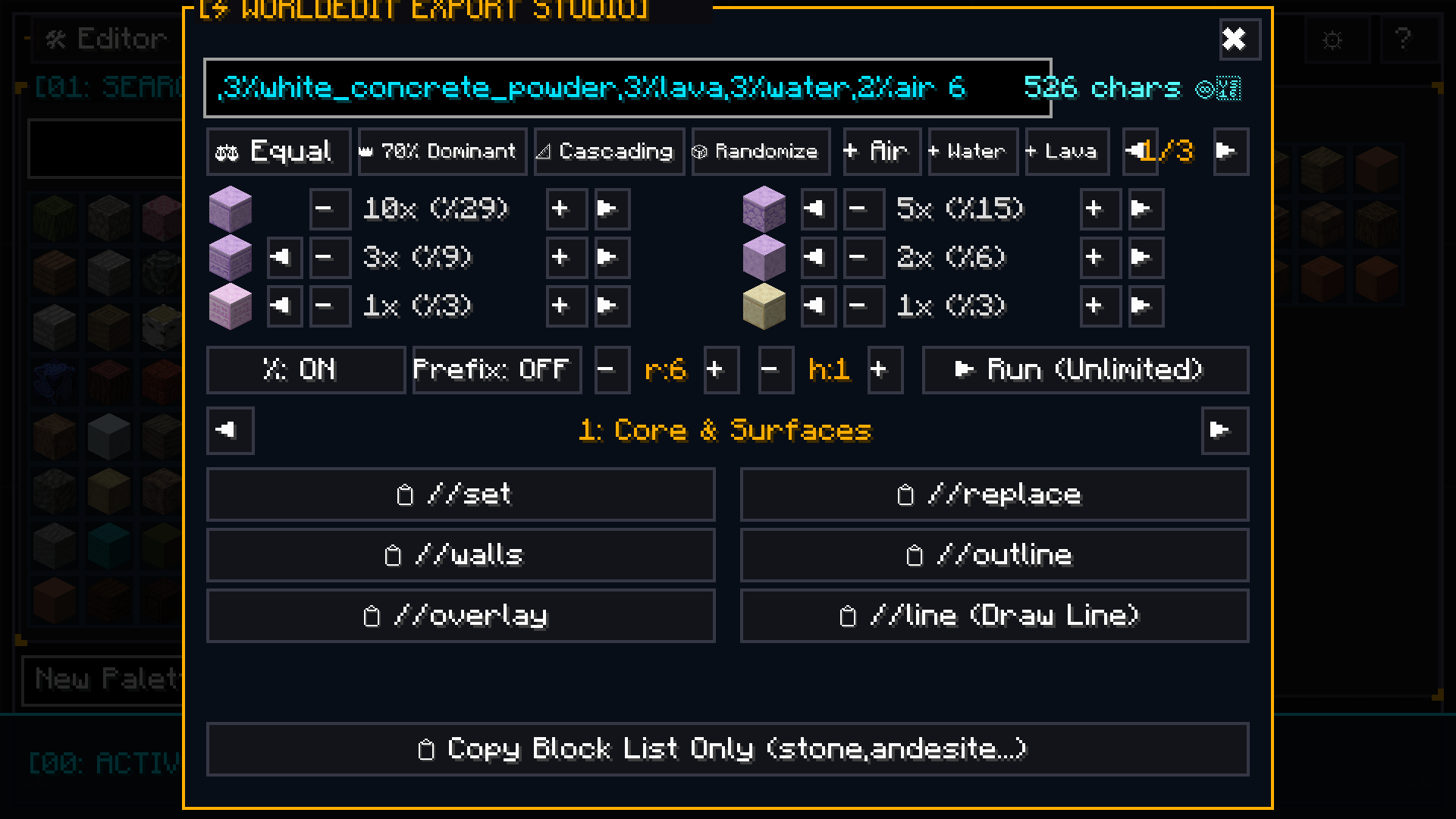
⚡ 1. Advanced WorldEdit Studio & Architect Command Engine
- 13 Essential WorldEdit Architect Commands:
- Core & Surfaces:
//set,//replace,//walls,//outline,//overlay,//line(NEW!),//faces - Brushes & 3D Shapes:
//brush sphere,//brush cyl,//cyl,//hcyl,//sphere,//hsphere
- Core & Surfaces:
- Special Air, Water & Lava Blocks: Easily construct ruined/decayed walls (
50%stone,50%air), water channels, or lava mixtures with dedicated[+ Air],[+ Water], and[+ Lava]buttons. - Interactive Live EditBox: Real-time editable command line! Tweak commands, flags (
-h), masks (!air), dimensions, or block IDs directly with keyboard input. - 1-Click Smart Ratio Presets: Instantly apply
Equal (1:1),70% Dominant,Cascading (50%, 30%, 15%...), andRandomweight distributions. - Block Weight Tuner, Reordering & 1-Click Deletion: Adjust ratios via
[-][+]or mouse scroll, shift block order with[◀][▶], and delete blocks instantly by clicking[-]at 1x weight. - Automatic Singleplayer & Multiplayer Support:
- Singleplayer: 100% unlimited direct JVM execution (supports 10,000+ characters with 0 packet limits!).
- Multiplayer: Built-in network packet guard that safely copies >256 character commands to clipboard to prevent server disconnects.
- Radius (
r) & Height (h) Controls: Compact dimension steppers for cylinder, line, and brush commands. - Raw Block List Export: 1-click button to export comma-separated block lists (
stone,andesite...).
🧱 2. Ponder-Style 3D Wall Diorama & Texture Simulator
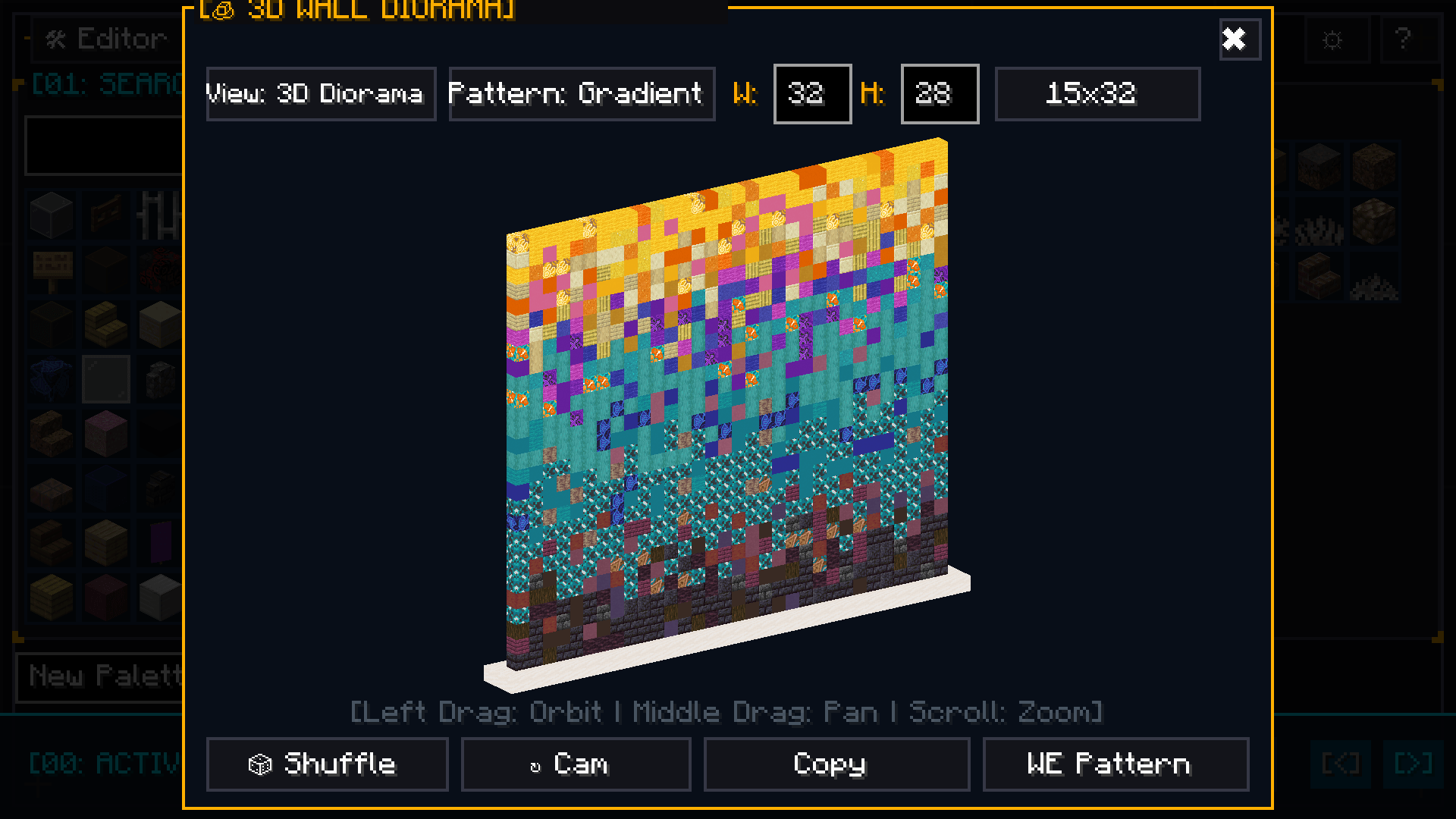
- Interactive 3D Isometric Diorama: Preview your palette on an elegant marble pedestal platform directly inside the GUI.
- Free 360° Camera: Rotate freely with mouse drag (
Yaw/Pitch) and zoom in/out with the scroll wheel. - 2D Seamless Texture Mode: Inspect connected, borderless block textures in a flat repeating wall.
- 3 Distribution Modes: Natural Noise Clusters, Vertical Height Gradient, and Random Dither with live
[ 🔀 Re-Roll ].
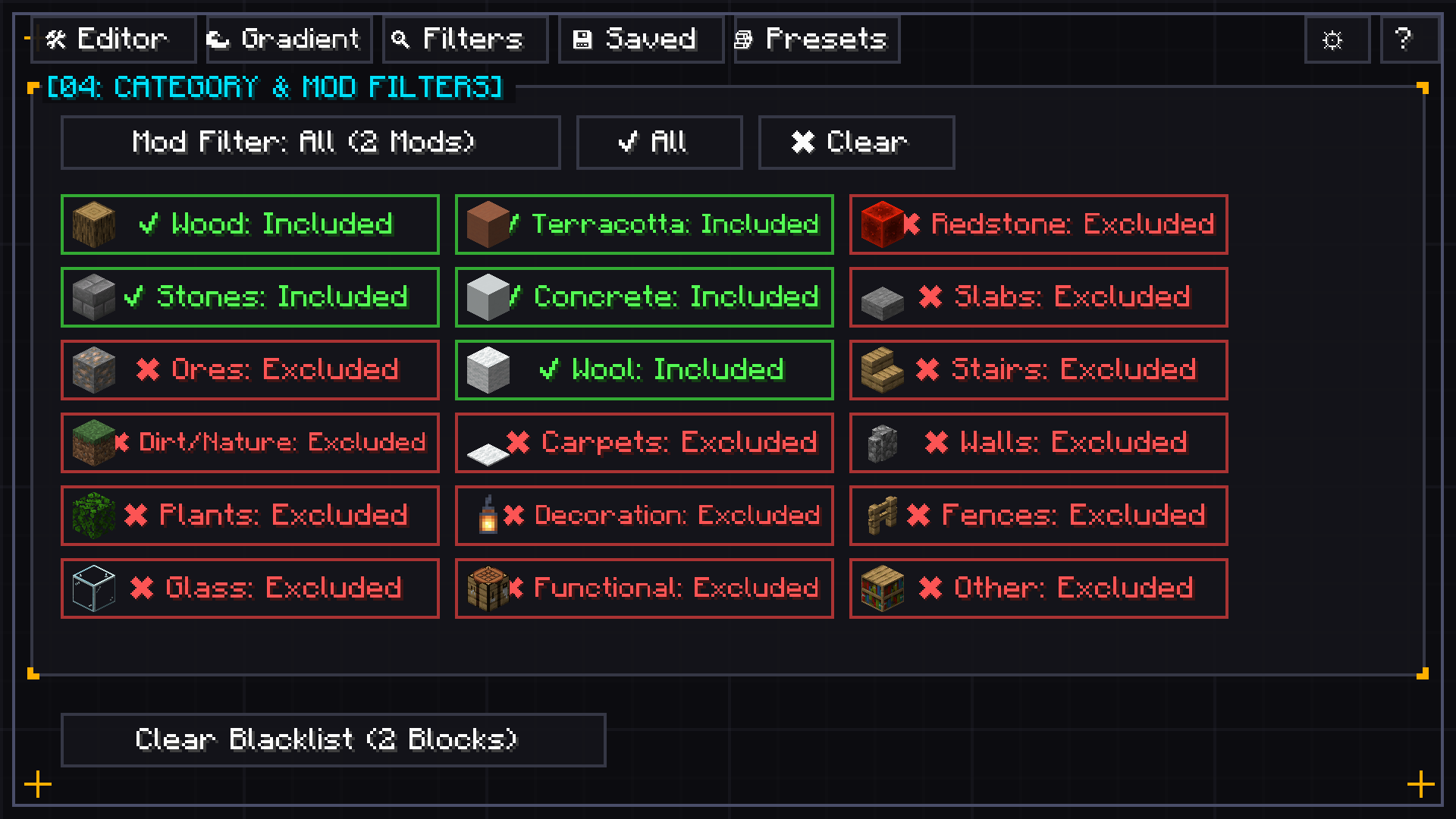
🔍 3. Multi-Select Mod Filter & Visual Category Icons
- Visual Minecraft Block Icons: Every category button features an intuitive block icon (Oak Log for Wood, Stone Bricks for Stone, Terracotta, Glass, Iron Ore, etc.).
- Color-Coded Filter States: Bright Green
[✔ Included]and Bold Red[✖ Excluded]for instant visual clarity. - Multi-Mod Filtering: Select and combine blocks from multiple installed mods simultaneously.
- Live Search Bar: Instantly search and filter through hundreds of mods by name.
- 1-Click Actions: Instant “Select All” and “Clear All” buttons for effortless modpack management.
🎯 4. Real-Time Color Theory & Harmony Engine
- Automatic Texture Analysis: Dynamically extracts the dominant perceptual RGB and HSV colors directly from block textures (including modded blocks).
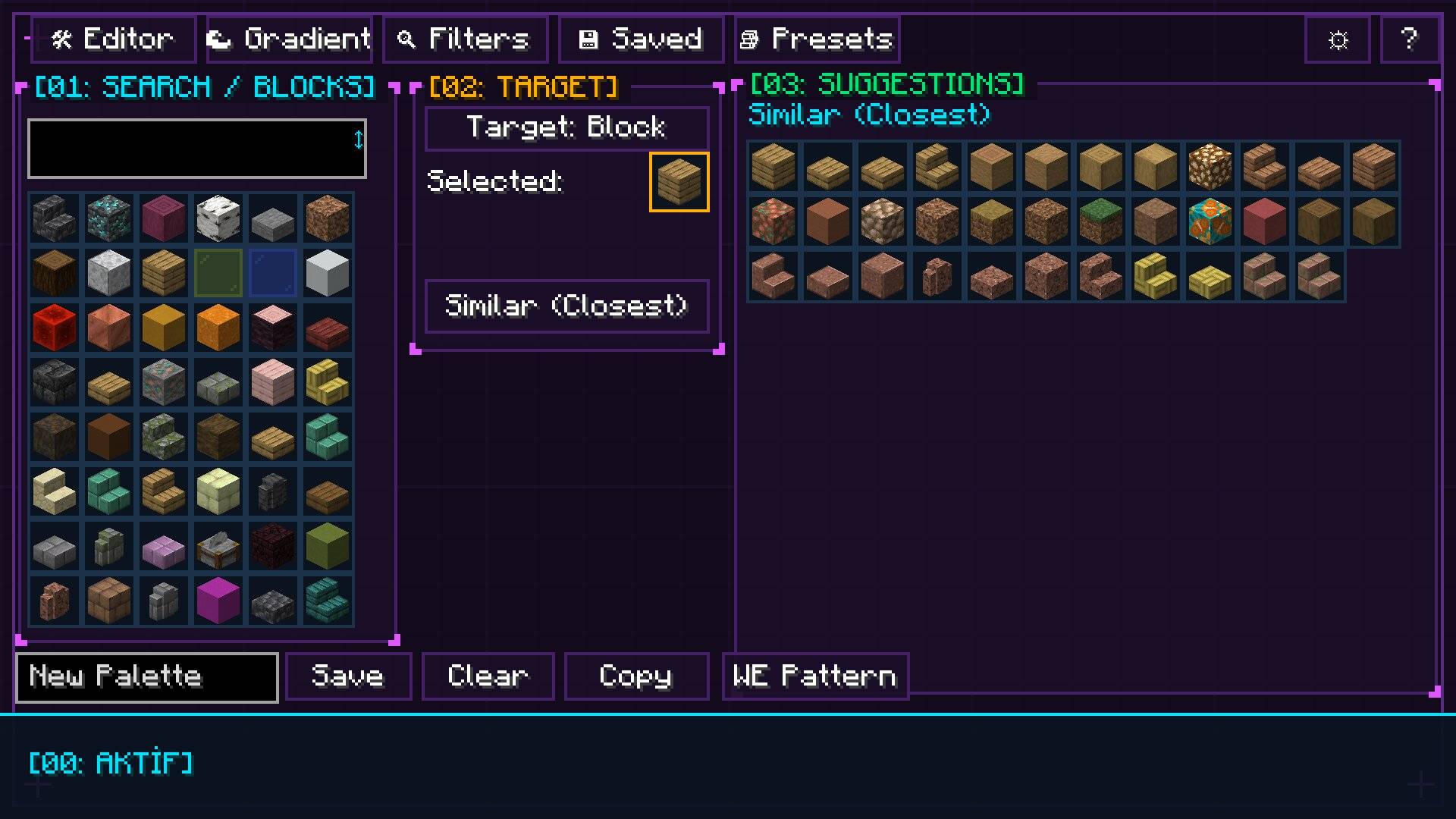
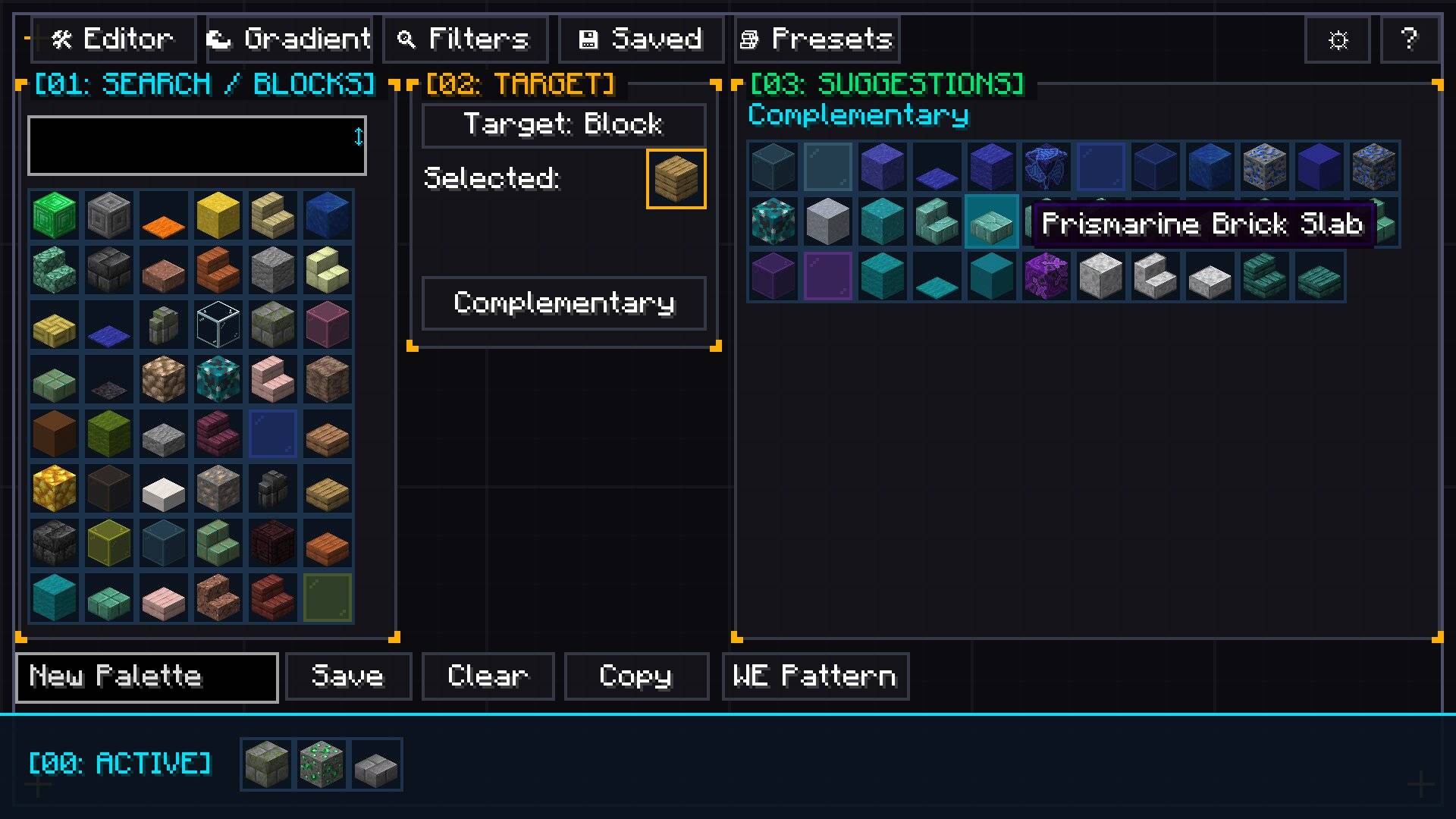
- 6-Model Color Harmony Popup Grid: View and select all 6 color models at once with detailed color theory tooltips (Similar, Analogous, Complementary, Triadic, Split-Complementary, Monochromatic).
- Advanced Color & Material Filters: Filter by Tone (
Warm,Cool,Neutral), Brightness, Saturation, and Block Material.
🌈 5. Smart Block Gradient Generator
- Perceptual Color Pathfinding: Generates seamless, natural block-to-block gradients between any two chosen blocks.
- Curve Shaping: Fine-tune transition pacing with
Linear,Smooth S-Curve,Ease-In, andEase-Out. - Step Control: Create gradients ranging from 3 to 15 blocks in length.
📋 6. Builder Presets & Palette Management
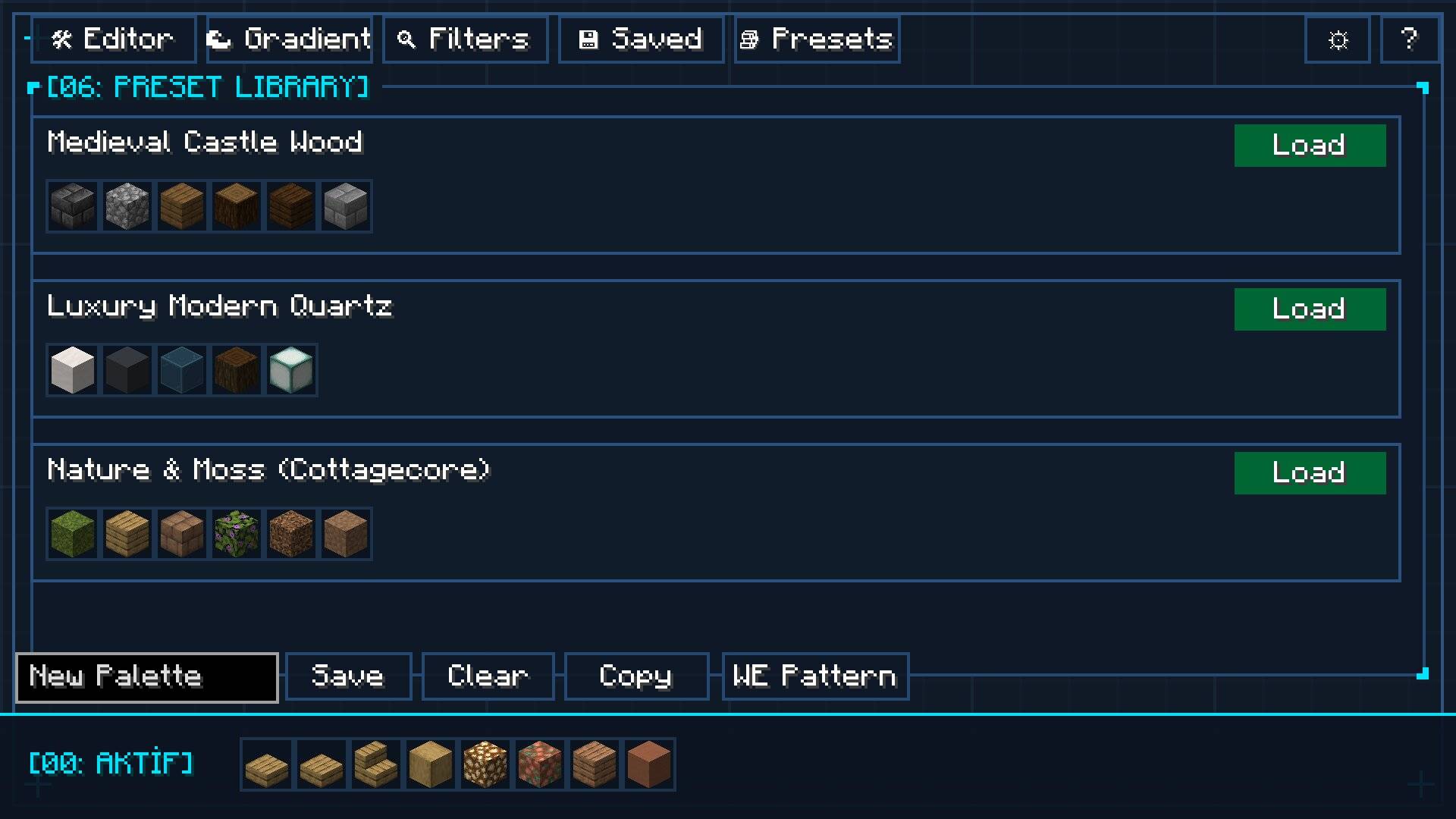
- Curated Built-In Presets: Medieval, Gothic, Cyberpunk, Rustic Wood, Modern Clean, Nether, and more.
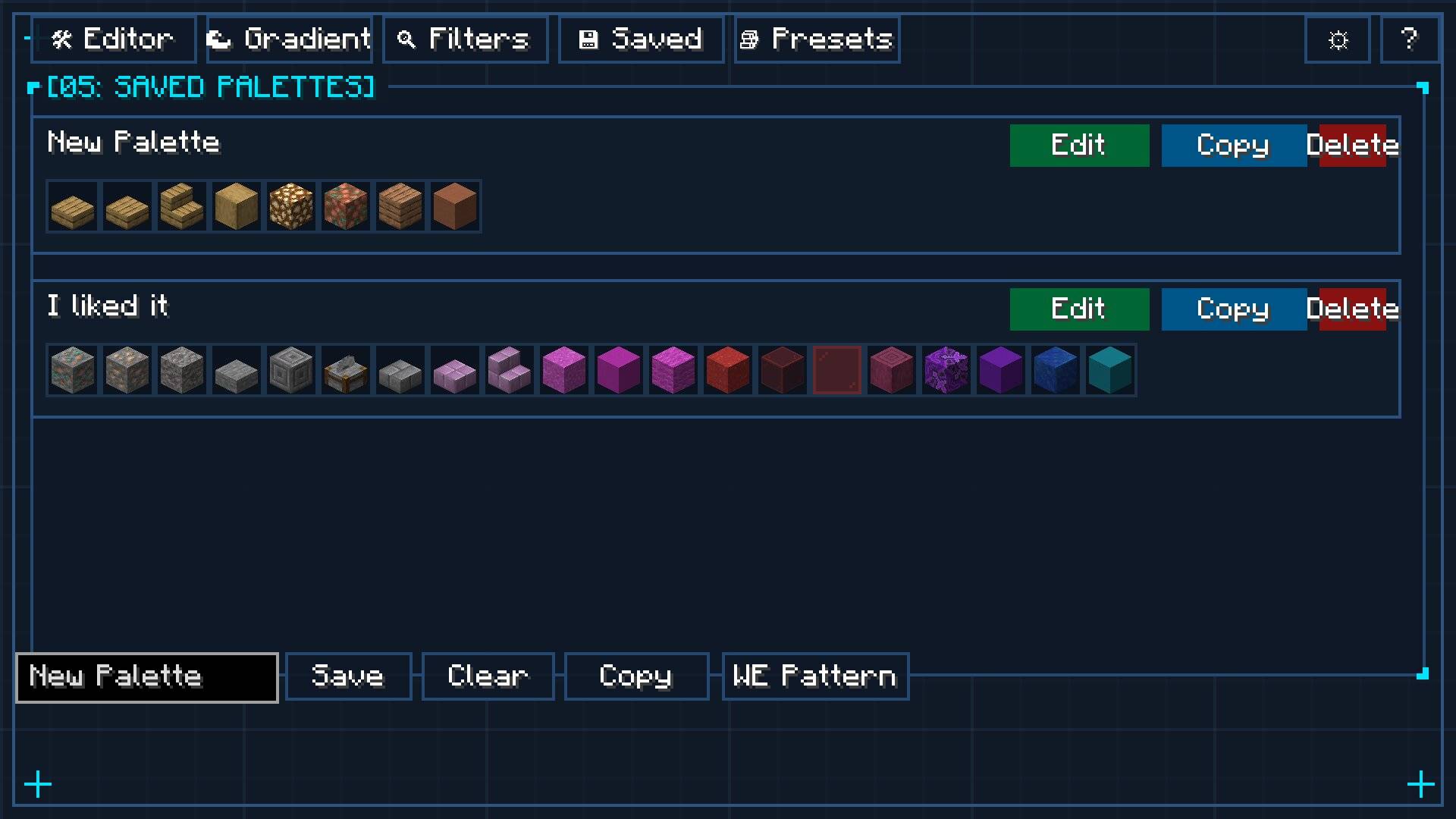
- Save & Load Custom Palettes: Store unlimited palettes in a scrollable card grid.
- Eyedropper Tool (
VKey): Sample any block from your world or inventory directly into the studio. - JEI Integration: Press
R(Recipes) andU(Usages) while hovering over any block. - Custom UI Design Mode: Resize and reposition studio panels to fit your exact screen workflow.
🏢 7. 3D Architect Studio & In-Game CAD Workspace (NEW!)
- Interactive 3D Voxel Canvas: Press
[B]anytime in-game to launch a dedicated 3D CAD modeling studio with free 360° orbital camera control. - Comprehensive CAD Modeling Toolset:
- Pencil / Voxel Brush: Freeform single-block and multi-block painting.
- 3D Box / Cuboid: Click and drag to generate filled or hollow geometric volumes.
- Wall / Extrude Tool: Push and pull surfaces directly in 3D space.
- Line & Cylinder Tools: Draw straight structural lines and cylindrical columns with precise radii.
- Paint Bucket (Flood Fill): Recolor connected surfaces or replace specific materials instantly.
- Eyedropper & Eraser: Sample blocks directly from the canvas and erase mistakes cleanly.
- Directional Block & BlockState Orientation: Full 3D rendering and rotation support for Stairs (Facing North/South/East/West, Upside-Down, Corners), Slabs (Bottom, Top, Double), Logs/Pillars (X, Y, Z axis), and Trapdoors. Press
[R]to cycle facing direction and[T]to toggle half/slab type. - Multi-Palette Quick Dock: A 5-slot active hotbar strip allowing you to switch blocks with number keys (
1–5) without reopening menus. - Wireframe Guide Modes: Toggle between seamless clean mode and high-contrast warm golden wireframe outlines (
[O]) for precision placement even on pitch-black blocks. - Undo & Redo History: Complete edit history support with standard shortcuts (
Ctrl + Z/Ctrl + Y) and automated background autosaving.
👻 8. Holographic In-World Projections (Ghost Builder) (NEW!)
- In-World Hologram Display: Render your 3D Architect Studio designs directly into your survival or creative world as translucent guide blocks.
- Interactive World Placement Mode (
[G]): Move the hologram around your world in real-time using movement controls, elevate/lower height, rotate 90° ([R]), or mirror/flip ([T]), and lock it into position with[Enter]. - Multi-Projection Project Manager: Run and display multiple active projects simultaneously in your world. Seamlessly cycle your active focus using
Shift + PageUp/Shift + PageDown. - Crosshair Block HUD & Middle-Click Quick Pull: Aim at any holographic ghost block to see its exact name and required block count. Press Middle-Click (Pick Block) to instantly pull that block from your inventory or hotbar directly into your hand!
- X-Ray Error Detection: Placed the wrong block? BlockPalette Studio highlights errors with glowing red wireframes and an in-world alert beam visible through walls.
- Celebration Fanfare: Completing 100% of a projected build triggers an energetic celebration badge, confetti, and sound effect!
📥 9. World-to-Studio Structure Scanner & Vanilla NBT Export (NEW!)
- In-World Structure Scanner: Scan any existing build from your world directly into the 3D Architect Studio canvas with
[📥 Import](Ctrl + I), preserving all directional blockstates. - Structure NBT Export: Save projects directly as Vanilla Minecraft
.nbtstructure files compatible with Structure Blocks and/structure loadcommands. - Project Library: Save unlimited 3D projects locally as lightweight
.jsonfiles, with automatic 60-second recovery backups.
🌐 10. 100% Client-Side Multiplayer Compatibility
- Zero Server Dependencies: BlockPalette Studio runs 100% on the client! You can use the color studio, 3D CAD modeling workspace, holographic ghost projections, and structure import on ANY multiplayer server (Vanilla, Paper, Spigot, Fabric, or Forge) without needing the mod installed on the server.
- Multiplayer Safe: No packets, no server exploits, and built-in chat packet protection for WorldEdit commands.
🌍 11. Full Bilingual Localization
- Complete native localization for both English (US) and Turkish (TR) across all menus, tooltips, HUD overlays, and error notifications, switching automatically with Minecraft’s language settings.
🎮 Default Controls & Keybindings
| Key / Action | Description |
|---|---|
C |
Open BlockPalette Studio (Color Theory, Gradients & WorldEdit) |
B |
Open 3D Architect Studio (In-Game CAD Modeling Workspace) |
G |
Toggle In-World Hologram Placement Mode |
Middle Click |
Ghost Pick-Block — Instantly pull targeted ghost block into hand |
Shift + PgUp / PgDn |
Cycle focused Hologram Project in multi-projection mode |
R / T |
Rotate 90° / Flip Block Orientation & Ghost Projections |
Ctrl + Z / Ctrl + Y |
Undo / Redo in 3D Architect Studio |
V |
Eyedropper — Sample targeted block into studio |
| Left Click & Drag | Rotate 3D Diorama / Orbit 3D CAD Camera / Drag UI Panels |
| Scroll Wheel | Zoom 3D View / Adjust Block Weights / Tool Dimensions |
R / U |
View JEI Recipe / Usage for hovered block |
ESC |
Close Modals / Cancel Placement / Return to Game |
📦 Installation & Dependencies
- Platform: Forge 1.20.1 (Recommended Forge version
47.1.0or higher) - Side: 100% Client-Side. Works seamlessly on any multiplayer server.
- Dependencies: None! BlockPalette Studio runs standalone out of the box.
- Optional Integrations: JEI (Just Enough Items) & WorldEdit.
常见问题
BlockPalette Studio 支持哪些 Minecraft 版本?
BlockPalette Studio 支持 Minecraft Java 版 1.20.1–1.21.1,共 2 个版本,可用的加载器:Fabric / Forge / NeoForge。下载时注意选择和你游戏版本一致的文件。
BlockPalette Studio 怎么安装?
先用 PCL2 或 HMCL 启动器安装对应版本的 Fabric / Forge / NeoForge,再把下载的 .jar 文件放进游戏目录的 mods 文件夹,重新启动游戏即可。开启了版本隔离的,mods 文件夹在 versions/版本名 下面。
评论
登录后评论和评分