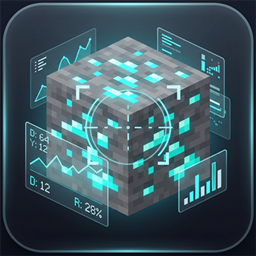
BlockInfoHud
Real-time block information, harvest requirements, and crop growth stages in a clean, customizable HUD.
介绍
中文介绍正在准备中,下面暂时显示原文。
🧊 Block Information HUD
Block Information HUD is a clean, lightweight, client-side utility mod for Fabric that displays real-time details about the block you are looking at. Featuring a sleek dark HUD overlay, it shows everything from mining requirements and tool tiers to crop growth progress and block entity states.
✨ Features
🔍 Block Information
- Rendered Block Icon: Shows a 16×16 sprite of the targeted block.
- Block Name & Registry ID: Displays the localized name and ID (e.g.,
minecraft:deepslate_diamond_ore). - Hardness: View the exact hardness/break value of the block.
- Coordinates: Shows the exact
X,Y, andZworld coordinates of the block.
⛏️ Harvest & Tool Detection
- Effective Tool: Identifies whether you need a Pickaxe, Axe, Shovel, Hoe, Sword, or None.
- Harvest Tier: Displays the required tier (Wood / Any, Stone+, Iron+, Diamond+).
- Dynamic Tool Icon: Renders the matching tool item sprite right next to the requirement.
🌾 Crop & Block State Tracking
- Crop Growth Stages: Displays growth percentage and visual progress bars (
[■■□□]) with(Mature)markers for:- Wheat, Carrots, Potatoes, Beetroots
- Nether Wart, Cocoa Beans, Sweet Berry Bushes
- Melon & Pumpkin Stems, Chorus Flowers, Saplings
- Kelp, Cactus, Cave Vines (Glow Berries), Torchflowers, Pitcher Plants, Bamboo, and Sugar Cane
- Beehives & Nests: Live honey level (
Honey: 5/5 [■■■■■] 🍯) and bee count (Bees inside: 3/3). - Farmland: Real-time soil moisture level (
Moisture: 7/7 [■■■■■■■] 💧). - Campfires: Lit status (
Lit 🔥/Unlit) and number of actively cooking items (Cooking: 2/4).
⚙️ In-Game Configuration & Customization
- Live Settings Menu: Press
Numpad *to open the settings screen without pausing the world. - 12 Individual Toggles: Turn any piece of information ON or OFF anytime.
- Drag-and-Drop Repositioning: Click and drag the preview box to move the HUD anywhere on your screen, or enter exact pixel coordinates.
- Keybind Remapper: Easily rebind the settings shortcut from inside the menu or Minecraft’s keybind controls.
- F1 / F3 Integration: Automatically hides during screenshots (
F1) or when the debug screen (F3) is active.
🎮 Controls
- Open Settings: Press
Numpad *(rebindable in Minecraft Controls ➔ Key Binds ➔ BlockInfoHud). - Exit / Save: Press
Escapeor clickDone.
📋 Requirements
- Minecraft: Fabric 1.21+
- Mod Loader: Fabric Loader (
>= 0.19.3) - Dependencies: Fabric API
- Java: Java 21 or newer
- Environment: Client-Side Only (Completely safe for vanilla multiplayer servers and Realms)
常见问题
BlockInfoHud 支持哪些 Minecraft 版本?
BlockInfoHud 支持 Minecraft Java 版 26.1.1,可用的加载器:Fabric。下载时注意选择和你游戏版本一致的文件。
BlockInfoHud 怎么安装?
先用 PCL2 或 HMCL 启动器安装对应版本的 Fabric,再把下载的 .jar 文件放进游戏目录的 mods 文件夹,重新启动游戏即可。开启了版本隔离的,mods 文件夹在 versions/版本名 下面。
评论
登录后评论和评分