
BlockExporter – Icon Export Tool
作者:KazuOfficial
Export item icon renders as they appear in inventory slots.
截图


介绍
中文介绍正在准备中,下面暂时显示原文。

BlockExporter – Icon Export Tool
A Minecraft mod that exports item icon renders as they appear in inventory slots.
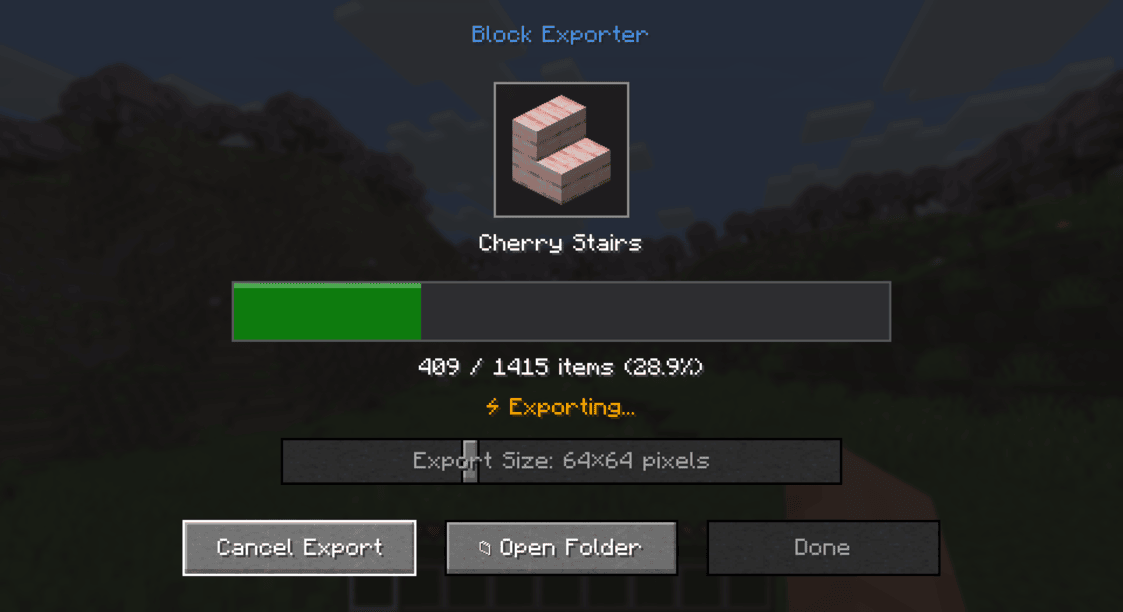
Supported Platforms
- Modern Minecraft with:
- Fabric
- NeoForge
- Forge
- Minecraft Beta 1.7.3 & Alpha 1.1.2_01 (with ModLoader)
Requirements
- One of the supported mod loaders mentioned above
Usage
- Install the mod along with the required API for your mod loader
- Launch Minecraft
- Press the “i” key to open the export menu
- Find the exported textures in the
item_exportsfolder inside your Minecraft directory
Output Format
- Each texture is saved as a PNG file
- File naming format:
namespace_itemid.png(e.g.,minecraft_diamond.png) - Available output sizes: 16×16, 32×32, 64×64, 128×128, 512×512, 1024×1024 pixels
- Images include transparency where applicable
License
This project is licensed under the MIT License.
常见问题
BlockExporter – Icon Export Tool 支持哪些 Minecraft 版本?
BlockExporter – Icon Export Tool 支持 Minecraft Java 版 1.13.2–26.1.2,共 5 个版本,可用的加载器:Fabric / Forge / NeoForge。下载时注意选择和你游戏版本一致的文件。
BlockExporter – Icon Export Tool 怎么安装?
先用 PCL2 或 HMCL 启动器安装对应版本的 Fabric / Forge / NeoForge,再把下载的 .jar 文件放进游戏目录的 mods 文件夹,重新启动游戏即可。开启了版本隔离的,mods 文件夹在 versions/版本名 下面。运行环境:客户端 / 服务端。
评论
登录后评论和评分