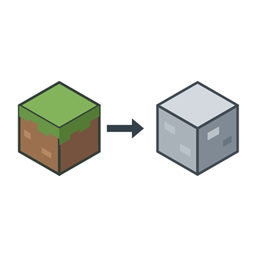
截图
介绍
AI disclosure
AI was used extensively during the development of this mod. Issues may still occur with different mod combinations and environments. If you do not trust AI-assisted projects, please think carefully before downloading and using it.
Overview
Replace selected blocks during world generation or across the world. Disable structure generation by registry ID.
Usage
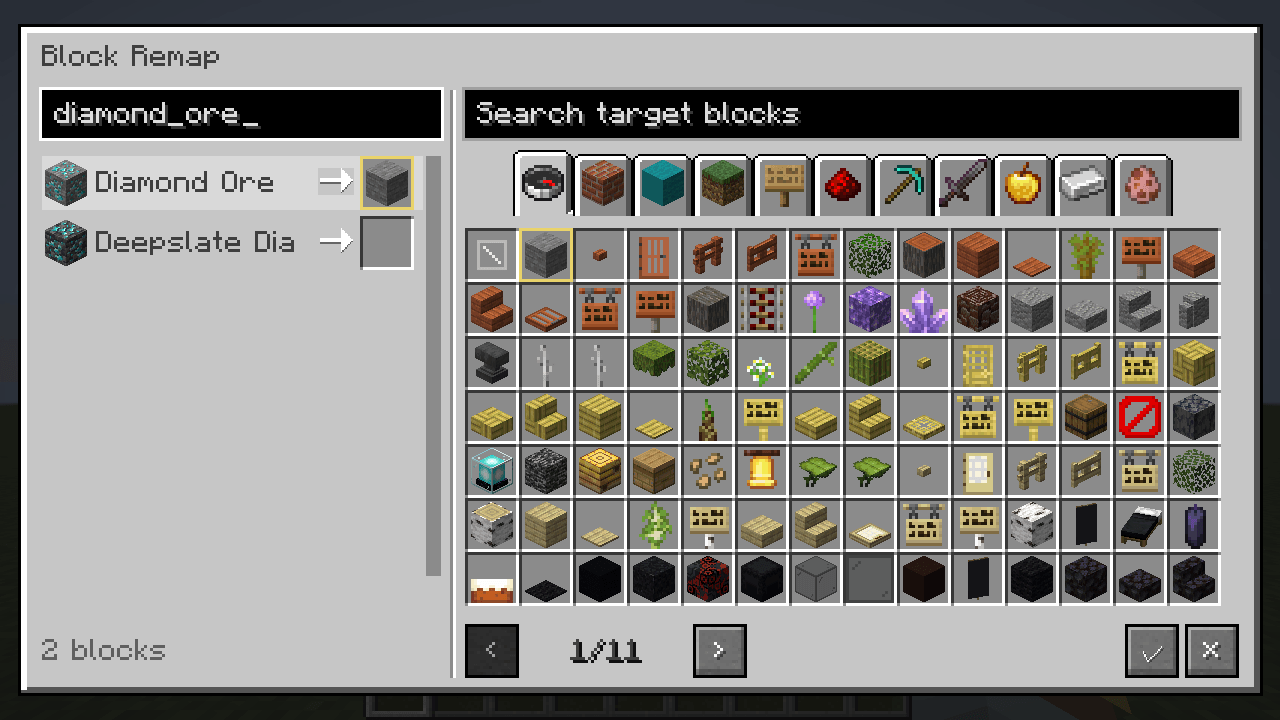
Press F9 in a world, or run /blockgenban. Select a source block on the left and a target block on the right. Click Confirm, then reopen the world to apply the replacements.
Configuration
File: config/blockgen_ban.json
replacementMode: choose generation-only (generation_only, default) or global replacement (global).rules: set block replacement rules.disabledStructures: disable specified structures.disabledFeatures: disable specified generated content, such as ores and trees.
Reopen the world or restart the server after changing block rules.
Back up your world before using global mode. Changes to existing chunks are permanent, and replaced containers lose their contents.
Editor interface
Installation
Minecraft 1.20.1: Forge or Fabric. Minecraft 1.21.1: NeoForge. Fabric requires Fabric API.
For singleplayer, install on the client. For multiplayer, install on the server and on clients that need the editor.
Author: Rotten-flower. Code: MIT. Artwork: separate terms.
Feedback
If you encounter any issues, please leave a comment or join our QQ group. Include your Minecraft version, mod version, mod loader, and logs whenever possible to help us investigate. Suggestions are also welcome! Your feedback will help guide improvements in future updates.
QQ group: 1095622706 · Support the author: Afdian
常见问题
Block Remap 支持哪些 Minecraft 版本?
Block Remap 支持 Minecraft Java 版 1.20.1–1.21.1,共 2 个版本,可用的加载器:Fabric / Forge / NeoForge。下载时注意选择和你游戏版本一致的文件。
Block Remap 怎么安装?
先用 PCL2 或 HMCL 启动器安装对应版本的 Fabric / Forge / NeoForge,再把下载的 .jar 文件放进游戏目录的 mods 文件夹,重新启动游戏即可。开启了版本隔离的,mods 文件夹在 versions/版本名 下面。
评论
登录后评论和评分