介绍
Block Planner
Plan your build. Know your block count.
Short description
Plan block layouts in 3D from your inventory or JEI, then copy a clear list of the blocks you need. Client-side, with autosave.
About
Work out your next build before placing a single block in the world.
Block Planner adds a dedicated 3D planning workspace to Minecraft. Hover over a block in your inventory or JEI and press G to start planning. Place blocks on a grid, rotate your view, and try different arrangements while a live list keeps track of the blocks you need.
Planning a base extension or working out the layout of a modded build? Keep experimenting without using your inventory or changing your world. When you’re ready, copy the block list and start gathering materials.
Features
- 3D layout planning: place and remove blocks with an orbiting camera, zoom, and pan.
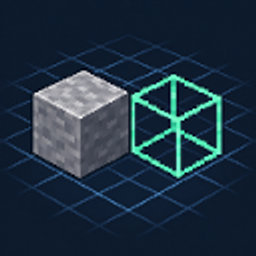
- Placement previews: a green wireframe shows where the next block will go.
- Inventory and JEI access: select blocks from inventory slots, JEI’s item list, bookmarks, or recipe views.
- Live block counts: see totals by item, including stack equivalents, and copy the list to your clipboard.
- A reusable palette: return to your inventory or JEI to add another block, then keep editing the same plan.
- Undo, redo, and autosave: experiment with layouts and continue your saved plan later.
- English and Japanese UI.
Getting started
- Hover over a block item in your inventory or JEI and press G.
- Left-click to place; right-click to remove.
- Drag the middle mouse button to orbit, hold Shift while dragging to pan, and scroll to zoom. Alt + left-drag also works for orbiting.
- Press Esc to go back and choose another block, or use Copy list to export your counts.
The opening hotkey is configurable under Options → Controls → Key Binds → Block Planner. It only activates on block items.
What it counts
One occupied grid cell counts as one block item. Twenty stone bricks and five glass blocks give you a list of 20 stone bricks + 5 glass. Crafting recipes are not expanded into raw ingredients.
Requirements and scope
- Minecraft 1.21.1, targeting NeoForge 21.1.247.
- Install on the client; no server installation is required. JEI is optional.
- A 64 × 64 × 64 workspace with up to 4,096 placed blocks.
- One saved plan per Minecraft instance, stored at
config/blockplanner/plan.json.
This is a visual layout planner. It does not place builds into the world or simulate redstone, machine operation, neighbor connections, or automatic multi-block placement such as doors and beds. Some custom mod models may render differently from their in-world appearance.
Supports Japanese and English only.
Created using GPT-6 Astra.
It’s a hassle, so I probably won’t update it.
常见问题
Block Planner 支持哪些 Minecraft 版本?
Block Planner 支持 Minecraft Java 版 1.21.1,可用的加载器:NeoForge。下载时注意选择和你游戏版本一致的文件。
Block Planner 怎么安装?
先用 PCL2 或 HMCL 启动器安装对应版本的 NeoForge,再把下载的 .jar 文件放进游戏目录的 mods 文件夹,重新启动游戏即可。开启了版本隔离的,mods 文件夹在 versions/版本名 下面。
评论
登录后评论和评分