
截图


介绍
What it does
This client side mod shuffles your hotbar items based on from you defined and selected “block palettes”.
What it is for
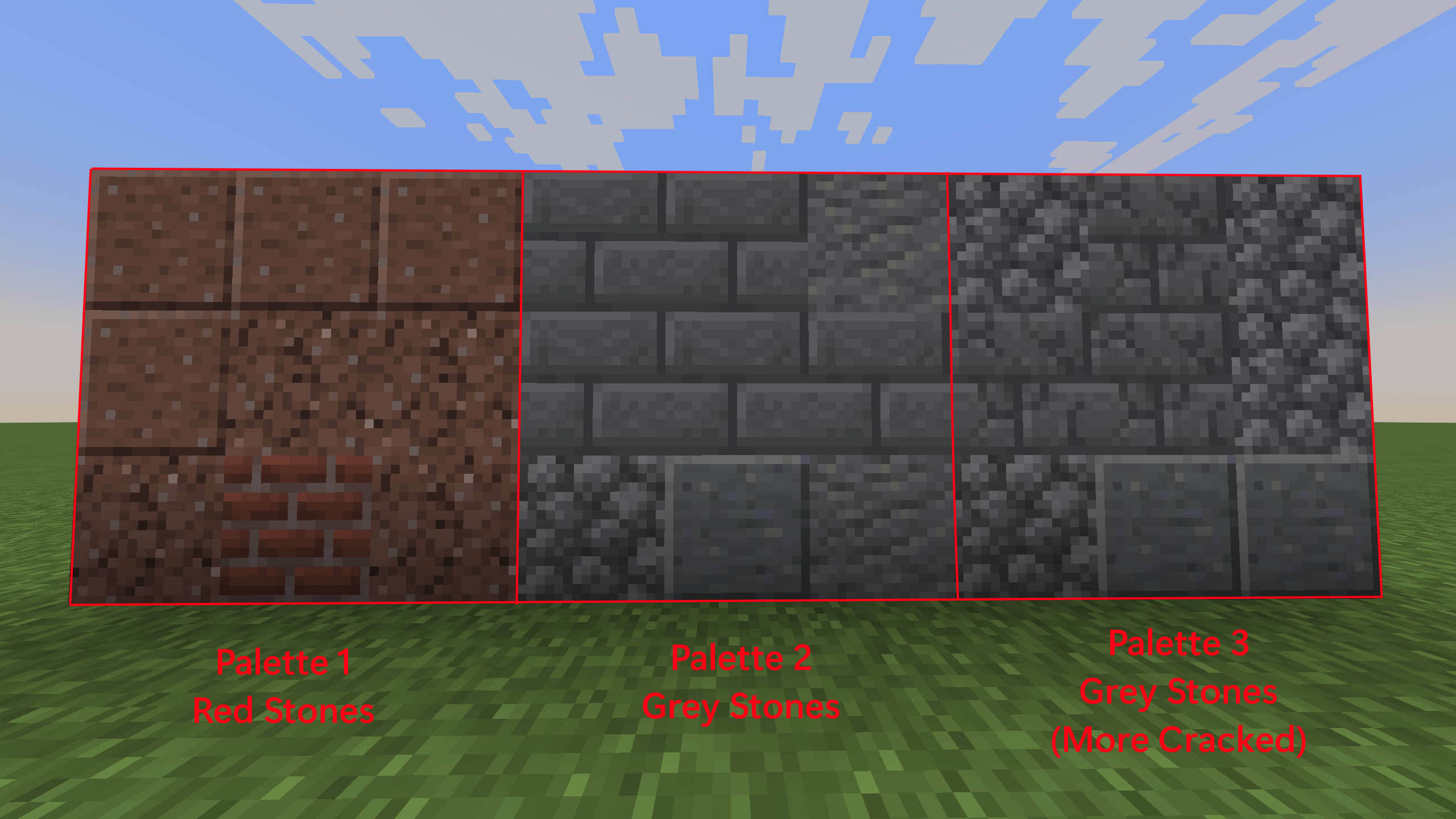
Its purpose is to add texture to your builds as you build them without the hassle to scroll manually through your hotbar or shift items from your inventory to your hotbar all the time.
How to use
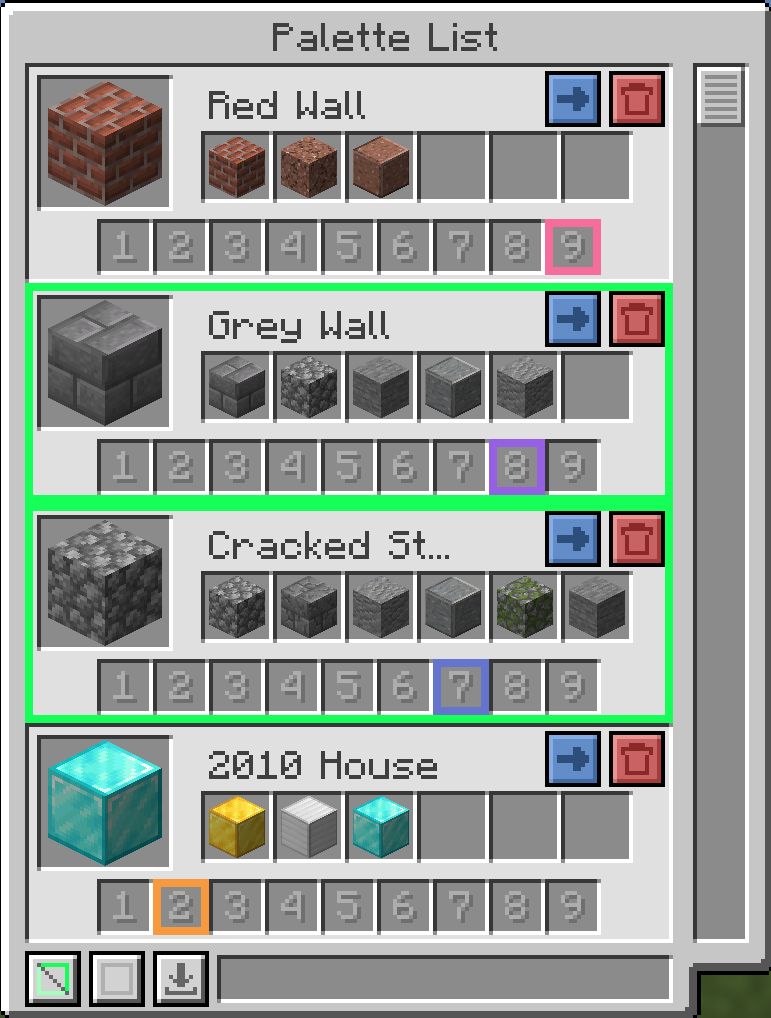
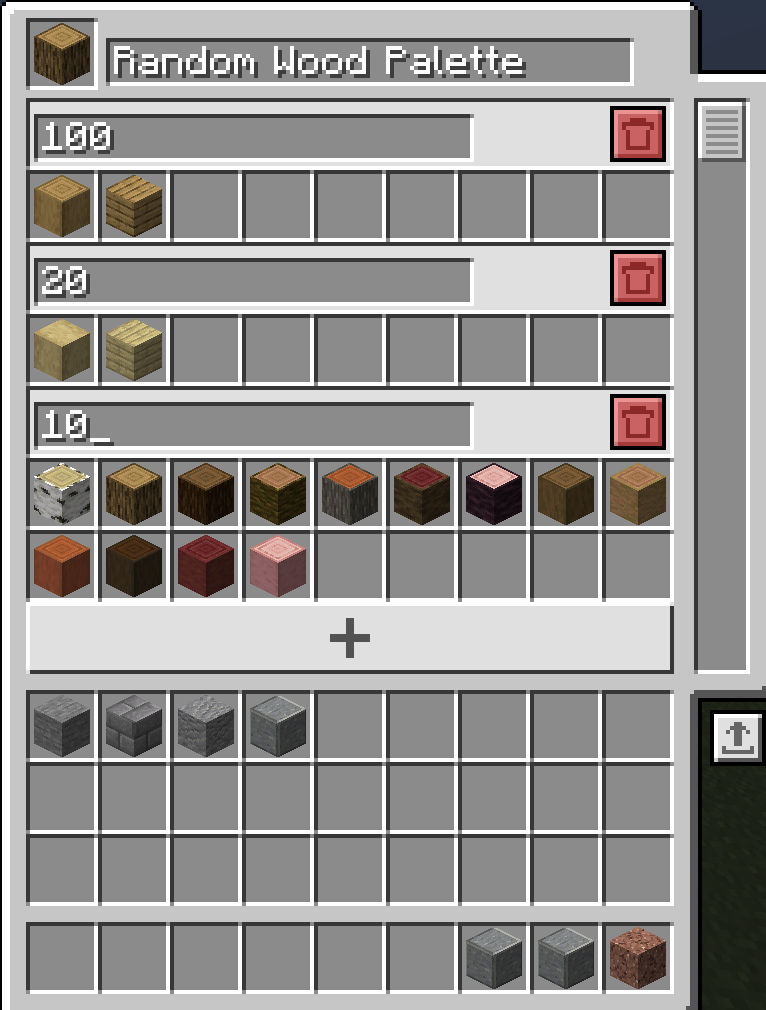
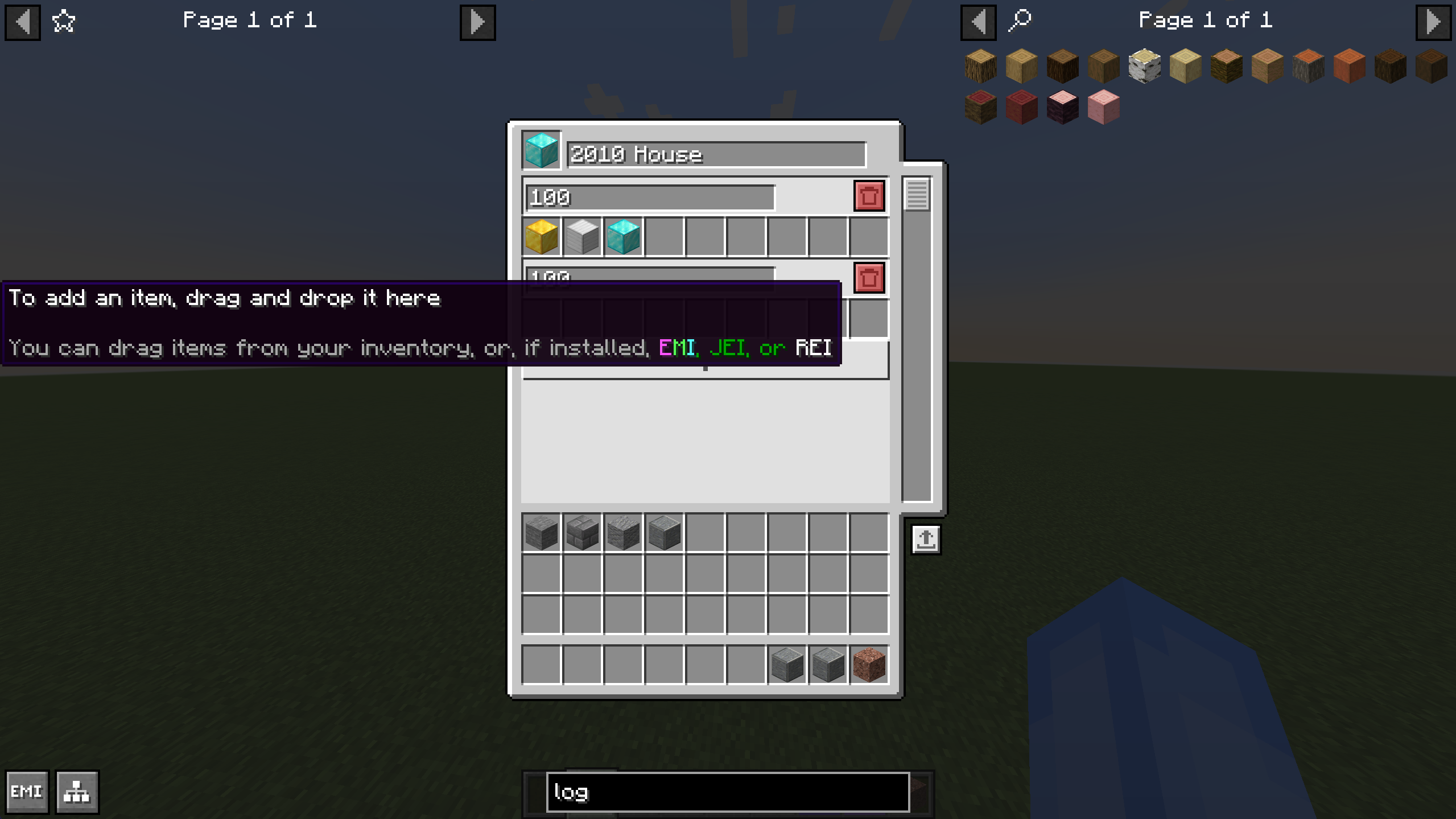
First, open the GUI (“B” by default) and create a palette.
Each palette contains blocks added by yourself, with a weight assigned to them.
The weight specifies how often a block should occur in your texturing.
After defining a plaette, select a hotbar slot it should work on and select the palette itself.
Close the menu, select the hotbar slot and start building.
Survival vs Creative
In survival, the palette’s blocks are needed in your inventory, in creative the blocks are automatically taken from the creative inventory.
Preview
常见问题
Block Palettes 支持哪些 Minecraft 版本?
Block Palettes 支持 Minecraft Java 版 1.21.1–26.1.2,共 7 个版本,可用的加载器:Fabric / NeoForge。下载时注意选择和你游戏版本一致的文件。
Block Palettes 怎么安装?
先用 PCL2 或 HMCL 启动器安装对应版本的 Fabric / NeoForge,再把下载的 .jar 文件放进游戏目录的 mods 文件夹,重新启动游戏即可。开启了版本隔离的,mods 文件夹在 versions/版本名 下面。运行环境:仅客户端。

评论
登录后评论和评分