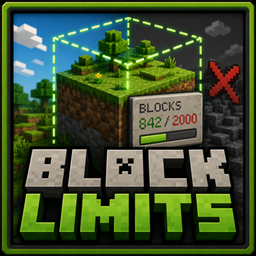
Block Limits
Limits of blocks per chunk, per claim. With optional adjacency rules to prevent blocks from being placed next to forbidden neighbors
介绍
Block Limits gives server admins fine-grained control over block placement – perfect for preventing lag machines, griefing, or overuse of powerful blocks on modpacks and SMP servers.
Server side – required. Client side – optional
What it does
Configure hard limits on how many of any block can exist:
- Per chunk – e.g. max 1 beacon per chunk
- Per FTB Chunks claim – e.g. max 3 beacons per claimed area (requires FTB Chunks)
- Adjacency rules – e.g. prevent TNT from being placed next to lava or fire
All rules are enforced even when pistons push tracked blocks across chunk or claim boundaries.
Features
- Simple TOML config – just a list of
"modid:block=count"strings - Passive mode – log and notify violations without cancelling placement
- Item tooltips – players can see the limits directly in the item tooltip
- Lightweight in-memory cache with configurable TTL to keep performance impact minimal
- Broadcasts violation messages to nearby players within a configurable radius
Configuration example
#Per-chunk block limits. Format: "modid:blockname=count"chunk_limits = ["minecraft:beacon=1", "minecraft:conduit=2"]
#Per-FTB-claim block limits. Format: "modid:blockname=count"claim_limits = ["minecraft:beacon=3"]
#Adjacency rules. Format: "modid:blockname=modid:forbidden1,modid:forbidden2"adjacency_rules = ["minecraft:tnt=minecraft:lava,minecraft:fire"]
#When true, violations are reported to nearby players but block placements are NOT cancelledpassive_mode = false
常见问题
Block Limits 支持哪些 Minecraft 版本?
Block Limits 支持 Minecraft Java 版 1.20.1,可用的加载器:Forge / NeoForge。下载时注意选择和你游戏版本一致的文件。
Block Limits 怎么安装?
先用 PCL2 或 HMCL 启动器安装对应版本的 Forge / NeoForge,再把下载的 .jar 文件放进游戏目录的 mods 文件夹,重新启动游戏即可。开启了版本隔离的,mods 文件夹在 versions/版本名 下面。
igentuman 的其他作品
查看全部 →
Better Fusion Reactor for Mekanism PLUS
聚变反应堆重制及全新内容

NuclearCraft Neoteric
这是对经典老模组NuclearCraft在现代MC版本上的重制

Multi Builder Tool
一键搭建多方块结构
Blocks Tickrate Booster
用 Forge Energy 为你的机器提供动力
评论
登录后评论和评分