
Block Infill
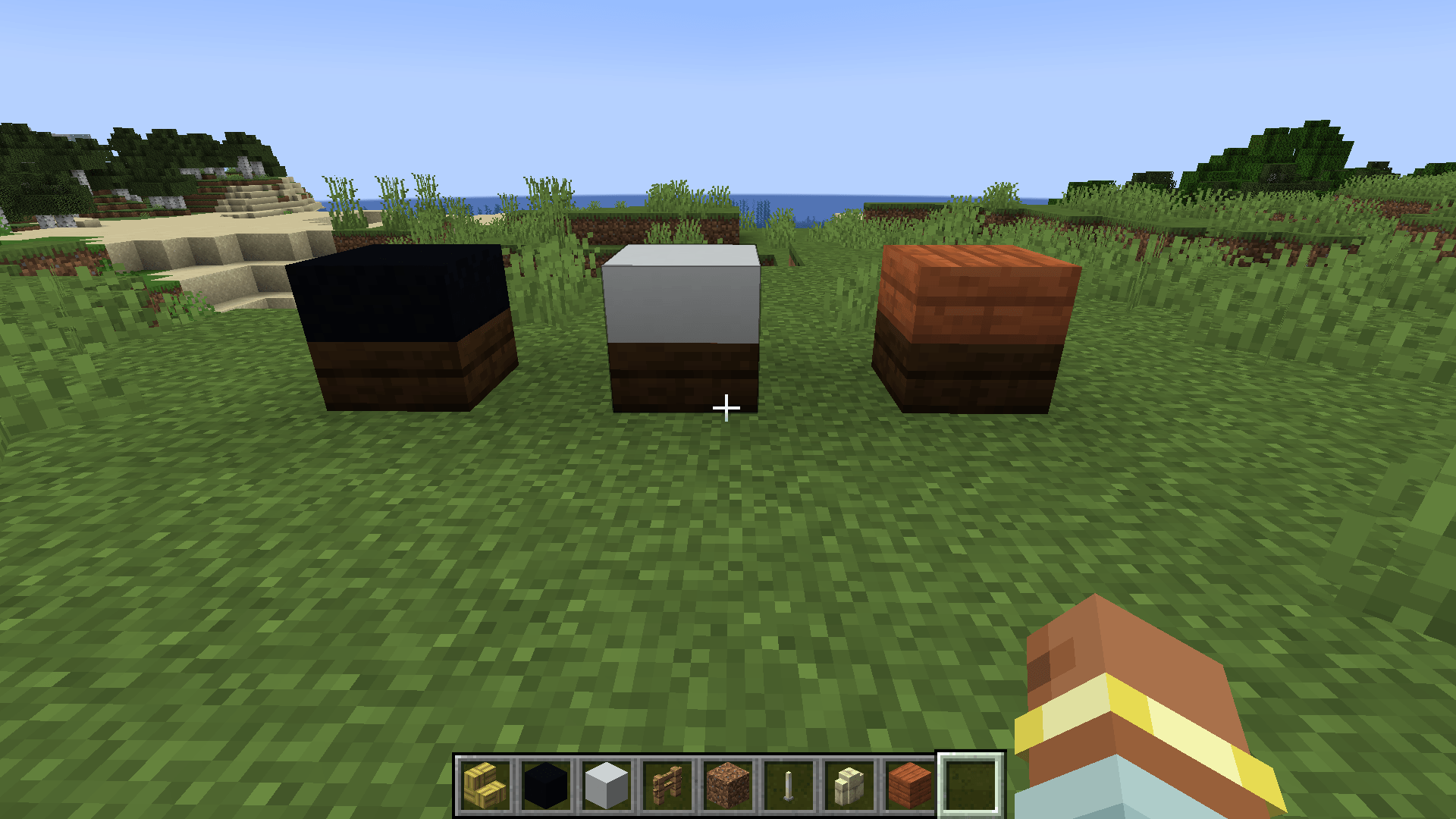
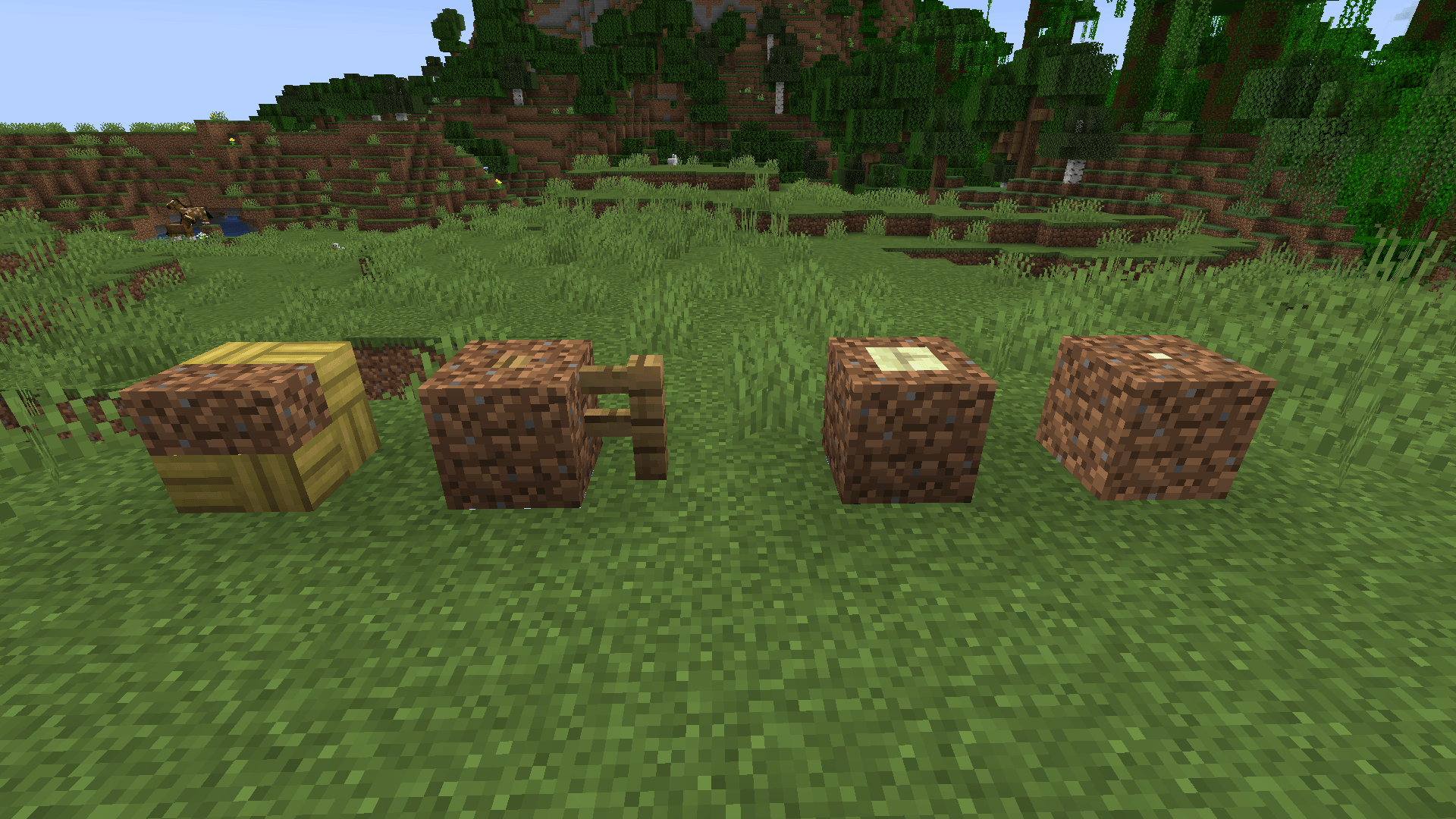
A Forge building mod that fills gaps in stairs, slabs, fences, walls and compatible modded blocks with any solid block - right inside existing builds.
截图
介绍
Block Infill
Fill the empty space in stairs, slabs, fences, walls and many compatible modded blocks with a second solid block.
Block Infill is a lightweight building and decoration mod for players who want cleaner roofs, smoother terrain and more detailed structures without crafting special frame blocks. Simply use a normal solid block on a supported partial block that is already in your world. Both materials are combined in the same block space and the result becomes a complete solid cube.
How to use
– Hold a solid full block, such as dirt, stone or deepslate.
– Sneak and right-click a supported partial block to fill its empty space.
– Sneak and right-click with a different solid block to replace the current filling.
– Sneak and right-click with an empty hand to remove the filling again.
– Break the combined block to apply the normal drops of both materials.
– Use middle-click to pick the original partial block.
No recipes, tools or special frame blocks are required.
Features
– Fill gaps in stairs, slabs, fences, walls and other supported partial blocks.
– Add filling directly to blocks that are already part of an existing build.
– Combine two different block materials inside one block space.
– Preserve the original block’s orientation, state and connected shape.
– Keep connected fences, walls and similar blocks updated when their neighbours change.
– Use normal block textures, biome colours, sounds and particles.
– Inherit light from glowing materials such as glowstone and sea lanterns.
– Respect the slower mining speed and tool requirements of both materials.
– Support Survival and Creative mode.
– Work automatically with many ordinary model-rendered blocks from other mods.
– Avoid adding unnecessary blocks or items to the creative inventory.
Designed for existing builds
Block Infill does not ask you to replace your stairs or rebuild your roof with special modded variants. Walk up to a supported block that is already placed, choose the material that should fill its gaps and apply it directly.
This makes it useful for:
– Closing visible holes underneath roofs and staircases.
– Blending stairs and slabs into natural terrain.
– Creating mixed-material walls and decorative block surfaces.
– Turning fences, walls and other partial shapes into solid architectural blocks.
– Improving detailed builds made with compatible decoration mods.
Mod compatibility
Compatibility is determined from block states, models and shapes instead of a fixed list of supported blocks. Many building blocks from other mods therefore work without a separate compatibility add-on.
Block Infill also passes model data and effective neighbour states to compatible modded blocks. Connected textures, fences, roofs and other neighbour-aware models can retain their intended appearance.
For safety, blocks with their own stored data are never converted. This protects chests, furnaces, machines and other block entities from losing their contents or behaviour.
Block behaviour
The combined result behaves as a real full block rather than a visual-only overlay.
– Players and mobs can stand on it normally.
– Blocks can be supported on every side.
– Hidden neighbouring faces are culled like those of a full cube.
– Light emission uses the brighter of the two combined blocks.
– Footstep sounds come from the filling on the outside.
– Removing the filling restores the original block and its state.
Limitations
– Blocks with block entities, inventories or other stored data are intentionally excluded.
– Functional blocks whose mechanics cannot safely survive conversion may be excluded. Lightning rods are one example.
– Waterlogged blocks and fluids cannot be used.
– Filling materials must be full blocks. Transparent fillers are experimental and disabled by default.
– Unusual custom renderers or highly specialised mod blocks may require a block-tag compatibility rule.
Requirements
– Minecraft Java Edition 1.21.1
– Minecraft Forge 52.1.0 or newer in the Forge 52.x line
– Java 21
– Installation on both the client and server for multiplayer
– No additional mod dependencies
Modpack permissions
You may include Block Infill in modpacks. Linking to the official project page is appreciated so players can find updates and documentation.
License
Block Infill is licensed under the MIT License.
常见问题
Block Infill 支持哪些 Minecraft 版本?
Block Infill 支持 Minecraft Java 版 1.21.1,可用的加载器:Forge。下载时注意选择和你游戏版本一致的文件。
Block Infill 怎么安装?
先用 PCL2 或 HMCL 启动器安装对应版本的 Forge,再把下载的 .jar 文件放进游戏目录的 mods 文件夹,重新启动游戏即可。开启了版本隔离的,mods 文件夹在 versions/版本名 下面。
Gorunexis 的其他作品
查看全部 →
SleepFlow – Smooth Night Skip
Smoothly fast-forwards the night while players sleep, preserving vanilla sleep rules without increasing server TPS.

structomata
Plan structures as holographic blueprints and let autonomous worker golems prepare the site and construct them from supplied materials.
评论
登录后评论和评分