
截图
介绍
Block Farming
Turn ordinary blocks into renewable, server-defined harvests. Block Farming lets server administrators design custom harvesting loops where players gather designated resources, watch the world regrow in stages, and come back later for another round.
Gameplay Loop
- A server administrator picks a target block and the reward it should drop when harvested.
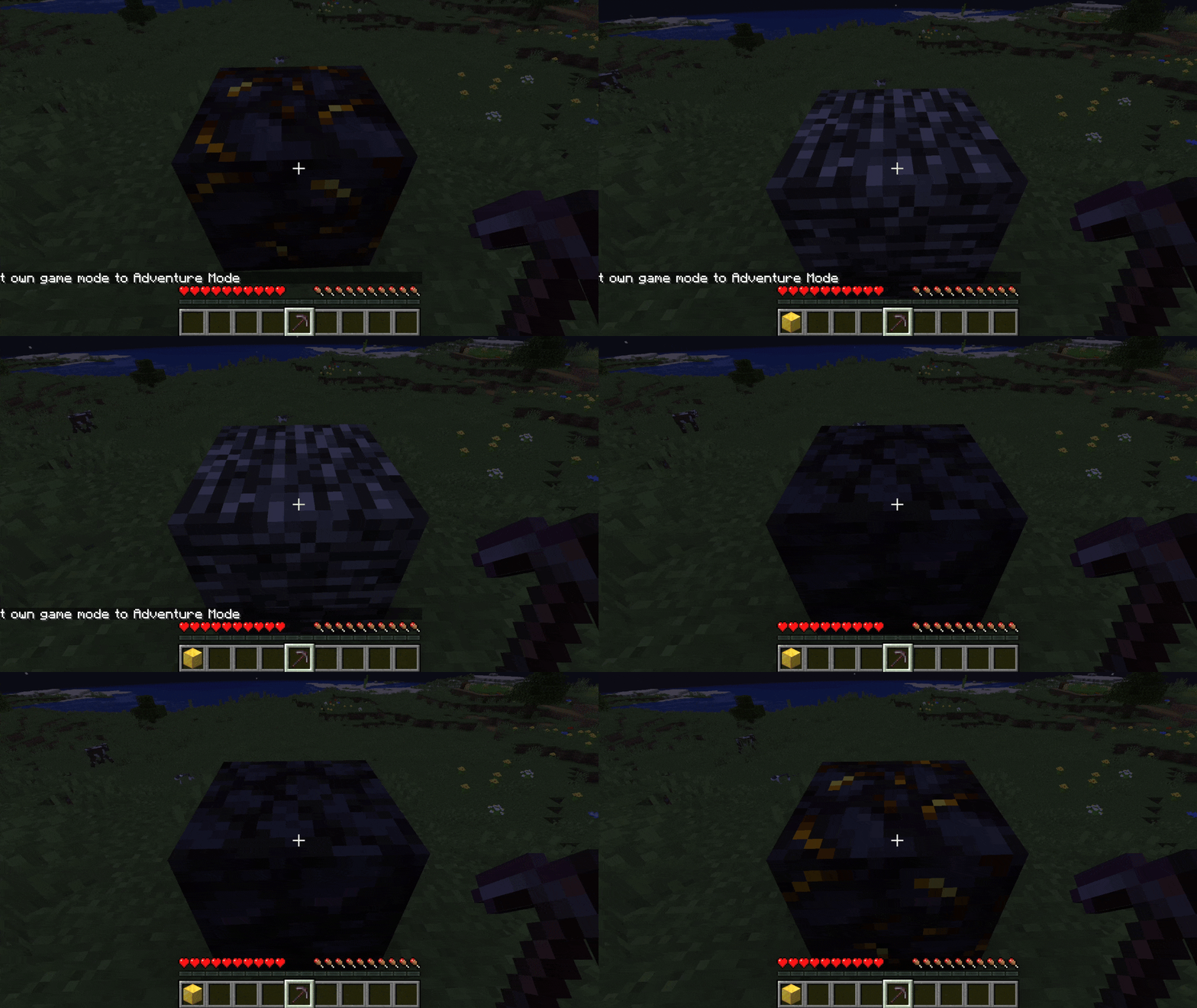
- They define the visual recovery stages the block cycles through after being broken, and how long each stage lasts.
- Optionally, they require a specific tool to harvest the block and a particle effect to celebrate a successful break.
- Players in Adventure mode can only break the blocks the administrator has whitelisted as harvestable. Every other block stays untouchable.
- When a configured block is harvested, it instantly transforms into its first recovery stage and progresses through each stage on its own timer until it grows back into the original block, ready to be harvested again.
- Recovering blocks are locked – players cannot break or grief a field while it is still regenerating.
Highlights
- Adventure mode is fully reshaped into a curated harvesting experience.
- Multi-stage visual regrowth gives players clear feedback on when a field is ready again.
- Per-block tool requirements let you build themed economies (axes for fruit trees, hoes for crops, pickaxes for ores…).
- Custom drops and particle effects make every harvest feel rewarding.
- Configurations persist between server restarts, so once a field is designed it stays designed.
In-Game Commands
All commands live under /blockfarm and are intended for operators.
/blockfarm create <targetBlock>– Start a new harvest configuration tied to the given block. The configuration is held in your personal session until you finish it./blockfarm set dropItem <item>– Define the reward dropped when the block is harvested./blockfarm set itemToBreak <item>– Optionally require players to hold this exact item to harvest the block./blockfarm set timeByStep <seconds>– Set how long, in seconds, each recovery stage lasts before moving to the next./blockfarm set particle <particleType>– Optionally spawn a particle effect when the block is harvested./blockfarm add transitionBlock <block>– Append a block to the recovery sequence. Add them in the order you want players to see them./blockfarm finish– Validate and register your configuration. A drop item and at least one recovery stage are required.
Tips for Server Owners
- Chain several recovery stages together to build immersive regrowth animations (sprout, sapling, young plant, mature plant).
- Use short stage durations for fast-paced minigames and long ones for survival economies.
- Combine
itemToBreakwith custom resource packs to create exclusive tools players must craft or earn to access certain harvests. - Put your players in Adventure mode and let Block Farming handle the rest – their world becomes a curated garden of harvestable opportunities.
常见问题
Block Farming 支持哪些 Minecraft 版本?
Block Farming 支持 Minecraft Java 版 1.20.6,可用的加载器:Fabric / Quilt。下载时注意选择和你游戏版本一致的文件。
Block Farming 怎么安装?
先用 PCL2 或 HMCL 启动器安装对应版本的 Fabric / Quilt,再把下载的 .jar 文件放进游戏目录的 mods 文件夹,重新启动游戏即可。开启了版本隔离的,mods 文件夹在 versions/版本名 下面。运行环境:客户端和服务端都要装。
Hdi 的其他作品
查看全部 →
Custom Player Data
A useful mod for Minecraft servers or framework for mod developers.

Star Wars Original Trilogy
Enter in the Star Wars original trilogy universe

Custom Item Data
A useful mod for Minecraft servers or framework for mod developers to store easily data on item.

Star Wars Universe
Star Wars Roleplay Modpack for solo or Oldrilion Star Wars RP server
评论
登录后评论和评分