
截图


介绍
Block Clover
Block Clover is a Minecraft mod inspired by the anime and manga Black Clover. Discover your magic, obtain a grimoire, join a Magic Knight squad, and grow stronger through combat, missions, and dungeon exploration.
Play on NeoForge 1.21.1.
The Forge 1.20.1 version is an older port and is no longer the current version.
This mod is still in development!
Links
Subscribe to my YouTube channel
Questions or suggestions? Add me on Discord: Samuelchr
How to Start
When you enter a new world, your race and magic are rolled.
Your first mission leads you to the Grimoire Tower. Follow the coordinates in the mission tracker at the top-left of your screen and speak to Drouot to receive your grimoire.
You begin with one spell and discover more through combat. Complete missions, develop your abilities, and take the Magic Knights Entrance Exam to work toward joining a squad.
Magic and Combat
Explore magic attributes including Anti-Magic, Dark, Wind, Fire, Water, Lightning, Light, Time, Star, Shadow, Slash, and Mineral Magic.
Each attribute offers its own spells and playstyle, from close-range weapons and fast movement to barriers, restraints, healing, and powerful area attacks.
- Discover new spells through combat.
- Charge supported spells using Mana Output.
- Develop abilities such as Mana Skin, Mana Zone, and Ki.
- Unlock transformations and attribute-specific abilities.
- Encounter characters such as Yami, Mereoleona, Yuno, Mars, and Jack the Ripper.
Some spells require specific weapons, transformations, or progression before they can be used.
Dungeons
Investigate mysterious dungeon gates and enter alone or with nearby players.
Explore branching passages, unusual rooms, elemental traps, and groups of rival explorers. Mine Magic Crystals, search for loot, and challenge Mars to obtain the treasure-vault key.
Reach the vault for personal loot and valuable rewards, including rare equipment, compatible Spirit Scrolls, and Demon Dweller for Anti-Magic progression.
Keep an eye on the timer—dungeons eventually begin crumbling, and you need to escape before they collapse!
Progression and Squads
Your main progression comes from missions, combat, exploration, and your squad.
- Earn XP, Yul, Reputation, and Merit.
- Complete normal missions that refresh every 10 minutes.
- Defeat bandits and improve your Magic Knight Rank.
- Spend Stat Points, Skill Points, and Mastery Points in the Grimoire Menu.
- Join or create a squad for squad missions, stars, pay, and the Star Festival.
- Trade with merchants and visit the Black Market.
- Collect Magic Stones and unlock titles.
- Develop compatible spirit bonds or follow your magic’s devil progression to unlock further abilities.
Unlocking Spells
Your grimoire begins with one spell. New spells are mainly discovered through combat:
- Using spells gives a chance to discover more.
- Melee combat can also discover spells, but less often.
- Fighting while low on health increases the chance.
- Having fewer spells makes early discoveries easier.
- Spell Insight, unlocked through Mastery, improves discovery chances.
- Some powerful spells require other progression before becoming available.
Certain abilities are earned through special routes, such as dungeon rewards, bonds, or trials.
Races and Skill Trees
Your race affects your base stats and race skill tree.
Hybrid races combine two races, receiving averaged base stats and half of both race-tree bonuses.
Use the Grimoire Menu to manage your stats, mastery, skills, spells, race progression, missions, squad, and more.
Controls
Controls can be changed in Minecraft’s Controls menu.
- R — Switch spell. Hold to open the spell wheel.
- Z — Use your selected spell. Hold for Mana Output on spells that support charging.
- C — Hold to select a skill.
- V — Use your selected skill.
- G — Open the Grimoire Menu.
- H — Hold to select a transformation.
- X — Switch mode. Hold to switch magic if you have multiple attributes.
- B — Dash. Rebinding this to a more comfortable key is recommended.
Credits
Big thanks to Telec, Renan, Uzume, and wagenboi (VK). This would not have been possible without them.
常见问题
Block Clover 支持哪些 Minecraft 版本?
Block Clover 支持 Minecraft Java 版 1.21.1,可用的加载器:NeoForge。下载时注意选择和你游戏版本一致的文件。
Block Clover 怎么安装?
先用 PCL2 或 HMCL 启动器安装对应版本的 NeoForge,再把下载的 .jar 文件放进游戏目录的 mods 文件夹,重新启动游戏即可。开启了版本隔离的,mods 文件夹在 versions/版本名 下面。运行环境:客户端和服务端都要装。
Samuelchr 的其他作品
查看全部 →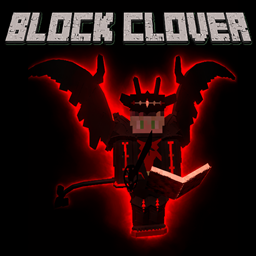
Block Clover (Black Clover)
A Black Clover mod

Limitless (Jujutsu Kaisen/JJK)
A mod based around Jujutsu Kaisen

Sandevistan (Cyperpunk)
Mod that adds the Sandevistan from the cyperpunk universe

T.error
T.error adds a terrifying entity that stalks you, sends creepy messages, and corrupts your world, turning Minecraft into a true horror experience.
评论
登录后评论和评分