
介绍
Bird Watching
A little movement in the trees. A flash of colour by the water. A reason to bring your camera.
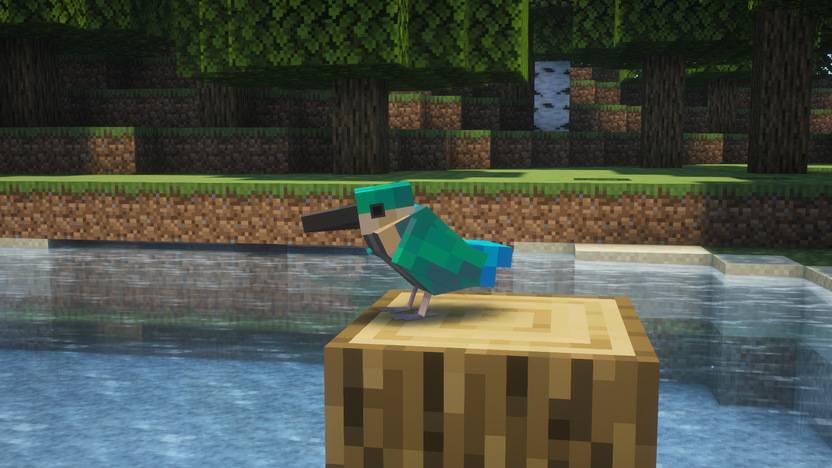
Bird Watching brings animated birds and their everyday routines to Minecraft. Follow a flock through the countryside, stop beside a quiet river, or make room for a few feathered neighbours around your home.
Field Guide & Help · Website · Report a Bug
Watch a world with wings
Sparrows gather near farmland, hummingbirds hover beside flowers, and night herons wait by the water. Look out for colourful parrots, wandering pigeons, curious crows and kingfishers skimming the shoreline.
Birds forage, fly, rest and react to nearby danger. Their habitats, foods and habits vary by species. The in-game Field Guide helps you get to know them, with animated previews and notes on feeding and interaction.
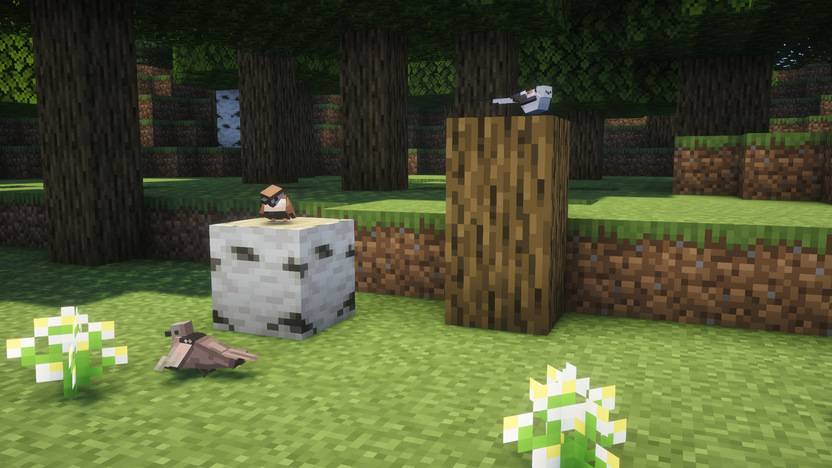
Make a few feathered friends
Offer the right food to tame compatible species, then take your companions along or give them a place to stay. Night herons may bring you fish, hummingbirds can help nearby crops, and seagulls sometimes decide that your food looks better than theirs.
Scatter breadcrumbs, add a bird bath, or decorate a quiet corner with a bird cage. Not every bird is tameable, and each species has its own preferences.
Take the moment home
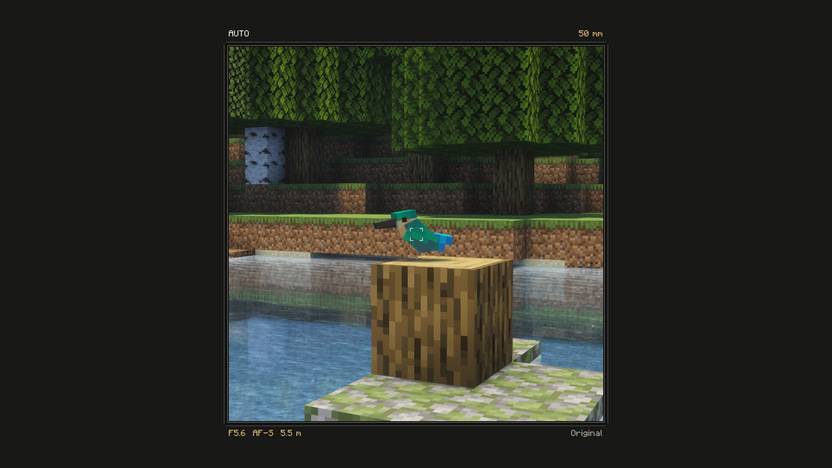
Use the camera to capture the actual world around you. Experiment with zoom, focus, lenses and filters; keep your photographs as in-game items or export them as PNG images.
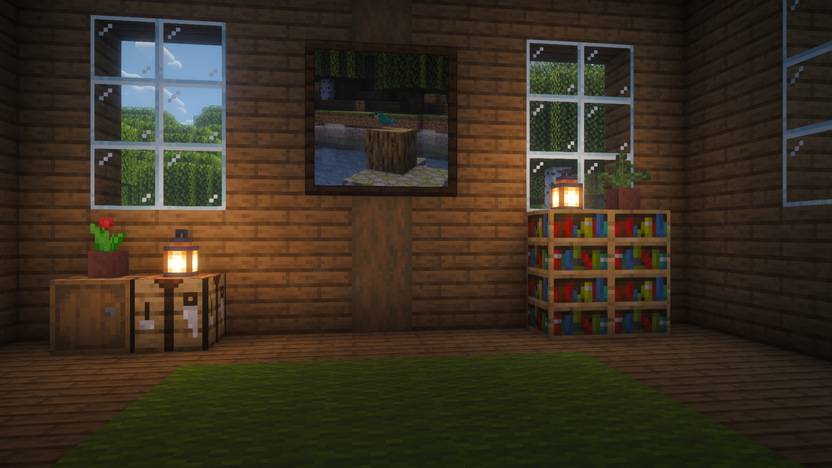
At the Frame Workbench, choose a shape and size, combine frame materials, trim and lining, and add item decorations. Adjust the photograph inside, save a favourite design, and hang the finished work on your wall.
Share your photographs and frame designs
Coming in the next update.
The optional Public Album lets you submit your work for review and discover what other players have made.
- Browse approved photographs and frame designs.
- Like your favourites and sort by newest or most liked.
- Download photographs as in-game items, with the original author, title and description preserved.
- Report a work with a reason for the review team to check.
Taking a photo does not publish it. You choose what to submit, and submissions appear publicly only after approval.
观鸟,也把风景带回家
树林里的麻雀、水边等待的夜鹭、花前悬停的蜂鸟,还有掠过水面的翠鸟。带上相机,走慢一点,看看这些小家伙正在忙什么。
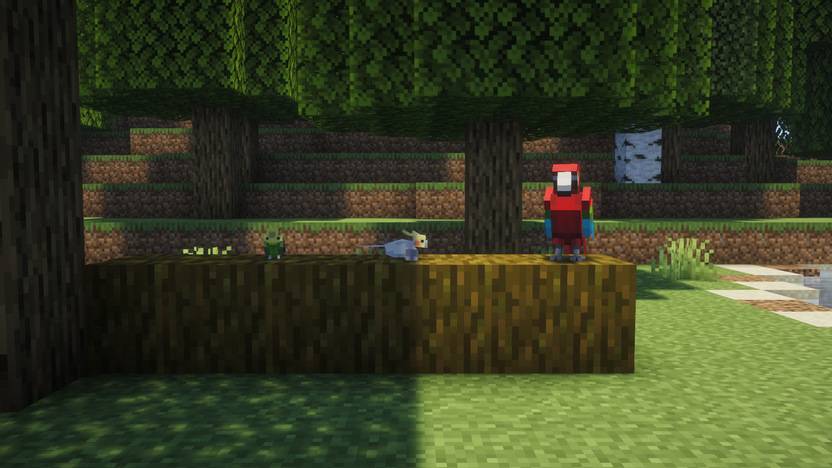
认识它们。 不同鸟类有不同的栖息地、食物和习性。翻开游戏内的观鸟图鉴,查看动画和互动方式;给可以驯服的鸟喂食,也可以用鸟浴盆和面包屑布置自己的小花园。
留住这一刻。 用相机拍下实际游戏画面,调整变焦、对焦和滤镜。在相框工作台搭配框体、包边、内衬和物品装饰,再把成品挂到墙上。照片也能保存为游戏内物品或导出 PNG。
下次更新:分享喜欢的作品。 自愿投稿到公共相册,审核通过后公开。照片和相框都可以点赞,并按最新或点赞数排序;下载的照片保留作者、标题和介绍。举报时填写原因,直接交给审核组处理。普通拍照不会自动上传。
Installation / 安装
Choose the file for your Minecraft version and loader, and install the matching GeckoLib dependency. For multiplayer, the server and participating clients need matching mod versions.
- Minecraft 1.20.1: Forge · Java 17
- Minecraft 1.21.1: NeoForge · Java 21
请按游戏版本和加载器选择文件,并安装对应的 GeckoLib。联机时,客户端与服务端使用相同的模组版本。不同发行文件的鸟类和功能可能有所区别。
Screenshots are captured in Minecraft 1.20.1 with Complementary Reimagined shaders. Shaders are optional and are not included. New content shown here is a preview of the upcoming update; check the selected file’s changelog for availability.
配图为开启 Complementary Reimagined 光影后的游戏实拍;光影非必需,也不包含在模组内。这里展示了下一次更新的新内容,具体功能以所下载文件的更新说明为准。
常见问题
Bird Watching 支持哪些 Minecraft 版本?
Bird Watching 支持 Minecraft Java 版 1.20.1–1.21.1,共 2 个版本,可用的加载器:Forge / NeoForge。下载时注意选择和你游戏版本一致的文件。
Bird Watching 怎么安装?
先用 PCL2 或 HMCL 启动器安装对应版本的 Forge / NeoForge,再把下载的 .jar 文件放进游戏目录的 mods 文件夹,重新启动游戏即可。开启了版本隔离的,mods 文件夹在 versions/版本名 下面。
EdDYON 的其他作品
查看全部 →
Abyssal Corrupter
Face the terrifying Abyssal Corrupter — a multi-stage deep abyss boss that can be summoned via ritual altar in Minecraft 1.21.1 NeoForge.

Ai_myh’s Plants Vs. Zombies
A mod that faithfully recreates PVZ 2

Abyssal Corrupter
Face the terrifying Abyssal Corrupter — a multi-stage deep abyss boss that can be summoned via ritual altar in Minecraft 1.21.1 NeoForge.

Easy Adventure
A lightweight base migration mod. Pack your entire building into a Spatial Scroll and carry it anywhere! 一个轻量级的基地迁移模组。通过空间卷轴一键打包并随身携带你的整个建筑!
评论
登录后评论和评分