
Biome Ore Control
作者:Ded04ek
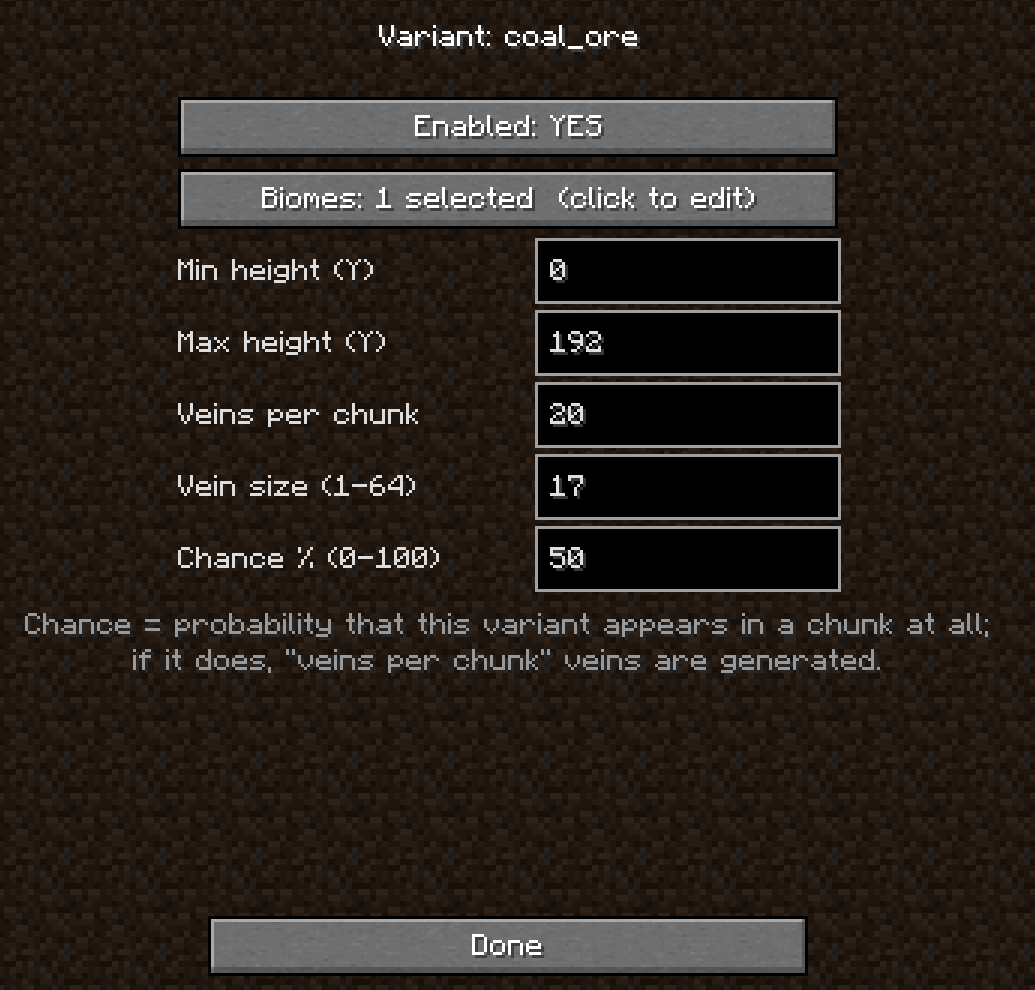
Control the exact location of each ore: select biomes, height, vein size, and rarity for the ore on the in-game settings screen.
截图
介绍
中文介绍正在准备中,下面暂时显示原文。
Initially, the generation of all ores is enabled.
Instructions:
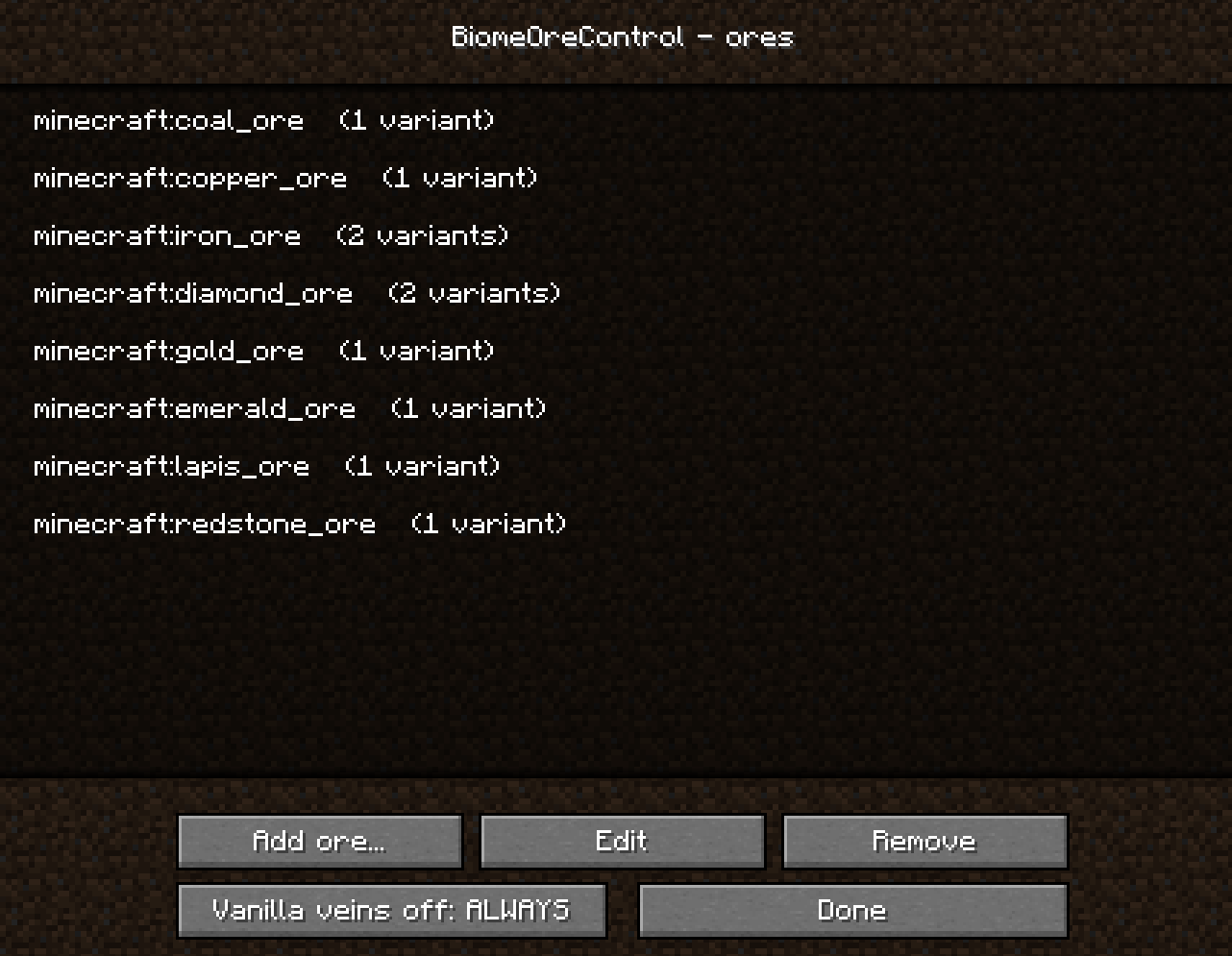
1. Go to the configurator and select the ore type.
2. Select the ore subcategory.
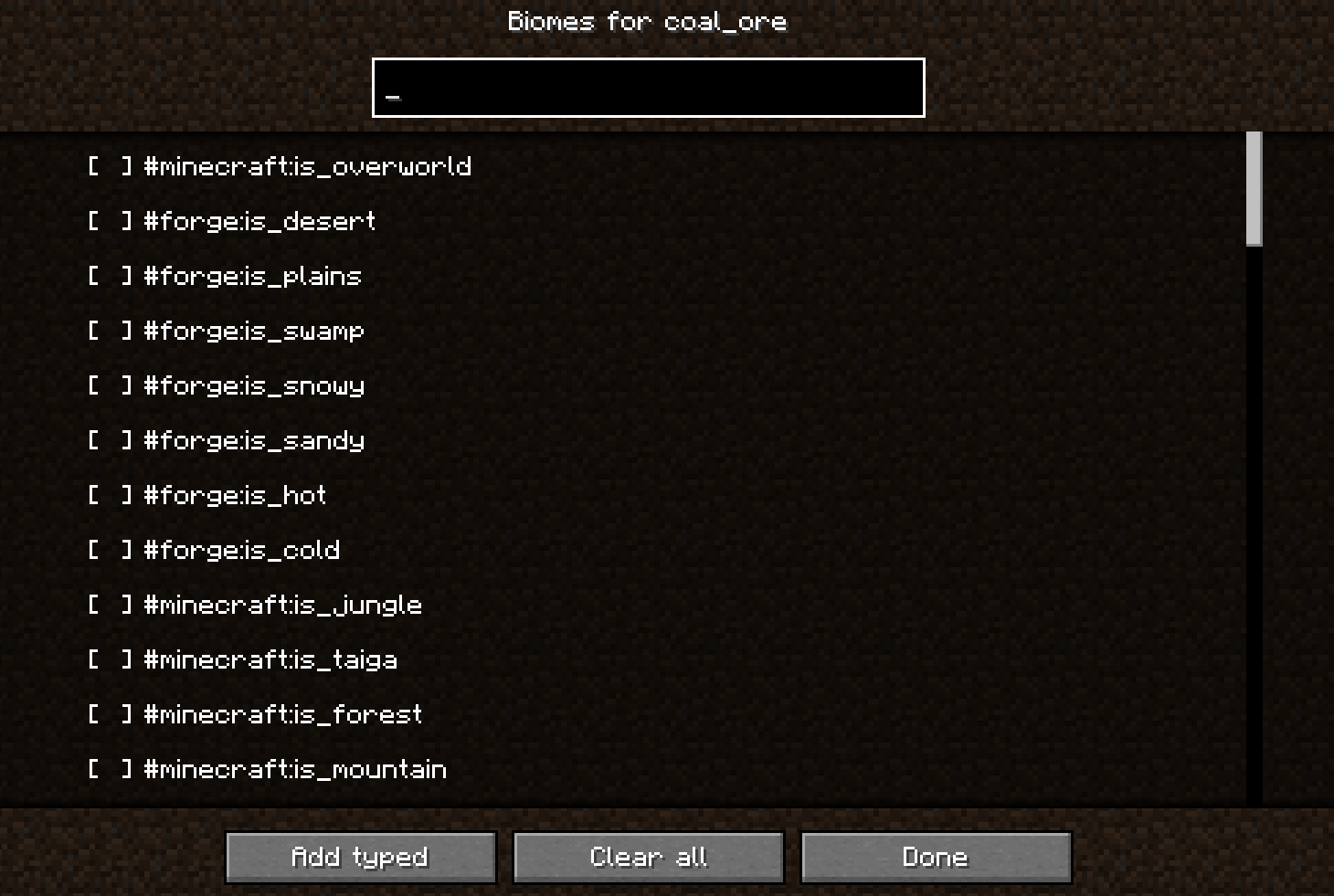
3. Configure the generation for the required biomes, after first removing “Overworld”.
4. If desired, configure the generation characteristics, as well as the vein generation in the main menu of the mod.
5. Create a new world or generate new chunks.
(In my tests, biomes with the “#Forge” tag didn’t work, for example, “is_plains”)
常见问题
Biome Ore Control 支持哪些 Minecraft 版本?
Biome Ore Control 支持 Minecraft Java 版 1.20.1,可用的加载器:Forge。下载时注意选择和你游戏版本一致的文件。
Biome Ore Control 怎么安装?
先用 PCL2 或 HMCL 启动器安装对应版本的 Forge,再把下载的 .jar 文件放进游戏目录的 mods 文件夹,重新启动游戏即可。开启了版本隔离的,mods 文件夹在 versions/版本名 下面。
评论
登录后评论和评分