
Client Commands
Enhance your Minecraft gameplay with 30 powerful client-side commands.
截图

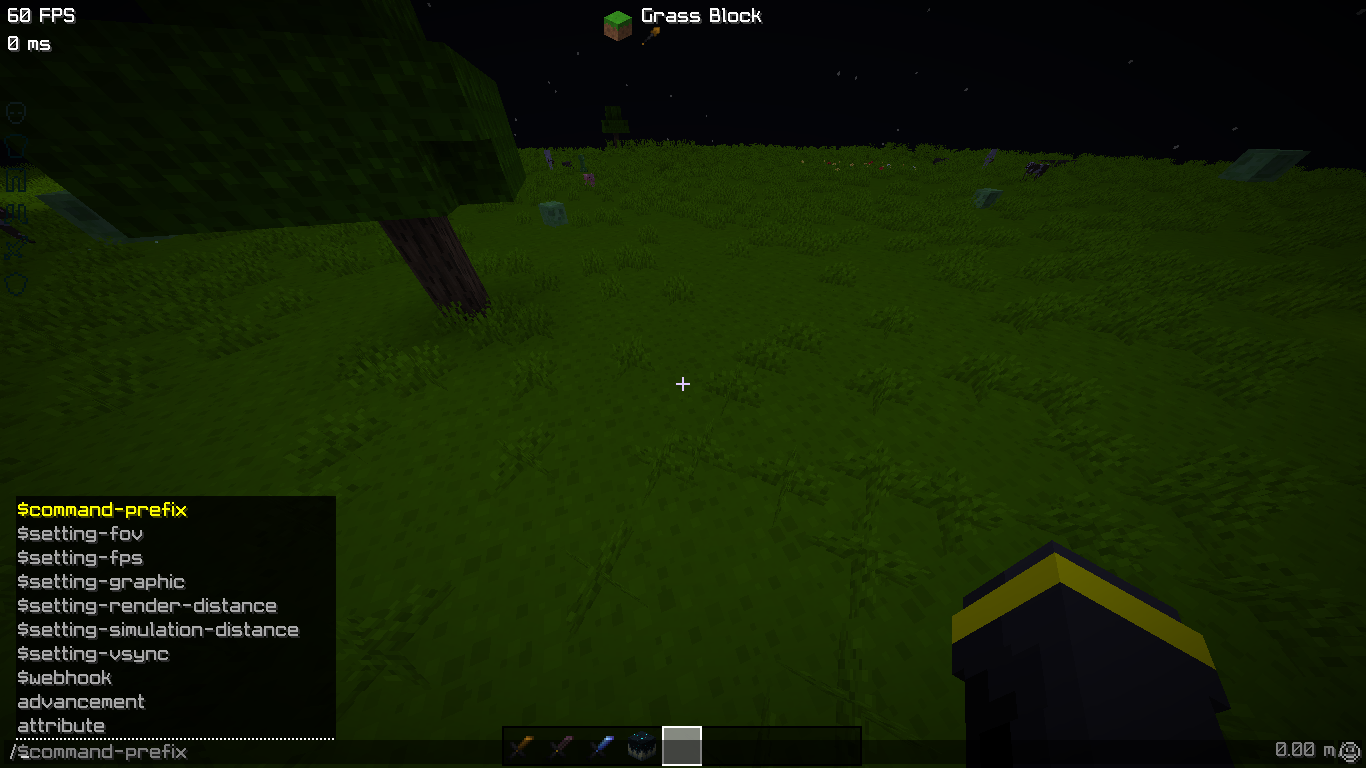
介绍

Client Command adds powerful, lightweight client-side commands to Minecraft, giving you quick access to common settings without opening menus.
All commands run entirely on the client, require no server permissions, and are designed to be fast, safe, and easy to use.
Perfect for players who want better control over graphics, performance, and much more customization directly from chat.


- No server installation required.
- Instant setting changes via from commands.
- Lightweight and performance-friendly.
- Persistent configuration (saved between launches).

| ───────────── Command ───────────── | ───────────── Description ─────────────
| ————————————– | ———————————————–|
| $setting-fov | Change your field of view (FOV) instantly |
| $setting-render-distance | Modify render distance without opening settings |
| $setting-simulation-distance | Adjust simulation distance on the fly |
| $setting-graphics | Switch graphics mode (Fast / Fancy / Fabulous) |
| $setting-fps | Set max FPS or disable the limit |
| $setting-vsync | Enable or disable VSync |
| $discord-webhook | Save, show, and send messages to a Discord webhook |
| Many More... | Explore Ingame 🙂
All commands use a customizable prefix and work entirely on the client.

- All modifications can be done from inside Minecraft. For example:
$webhook set <Your_Webhook_Url>. - All settings are stored safely in
.minecraft/config/command/setting.json. - If you modify config from file, Changes will happen after game restarts!

Copyright & License
Client Command is the intellectual property of
BibekTheLegend.
This project is licensed under the
Creative Commons Attribution–NonCommercial–NoDerivatives 4.0 International (CC BY-NC-ND 4.0) license.
🟢 You may:
- Use and share this mod in its original form!
- Include it in modpacks with proper credit!
🔴 You may NOT:
- Modify or redistribute altered versions.
- Use this project for commercial purposes.
- Reupload without permission.
- Claim this project or its code as your own.
🔗 License details:
Visit Here – © BibekTheLegend
If you face any error related to mod, feel free to DM Planet Minecraft ↗!
常见问题
Client Commands 支持哪些 Minecraft 版本?
Client Commands 支持 Minecraft Java 版 1.21.1–1.21.11,共 11 个版本,可用的加载器:Fabric。下载时注意选择和你游戏版本一致的文件。
Client Commands 怎么安装?
先用 PCL2 或 HMCL 启动器安装对应版本的 Fabric,再把下载的 .jar 文件放进游戏目录的 mods 文件夹,重新启动游戏即可。开启了版本隔离的,mods 文件夹在 versions/版本名 下面。运行环境:仅客户端。
BibekTheLegend 的其他作品
查看全部 →
Smooth PVP
A texture pack with smooth blocks, clean GUI & clean font and more..

Entity Cleaner
Automatically removes unwanted entities like items, arrows, XP orbs, and projectiles to improve performance.

Enchant Plus
Introduces over 100+ custom enchantments into the game.

Luminous loot
Adds glowing effects to rare loot drops so you never miss valuable items!
评论
登录后评论和评分