
BetterSpeedHUD
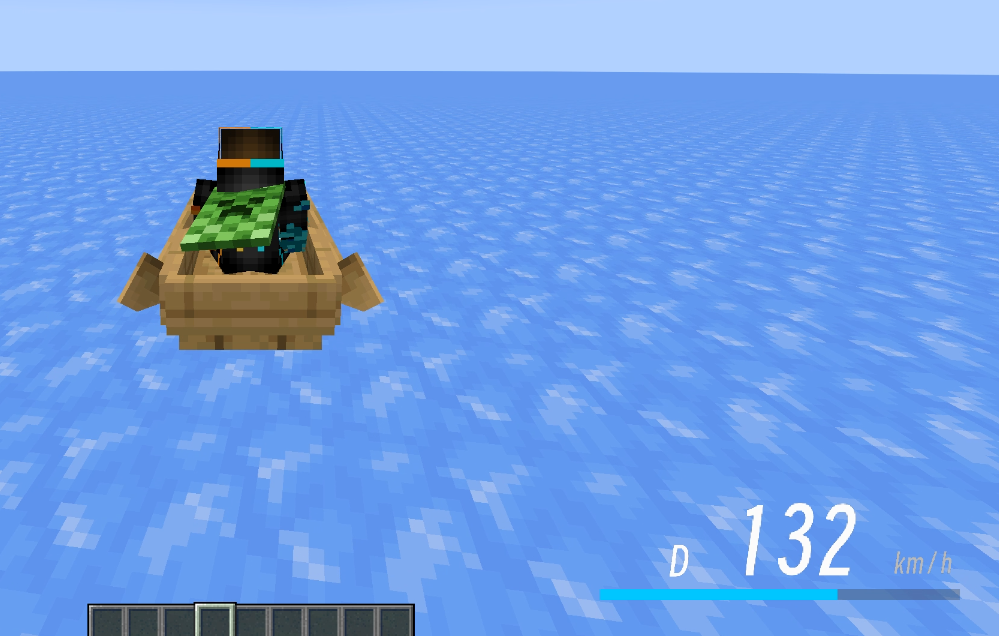
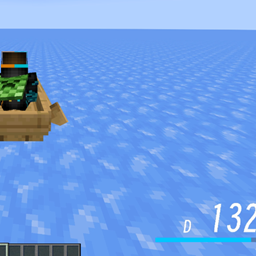
一个速度 HUD 模组:在载具或鞘翅滑翔时,于屏幕右下角显示速度、档位与速度条的精美速度抬头显示,并且所有元素都可以在游戏内自由调整。A Better HUD mod to show your speed on your screen. Highly customizable.
截图
介绍
BetterSpeedHUD
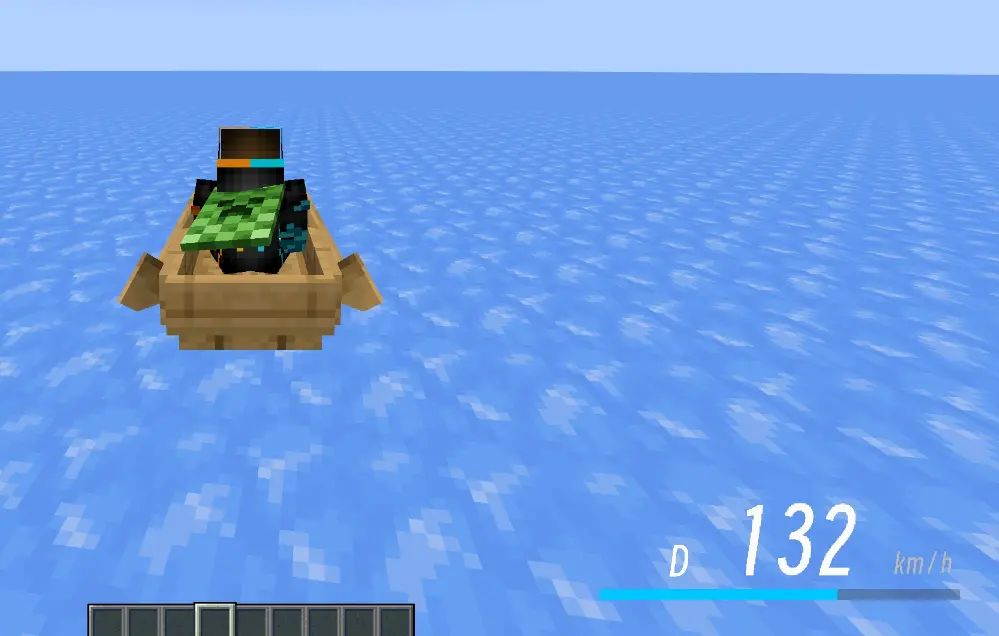
A speed HUD mod for Minecraft Forge 1.20.1/1.21.1: displays a sleek speed head-up display (HUD) showing speed, gear, and a speed bar at the bottom‑right corner of the screen when riding a vehicle or gliding with an elytra. All elements can be freely adjusted in‑game.
A Better HUD mod to show your speed on your screen. Highly customizable. @WYH827
Features
- Real‑time speed display: measures speed based on the player’s actual coordinate displacement (blocks/second × 72 converted to km/h). Compatible with vanilla vehicles and modded vehicles (e.g., MrCrayfish’s vehicle mod). Elytra gliding is also supported.
- Visual HUD:
Dgear on the left, three‑digit large speed number in the center (leading zeros shown in grey),km/hon the right, and a speed bar below. - Adjustable max speed (default 200): the speed bar always displays the percentage of
speed / max speed, capped at 100% when exceeded. - Toggle for actual speed: when disabled, speed stops increasing once it reaches the max speed (pegs the meter); when enabled, the actual speed is always shown, while the bar still caps at 100% of the max speed.
- Two fonts: Minecraft default font / Modern bitmap font (switchable in‑game with one click).
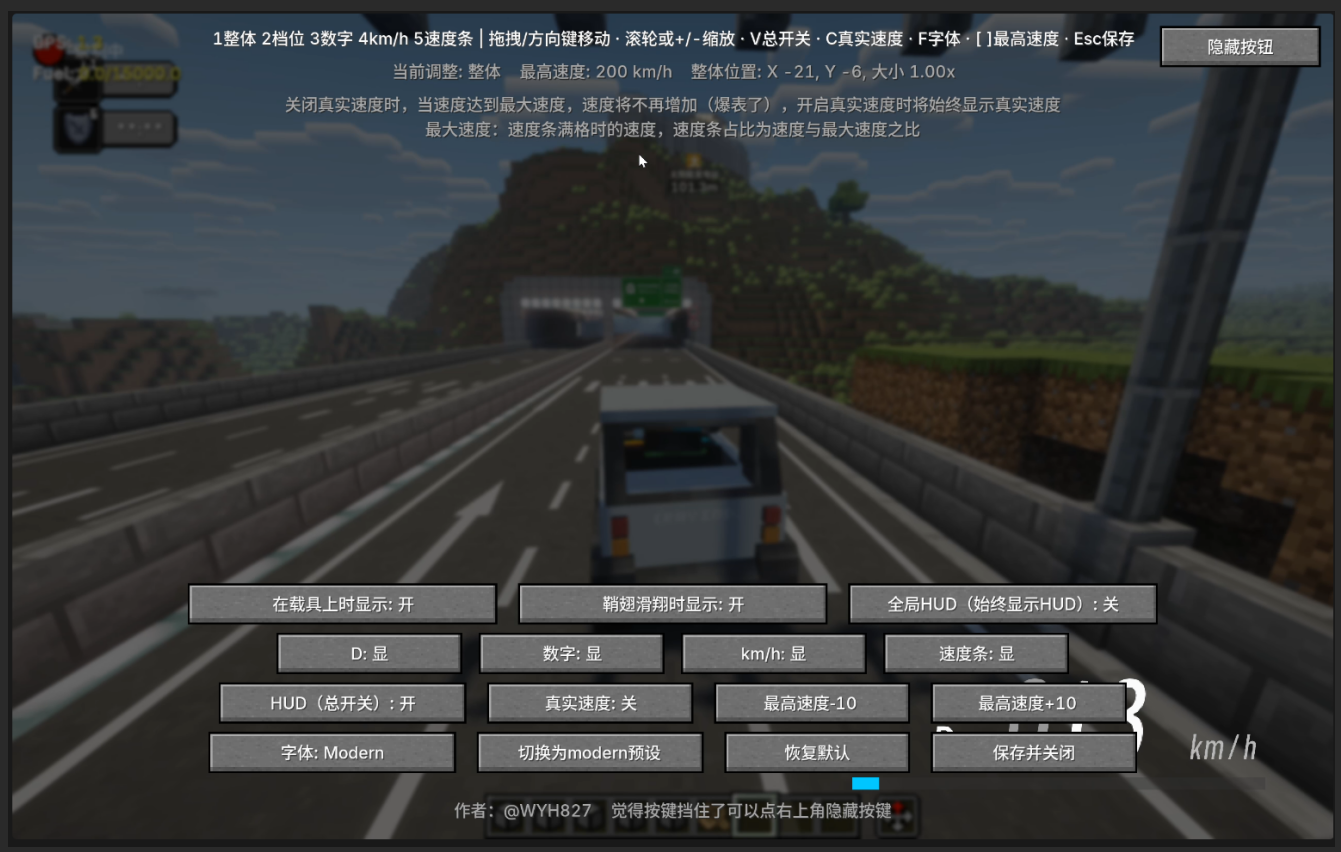
- In‑game configuration screen (default key H):
- The overall HUD and individual elements (D, digits, km/h, speed bar) each have independent position, size, and visibility controls;
- Adjust via drag‑and‑drop, arrow keys, scroll wheel, or shortcuts;
- A “Hide Buttons” button in the top‑right corner hides all UI buttons for unobstructed viewing and positioning;
- One‑click switch to Modern preset / restore defaults;
- Max speed +/‑ buttons.
- Display conditions: show on vehicle / show on elytra / always show (when “always” is enabled, the first two are locked to on).
- HUD master toggle: can completely hide the HUD at any time.
- Safe configuration writing: dragging and adjustments only modify in‑memory values; the config file is written only when the settings screen is closed, avoiding frequent disk writes.
Installation
- Requires Minecraft 1.20.1 + Forge 47.x (client‑side), Java 17.
- Place
BetterSpeedHUD-1.1.jarinto the.minecraft/modsfolder. - Launch the game, enter a world, and ride a vehicle or glide with an elytra to see the HUD.
In‑Game Configuration
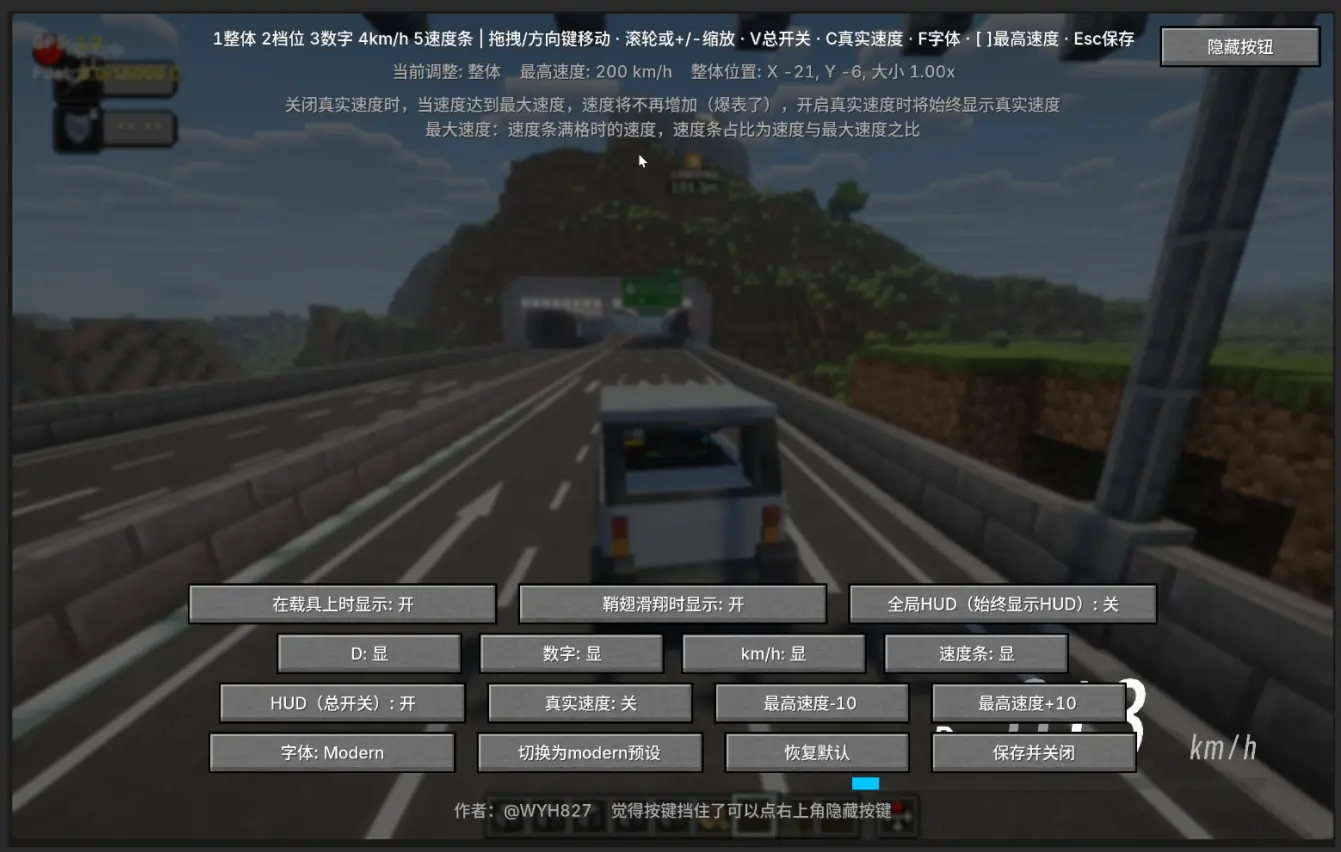
Press H to open the settings screen (can also be accessed via the Mod Menu’s “Config” button).
Key Controls
| Key | Function |
| — | — |
| 1 ~ 5 | Select the element to adjust (Overall / Gear D / Digits / km/h / Speed bar) |
| Arrow keys / Mouse drag | Move the currently selected element |
| Mouse wheel / + - | Scale the currently selected element |
| V | HUD master toggle |
| C | Toggle actual speed |
| F | Switch font (Minecraft / Modern) |
| [ ] | Decrease / Increase max speed (Shift + key adjusts by 25) |
| Esc / “Save & Close” | Save configuration and close |
Button Descriptions
- First row: Show on vehicle / Show on elytra / Global HUD (always show HUD)
- Second row: Toggle visibility for D / Digits / km/h / Speed bar individually
- Third row: HUD (master toggle) / Actual speed / Max speed ‑10 / Max speed +10
- Fourth row: Font / Switch to Modern preset / Restore defaults / Save & Close
- Top‑right corner: Hide Buttons (hides all UI buttons for unobstructed viewing and positioning)
Note: When actual speed is disabled, speed stops increasing once it hits the max speed (pegs the meter). When enabled, the actual speed is always shown.
Note: Max speed is the speed at which the bar becomes full; the bar’s fill ratio is
speed / max speed.
Configuration File
The configuration file is located at .minecraft/config/speedhud-client.toml. Main fields:
[hud]
xOffset = 0        # Overall horizontal offset (positive = right)
yOffset = 0        # Overall vertical offset (positive = down)
scale = 1.0        # Overall scale
enabled = true     # HUD master toggle
showOnVehicle = true   # Show on vehicle
showOnElytra = true    # Show on elytra
globalHud = false      # Always show
maxSpeed = 200         # Max speed (full bar value)
showActualSpeed = false # Show actual speed
font = "minecraft"     # minecraft / modern

[hud.modules]          # Module visibility
gear = true
speed = true
unit = true
bar = true

[hud.elements.gear]    # D gear position and scale
x = 16
y = 40
scale = 1.0

[hud.elements.speed]   # Speed digits
x = 76
y = 34
scale = 1.0

[hud.elements.unit]    # km/h
x = 176
y = 46
scale = 1.0

[hud.elements.bar]     # Speed bar
x = 0
y = 58
scale = 1.0
Modern Font
The Modern font is a custom bitmap font (generated from Smiley Sans Oblique):
- Texture:
assets/speedhud/textures/font/modern.png, 1152×192, with 18 characters per row, each cell 64×192; - Character order:
0123456789DKM/Hkmh; - Glyphs are aligned to the bottom of the cell (row 192);
- Definition file:
assets/speedhud/font/modern.json(height 192 / ascent 7).
To replace the font, provide a PNG following the above specifications and replace assets/speedhud/textures/font/modern.png.
Building (Developers)
Environment: JDK 17+, Gradle 8.x.
gradlew buildThe built artifact will be at build/libs/BetterSpeedHUD-1.1.jar.
Open Source License
This project is released under the MIT License. See LICENSE.txt for details.
Author: @WYH827
常见问题
BetterSpeedHUD 支持哪些 Minecraft 版本?
BetterSpeedHUD 支持 Minecraft Java 版 1.20.1–1.21.11,共 17 个版本,可用的加载器:Forge / NeoForge。下载时注意选择和你游戏版本一致的文件。
BetterSpeedHUD 怎么安装?
先用 PCL2 或 HMCL 启动器安装对应版本的 Forge / NeoForge,再把下载的 .jar 文件放进游戏目录的 mods 文件夹,重新启动游戏即可。开启了版本隔离的,mods 文件夹在 versions/版本名 下面。运行环境:仅客户端。
评论
登录后评论和评分