
Better Signs Mod
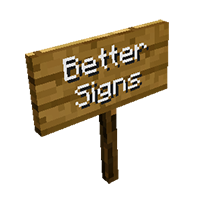
Better Signs is a small mod wich improves the handling and visuals of the standard signs.
截图
介绍
中文介绍正在准备中,下面暂时显示原文。

Better Signs is a small mod wich improves the handling and visuals of the standard signs. Goto original thread: Better Signs Mod
Some Facts
- Adds more readable text (white letters with a dark shadow).
- Adds a standard edit-cursor.
- Adds LEFT-, RIGHT- and DEL-Key support.
- Adds CTRL+V (paste from clipboard) support.
- Adds text size 140% (lines <= 2, letters per line <=11).
- Adds text size 180% (lines <= 2, letters per line <=8).
- Adds the ability to vertically center 1 and 3 lines of text.
- Adds the ability to shift lines with UP and DOWN.
- Adds horizontal sign posts (signs will cling to fences/stone walls).
- Improves BACKSPACE- and RETURN-Key functionality.
- This Mod patches 3 classes: bix, bbt, axv
- This mod is client sided and won’t change your map data.
- You’ll need Forge Modloader.
Install
- Download and install Forge Modloader.
- Put the mod’s JAR-File into your mods folder.
常见问题
Better Signs Mod 支持哪些 Minecraft 版本?
Better Signs Mod 支持 Minecraft Java 版 1.6.2,可用的加载器:Forge。下载时注意选择和你游戏版本一致的文件。
Better Signs Mod 怎么安装?
先用 PCL2 或 HMCL 启动器安装对应版本的 Forge,再把下载的 .jar 文件放进游戏目录的 mods 文件夹,重新启动游戏即可。开启了版本隔离的,mods 文件夹在 versions/版本名 下面。
评论
登录后评论和评分