Better Ping Display Reforged
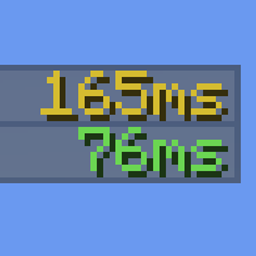
Adds a configurable numerical ping display to the player list.
介绍
Better Ping Display Reforged


Better Ping Display Reforged is a client-side Fabric mod that displays each player’s latency as a number in the Minecraft player list. The server does not need the mod installed, and it works on vanilla servers.
This project continues the original Better Ping Display [Fabric] project by Vlad Marica. It is a community-maintained port and is not the original author’s project.
Compatibility
- Minecraft Java Edition 26.2–26.3
- Fabric Loader 0.19.5 or newer
Installation
- Install Fabric Loader for your Minecraft version.
- Download the Better Ping Display Reforged jar for your Minecraft version from this repository’s Releases.
- Put the jar in your Minecraft
modsfolder and launch the Fabric profile.
Mod Menu and YetAnotherConfigLib (YACL) are optional. Install compatible versions of both to open the in-game settings screen from Mod Menu. Without them, the mod uses the values in config/betterpingdisplay.json.
Configuration
The config file is config/betterpingdisplay.json and has these options:
| Option | Default | Description |
|---|---|---|
autoColorPingText |
true |
Color the ping text according to latency. |
renderPingBars |
false |
Also render Minecraft’s regular ping bars. |
pingTextColor |
#A0A0A0 |
Text color when automatic coloring is disabled. |
pingTextFormatString |
%dms |
Format string for the latency; it must contain %d. |
Credits and license
This project is based on Better Ping Display [Fabric], originally created by Vlad Marica. Original package names and the original copyright notice are retained. The project remains under the original MIT License; see LICENSE.
Repository: henrymmey/better-ping-display-reforged
常见问题
Better Ping Display Reforged 支持哪些 Minecraft 版本?
Better Ping Display Reforged 支持 Minecraft Java 版 26.2–26.3,共 2 个版本,可用的加载器:Fabric。下载时注意选择和你游戏版本一致的文件。
Better Ping Display Reforged 怎么安装?
先用 PCL2 或 HMCL 启动器安装对应版本的 Fabric,再把下载的 .jar 文件放进游戏目录的 mods 文件夹,重新启动游戏即可。开启了版本隔离的,mods 文件夹在 versions/版本名 下面。
HenryMMey 的其他作品
查看全部 →
JS Green Diamond Ore
这个资源包将钻石矿石方块的材质替换为全绿色版本。
JS Green Diamond Ore
将钻石矿石方块的材质替换为全绿色版本。

HM Basic Play
一个轻量、小巧且优化的日常整合包。适合所有人日常使用。

JS Green Ancient Debris Ore
This resource pack replaces the texture of the Ancient Debris block with a fully green version.
评论
登录后评论和评分