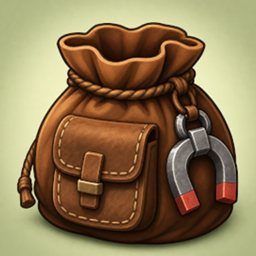
Better Bigger Bundles
Upgrade Minecraft bundles by combining them for more capacity, and add a magnet that pulls nearby items into the bag.
介绍
Bigger Bundles
Upgrade Minecraft bundles by combining them for more capacity, and add a magnet that pulls nearby items into the bag.
Requires: Minecraft 26.1.2 · NeoForge 26.1.2.76+
How to use
Expand capacity
Put two bundles in a crafting grid. The result has capacity:
slots₁ + slots₂ − 1
Vanilla bundles start at 64 slots. Contents are merged when they fit. Magnet upgrades carry over if either input had one.
Magnet upgrade
- Craft a Magnet Upgrade (iron, redstone, lodestone)
- Craft it with a bundle to install the magnet (starts off)
- Right-click air while holding the bundle to toggle the magnet
- Sneak + right-click still dumps contents like vanilla
When the magnet is on, nearby dropped items are pulled toward you and vacuumed into that bundle (from anywhere in your inventory).
What to expect
- Expanded bundles show their slot capacity in the tooltip
- Magnet state (ON / OFF) appears on upgraded bundles
- Combining works with dyed bundles; the first bundle’s color is kept
- The fullness bar still reflects how full the larger capacity is
常见问题
Better Bigger Bundles 支持哪些 Minecraft 版本?
Better Bigger Bundles 支持 Minecraft Java 版 26.1.2–26.2,共 2 个版本,可用的加载器:NeoForge。下载时注意选择和你游戏版本一致的文件。
Better Bigger Bundles 怎么安装?
先用 PCL2 或 HMCL 启动器安装对应版本的 NeoForge,再把下载的 .jar 文件放进游戏目录的 mods 文件夹,重新启动游戏即可。开启了版本隔离的,mods 文件夹在 versions/版本名 下面。
artofscripting 的其他作品
查看全部 →
Infinite Inventory
一款添加魔法袋的 Minecraft 模组,真正拥有无限储物空间。

Artust Item Duplicator
物品复制器
MC Money
一个货币模组,添加了硬币、用于安全存储的个人银行,以及一个可配置的商店,包含 200+ 物品供买卖。

Universal Lead (Leashable Villagers & Mobs)
Attach standard Minecraft Leads to villagers, turtles, pandas, bats, fish, and other passive mobs that vanilla arbitrarily blocks.
评论
登录后评论和评分