
Better Banners Mod
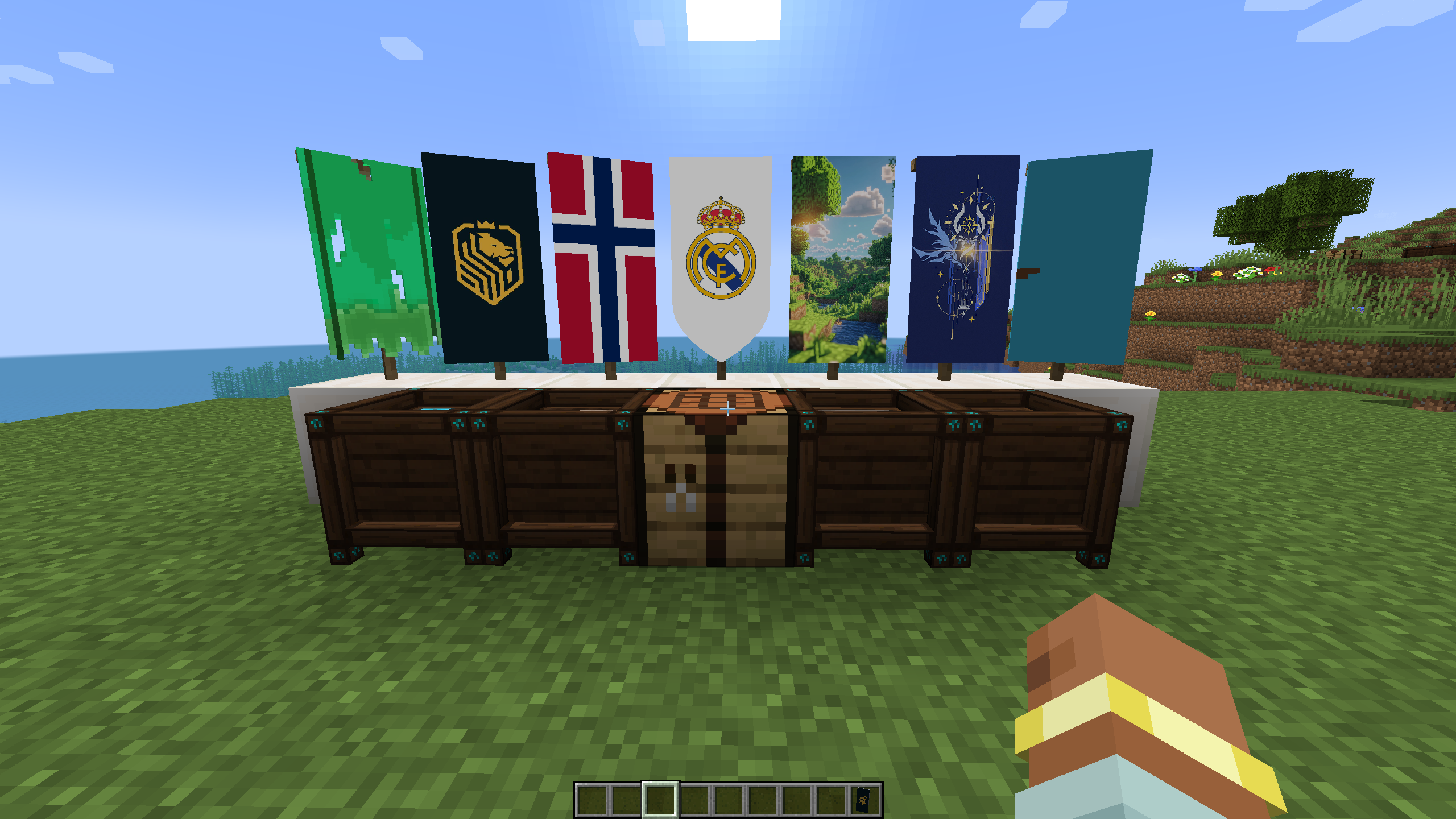
Design custom high resolution banners with a full in-game pixel art studio, multi-frame animations banners, custom pattern provider, and banner image import/export.
截图
介绍
Better Banners transforms Minecraft banners, shields, and paintings into high-resolution pixel art with a full in-game design studio and multi-frame animation support.

- Multi-resolution drawing tiers ranging from 1 to 6 resolution [144,240,360,480,720 HD,1080 FHD] can be upgraded from tier to another with surrounding the banner with wools in crafting table.
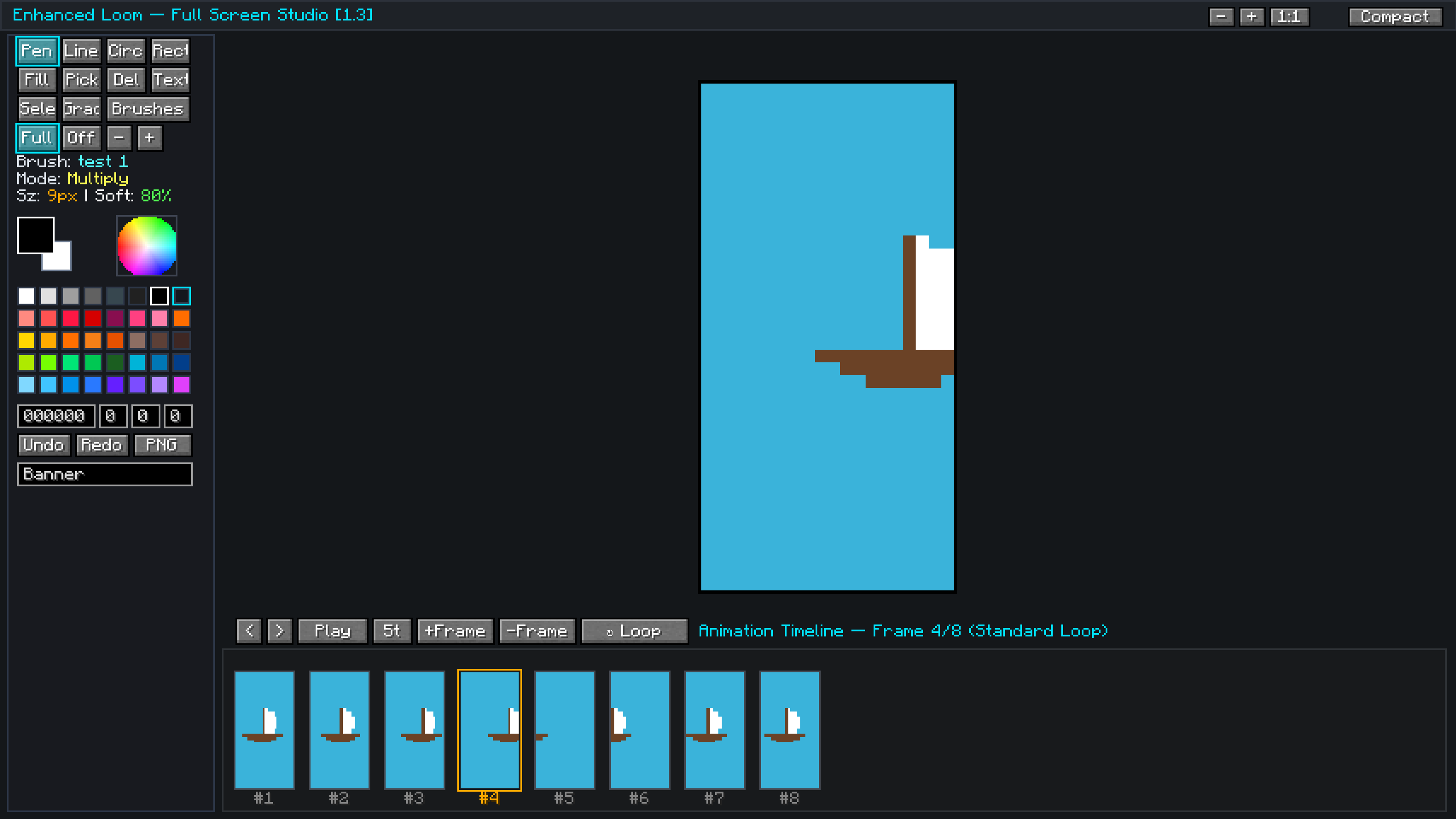
- Comprehensive tool as Pencil, Line, Rectangle, Circle, Flood Fill, Color Picker, Eraser, and Stamp Text tool, simple shapes, etc.. .
- Undo and redo history for easy editing, expanded fullscreen view with zoom controls for detailed pixel placement and animation frames.
Create smooth looping animations directly inside the Enhanced loom, frame-by-frame editor with frame timeline, add/delete frames, and live playback preview.
Adjustable animation speeds that play in real time when placed in the world.
Emissive glowing banner options that shine in the dark.

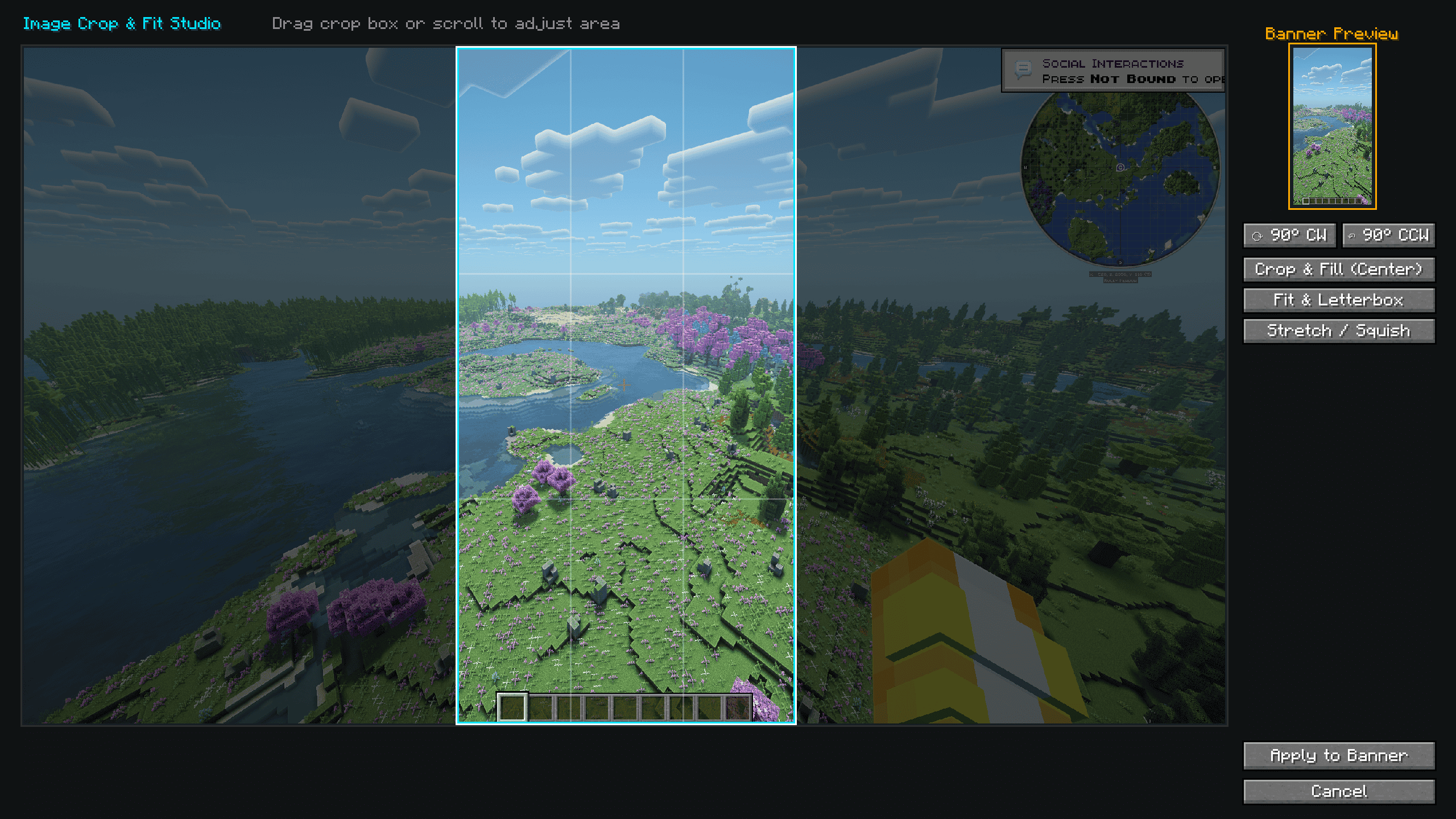
The Most powerFull feacture that can make easy for anyone to set banner in one sec by uploade image into the banner directly from the pc with live crop system for rotate,fit and set the banner, as well as export the banner as png for feature use.

Save/load created banner by using empty pattern in pattern provider table to copy and past in any new banner,
currently the enhanced loom can accept the paint item and set image or draw on it, but currently in beta version and would not work porperly.
常见问题
Better Banners Mod 支持哪些 Minecraft 版本?
Better Banners Mod 支持 Minecraft Java 版 1.21–1.21.8,共 4 个版本,可用的加载器:Fabric / NeoForge。下载时注意选择和你游戏版本一致的文件。
Better Banners Mod 怎么安装?
先用 PCL2 或 HMCL 启动器安装对应版本的 Fabric / NeoForge,再把下载的 .jar 文件放进游戏目录的 mods 文件夹,重新启动游戏即可。开启了版本隔离的,mods 文件夹在 versions/版本名 下面。运行环境:客户端和服务端都要装。
评论
登录后评论和评分