
Better Advanced Tooltips
Adds tag, component and other tooltips to items in F3+H mode
截图
介绍
Adds tag, component and other tooltips to items in F3+H mode.
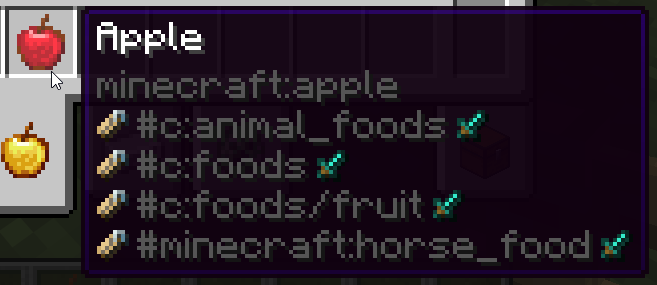
Hold Shift key hovering an item to see its tags:
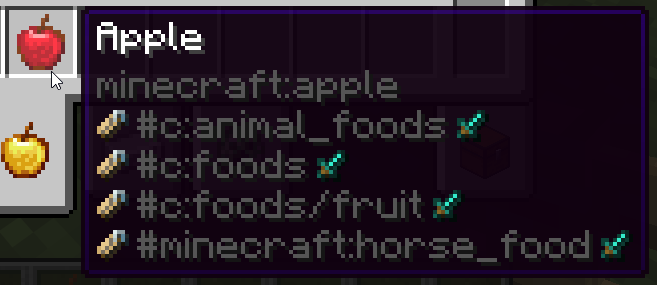
Hovering over some items have special extra tag handling:
- Sword icon: Item tags
- Grass block icon: Block tags (Any block item)
- Pig icon: Entity tags (Spawn Eggs)
- Bucket icon: Fluid tags (Buckets/fluid containers)
- Painting icon: Painting tags (Paintings)
- Enchantment icon: Enchantment tags (Enchanted Books)
- Piano icon: Instrument tags (Goat Horns/other instrument items)
- Banner icon: Banner Pattern tags (Banner Patterns)
Example – enchanted book showing all enchantment tags:
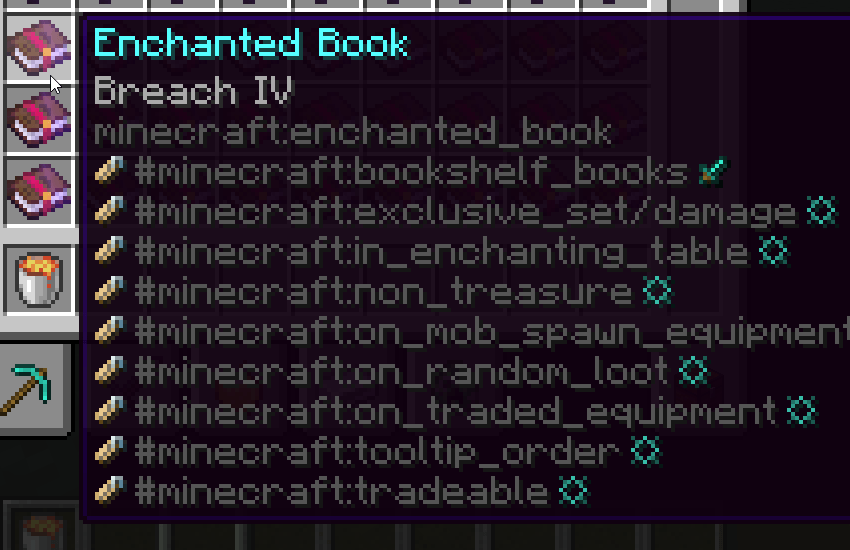
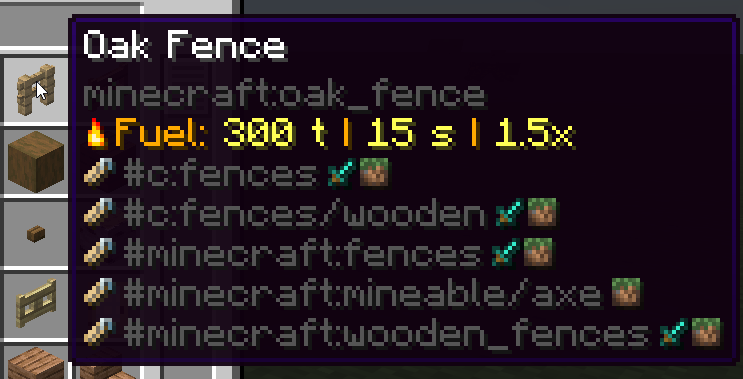
If multiple tag types have the same name, they will be merged into the same line, to not clutter screen.
Example – many blocks will have the same block and item tags:
Hold Alt key hovering an item to see its component patch (items that by default don’t have this component set, previously called “Custom NBT”):
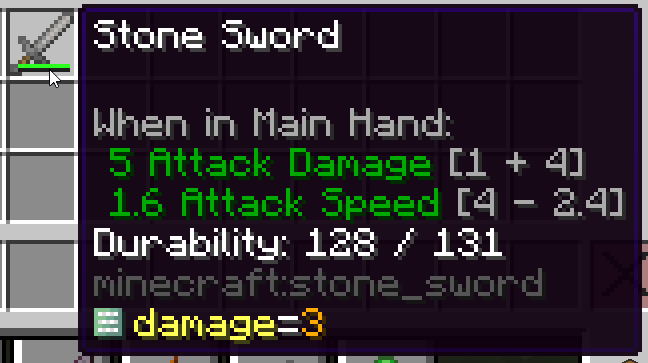
Hold Alt + Shift keys hovering an item to see its full component map (custom ones will be highlighted yellow):
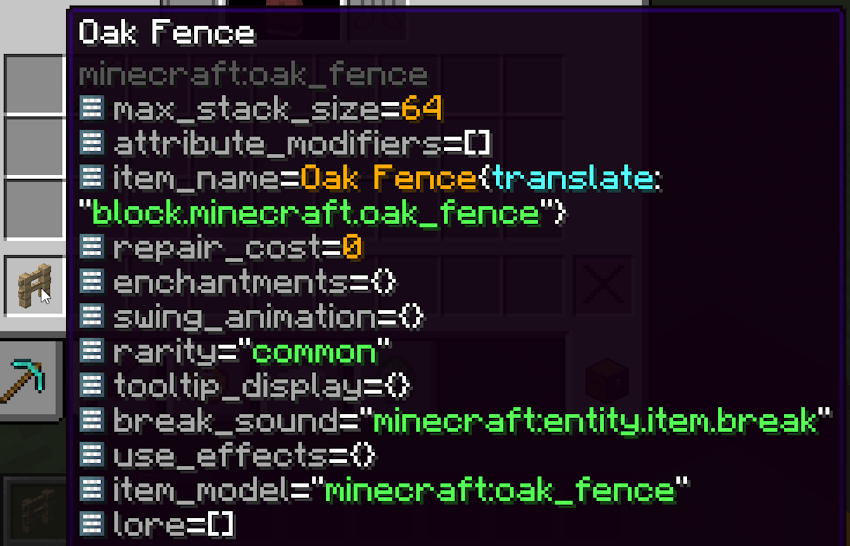
Hold Shift over fuel items to see their fuel values:
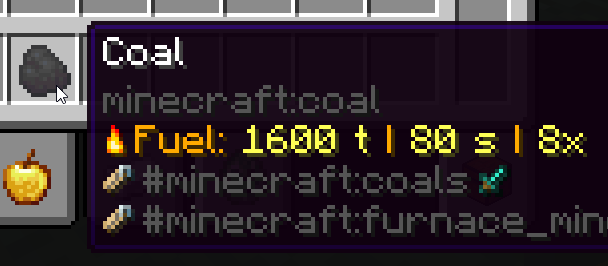
This mod also contains a bunch of chat component icons (see its font/icons.json file for more info):
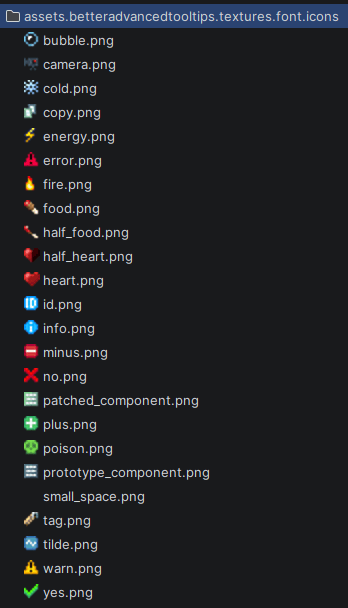
This mod used to be bundled with KubeJS but now has been moved to being a dependency.

常见问题
Better Advanced Tooltips 支持哪些 Minecraft 版本?
Better Advanced Tooltips 支持 Minecraft Java 版 1.21.1–26.3,共 5 个版本,可用的加载器:NeoForge。下载时注意选择和你游戏版本一致的文件。
Better Advanced Tooltips 怎么安装?
先用 PCL2 或 HMCL 启动器安装对应版本的 NeoForge,再把下载的 .jar 文件放进游戏目录的 mods 文件夹,重新启动游戏即可。开启了版本隔离的,mods 文件夹在 versions/版本名 下面。运行环境:客户端和服务端都要装。
评论
登录后评论和评分