
Beta Days
Make your Minecraft old school with classic configurable options like disabling hunger, sprinting, experience drops, 1.9 combat system, nether fog and more.
截图

介绍







Do you want to take a trip down memory lane? This mod is for you if you would like to emulate Minecraft Beta functionality and features inside of modern Minecraft.
For even more nostalgia, we recommend pairing this with any resource pack (try our Minecraft Beta resource pack – Legacy Default) that adds old textures and sounds, and this mod with Beta+ by therealMRBURGERUS, which is a replica of the old Beta and Alpha generator. You could use old seeds with it like Glacier and worstseedever.
🛠️ Features
Old Hud
Gives the classic HUD, removing the hunger bar, and adjusting the position of the armor bar. Enabling this is only the aesthetic of the HUD. You may want to disable hunger, which will make food give you health when eaten.

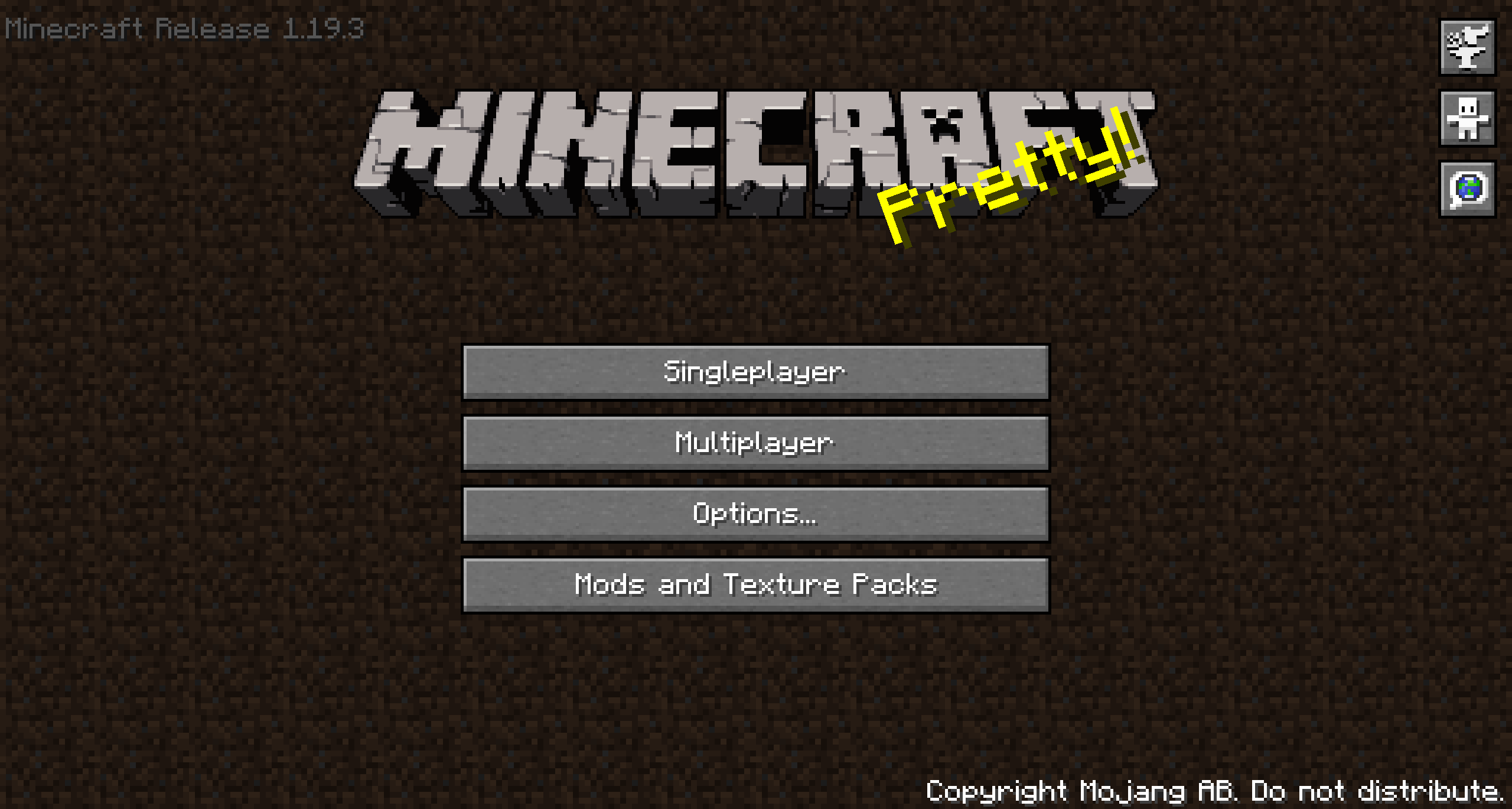
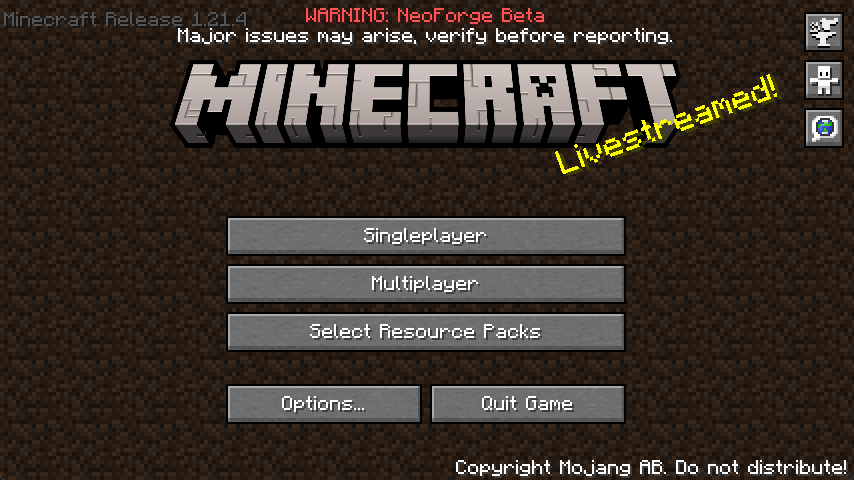
Enable Beta Main Menu
This will replace your main menu with the one from beta with minor tweaks. The version number is at the top left, and the background is the classic tiling dirt background.
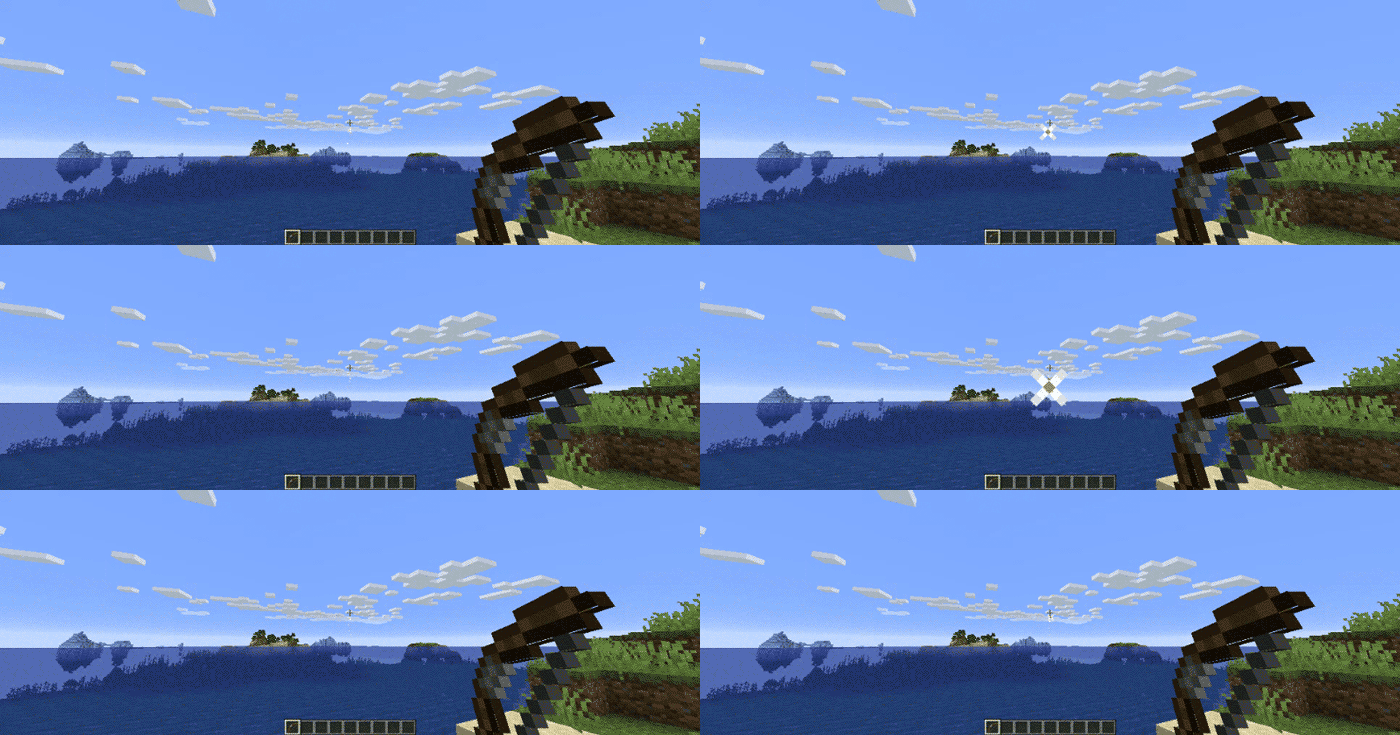
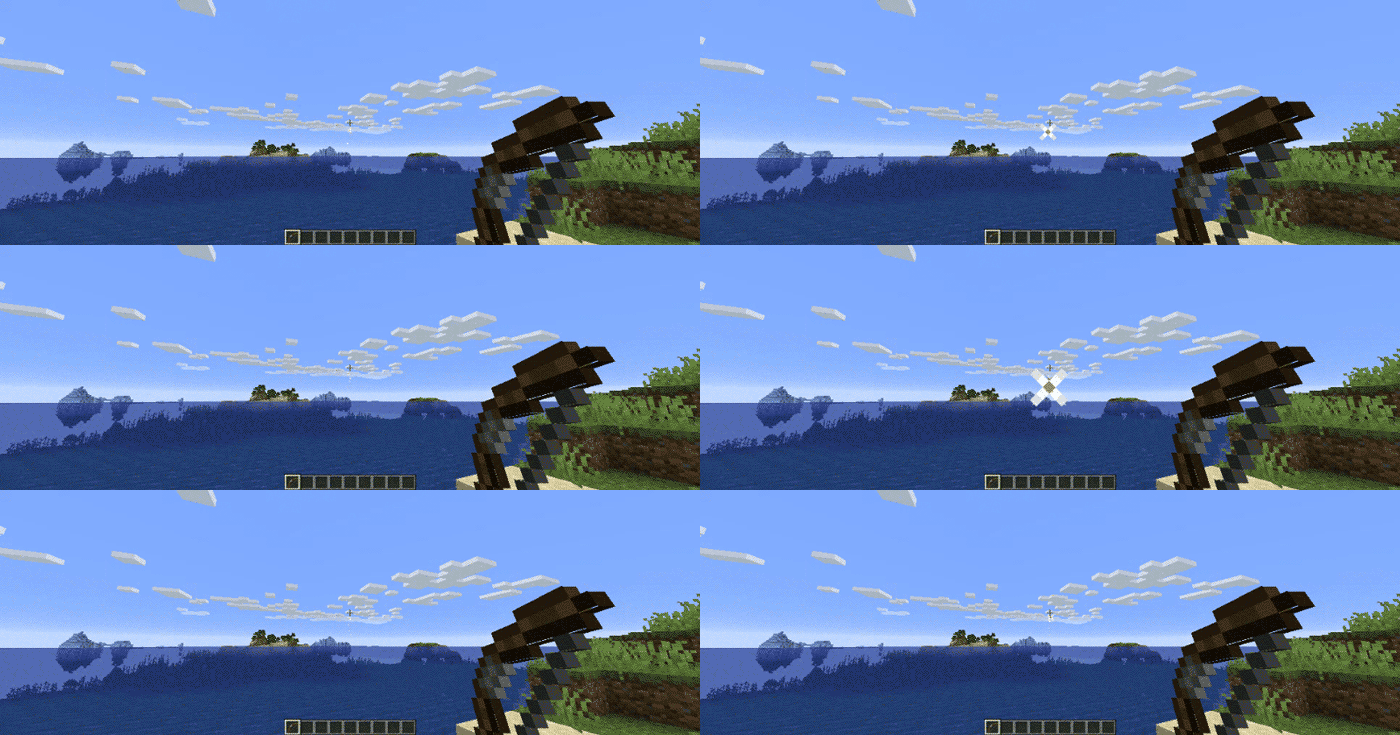
Classic Beta Style Bow
Allows you to shoot the bow without having to recharge, just like in beta.
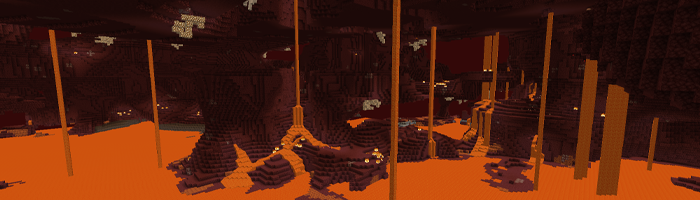
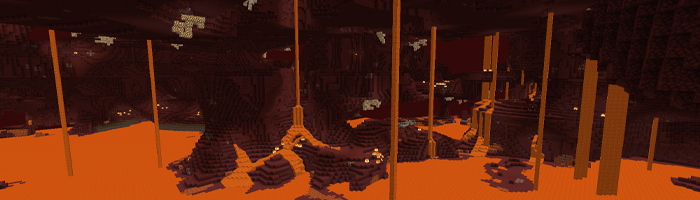
Disable Nether Fog
Disables the Nether fog and allows you to see more clearly and far in the Nether.
Disable 1.9+ Combat System
Spam click with your weapons to your heart’s content. The classic system is back. I can hear your mice now!
Disable Sprinting
Useful if you want to capture the beta experience. This also disables the new swimming in 1.14.4+.
Disable Hunger
Useful if you want to capture the beta experience. This will make food give you health points instead of hunger points and will be eaten instantly.
Disable Experience Drops
Useful if you want to capture the beta experience. Killing mobs will stop them from dropping XP.
Custom Dimension Messages
Will display classic messages on the loading screen like “Entering the Nether” and “Entering the End,” just how beta did it back in the day.
… And More!
Configuring Beta Days for Minecraft 1.21.3+
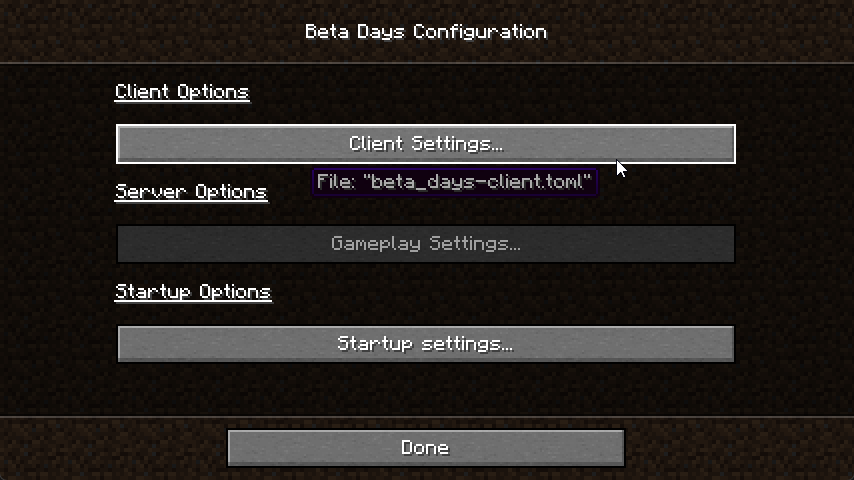
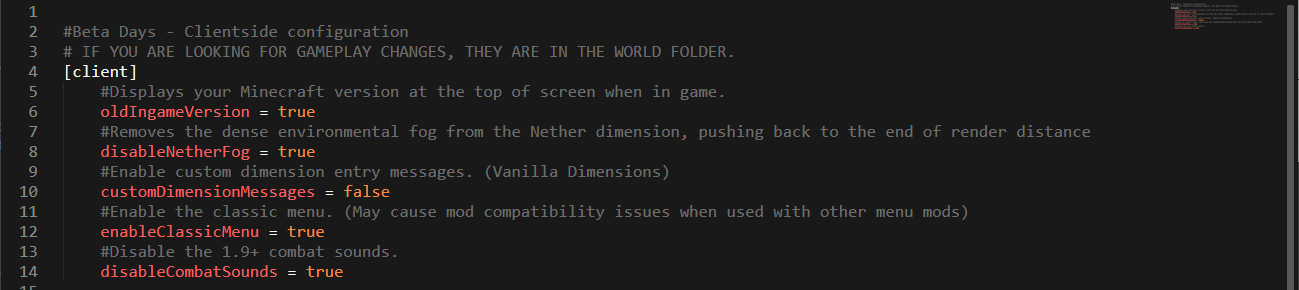
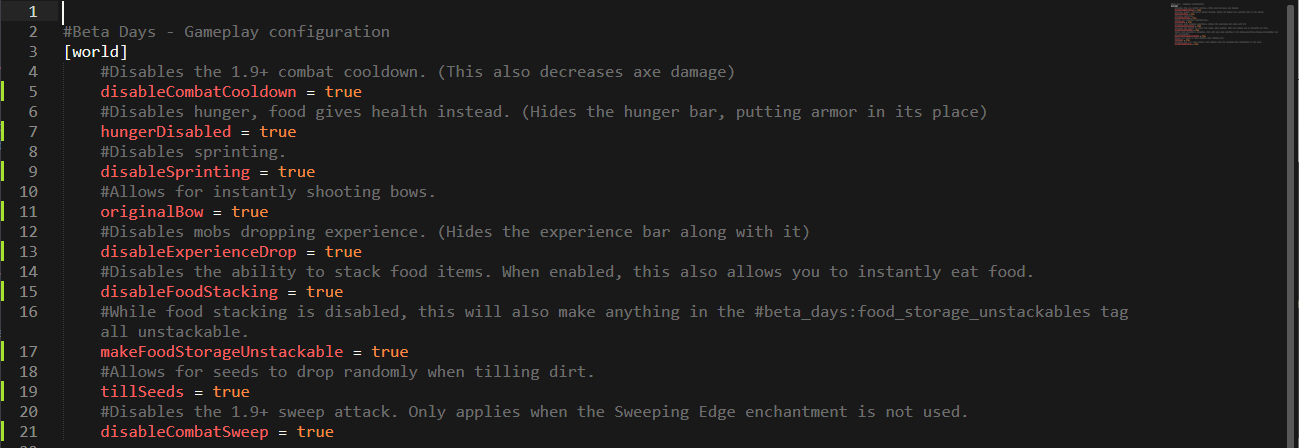
You can find the beta_days-client.toml in the config folder and beta_days-server.toml inside of your Minecraft world/serverconfig folder. You can also configure the mod easily in NeoForge by clicking the "Mods" button, selecting the mod, and clicking "Configure".
beta_days-client.toml
beta_days-server.toml
Configuring Beta Days for Minecraft 1.19.x
Spoiler
You can find the beta_days-client.toml in the config folder and beta_days-server.toml inside of your Minecraft world/serverconfig folder. You can also configure the mod easily in NeoForge by clicking the "Mods" button, selecting the mod, and clicking "Configure".
beta_days-client.toml
beta_days-server.toml
Configuring Beta Days for Minecraft 1.16.4
Spoiler
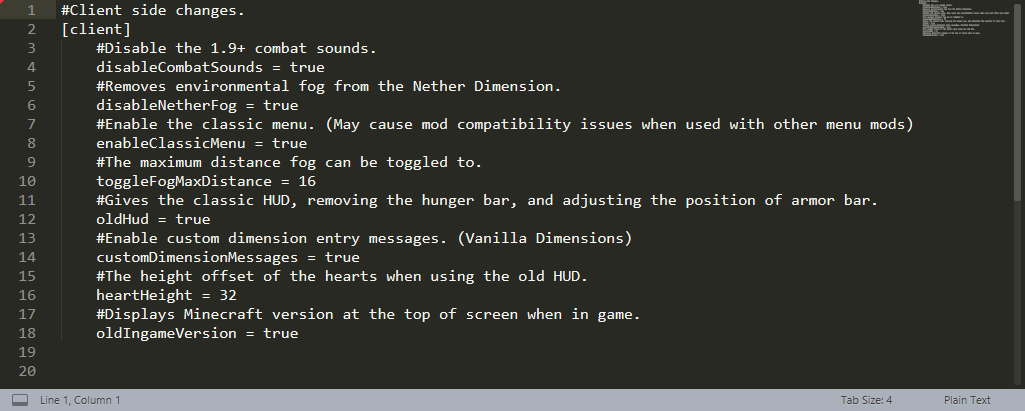
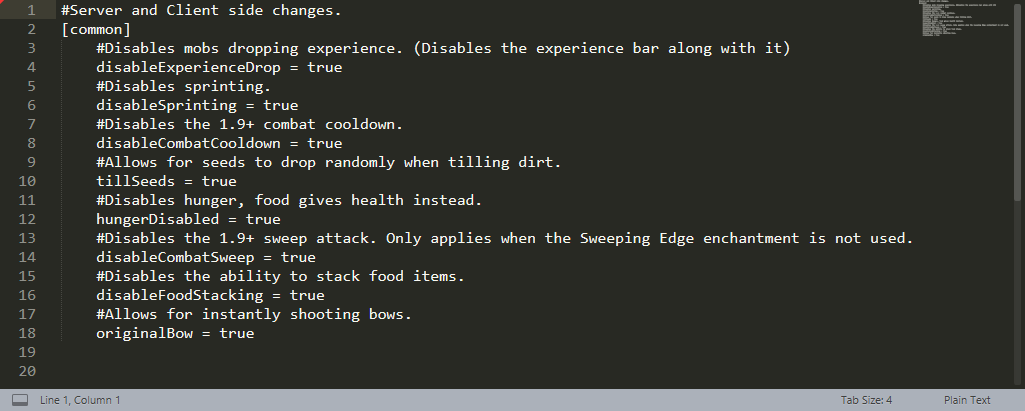
In your Minecraft folder, and then inside of the config folder, edit the beta_days-client.toml and beta_days-common.toml files.
beta_days-client.toml
beta_days-common.toml
Configuring Beta Days for Minecraft 1.12.2
Spoiler
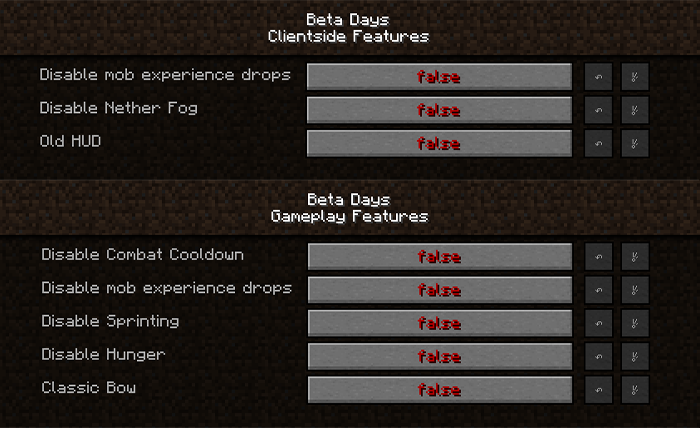
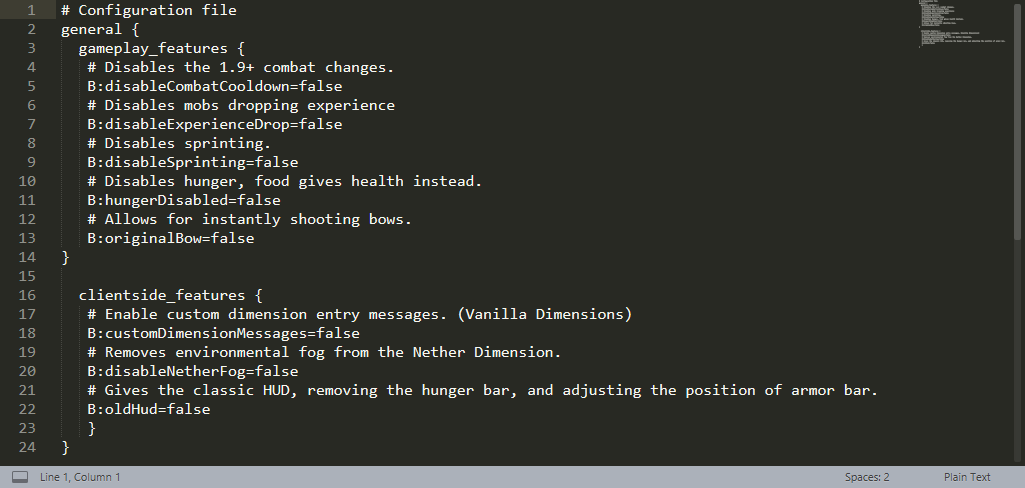
You can configure the 1.12.2 version in-game or by editing the beta_days.cfg files in your config folder.
In-Game Config Editing
Make sure you edit the config at the Main Menu as you cannot edit some things while loaded in a world! Click your “Mods” button and click on “Beta Days,” and then the “Config” button.
beta_days.cfg for Minecraft 1.12.2
🤚 Support: If you have questions or any issues with our mods, read the FAQ! You can also either submit an issue on the issue tracker, or come into our Discord server where we can help you!

常见问题
Beta Days 支持哪些 Minecraft 版本?
Beta Days 支持 Minecraft Java 版 1.19.4–26.1.2,共 6 个版本,可用的加载器:Forge / NeoForge。下载时注意选择和你游戏版本一致的文件。
Beta Days 怎么安装?
先用 PCL2 或 HMCL 启动器安装对应版本的 Forge / NeoForge,再把下载的 .jar 文件放进游戏目录的 mods 文件夹,重新启动游戏即可。开启了版本隔离的,mods 文件夹在 versions/版本名 下面。运行环境:客户端和服务端都要装。
Modding Legacy 的其他作品
查看全部 →
Aether: Lost Content Addon
一个为《天境》带回并赋予生命的附属模组,收录了许多过去被废弃、未使用,甚至仅停留在概念阶段的内容与功能。

Miner’s Helmet
一个简单添加动态照明头盔的模组。

Lucent
客户端动态光照前置模组
Step
通过这款模组升级原版体验!它新增了一个平衡的踏步附魔,让你可以直接走上整格方块。
评论
登录后评论和评分