
Bedrock Armor Stand Control
This Fabric mod for Minecraft enables Bedrock players connecting via Geyser and Floodgate to a Java Minecraft server to pose armor stands in-game.
截图
介绍
Bedrock Armor Stand Control
This Fabric mod for Minecraft enables Bedrock players connecting via Geyser/Floodgate to a Java Minecraft server to pose armor stands in-game. It was inspired by the Armor Poser mod
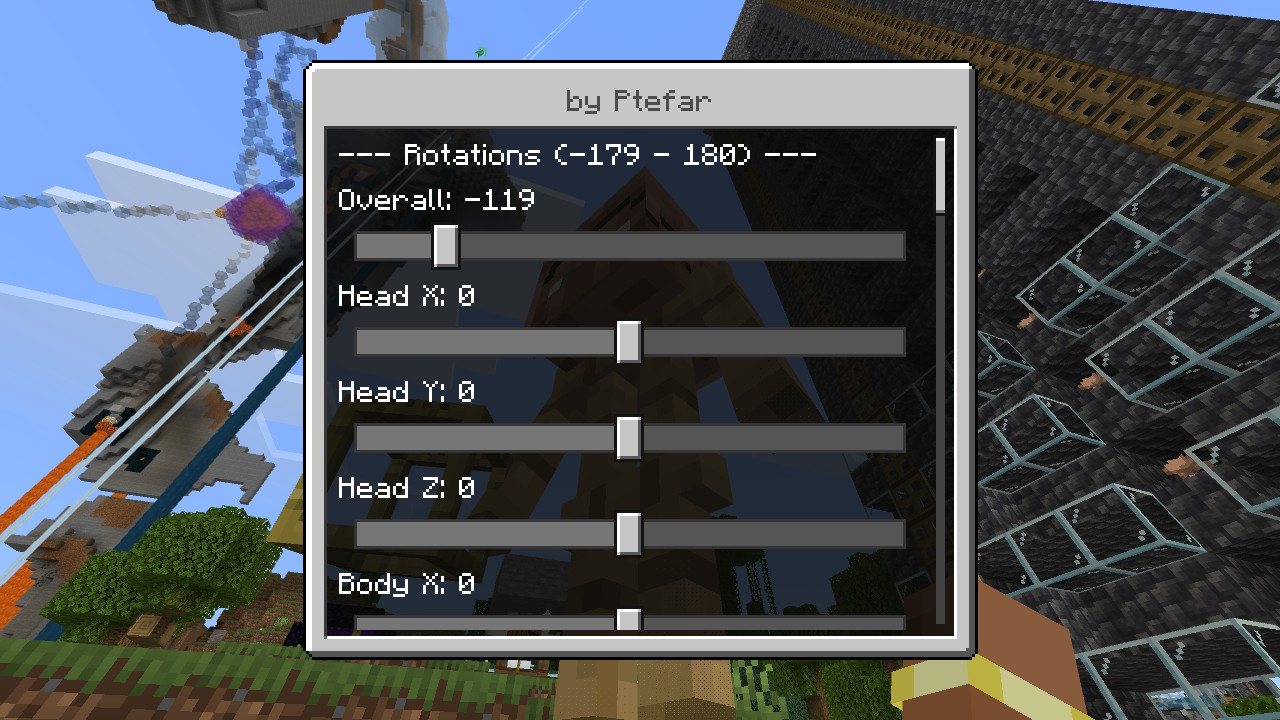
Players trigger the armor stand dialog by interacting with an armor stand while crouching. This will open a dialog that allows the overall position and rotation of the armor stand to be changed as well as the rotation of the arms, legs, head and torso.
There are also controls to configure the visibility of optional items such as the base plate, the arms etc. The overall scale of the armr stand is also configurable.
Setup
To install the mod add it to the mods/ directory of the server.
This mod only work on servers with both Fabric and Floodgate installed.
常见问题
Bedrock Armor Stand Control 支持哪些 Minecraft 版本?
Bedrock Armor Stand Control 支持 Minecraft Java 版 26.2–26.3,共 2 个版本,可用的加载器:Fabric。下载时注意选择和你游戏版本一致的文件。
Bedrock Armor Stand Control 怎么安装?
先用 PCL2 或 HMCL 启动器安装对应版本的 Fabric,再把下载的 .jar 文件放进游戏目录的 mods 文件夹,重新启动游戏即可。开启了版本隔离的,mods 文件夹在 versions/版本名 下面。运行环境:仅服务端。


评论
登录后评论和评分