
介绍
Put a bed in the loom’s banner slot, a dye beside it, a pattern if you have one, and take out a bed wearing that pattern. Every pattern the loom offers, layered as deep as a banner can be layered.
Break a patterned bed and you get the patterned bed back, so the design moves house with it. Beds
standing side by side keep one pattern each.
How It Works, And Why That Matters
Beds have no block entity on this version. They were converted to ordinary model-rendered
blocks, which means a placed bed has nowhere to keep anything and no renderer of its own to draw
with. A pattern cannot be part of the bed.
So it is drawn over the bed instead. On a Pandorical client, the pattern layers are laid on the
bed as a decal: vanilla’s own banner pattern sprites, drawn flat over the bed’s own blanket
texture with no base colour, from the pillow’s edge to the foot. The blanket stays the bed’s
blanket, in the bed’s colour and at the bed’s pixel size, and the pattern sits on it the way it
would on cloth. That is the whole difference between a patterned bed and a banner lying on one.
The record of which bed has which pattern is an item display holding a banner, laid on its
back on the mattress. A vanilla client sees that banner in place of the decal, which is the best
a vanilla client can be shown; a Pandorical client leaves it undrawn. Nothing else stores the
pattern, so there is no second copy to disagree with the bed.
The Loom
The crafting half is one method, because vanilla’s loom never actually cared that it was working on
a banner. Its result is built by copying whatever is in that slot and appending a layer to the
stack’s banner_patterns component, and the pattern list it offers is read off the same component.
Both are generic already. Only the slot said no, so only the slot was changed.
The screen is the other half. The loom’s preview asks the banner slot for its item and casts it to
a banner to learn the flag’s base colour, and a bed is not a banner: the client crashed the moment
a pattern was clicked with a bed in the slot. The preview is handed a banner of the bed’s
colour instead, which is the only thing it asked for, so the preview draws the pattern on a
flag of that colour. That guard lives in Pandorical’s client half, not here: this mod ships no
client code, and a client with Pandorical has the loom held up for it.
Dyed beds only. A straw bed has no colour for a banner to stand in for.
Pandorical
The pattern on a bed is drawn by Pandorical’s banner decals: the bed itself is the game’s own block,
with the layers hung on it for whoever can see them. Pandorical is required on the server, and on a
client to see the pattern – without it a patterned bed is an ordinary bed, and still sleeps, breaks
and moves house as one.
常见问题
Bed Banners 支持哪些 Minecraft 版本?
Bed Banners 支持 Minecraft Java 版 26.3,可用的加载器:Fabric。下载时注意选择和你游戏版本一致的文件。
Bed Banners 怎么安装?
先用 PCL2 或 HMCL 启动器安装对应版本的 Fabric,再把下载的 .jar 文件放进游戏目录的 mods 文件夹,重新启动游戏即可。开启了版本隔离的,mods 文件夹在 versions/版本名 下面。
justfatlard 的其他作品
查看全部 →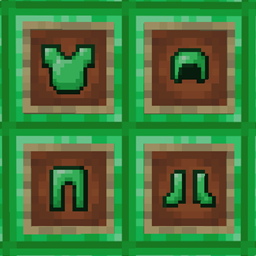
Emerald Armor – pandorical
用绿宝石块制作的钻石级护甲
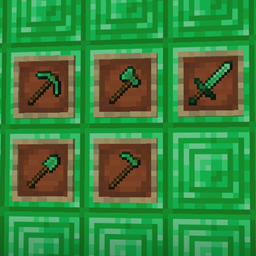
Emerald Tools – pandorical
用绿宝石块制作钻石级工具

Pandorical lib
为 Fabric 提供客户端桥接,让客户端支持由服务器驱动的界面、内容和渲染。

Quartz Armor
添加由平滑石英制成的盔甲
评论
登录后评论和评分