
BeautifulButtons
This project adds a new way to make your minecraft feel like your own!
截图
介绍
🎨 BeautifulButtons
Give your Minecraft buttons a makeover — because your UI deserves a little personality.
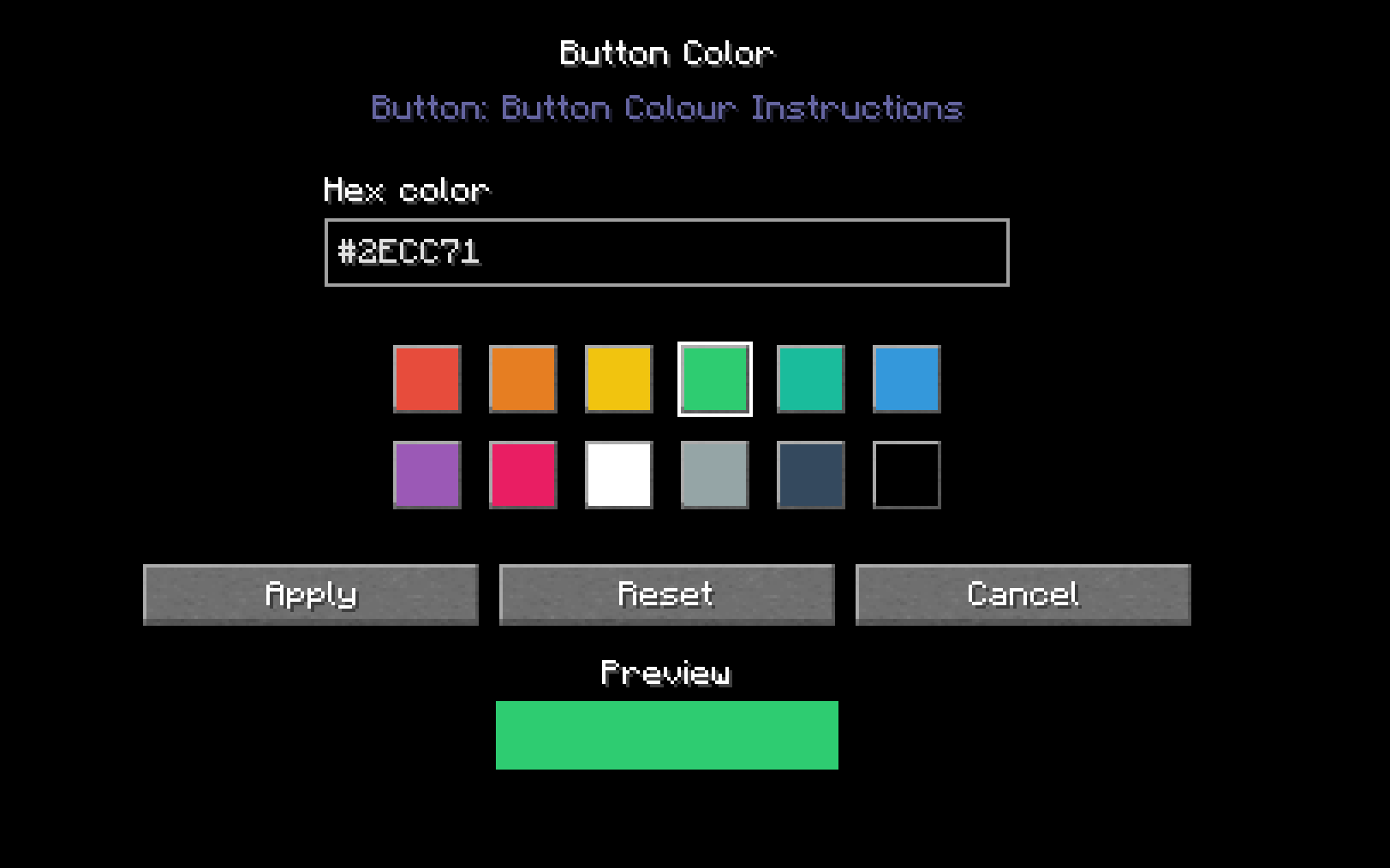
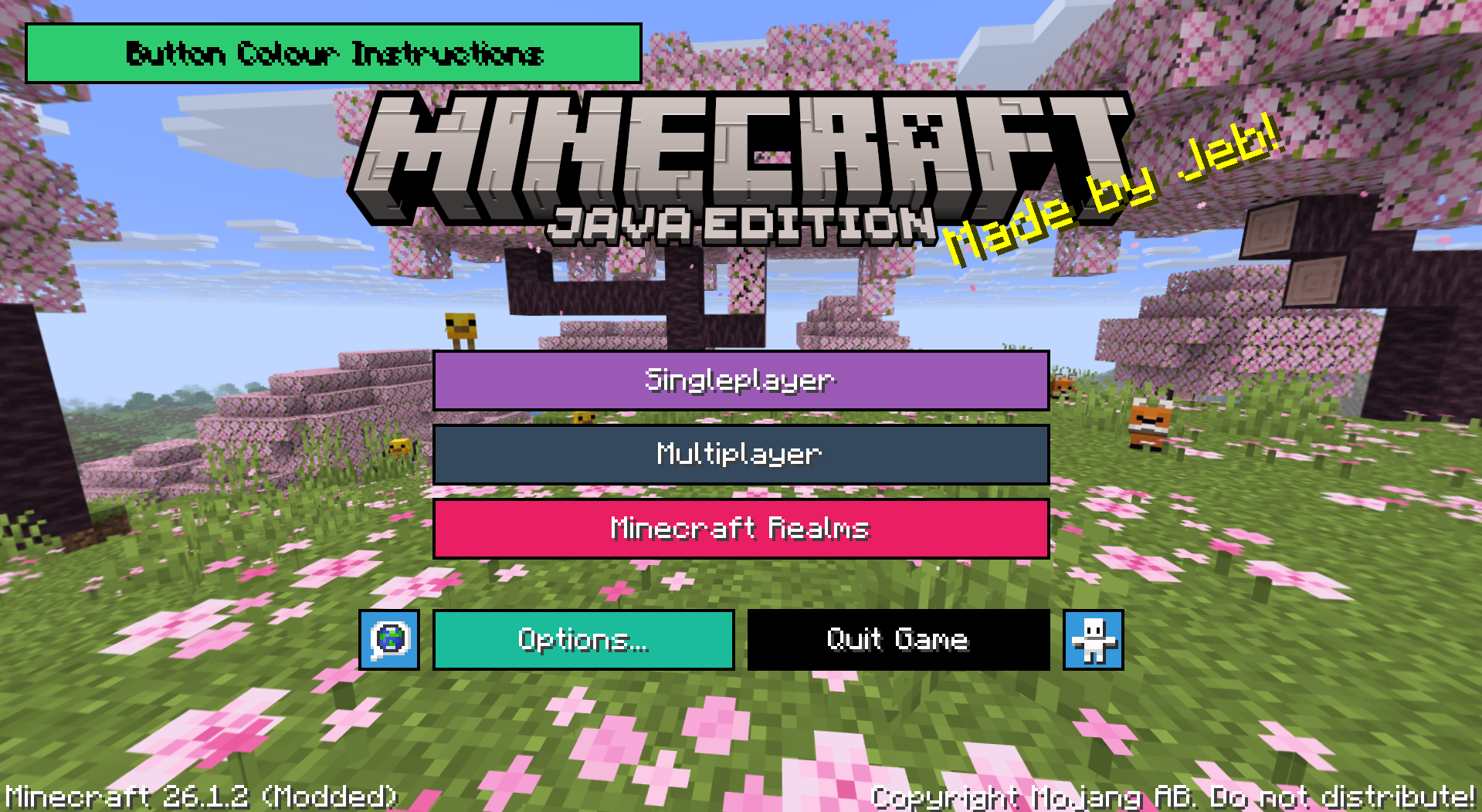
BeautifulButtons is a client-side mod that lets you customise the colour of every button in Minecraft’s menus. Pick any hex colour you like, or choose from a built-in palette of 12 presets — then preview your choice live before applying it.
✨ Features:
Full hex colour support — enter any valid hex code to get the exact colour you want
12 quick-pick presets — red, orange, yellow, green, teal, blue, purple, pink, white, grey, dark grey, and black
Live preview — see exactly what your button will look like before committing
Per-button customisation — colour individual buttons differently for a truly unique UI
Reset at any time — one click to go back to default
How to use it:
Once the mod is installed, open the colour settings for any button from the options menu. Type in a hex code (like #2ECC71 for green), or click one of the preset swatches. The preview at the bottom of the screen updates instantly. Hit Apply when you’re happy, Reset to go back to default, or Cancel to exit without saving.
常见问题
BeautifulButtons 支持哪些 Minecraft 版本?
BeautifulButtons 支持 Minecraft Java 版 1.21.11–26.1.2,共 2 个版本,可用的加载器:Fabric。下载时注意选择和你游戏版本一致的文件。
BeautifulButtons 怎么安装?
先用 PCL2 或 HMCL 启动器安装对应版本的 Fabric,再把下载的 .jar 文件放进游戏目录的 mods 文件夹,重新启动游戏即可。开启了版本隔离的,mods 文件夹在 versions/版本名 下面。运行环境:仅客户端。
X_TyFighter 的其他作品
查看全部 →
Villager Link
This mod adds an easy way to see which villagers take which beds and work stations when trading with them!

MenuMolder
A new way to move overlapping GUI to ensure a clean, good looking experience for all users!

Create: Husbandry
Turn livestock into factory feedstock: leather, milk, wool and muck, with machines that reward a well-kept barn and punish a crowded one.

RecapPVP
This is a new way to track progression throughout training PVP! Track your pvp stats your way!
评论
登录后评论和评分