
截图
介绍
Beacon Range (Fabric 1.21.1)
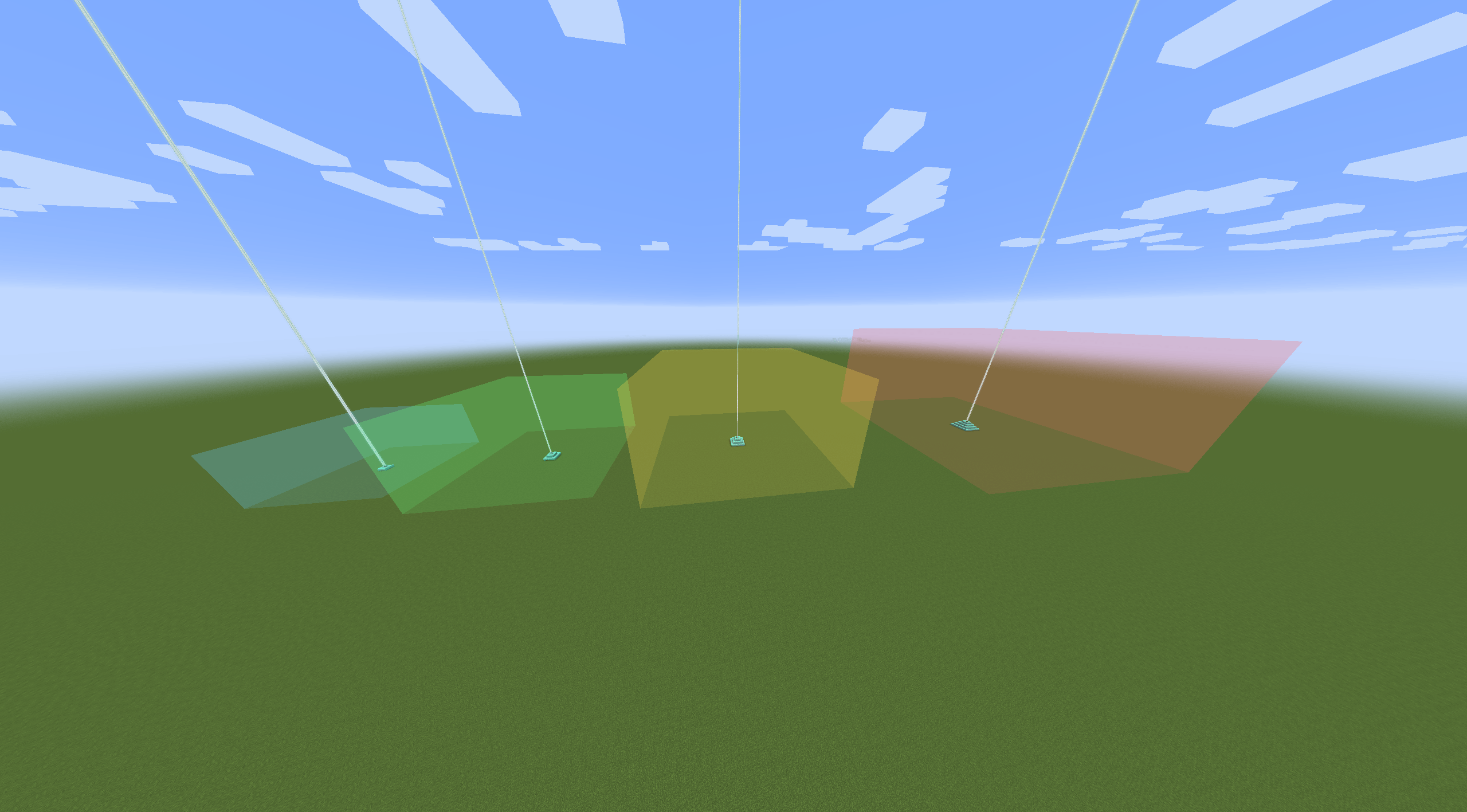
A utility mod for Minecraft that visualizes the effective range of beacons using color-coded, transparent bounding boxes. Perfect for technical building and ensuring base coverage.
Features
-
Visual Indicators: Hover your crosshair over a beacon to see its range instantly.
-
Level-Based Color Coding:
-
Level 1: Blue (20 block range)
-
Level 2: Green (30 block range)
-
Level 3: Yellow (40 block range)
-
Level 4: Red (50 block range)
-
-
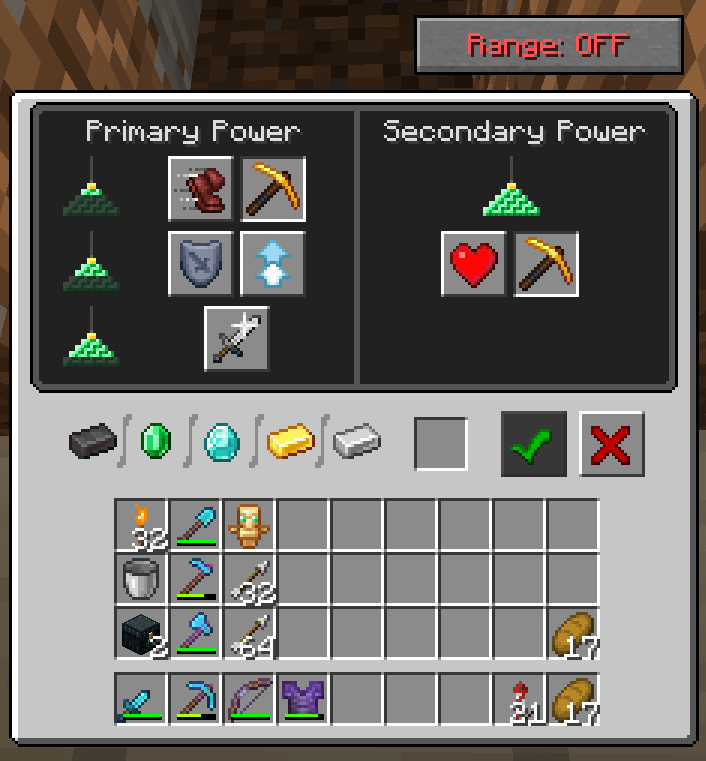
Pinning System: Open a Beacon GUI and click the Range: OFF/ON button. Pinned beacons remain visible even when you aren’t looking at them.
-
Multi-Beacon Support: Pin as many beacons as you need to visualize complex overlapping coverage.
Commands
Manage your pinned beacons easily through the chat interface:
-
/beaconrange clear
-
Removes all currently pinned beacons from your view.
-
-
/beaconrange remove [coordinates]
-
Removes a specific beacon from your list.
-
Tip: This command supports Tab-Completion. Simply type the command and press Tab to cycle through the coordinates of all your currently pinned beacons.
-
How to Use
-
Preview: Look at any active beacon to see its range.
-
Pin: Right-click the beacon to open its menu and click the custom button to “Pin” the range.
-
Manage: Use the chat commands to clean up your pinned ranges once your project is finished.
Requirements
-
Fabric Loader
-
Fabric API
-
Minecraft 1.21.1
常见问题
Beacon Range 支持哪些 Minecraft 版本?
Beacon Range 支持 Minecraft Java 版 1.21.1–1.21.11,共 11 个版本,可用的加载器:Fabric。下载时注意选择和你游戏版本一致的文件。
Beacon Range 怎么安装?
先用 PCL2 或 HMCL 启动器安装对应版本的 Fabric,再把下载的 .jar 文件放进游戏目录的 mods 文件夹,重新启动游戏即可。开启了版本隔离的,mods 文件夹在 versions/版本名 下面。
KCLucas 的其他作品
查看全部 →
Beacon Range
Visualizes beacon ranges with colored bounding boxes.

Advanced Happy Ghast
Upgrade your Happy Ghast! This mod introduces a progression system, integrated storage, and speed bonuses. Manage your companion through a custom dashboard and level it up using rare materials.

Advanced Shadows
This project add´s an overlay for shadows in the Overworld.

ReHome
Automatic Teleport for /home system on disconects/kicks etc.
评论
登录后评论和评分